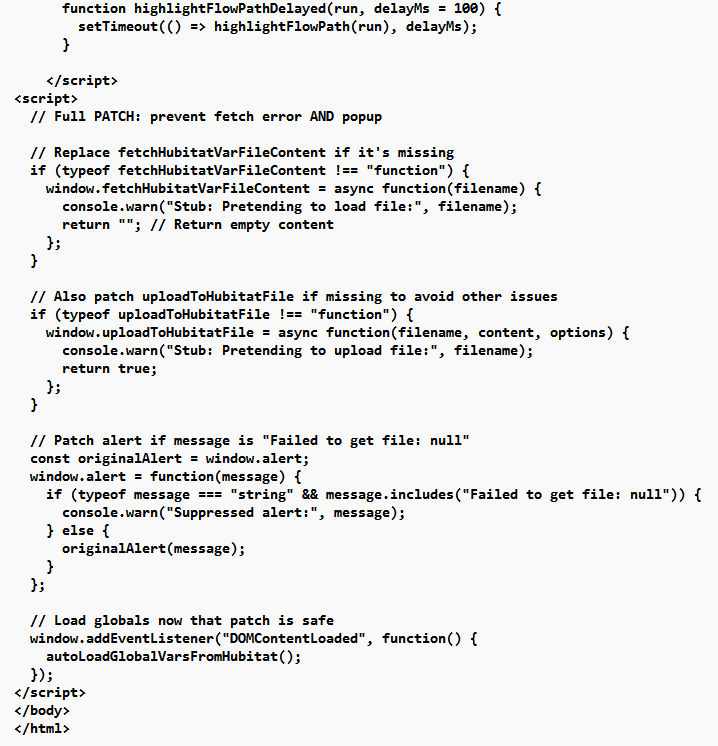
You should only have to open the One app and hit 'Done', if you changed the trigger node. Changing anything thing else shouldn't need it. Let me know if you see anything different.
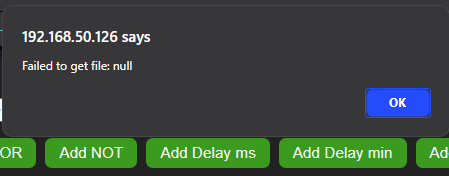
I'll look into the Failed to get file error at startup
Looking at your log, I don't think you followed the instructions...
"To test this Flow, click on the Trigger device to test. Then enter a value above and click the Test button. Value examples: on/off/open/closed/doubletap/tripletap/etc."
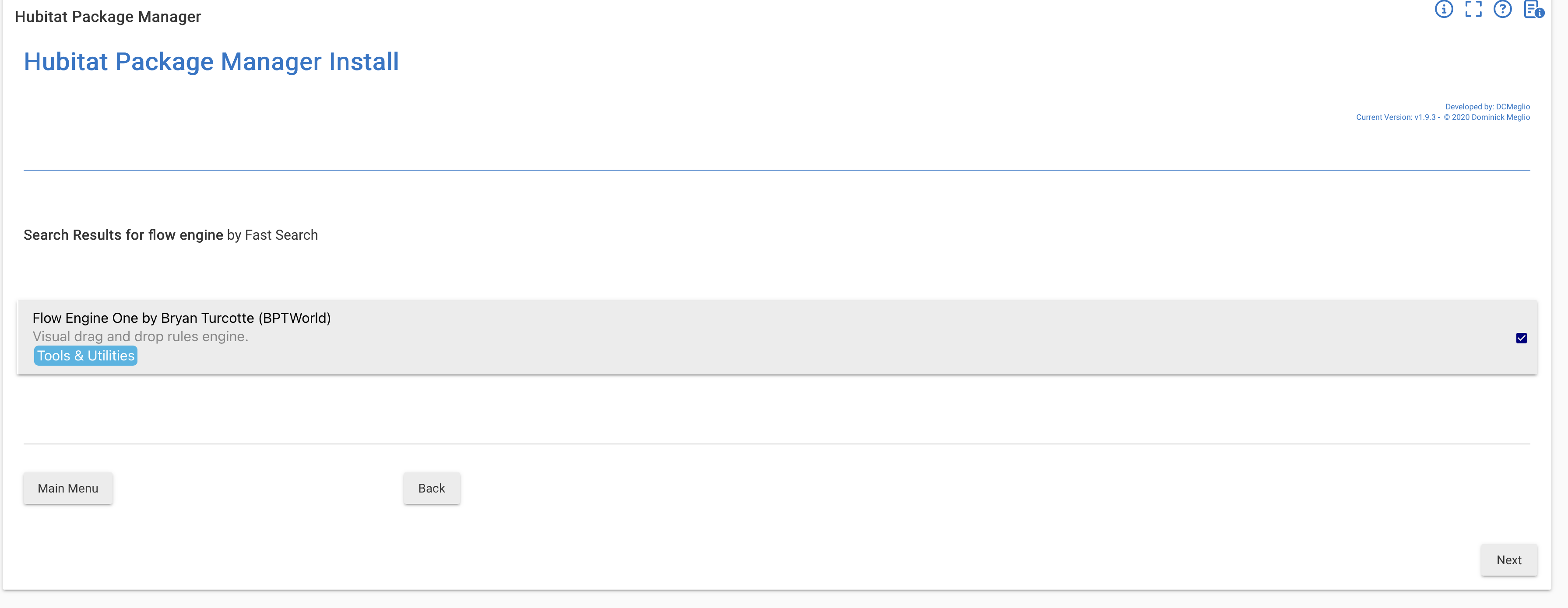
For some reason I can't install FE1 via HPM. It certainly found it and there is a check in the box at the right, but when I click "Next" does nothing happens.
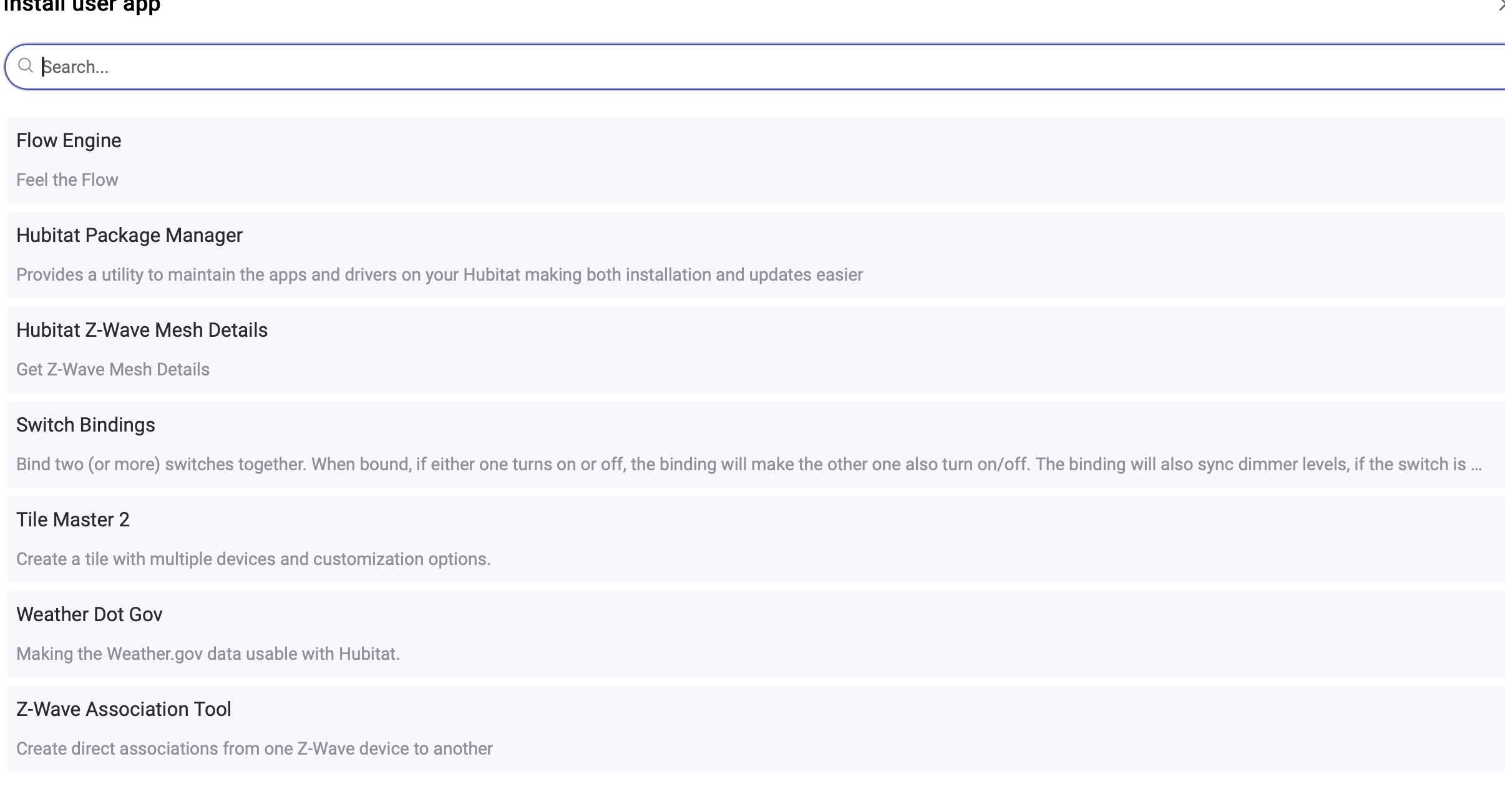
Only Flow Engine is there, not Flow Engine One. There was nothing in the instructions about removing FE first. (In fact, it seemed kind of implied not to as it said it would find my existing flows).
Whether you uninstall it first, last or not at all, it doesn't matter. It's a completely different app. Just be sure to update the appId and token in the Editor to point at the One app.
I just couldn't get it to install the new one. As I showed in my two previous posts when I went to install it as a new one in HPM I got the check mark for it thinking it was installed, and when I went to Install User App it wasn't there. When I went back into it, it now after doing a Repair in HPM it shows as Flow Engine One. I did click Done then.
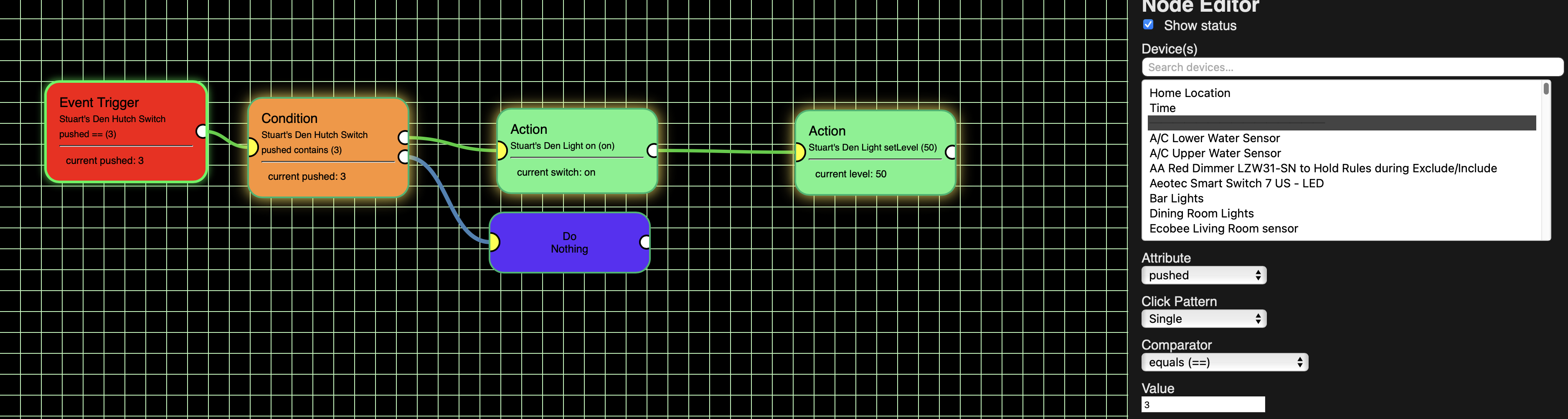
BTW, I got my Inovelli triple click to work, but I had to change it to a single push, not a triple click, with a value of 3:
Glad you got it working. Right now you can't use a Flow in other Flows, I have dipped into doing that but it's still a ways off. One thing you can do is have a Flow set a Global Variable and then use that in any amount of Flows.
As for renaming a Flow, it's not possible. Hubitat doesn't have a rename function in its File Manager. If they add it, I'll add it.
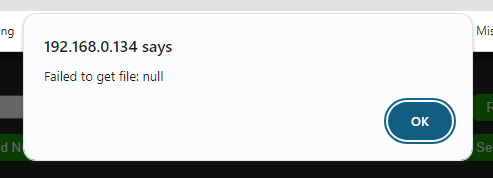
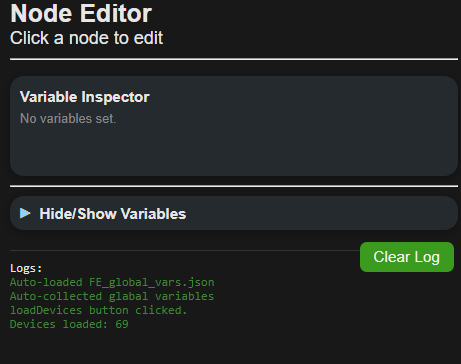
Error "pops up " during the > LoadDevices Button Clicked )
After I close the window ( press ok )
Then the > Devices Loaded:69 comes up in the side log area.
Also .. not sure if it is supposed to do it ..
But it does not save the location of the windows on the flow page ..
If I move them to the top of the screen .,. then leave come back.
they auto move to the middle of the page ..
How do you know I'm opening a flow!? Seriously though, I can't reproduce this but I'll keep looking.
Yes, that's by design. If you have a large flow that doesn't fit on the screen, it auto-zooms in to make it fit to the screen and also centers the Flow.
I'm guessing you probably have a bunch of code that is doing the centering and zooming, but I'd like to request that you simply lets us put the tiles where we want and then have a Zoom In/Zoom Out (+/- ) buttons.
Again, just guessing, but I think that would simplify the code, and let us have more control on how the flow is arranged.
I also noticed that the tiles don't quite match the grid size so it is hard for OCD types, like me, to make the connectors perfectly horizontal. I would like to see all the tiles be the same size and that the size be 100% of a multiple of a grid size (right now Event Trigger tiles seem to be 5 squares tall while Action tiles can vary - for example see the screen shot posted by WarlockWeary at post 128).
@thebearmay , may have solved the problem. I've pushed his change to Github. Go ahead and do a 'Repair'. If it works, he gets all the credit. If you still get the box, it's my fault! lol
The centering stays, it just looks better when opening a Flow. As for zoom in/out that's been in there since the beginning. Just hold the ctrl key and use your mouse button.
Again, the tile size is dependent as the data within the tile. I'm not going to make a tile that has 1 device selected the same size as a tile that has 10 devices selected. That just doesn't make sense. More devices, longer tiles - less devices, shorter tiles. It's just the way it works.
How about to solve peoples OCDs, just have a turn off grid visibility checkbox, personally I like it without a grid and don't really understand why we need a grid, it's just a flow, not a menu or anything!
As to sizing tiles based on the number of devices in a tile I'm not sure how to select multiple devices per tile. For example, in the screenshot at the very bottom below I am trying to have it say that if I push button 7 of my Den Hutch Switch and either the Upper hutch light or the Lower hutch light is on I want to turn the Upper hutch light, the Lower hutch light and the Den Hutch Switch off. I did this in 3 tiles. Otherwise (i.e. both the Upper and Lower hutch lights are off) I want them both on as well as Stuart's Den Hutch Switch. Could I have put all 3 actions into an 1 action tile and say to turn them all off or on? If so, how? If not, I'm not really sure what you mean by having more than one device per tile.
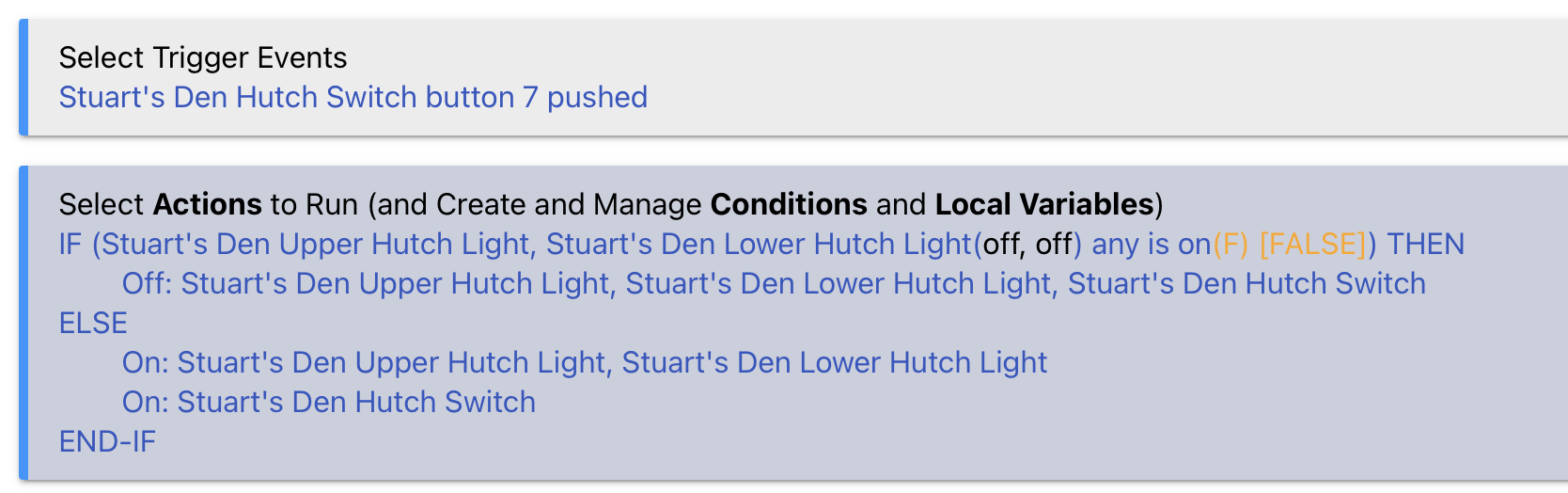
Also I'm not building this correctly as it isn't working. Here is the RM 5.1 rule that I was trying to duplicate (BTW, I both Stopped and Disabled the RM rule so only the FE1 flow is active and I have the json listed as being active).
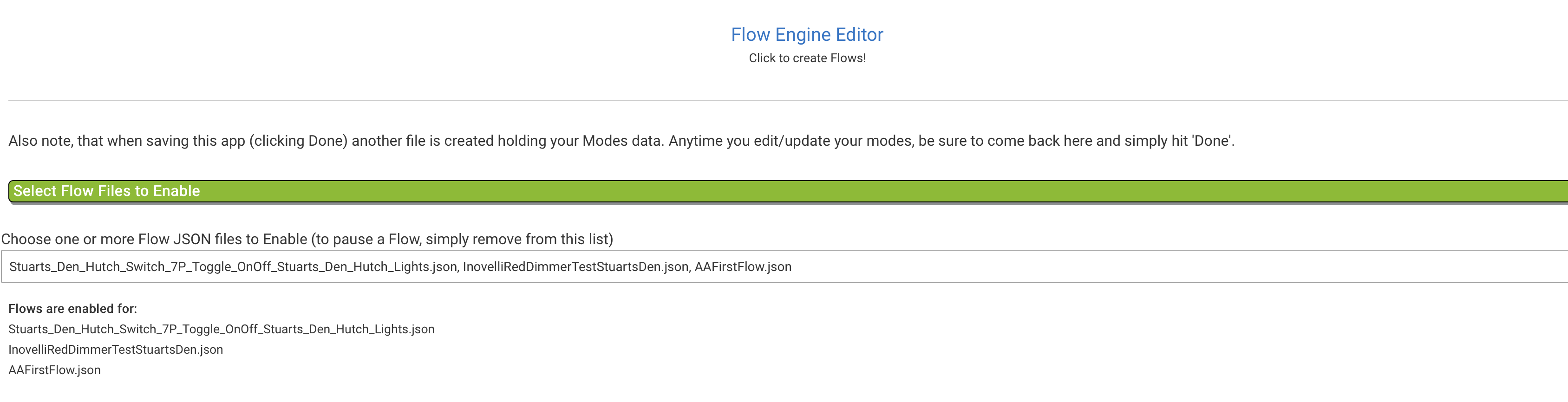
Here is Stuart's Den Lights toggle showing the json is active:
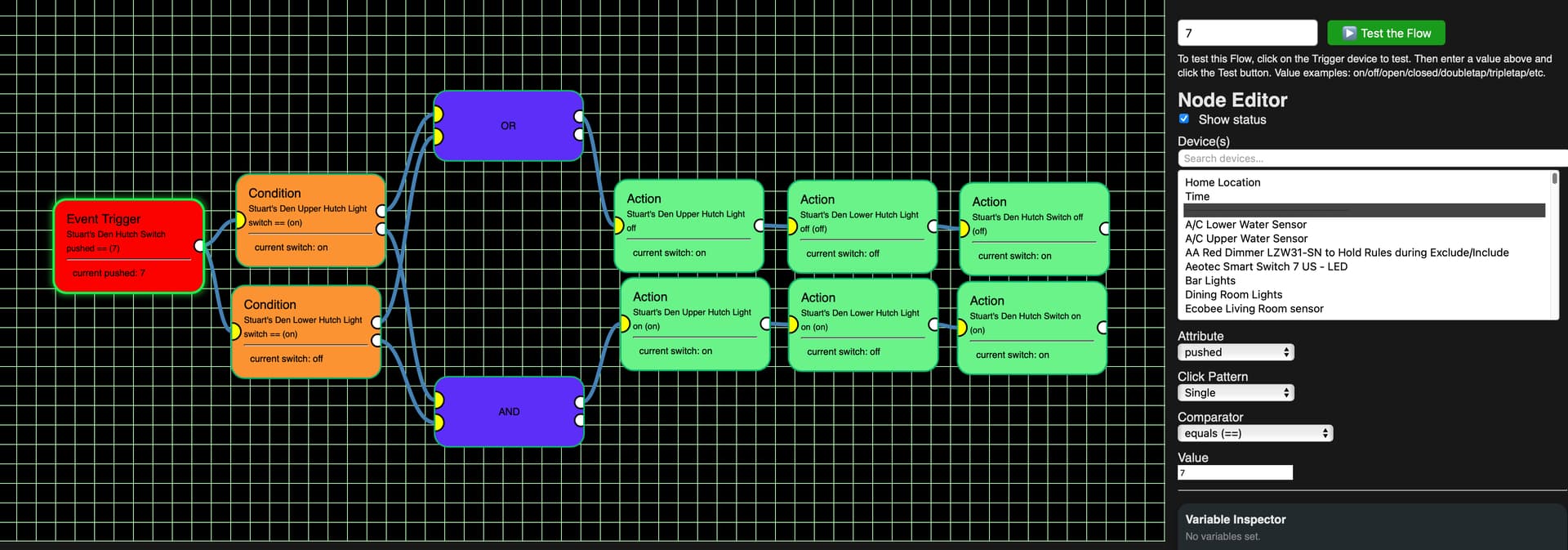
The Event Trigger is Stuart's Den Hutch Switch button 7 is pushed
Send that trigger to the 2 conditions.
For the top Condition if Stuart's Upper Hutch Light is On send it out the True port to the OR.
If Stuart's Upper Hutch Light is Off then the top Condition sends it out the False port to the AND.
For the bottom Condition if Stuart's Lower Hutch Light is On send it out the True port to the OR.
If Stuart's Lower Hutch Light is Off then the top Condition sends it out the False port to the AND.
At the OR if either was sent to it, the 3 Actions turning off the Upper Hutch Light, Lower Hutch Light and Hutch Light would be executed in sequence, turning them all off.
At the AND if they were both true (i.e. that both the Upper and Lower Hutch lights were off) then the Upper Hutch Light, Lower Hutch Light and the Hutch Switch would all be turned on.
As you'll also see in the screenshot, even though I put the value of 7 to Test the Flow it appears the flow never goes to either of the 2 Conditions as neither one is highlighted.
And this screenshot is just to verify that I have disable the RM rule:
@bptworld ok I narrowed down the error and it's coming from the "FE_flowvars.js" file at line 38, but now need to get back to my regular job, I'll let you check in to it.
For the centering the tiles, have seen a solution in other apps that center the tiles on the tile center, not the edges. Both horizontal and vertical. Then size is immaterial for creating horizontal and vertical lines throughout the Flow.


 Seriously though, I can't reproduce this but I'll keep looking.