Coming soon...
2 Likes

Yup, just not double-tap, triple-tap, hold, etc...
I had added a new child flow from the main FE editor screen.
I'm not 100% sure which JSON to pick, so I choose the only one I know I created, AAFirstFlow.json:
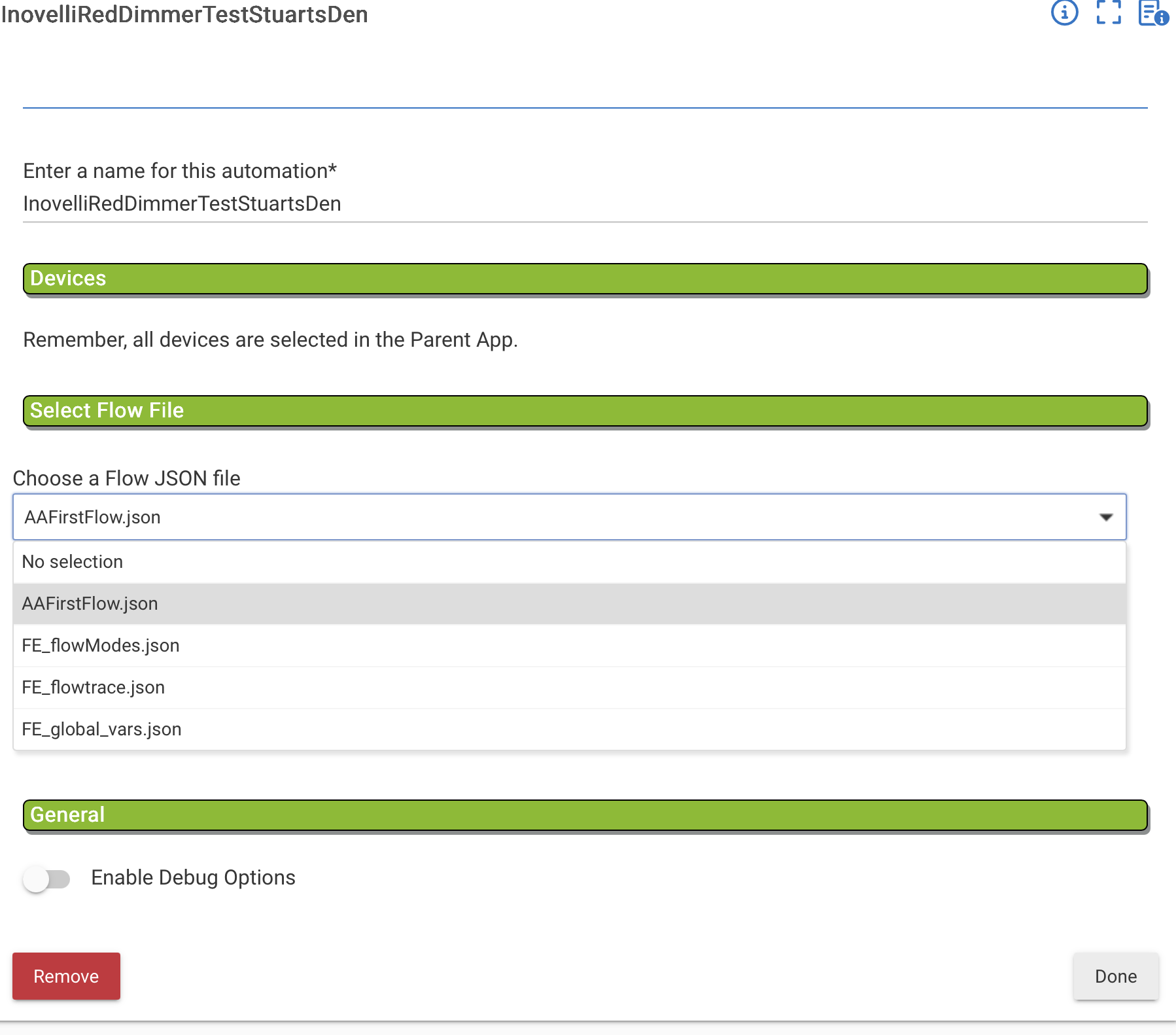
But I don't know how to get to the editor to actually start creating the flow for it as it isn't listed in the Editor when I click on Load Flow and then use the Pick a flow file... drop down. Should I have picked a different json file? If so, which one?
Look at your first screenshot of the parent app... BIG blue letters "Flow Engine Editor" and then in black letters right underneath it "Click to create Flows!" 
I saw that, but in much bigger letters above that is Add a new "Flow Engine' child. So what is the purpose of adding a new child that way and once I do add a new child that way, how do I use it? Isn't a new child the same as adding a new flow?
Flows are created in the Editor. Then tied to Hubitat with a child app.
OK. So what does the "Add a new 'Flow Engine' child" do?
The Flow Editor is a graphical frontend that makes visualizing logic easier, when the flow is saved, it simply downloads a JSON file to Hubitats File Manager.
Then when you add the child device, you select the JSON file from the list and hit "Done'. It loads the JSON file and then all subscriptions/processing is done within the child app.
So one doesn't work without the other. Maybe one day i'll figure out how to not have the child devices but for now it is needed.
Hope this helps
1 Like
Maybe it should be the flow editor link should be at the top of the page ?
then the child app bottom ? Better ordered that way ?
- master list
- flow maker
- add child
1 Like
Alright, here we go... Just need to 'Repair' in HPM
- Changed up Parent App
- Fixed logs in parent/child apps
- Minor cosmetic changes to Editor
- Added 'Test Flow' to Editor
- Added double-tap, triple-tap and held to Editor
- When loader Flow in Editor, it now scales the Flow to fit the grid. You can still zoom in and out and/or drag the flow around as you wish.
- Added optional 'Snap to Grid' to Editor
We're getting close to a release! What else do you think is missing/needed?
2 Likes
I went into HPM and did the Repair, and now see the Snap to Grid, and the Grid, so I know it did do the repair, but I don't see the Test Flow button.
I'm finding that the Action buttons change height. Not sure why that happened. I wasn't able to get a screenshot of it. In any event I would like a choice of sizing the different boxes. As a default I would like them all the same height and to be the size of a full square to make them line up better. Here, even though I have Snap to Grid on, as the 2 Action buttons do not take up exactly a full number of squares they are not truly aligned (you can see that the connector isn't perfectly horizontal).
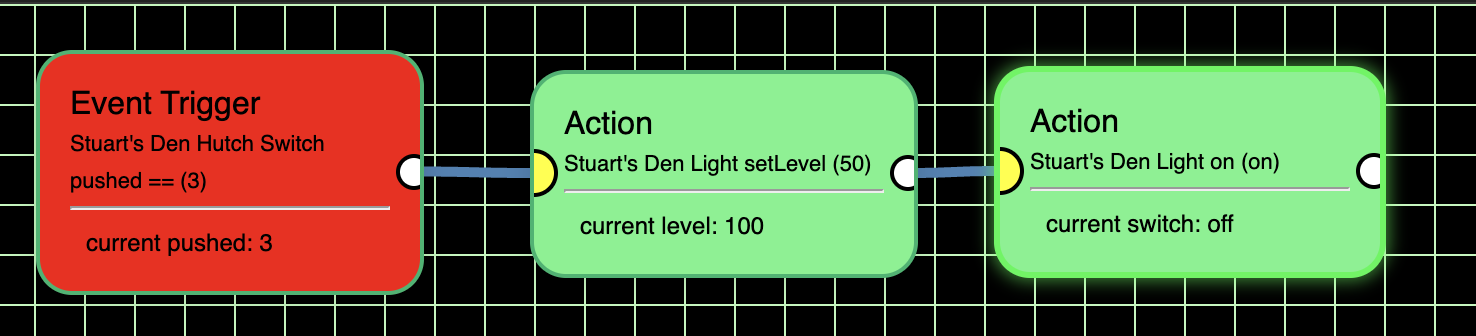
By moving it around a bit I got it to line up.
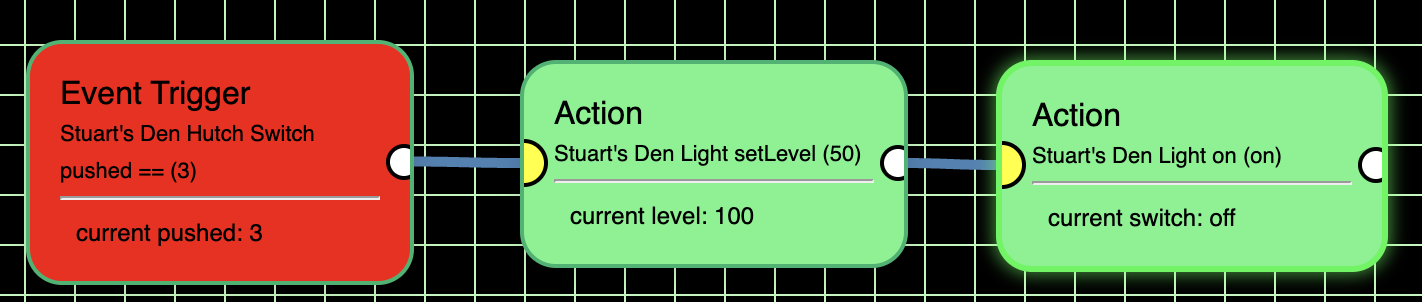
In this screenshot I'm not sure what the 2nd Action button snapped to.

And I found that moving the 2nd Action button can cause the first Action button to move too.
Even more troubling is that triple clicking Stuart's Den Hutch Switch didn't do anything. As you can see in the above screenshot I did triple click it (current pushed:3) but the setLevel didn't change Stuart's Den Light to 50 (it is still 100) and Stuart's Den Light is still off.
I thought maybe I needed to turn the light on first, so I reversed the order of the 2 Actions (I clicked on the connectors and then clicked on the "x" to remove the connectors first). I then double clicked the switch to be sure it was still not set to a triple click:
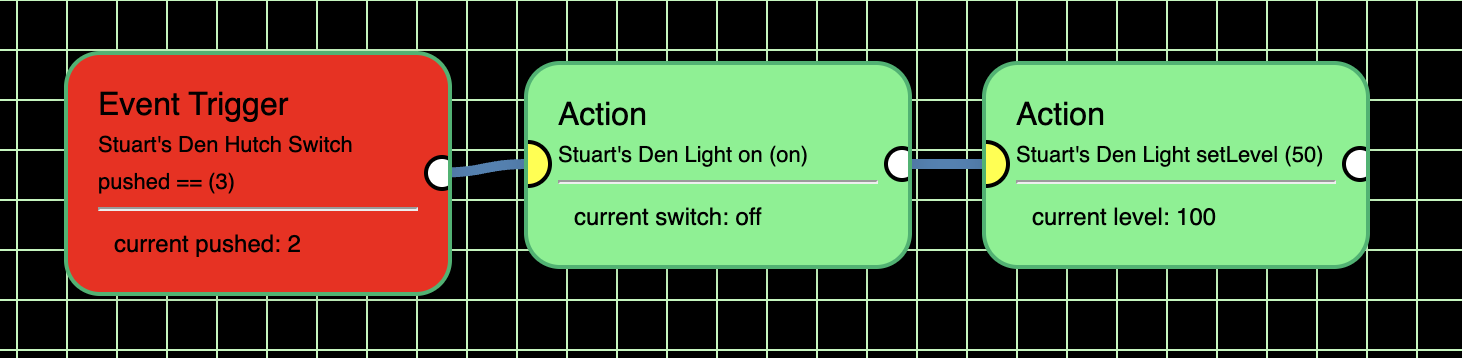
BTW, I also made sure that the triple click wasn't already programmed and that I had saved the flow.
I then did the triple click and the light didn't come on and the level wasn't set.
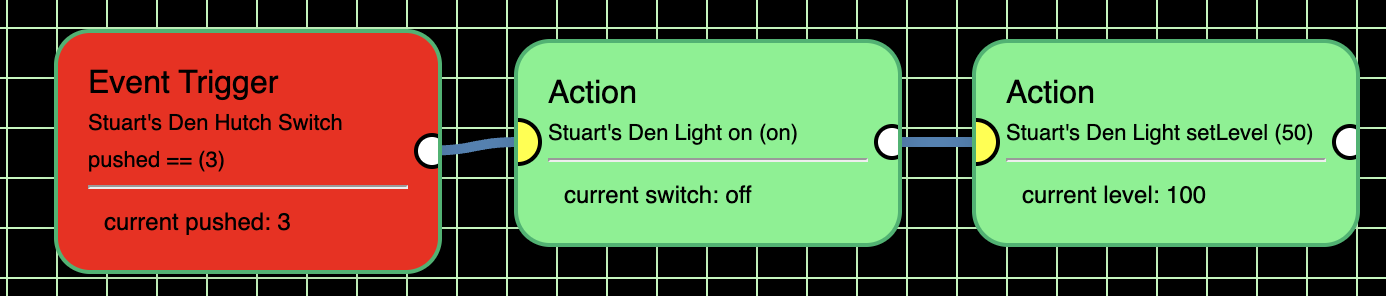
I also tried changing the Event Trigger to Contains 3, as that what was needed in my post above. However, as you see that didn't work either.
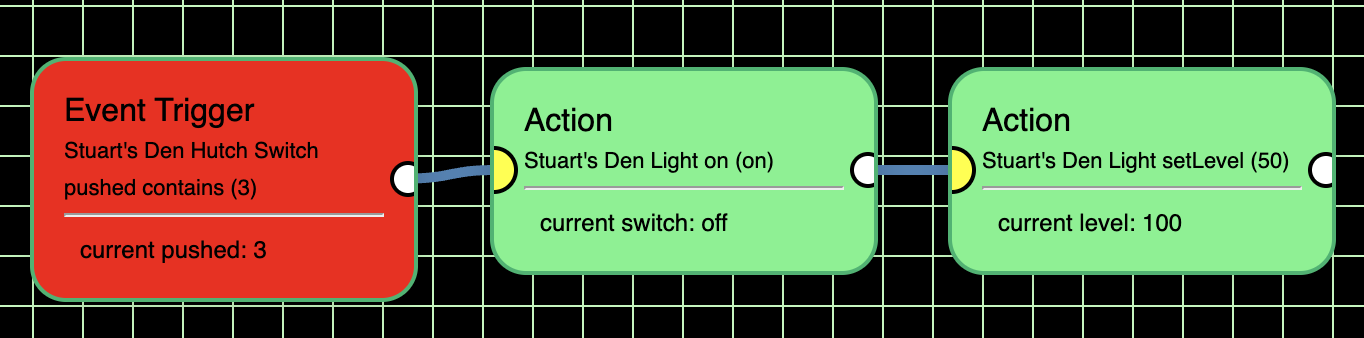
Any ideas why this isn't working?
Not in the plans. All boxes start out the same size but grow vertically as needed.
If the flow has any changes that need to be saved, the save button turns red. It'll also warn you if you try to leave the page/flow without saving first.
The real question is, did you create a child app and select this flow, then hit 'done'? You say you don't see the test button, that's a major clue that you haven't made the child app yet.
Again, make the flow, create the child app - select the flow - hit 'done'. Go back to the flow and reload it. You'll see the test button and value field. The only time you would need to go back to the child app is if you change a Trigger. Then you would need to open the child app again and hit 'Done'.
1 Like
I guess I was/am having difficulty understanding the whole process. I created the flow and then went back out to the main page and went to add a child. But I had to fill in the name. I guess what was/is confusing me is that I expected to be able to pick the flow I just created as the name. Does each flow have to have the same name as the .json? Can the same .json be used for multiple flows?
In an event, I did name it the same and went back in and now the Test Flow button is there. However, it is still not working. When I used the Test Flow button it did not send a triple click:
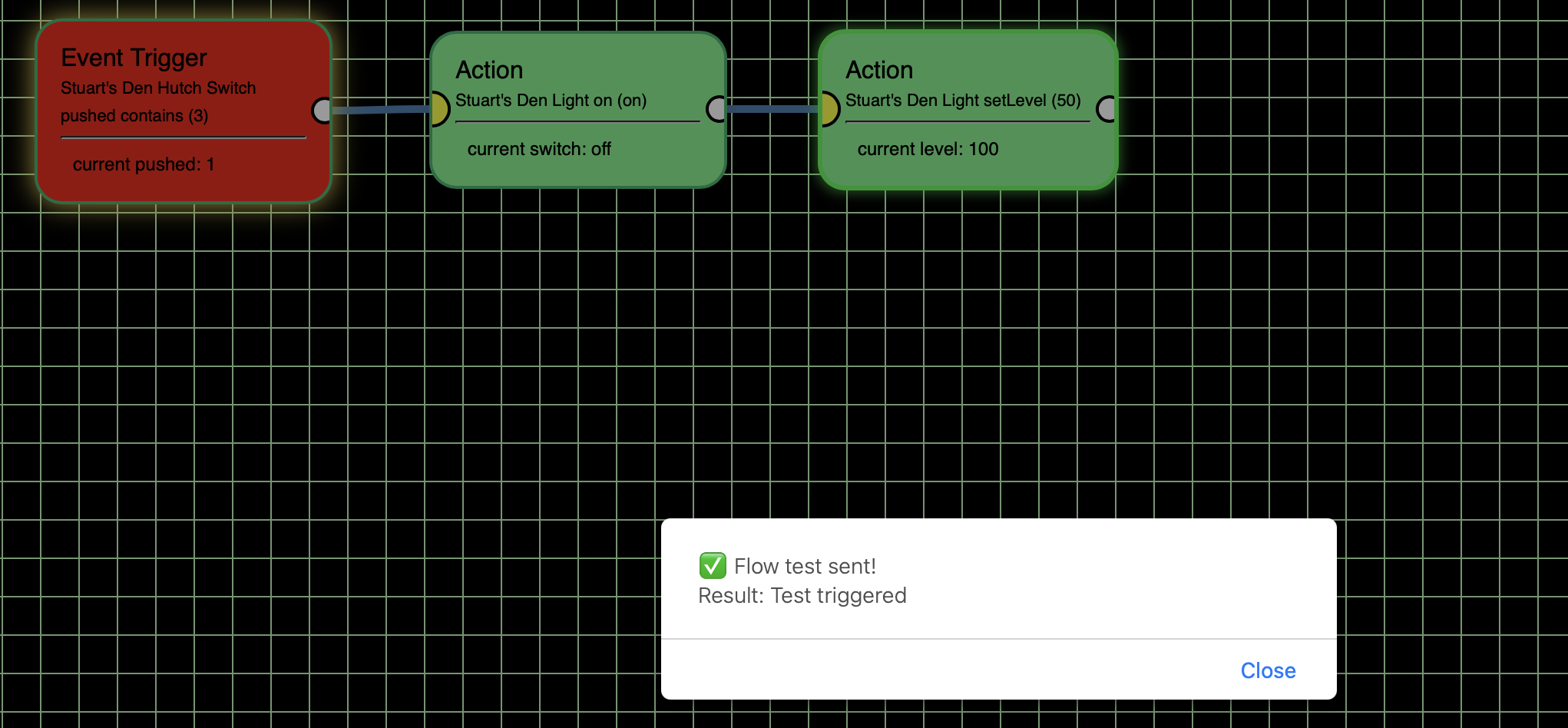
Even when I do a triple click at the switch it still doesn't work:

(You can now see triple click pushed).
As a test I went to the Hubitat Button Controller App and created a rule that a triple click (what they call button 3) would turn the light on to 50%:
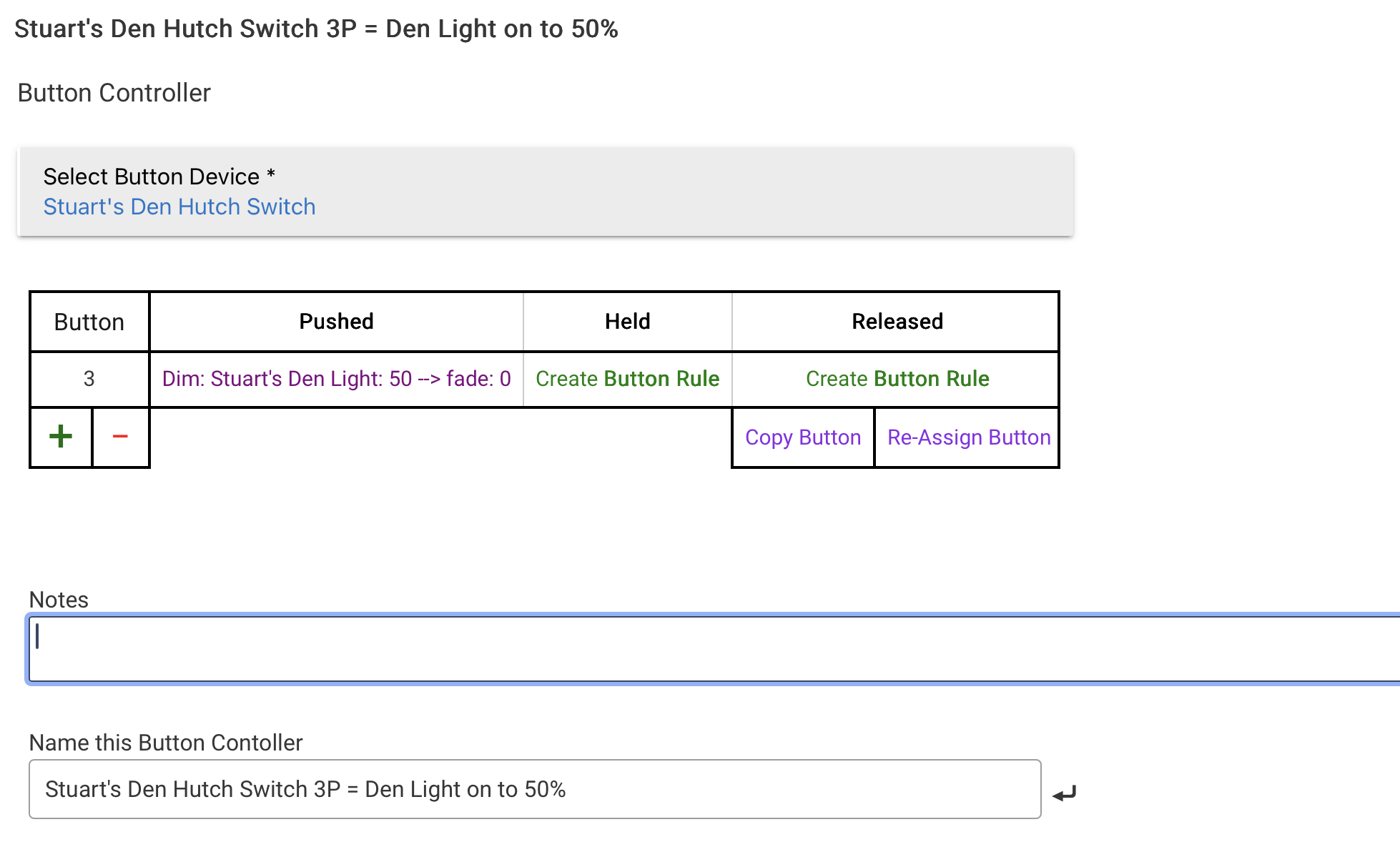
When I tried it, it worked and is reflected in FE, so I know that a triple click will do it and there is no other conflict:

Now here is something interesting. When I only disable the new HE Button Rule it still worked, but when I deleted that rule it stopped working again. I have no idea why that is..is that is Hubitat not obeying it was disabled or something else? Who knows.
Here is also something interesting. When I set it up as Switch, Triple Click, Changes, Off, it worked when I used the Test the Flow button, but it doesn't work when I actually triple click the switch.
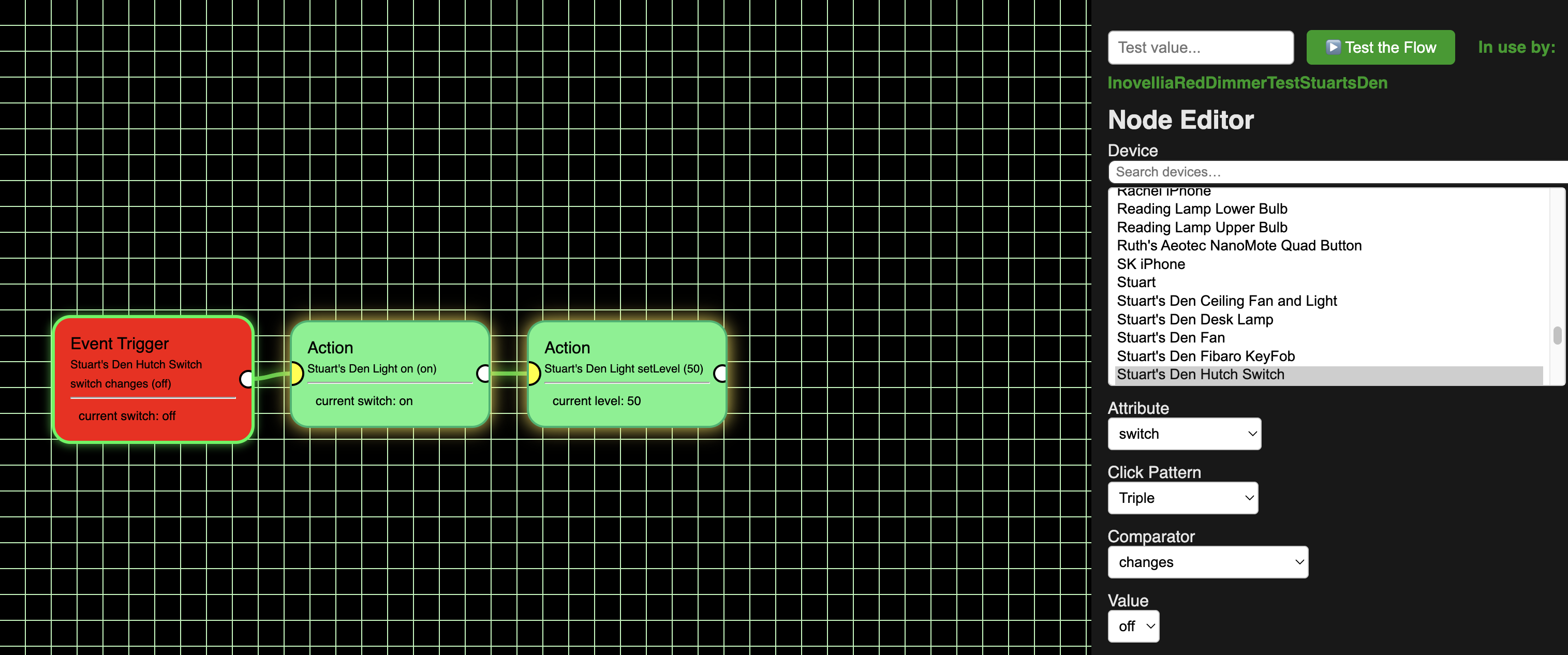
I'm a total noob, but my guess as to why the physical triple click push isn't working may be that Inovelli/Hubitat treat that as button 3 being pushed vs. button 1 being triple clicked. Assuming that is the case I tried numberOfButtons, but that didn't seen to work as it just said there are 8 buttons.
I then thought to use lastEvent, and in the Event Trigger it shows 3 up triangles, which is what I want, but I don't know how to put that into the value box. What could I put in there so it will be evaluated as True?

If that isn’t feasible what do you suggest?
Also, BTW, I don’t know about current Inovelli dimmer switches, but the Red dimmer, LZW31-SN, has the “favorite” button as #7. How would I do that? FE, understandably, sees it as a switch, so it doesn’t offer me a choice of which button # was pushed. Perhaps if I could choose to treat it as a button controller that would work?
How would you say, for example, button 3 was double pushed?
Give me some time! lol. This is why it's in beta stage. Find a problem, report it...wait. Trust me, I'll figure it out.
3 Likes
No problem. I very much appreciate all you are doing and thank you most wholeheartedly for your trying to add in so much so quickly. I think you are very close to creating a real drag and drop UI flow rule creator for HE which would be a major, major, improvement and really help the long term sustainability of Hubitat.
I'm only posting as much as I am to let you know I am trying different things so 1) you know I am trying different things and not just putting it all on you; and 2) to let you know what I've tried and the results of those experiments.
Along those lines I just had a thought: What if the Switch Event fields were a little different?
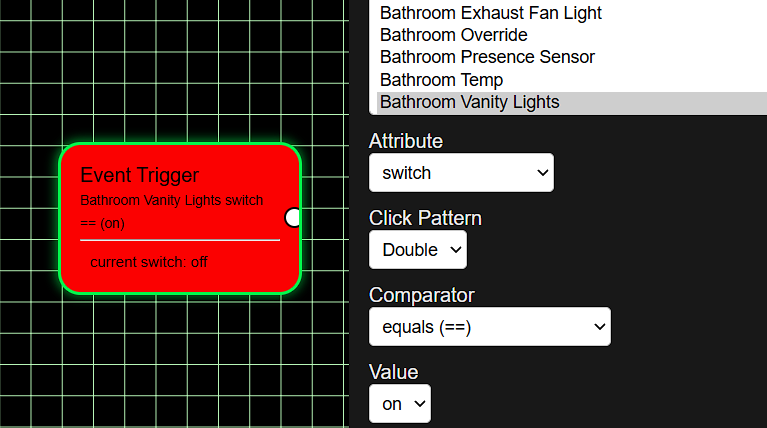
Right now they are like this:
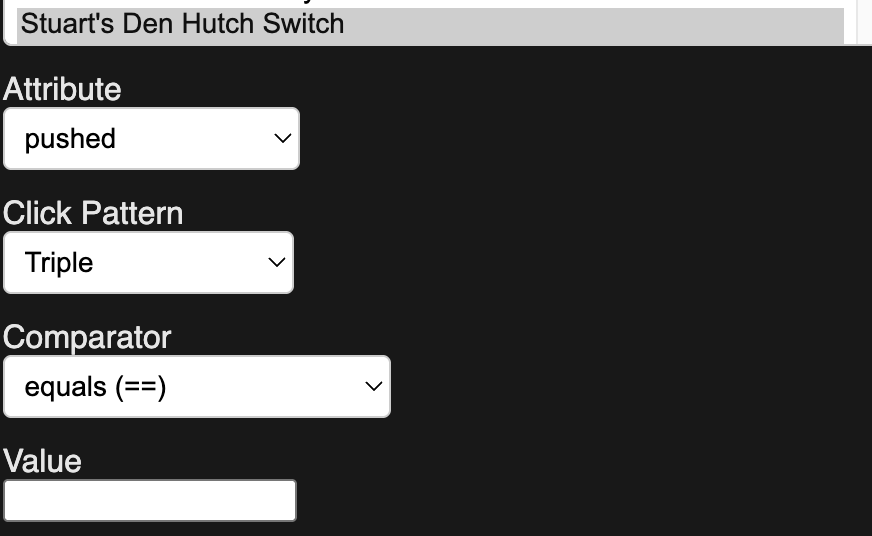
But what if they were:
Button (which would be a number which the user could type in or provide a drop down, (but I know Inovelli has at least 7.)
Attribute: (Which could include Pushed, Held, Released, etc.)
Click Pattern. (And would be number, 1, 2, 3, 4, etc. instead of Single, Double, Triple, Quadruple, etc. Like the button number field, the user would enter it manually or you could have a dropdown.
For example to triple click the “up” part of an Inovelli switch it would only need be:
Button: 3
Attribute: Push
If those fields were filled in then I don't think the Comparator or Value would need to be filled in, in that case, but perhaps then Clicks would be 1.
I’m not sure how other multi-tap switches report being pushed, but from how you have it now, I’m guessing it might be more like:
Button: 1
Attribute: Pushed
Clicks: 3
1 Like
Alright, NOBODY download/repair for a bit... Putting a BIG update on Github. 
Now for the BIG update! NO repair needed this time. Totally new app (don't worry, all your flows/variables are safe!). Go to HPM and download/install Flow Engine One. Then head on back up to post #2 to set it up.
- No more child apps
- Tons of additions to the Editor
Check it out!
(And... YES, you can safely remove Flow Engine parent/child without losing anything)
2 Likes
Keep getting this when i open flow maker.
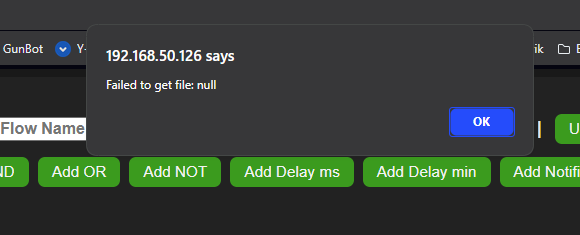
Get this when I test .. however it does work as app
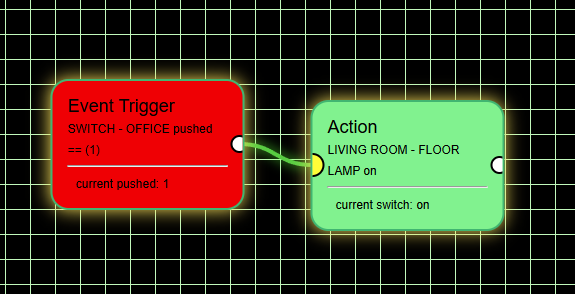
Also noticed .. when you make a change in flow. and save it.
it does not auto update ? Because I have to disable the child and reenable it.
to get changes to run.

