New update available, go ahead and Repair from HPM.
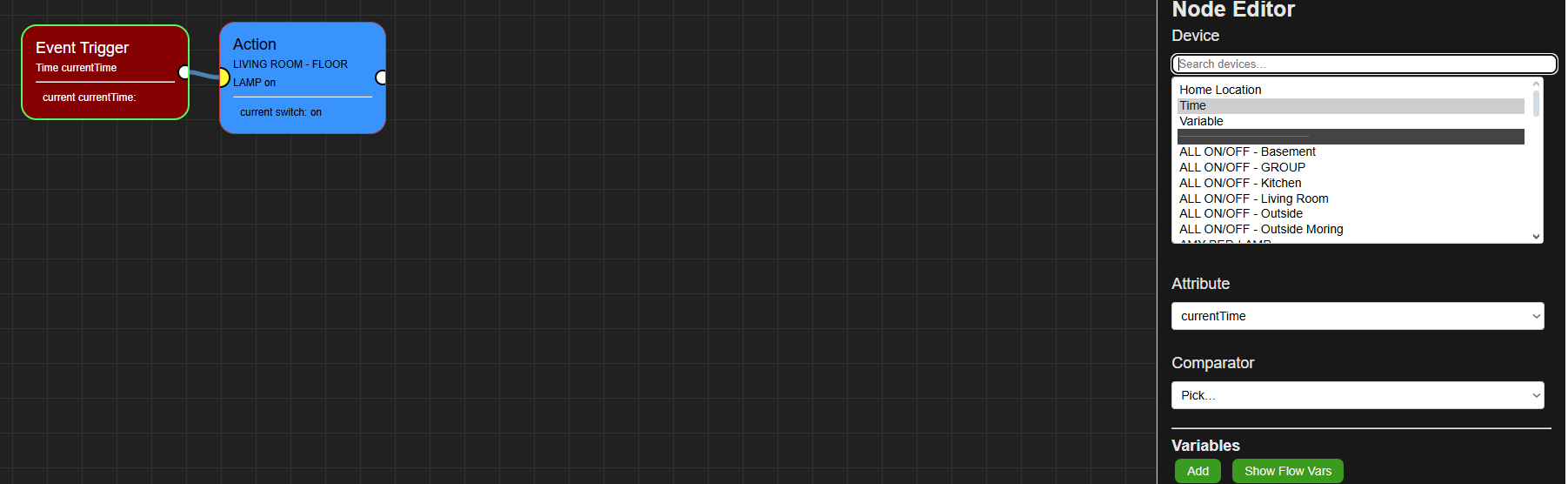
- added variables to Trigger and Conditions
- updated the Hubitat end to use the variables
- Other minor things...
Let me know how it's going. Issues, errors, additons??
New update available, go ahead and Repair from HPM.
Let me know how it's going. Issues, errors, additons??
@bptworld Any chance you will be adding volume control to speech (speakers). I use the symfonisk speakers (Sonos App)? Thanks
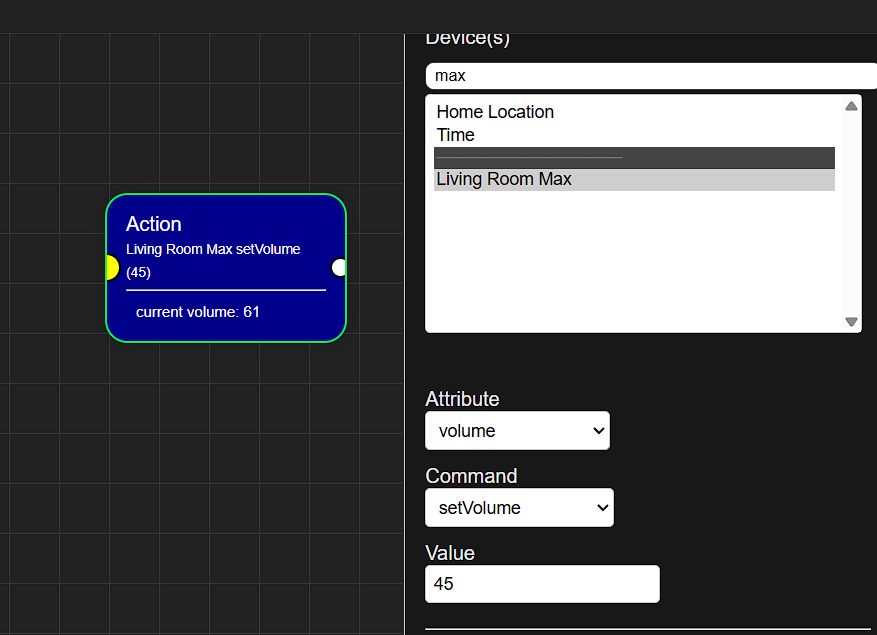
This is already built in to the Action tile...
I did just add 'Save Device State' and 'Restore Device State' tiles though. So now you can have things like:
Go ahead and 'Repair' though HPM.
Does not seem to be working for me ?
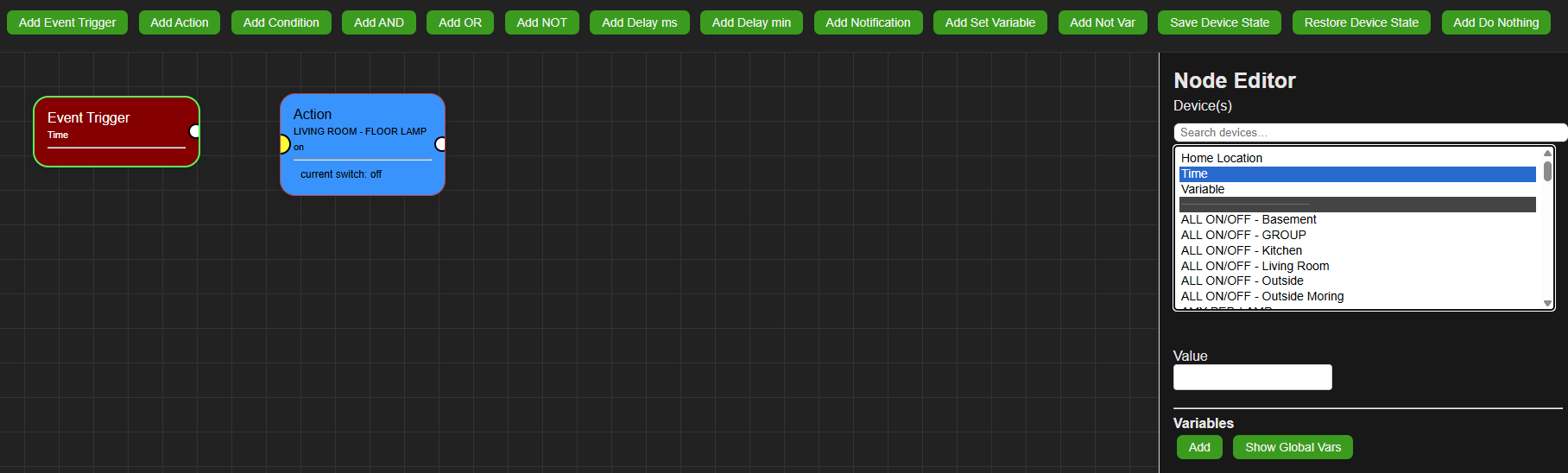
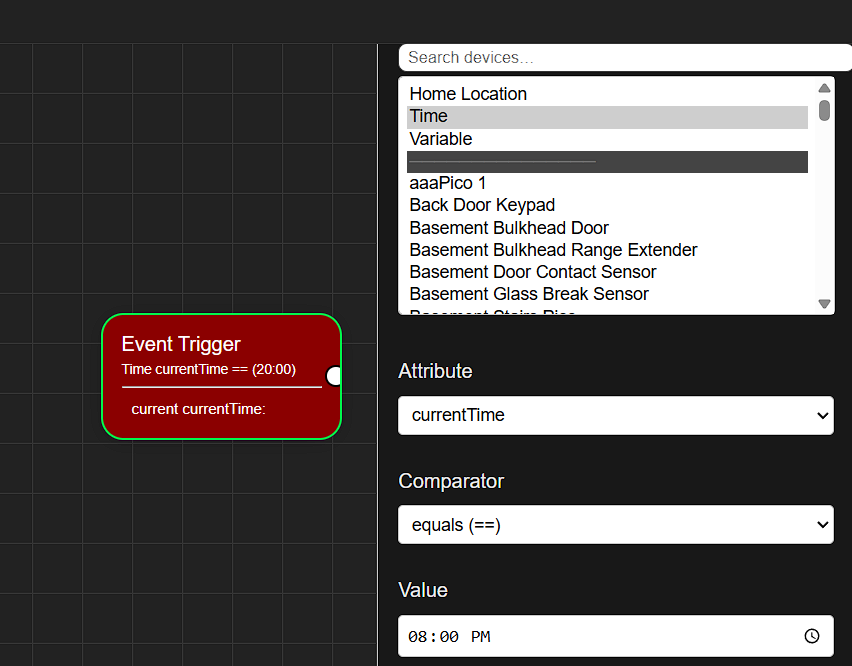
I pick time and can not set the time ?
Weird part I think I saw it show a " time " Area to put the time in.
But now it does not. only get Var.
Nope, not working the way it should at all! Sorry about that.
New version uploaded, Time to 'Repair'!
Okay, uploaded a working version this time!  Go ahead and 'Repair'.
@WarlockWeary - For your 8:00pm trigger...
Great! Thanks. I didn't think to look under Actions, I was trying to do this under Notifications.
I forgot. This time I looked at Actions and Notifications for the Time command. I am looking to have the time at which a speech was spoken announced. I tried using %time% but it just verbalizes the text.
Here is an example. "The door has been closed at 'time here' " Thanks
New stuff!
Repair!
@razorwing - %time%, etc. are on the list!
Great. Thanks
Added Wildcards to Notifications.
ie.
"The {device} changed to {attribute} at {time12}"
"The Basement Door changed to open at 3:00 pm"
Once again, 'Repair'
Sorry, I will definitely do a Repair before I ask any questions in the future. It can be easy to forget to do this but I will remember next time!
No, no... you did everything right. Just letting everyone know that it's time to 'Repair'. Once everything settles down, I'll be doing it the right way with Updates instead of Repair.
Ok, thanks for telling me. I will keep looking for the Repair until you are ready to do the Updates.
Cosmetic/Editor only changes in this one!
Go ahead and 'Repair' to see the updates!
I was waiting for some debugging/new features and decided the time was right to try it. First, I am a bit confused where to paste the ID. Is that the 2nd field in the Flow Editor? I hope so. That is where I pasted it and it seems OK. I pasted the token into the first field.
Am I right that we need to create a first flow which then serves for a parent for all child flows? I didn't add any commands/actions for it, but just gave it a name.
I then went and created a child flow. I have an Inovelli RGB bulb and for the test I want that if it turns on to also turn on the ceiling light and if it turns off to turn off the ceiling light.
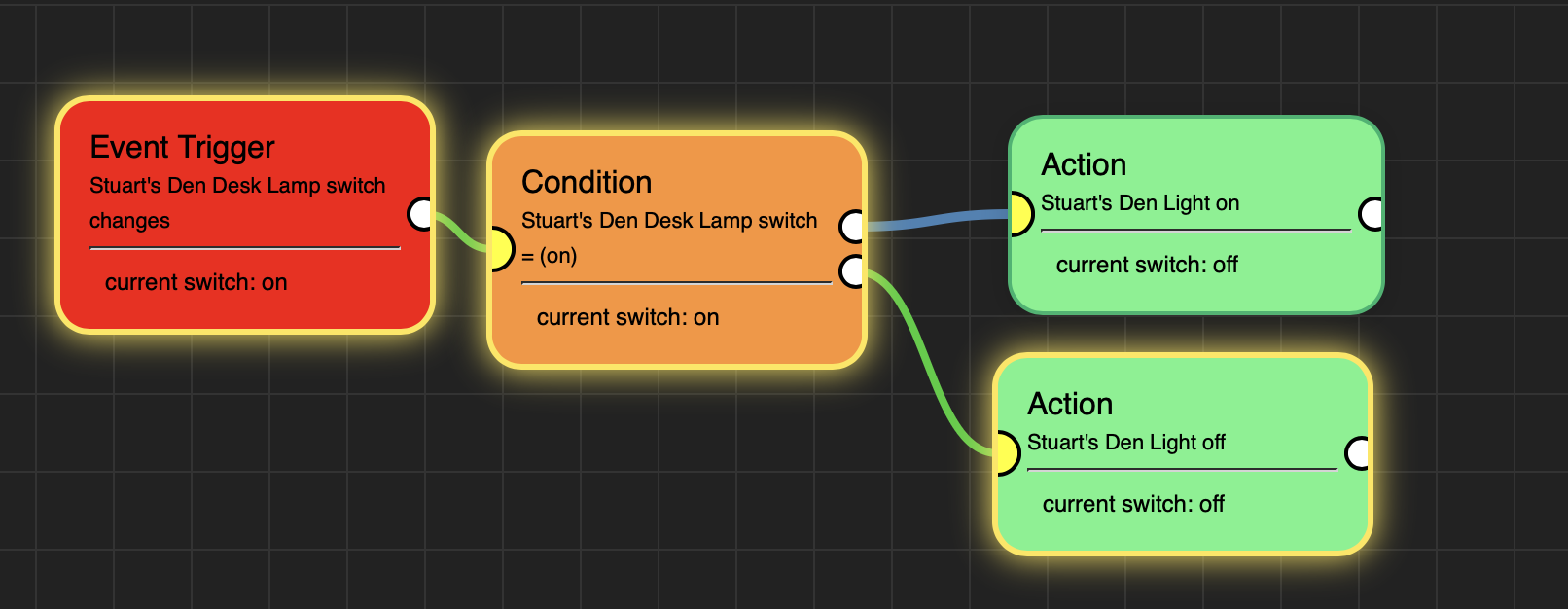
I didn't see any way to test it from the flow itself so I went into the Hubitat Devices page and then into the Stuart's Den Desk Lamp device. If it is on and I click the Off button it does turn off. But if it is off and I click the On button it does not turn the light on. In fact, if the light was already on it turns it off. That is, it always fails the Condition test. When I created the condition I didn't know what to pick other than "Switch" and for the Value there was no arrows to pick a choice so I typed in "on". As you can see from the screenshot, in the Condition tile the test is "= (on)" and beneath that is says the "current switch: on", but yet it is failing and turning the light off. (You can see the Off "OR" is chosen. BTW, I love how you highlight the flow path in effect!!)
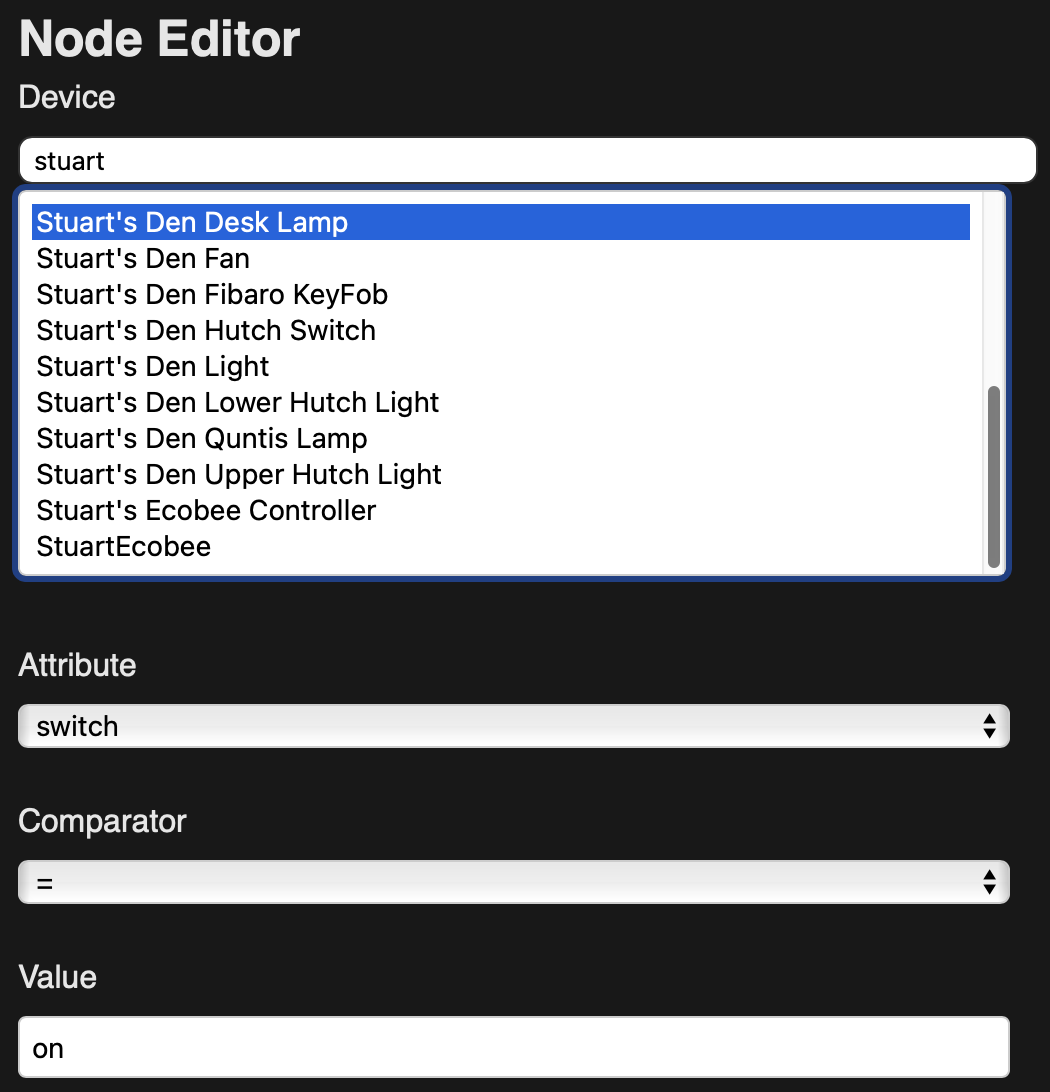
Here is the screen shot on how I set up the Condition:
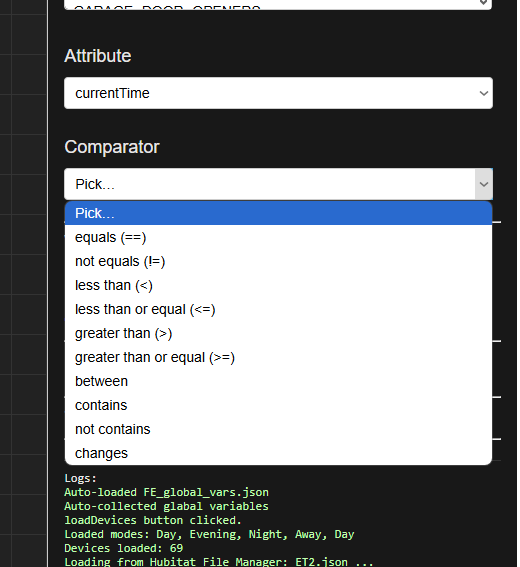
It seems that it doesn't see the "on" I typed in as the value as = to the device being "on".
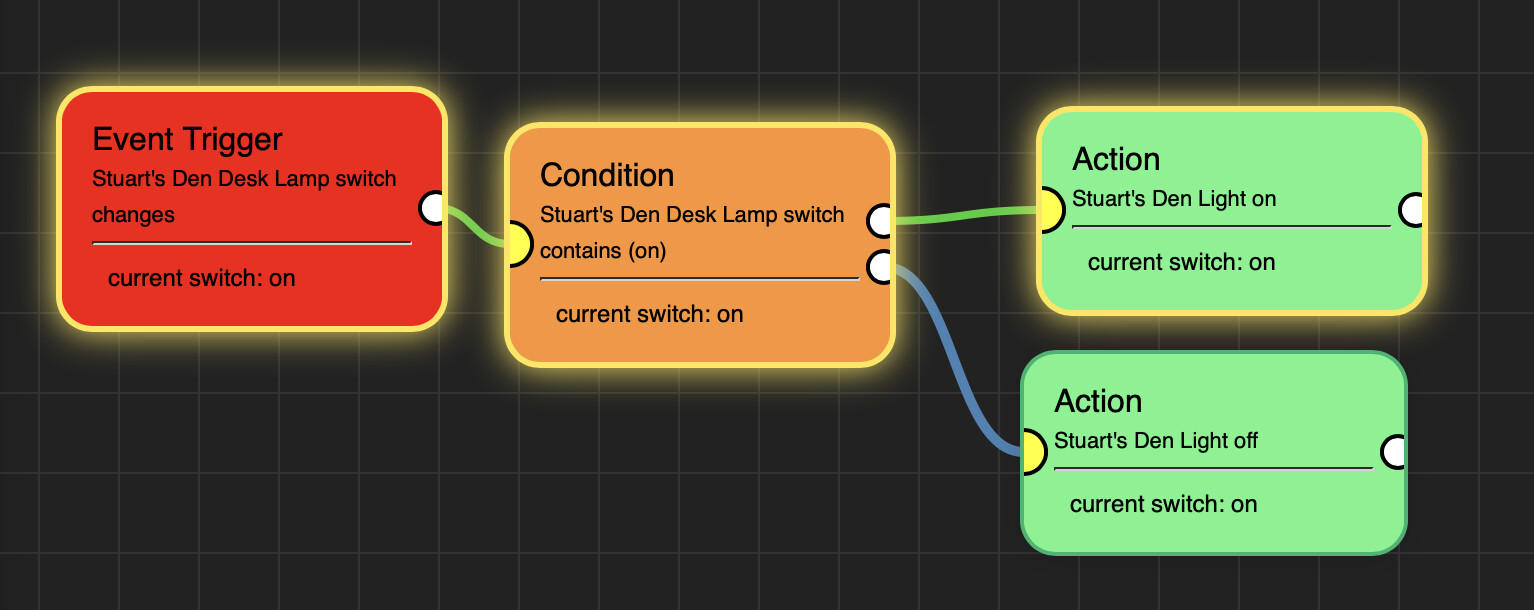
Just for a test I then changed the Comparator to "Contains" "on" and that worked.
What should I have done if I wanted the test to be that the switch = On vs. contained "on" as I don't think the later is very intuitive.
I think this could really be revolutionary for Hubitat in that it seems it will be easier to use than Node Red and doesn't need a 2nd computer to be running, and certainly vastly more powerful than the Visual Rule Builder. The one knock reviewers always say about Hubitat is that the UI isn't great. Likewise, they love Homey Pro for being built on a flow model. This could end that once and for all and Hubitat is significantly cheaper. (Though doesn't have an IR blaster and limited support for Wi-Fi devices). So I think your work here is absolutely terrific! I"m especially impressed at how fast you are debugging it and adding new features.
One wish list thing: Is it possible to somehow let us align boxes to either the top, middle, or bottom of another box? E.g. I'd like the top of the Condition box to be aligned with the top of the Event box and then the 2 action boxes to be equally spaced around the Condition box. (so the bottom of the “true”Action box aligns with the middle of the Condition box and the top of the “false” Action box slings with the middle of the Condition box). Perhaps a snap-to-grid type of thing.
Also, I wish we could uses spaces in names. I understand how it is much easier programmatically to not have spaces in names, so as a suggestion, create a second field to hold the internal name where you just save programmatically remove the spaces and then save and use that internal name. I only. know VBA, which has a replace function that would do just that (replace a space with nothing) so I hope that would require very little extra coding and would then allow the end user a lot more flexibility to name flows.
Thanks!
I've been doing some testing and the overall experience was pretty nice! I turned on the logs for the test flow for 2 hours, a few days later, I did some more tests and noticed that the logs were still on for that flow. So I did some testing and noticed that the runin to turn the logs off was not setting a cron job and that there is no logsOff method in the code. Here is the error I get when setting to 1 hour and hitting DONE...
Question: I have Inovelli Red Dimmers. How do I do a flow where Trigger = Kitchen Button 7 Pushed and Action is to turn the Kitchen lights on to 35%?
Or If Kitchen Button 2 Pushed (which means "on" button double clicked) to turn Kitchen lights on to 75% and Bar Lights to 50%?
Or If Kitchen 1 actually held down in the up position (raising dim level) have Bar lights turn on, if not on, and then increase brightness to = Kitchen lights brightness?
I updated the inputs help descriptions but yes, you did it right.
Nope, not needed at all. Just need to install the app and then start making child apps at will.
It should work the way you had it but this is a beta.. I might have screwed something up while adding something else. Will have to check
Snap to grid is coming in the next release
That's a Hubitat thing. No spaces allowed in the name. Remember there is a comment box that you could put whatever you want. Also, in the next release it'll give you the name of the child app that it's connected to.
Thanks, yup forgot to add the logsOff block. Throw back to using libraries. Added in the next release.
Buttons haven't been added yet. (if you remember when I created Event Engine ... I hate buttons! lol)
Thanks everyone for the feedback, keep it coming!
Love what you are doing and the speed of updates. Thanks for all you are doing!
By “haven’t been added yet” I hope that means they will be somewhere down the line. I’m guessing from how many users refer to Inovelli switches that you are familiar with them if you don’t have them yourself. I think what makes them so special is the multi tap ability, which they implement as “buttons” 1-6 (i.e. one tap to 6 taps) and the little side button which is the configuration button but can also be programmed as button 7 (what I call a “favorite” button). I’ve found the greatest family acceptance factor (FAF vs WAF  ) is this “favorite” button 7. I’ve programmed them to turn on their respective light to its lowest value so we don’t get blinded by the light in the early pre-coffee morning or middle of the night.
I also love my 6 button Fibaro KeyFob that also has single tap, double tap, and held programmability for 18 possible combinations.
I can see how it might be complex with needing a button number, and if it is “pushed” or “held” or held down and then released, using Inovelli terms, or which button and if it is a single tap, double tap, or held, for something like the Fibaro KeyFob.
That said, I do hope you will add buttons at some point.
Thanks again for all you are doing and for considering adding this.
Download the Hubitat app