Wow .. you are sure goin to town on this 
I really like you can enable/disable the flow from the app now
2 Likes
VERY much nicer! Love, love, love what you've done.
Just some UI suggestions:
- Can you but the Node Controls in alphabetical order? I know every one has to start with an Event Trigger, and that is the 1st one you have, but the rest don't seem to be in any particular order. For example, a Condition very often (most of the time?) will come before an Action. Plus, you have the Save Device State and Restore Device State near, but not at the end. While I could understand having the Add Comment at the very end if you were trying to put them in some most to least used (or first to last typically used) order, it isn't at the end, Add Repeat is.
- Can we have one more button in the Flow In Hubitat group of Close in addition to Activate, Deactivate. (I know there is the Start a New Flow but sometimes we might just want to clear off the screen).
- In fact, I'm thinking we could just have a toggle button to Activate/Deactivate the flow. That would make it clearer if the loaded flow was activated or not and would be one less button.
- I think that the Start a New Flow (which is fine, but I also think it could be just New Flow) should be with the Load Flow and Save Flow. Look at most menus (like a word processor or spreadsheet, etc. and under the File menu will be Open, New, Close, Save, Save As) so that would probably much more consistent with the rest of Windows/Mac OS UI conventions.
- Speaking of which, I would like to also see a Save As.
- I would then move the Refresh Tiles by the Test the Flow button. (There is room for it there, and seems, IMHO, to go better with the Test button and would be one less button on that row)
- I would also like to see more room for the loaded flow.
- I would also like to be able to add spaces to the names for readability. (You could just internally replace the spaces with an underscore, as you did at one time, or nothing),
- I would also like to be able to rename the Flows. I might name something like ClickKitchenSwitchToTurnOnLightTo100. But might then to use a double click or have it turn on more/different lights or to turn on at a different % or time. I use very descriptive names to make it easy for me to know what each rule does now in Hubitat.
- When we click to Load of Flow can the combobox be automatically dropped down? That would save a click every time.
- I assume the Load Devices button does just that, but maybe you could make that into the Master List/Info (pick devices) making it one less reason to need to go to the FE1 initial screen. I would then probably move it someplace to the right as it probably won't be used much once devices are loaded. (Probably mostly if new devices are added into Hubitat).
- I would also expect that activating/deactivating a flow would be then same thing as enabling/disabling the JSONs in the initial FE1 screen. If not, I'm not a 100% sure of the difference and/or why we would need both. Maybe the Activate/Deactivate toggle could take care of that. To do a group Activate/Deactivate then maybe next to my proposed Activate/Deactivate toggle button there could be a combobox like there is now to enable/disable JSONs.
- I would like to see clicking on a tile to show its parameters like it did before you made it necessary to 1st Cmd+right click on a tile, then pick Edit Node. This would be more intuitive, IMHO, and would have a bunch of clicks. Right now a right click is to save the sub-flow. (I know you haven't told us about that yet, but my guess is that maybe the Cmd+Right click menu would be used more than the Save Sub-Flow. If so, maybe the Right Click and Cmd+Right click should be reversed).
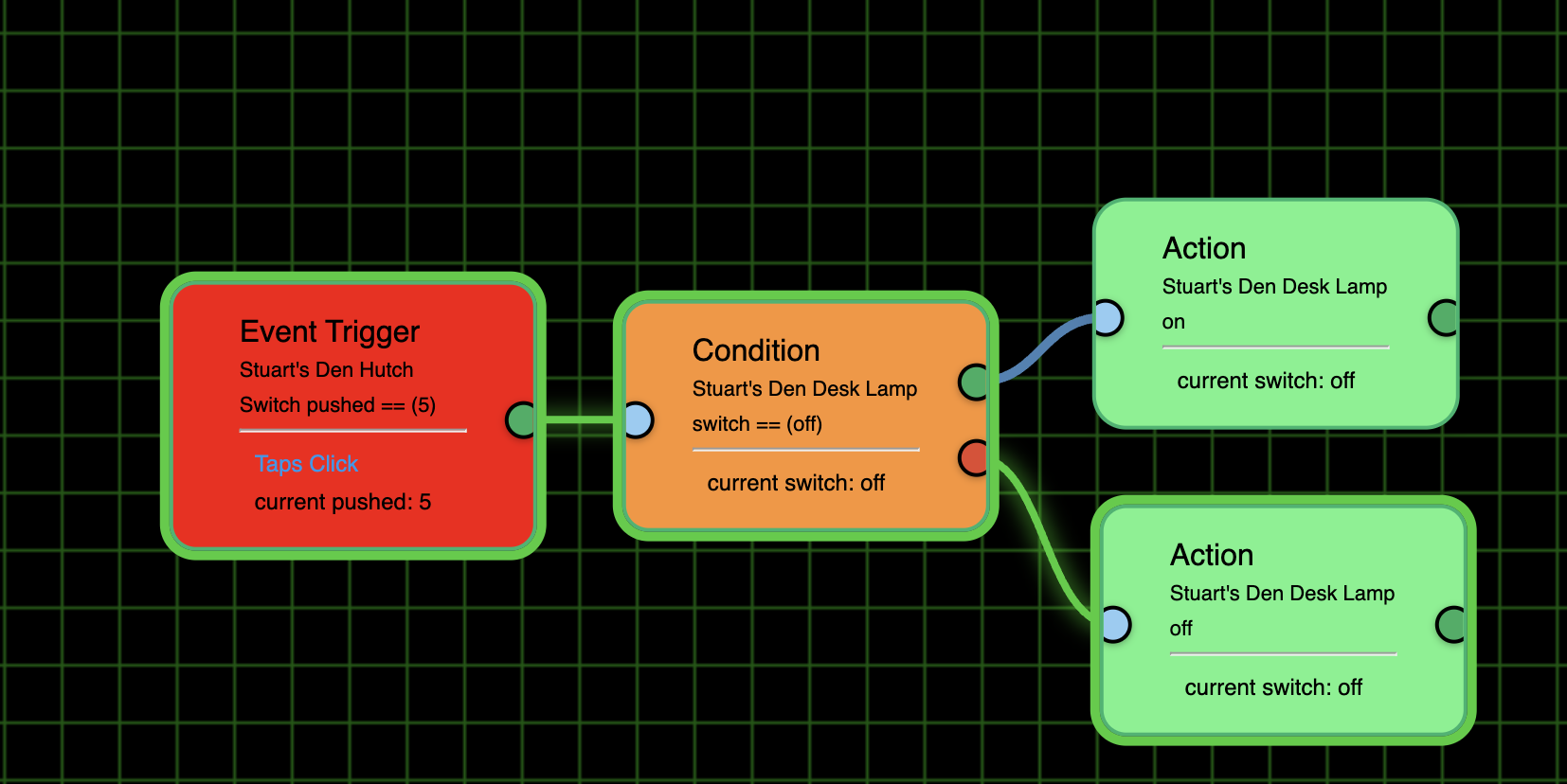
BTW, the Screenshot button doesn't take a screenshot as expected. Here is a typical flow screenshot I created with the Cmd+Shift+4 key combo with Mac OS and then clicked on a starting place and held the left mouse button and dragged to create my desired rectangle:
Here is how the Screenshot button saves it:
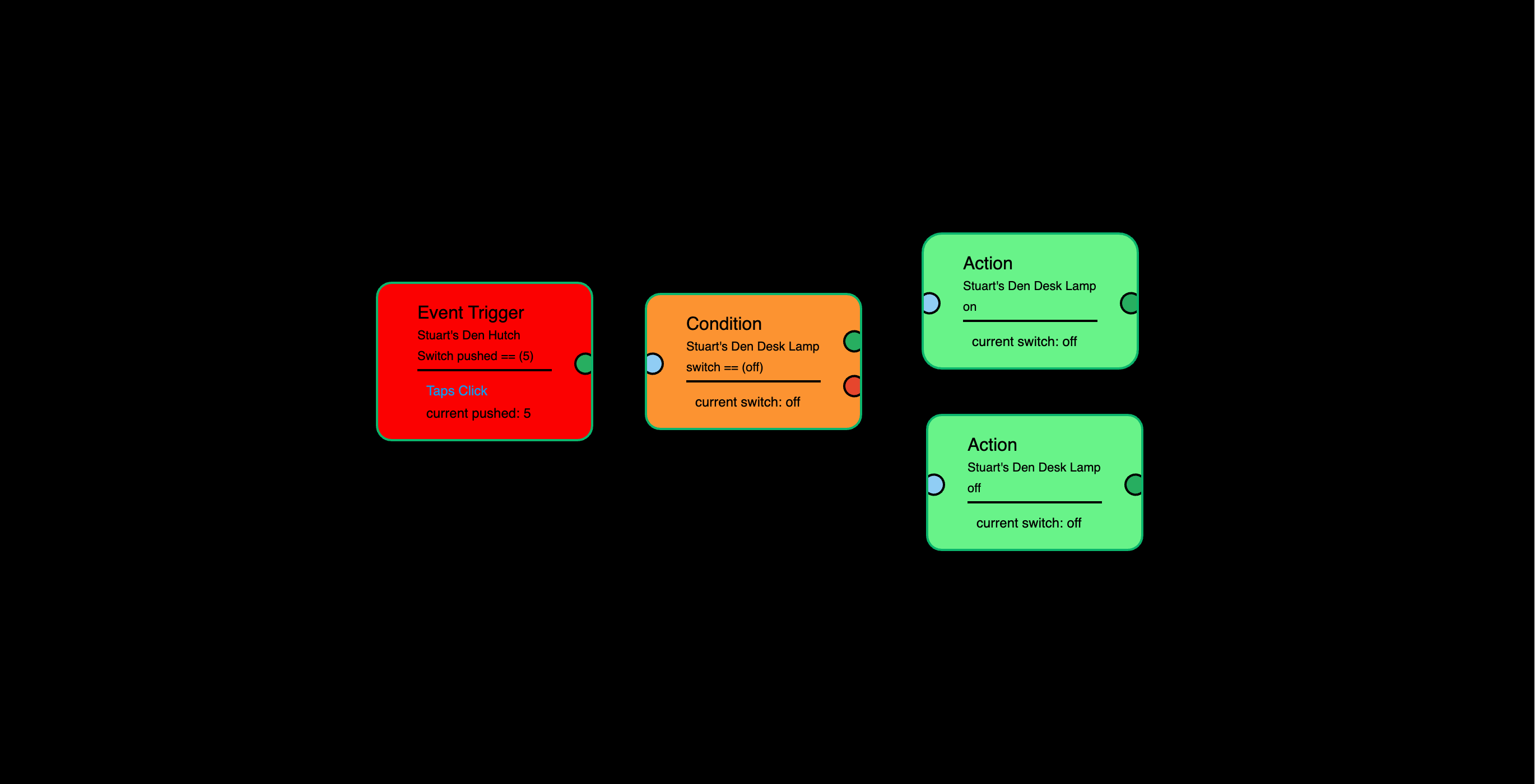
As you can see there are no connectors or highlights around the tiles, so you can't see how the flow processed it.
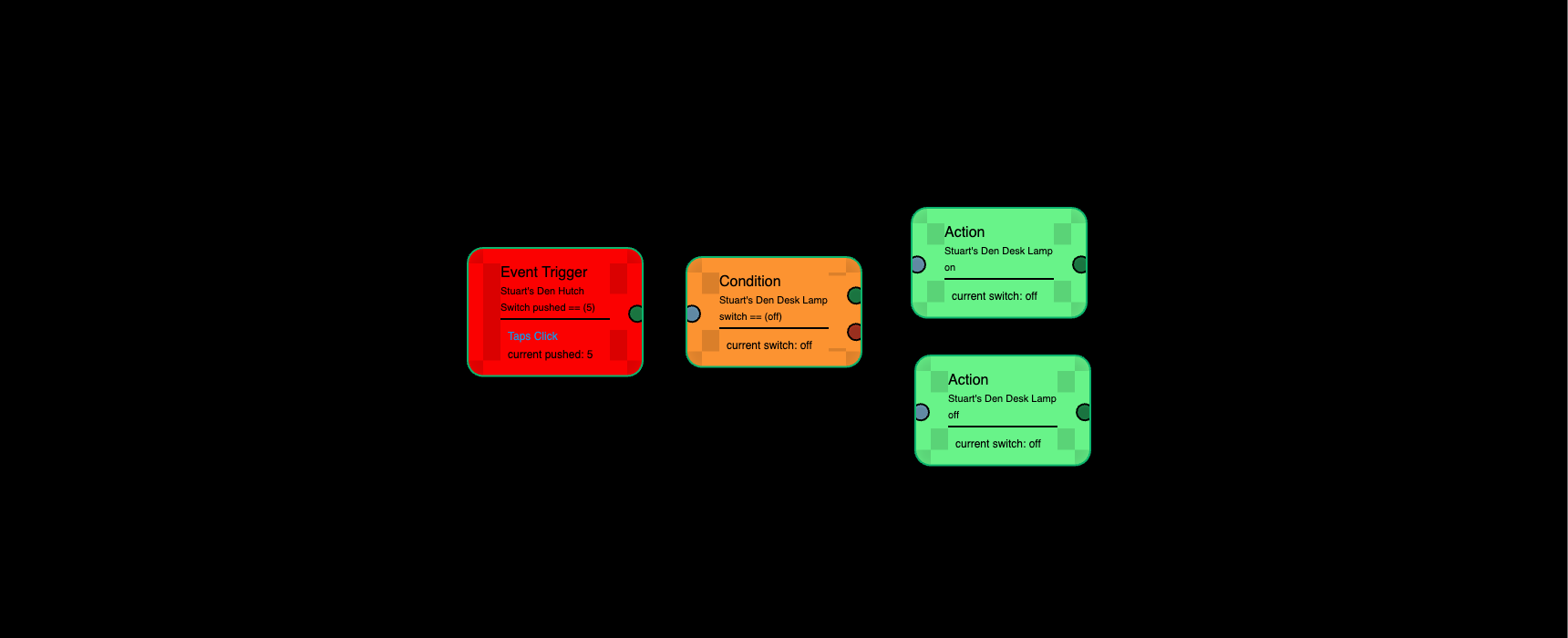
BTW, good news is that this flow is properly showing the Trigger-Condition link as green and there is the green highlight around the condition box. However, I'm not sure why this one says" Taps Click" below the line while the other one I made to do the same thing doesn't have the "Taps Click". See #259.
Okay, Let's nail down the cosmetics.
-
- Done
-
- No, start new flow does the same thing
-
- For now the two buttons stay
-
- Done
-
- Done
-
- Button removed, no longer needed
-
- I already added the hide buttons
-
- No spaces. You can already use underscores, letters, numbers and dashes
-
- Done.
- 9a. Bonus: Added a Delete button
-
- Research is showing that it can't be done with cross platform reliability
-
- Changed the name to Reload Devices. Will think more about this one.
-
- Editor handles one Flow at a time. If you want to select multiple Flows, use the App.
-
- Fixed. Now working as intended. You must select the node, then right-click to edit.
-
- Attempt to fix 'Screenshot Flow' on Mac (works great on Windows)
Ver 1.0.004
'Repair'
Be sure to open the One app and hit 'Done'
2 Likes
- Attempt to fix 'Screenshot Flow' on Mac (works great on Windows)
- ( Not For me .. Windows 11 with chrome or opera both show this ..
( Not a big deal I always use : win+shift+S For screen shots )
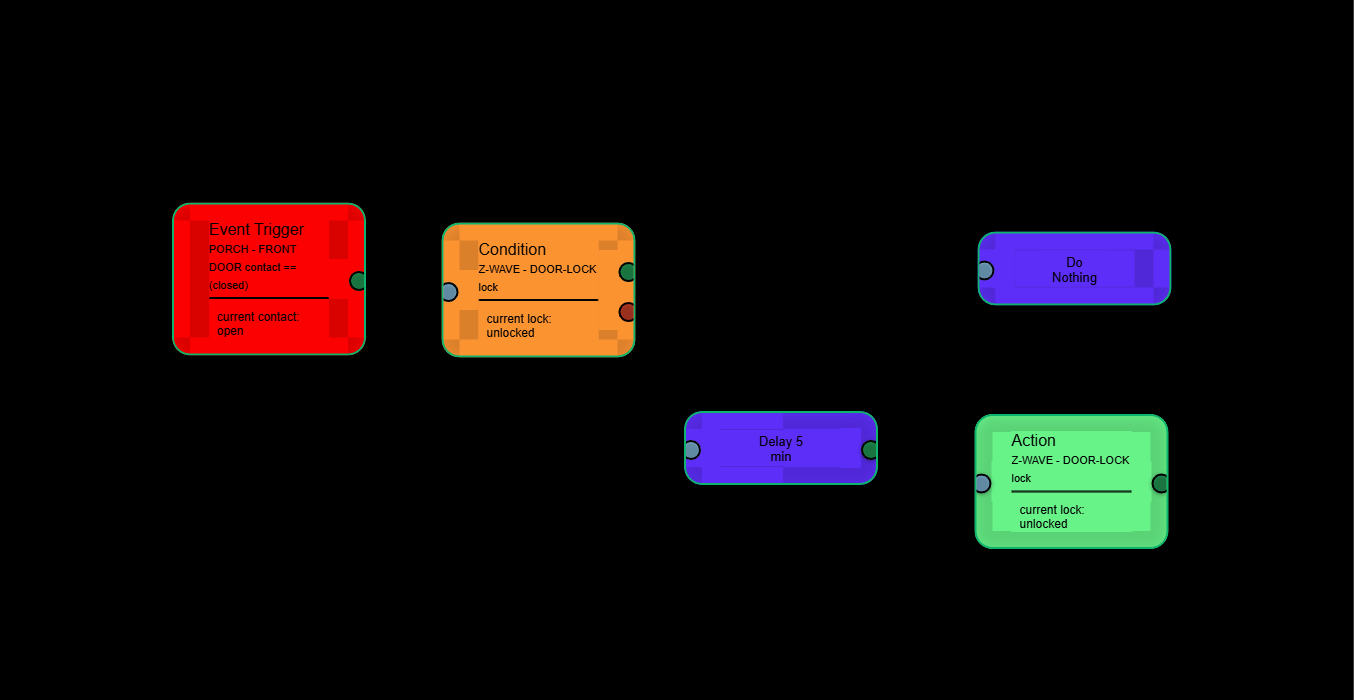
That is so weird, I wonder why it works on mine (win11 + chrome) but not yours?? Well, if I can't get it to work consistently, I might remove it. 
Really it's not that big a good deal everybody knows how to do a screenshot
lol, you'd be surprised!
3 Likes
Try the screenshot on ver 1.0.005. Thanks
'Repair'
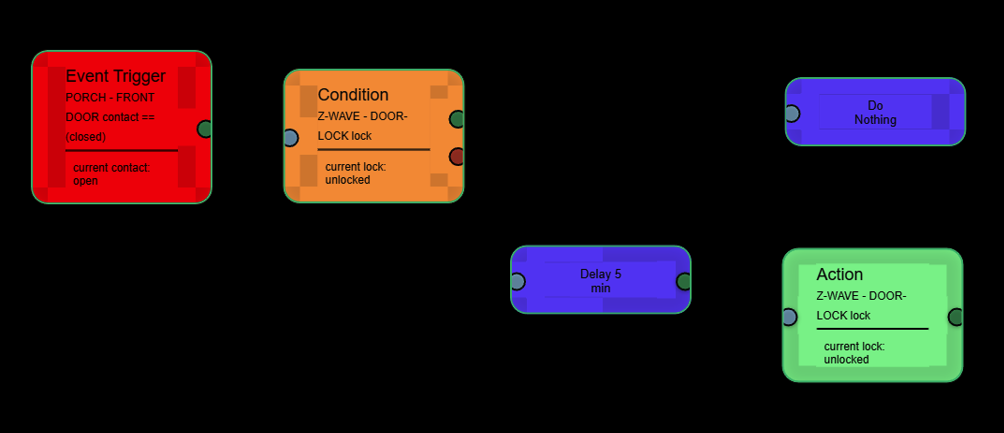
Wow! I've done beta testing going back to Quicken when it was still a DOS (pre-Windows) program. I've never seen any one or group respond so fast! THANK YOU!
I am using Mac OS 15.5, which is current as of today (July 10, 2025). I cannot type an underscore for a flow name. I typed "Test" but when I did an underscore it did not appear in the flow name and the FE internal log said No spaces of symbols allowed:

I can do a dash ("-") with no problem:

I've found that the built in screenshot got worse as reported by @WarlockWeary.
Here it was yesterday:
And here it is today with 1.0.005:

(And yes, I did go into the FE1 app and clicked "Done" before going back into the editor).
Since you've made so many changes I guess you considered it and decided against it, but just IMHO New Flow should be on the other side of the name.
I do really like that when I clicked Load Flow the drop down moved to where Load Flow was so my mouse was right above the drop down. Since you said you can't make the Load Flow combobox auto-dropdown with consistency across platforms this is certainly a good compromise.
I was going to suggest that you get rid of the "Add" part to the node buttons but actually held off on that one (with 13 others it might seem a bit funny that I held off on anything, let alone this one). So I am very happy to see you did that. But the label is the only one with a dash on either side and probably needs to be centered over those buttons.
I was also going to suggest putting the grid background and grid brightness to the right as it probably won't be used much, if at all, after initially set. Again, you did that too. So thank you, thank you, thank you, for thinking about then entire UI, not just going through my list.
I added an Action node and picked Home Location. Nothing comes up in the Command field other than "Pick a command..." Same if I pick Time or Variable:
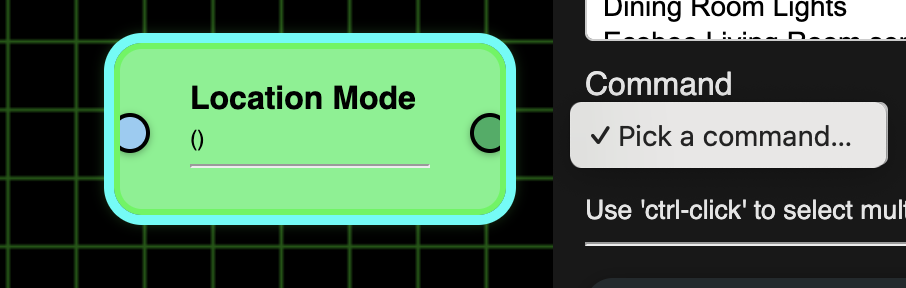
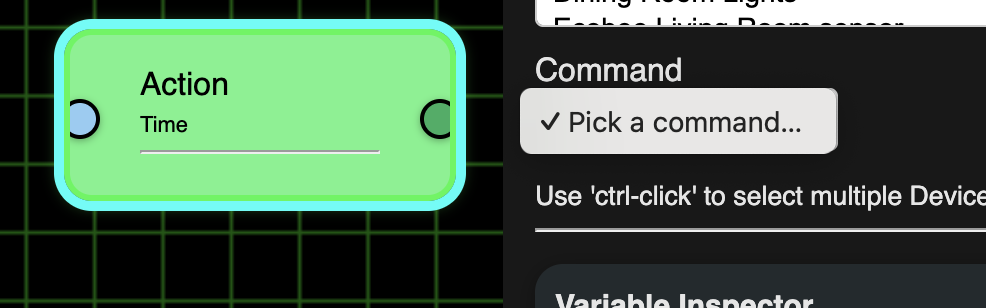
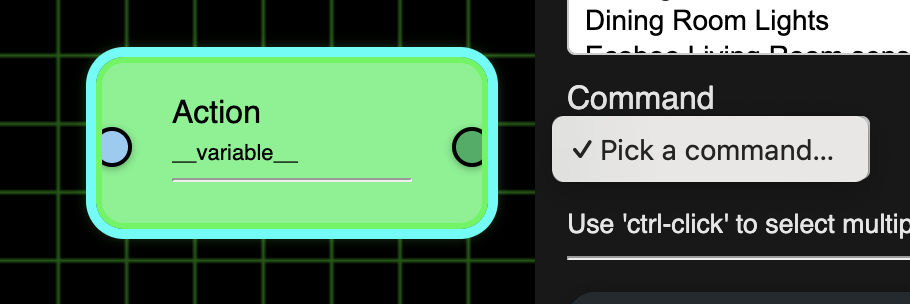
Also, once I add a new node right clicking it isn't bringing up the Edit... menu. This is true for even new Action nodes even if using a Device (as opposed to the Home Location, Time or Variable). I also discovered that once I add a new Action node I can't right click and get the menu for any node, including a pre-existing Event Trigger, Condition, or Action node.
I need to create a new flow, open a different existing flow or close the tab to get rid of those new nodes if I don't want to save the flow with them.
@Stu_The_K , you beat me to the new ver.
Fixed a few oddball stuff. Many changes to the UI.
Only working on the UI right now, will fix logic after
ver. 1.0.006
'Repair'
1 Like
Nice I likes it
Thanks. Like the changes.
Just FYI, for some reason I had to reenter my AppId and Token the first time I went into .006. (When it becomes 007 will it be renamed Editor, Flow Editor and the nodes will be shaken, not stirred? ;-))
I noticed that I could now type an underscore on my Mac in the flow name box (2nd one, not the JSON field) I saw I couldn't just type an underscore at the end of the flow name, but I could type them in the middle of the name. When I did so it created a new JSON with the new name, but after I loaded something else and then reloaded it the JSON was renamed but not the flow. I know people are supposed to use the Rename button, but I'm purposely trying odd things for testing purposes.
I started with AAFirstFlow. I then made it AA_First_Test_Flow. When I left it and came back to it the JSON was AA_First_Test_Flow but the flow name itself was as it originally was, i.e. AAFirstFlow:

When I did a Rename on with the AA_First_Test_Flow.json I made it AA_First_Flow on purpose to see what the name conflict would do as I already have this:


I didn't get any warning. But now if I go back to AA_First_Test_Flow the name had reverted to AAFirstFlow:

Good news is that you fixed adding a node then didn't allow the right click menu to appear. However, when I first started trying to edit nodes I found I had to click on the node and then right click one time to get the parameter menu to appear but then right click a 2nd time to get the Edit... menu to appear.
Just my idea/suggestion, but I would like it to be that when I click on a node the Node Editor would select the device (or first alphabetical device for that node if more than one had been selected) and then have Save, Cancel, Delete, Duplicate, and Undo buttons appear in the Editor just for the currently selected node. (Of course, Save, Cancel, and Undo should be grayed out, not operable, unless some change has been made).
When I created a new flow by just typing in the flow name box (vs. using the rename button) the new flow wasn't in alphabetical order at first, but then this fixed itself after what seemed like a couple of minutes.
Also, just BTW, the ------ Add Nodes ------ seems to be centered based on the screen width not over the buttons themselves. I'm not sure if it is worth the time to change that or not. I don't know enough about JS to know if it is doable but in the Word VBA editor they had "frames" that I could put around controls. I would then make a label that I would place so it sat on top of the top of the frame, After that I did the code to align the label's middle with the frame's middle so that if the frame ever changed width the label got auto-recentered. (Just reading this back to myself seems like it may not be worth it. :-))
Ver. 1.0.007 on Github... Go git it! 
'Repair'
5 Likes
Now serving Ver. 1.0.008
- MORE cosmetic stuff
- Added 'until' to the Repeat node
'Repair'
1 Like
One more quick one for tonight - Ver. 1.0.009
- Fixed the Test button
'Repair'
2 Likes
Deleted
New drop - ver. 1.0.010
- Even more cosmetics (Stu where are you?)
- Reworked variables - working great here!
- Big change - added new 'and/or' logic to Conditions/Triggers.
'Repair'
Alright, let me know what's still not working. 
1 Like
I lived in Wellington, FL (W. Palm Beach suburb) for about 25 years before I was appointed to be an Immigration Judge in 2010 and moved to Winter Park, FL (Orlando suburb). (I left the bench 12/31/2024 so 14 years on the bench.)
I’m in Wellington for the weekend visiting old friends. I will be back sometime Sunday.
1 Like