I'm on the 9.0.108, The current 9.0.x official release (9.0.114 is current EA.)
I did just realize something while going through more troubleshooting just now - I had left my original controller/network app running on a Pi on the same network as the Cloud Gateway...both of the APs and all my network devices had been pushed over to the CGU and were happy there, but pretty sure having a second instance of the Network app sitting on the Pi isn't a recommended configuration. Completely uninstalled the Network app from the Pi just a few minutes ago.
I'll let things ride for a bit and if the errors continue I'll post on the UI forums next. Thanks!
Glad to hear you're enjoying it! Ubiquiti UniFi is definitely a rabbit hole that one can fall deeply into. Somehow, they seem to have must-have products to solve problems you never knew you had! It can challenging to to 'just say no'.
No, not yet... Wife just retired and is home all the time now, with so many honey do's! So I don't have the time I used to to play. Hopefully this coming week. Need to watch a few videos and do some reading...
No kidding. Originally when I started this thread I just got the UCG Max and a U6+ AP with a POE Power injector to replace my aging Google wifi stuff. I thought I may replace my Arlo cameras eventuntually with some Unifi G4 cameras. A few months later I have now i have add a U7 Pro Wall, a Flex 2.5 POE, 2 Flex 2.5 MIni's, a Lite 8 PoE, a G4 Doorbell Pro, a G4 Instant, And a AI Port.
The Rabbit hole got deep fast. The problem is I still need more gear I think. I believe I need to add at least one more AP, and then also move the G4 Instant Camera.
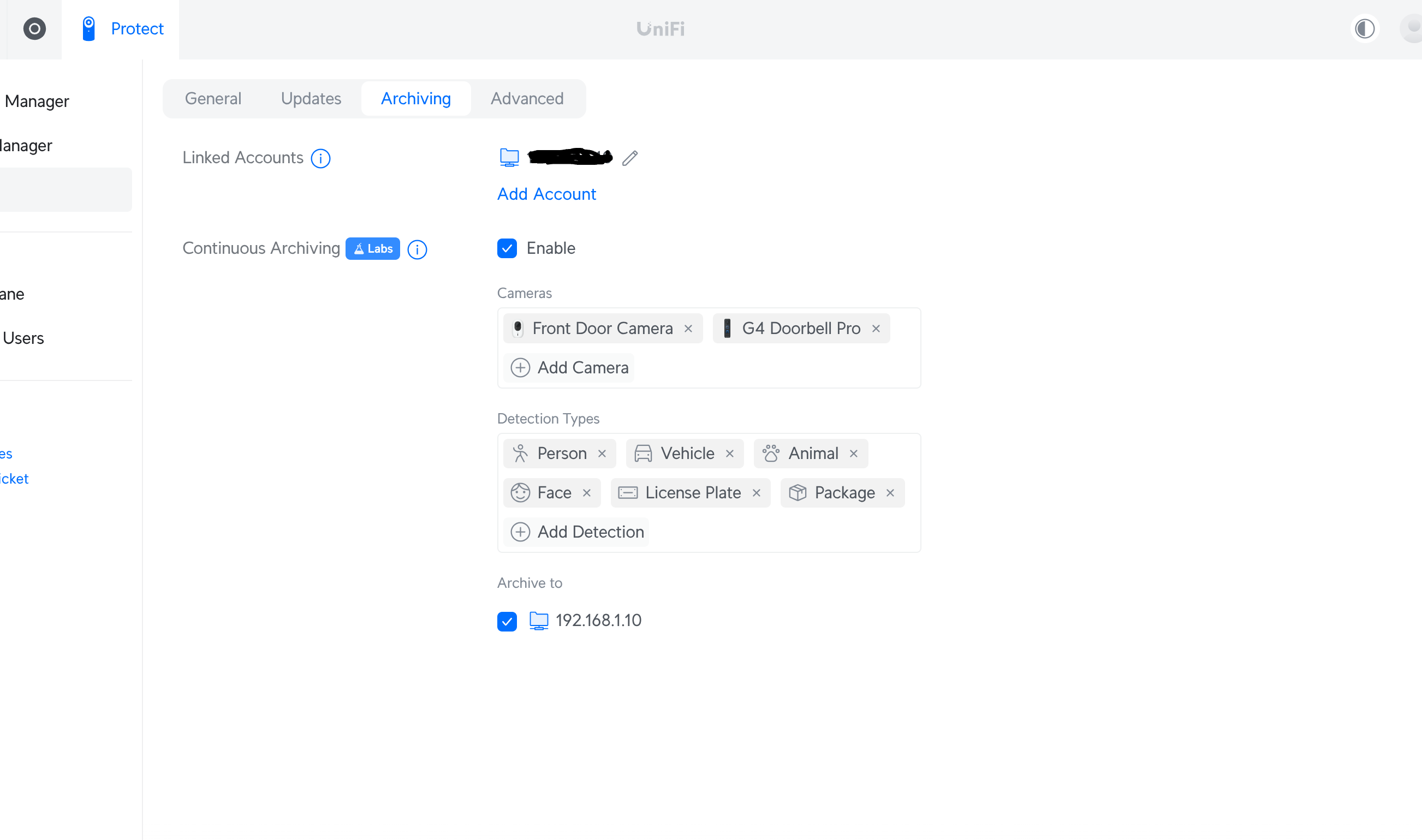
I also want to swap the drive in the UCG Max for a 4TB drive so I can probably add at least one more camera and have decent video retention. I really wish there was a good non hacky way to move recordings off the UCG Max to a NAS I have.
I am working on building a new DIY NAS... This leads me to want to to have at least 2.5GbE, if not some 10GbE... Thus, I just placed another Ubiquiti order this morning (Don't tell my wife! )
Unifi Cameras woud be fun but unlikely at this point in my life. I'm well down the Ring rabbit hole and running ethernet to all the Ring cam locations would be a royal pain due to pretty awful attic access. I only use the cams outside so I'm not concerned about privacy...someone wants to watch me pulling weeds in the back yard, have at it! But I am a bit jealous.
Ha me too! My aging QNAP needs replacing and like you might as well upgrade to 2.5GbE so I just received an expensive order last week from Unifi with a new switch.
If anyone needs a 1GbE 24 port PoE switch (USW-24-POE) PM me as I plan to post to ebay soon but willing to make a deal before that.
That is why I have the G4 Instant cameras. They just need power, poe not required. It is a 2k Camera that only needs power via a USB-C cable. Atleast so far I haven't run any POE for the cameras. That camera is probably fairly equivalent to the Ring cameras. Best part is "No Subscriptions" and you control the way it is recording. Not sure how bad Ring is, but Arlo was getting a bit nuts with their subscription costs.
So was I, having quite a few Ring devices at our home and an Airbnb we used to have. Doorbells, floodlights, cameras, driveway lights, etc. etc. Have to tell you, ditching Ring was one of the most satisfying events of my life (clearly, my life is not overflowing with excitement). Constant latency, false alerts, inability to hear clearly through the doorbells, ... Even the fairly expensive doorbell pros with the hyped radar feature we had at both locations were flaky. Hate to think about how much money I spent on all that crap.
The final insult was when construction crews at the house across the street from our Airbnb had driven heavy equipment across our front yard and destroyed quite a few sprinkler heads and cracked some pipes. I had no idea what happened until our neighbor saw me out there working on the sprinklers and told me what happened. When I went to look at the footage from the doorbell, it only went back a short time (2 weeks, I think) and I had no evidence to go to the city with. My displeasure with all-things Ring turned into pure hatred at that point.
Running ethernet can be a pain, but there are wiring aids that can make it a lot easier especially in difficult areas like low-clearance attics. But it's worth it, trust me.
It was $100/year. Not terrible, but it's all cloud-based and you have so little control vs. what you can do with a 100% local system like Ubiquity. Of course, there are higher startup costs, but you'll recoup the cost of a UDM-Pro in a few years of Ring subscription costs and end up with a far better system.
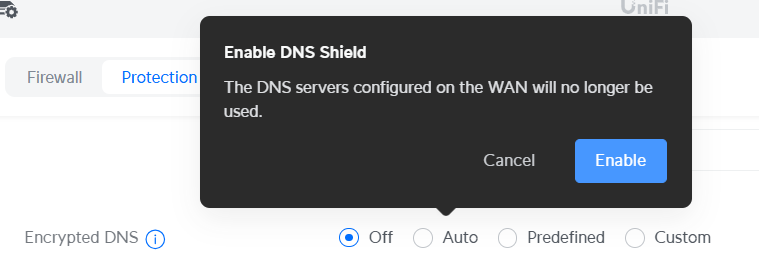
Yes, but in a slightly different way. I started using NextDNS last summer and I am very happy with it, eventually ditching my Pi-Hole servers.
I even have our cell phones using NextDNS when they're not using Wifi. Works very well and I've only had to allow a very small number of things to bypass the blocklists I have set up (and I have a lot).
The only problem with enabling encrypted DNS in the UI is that you won't see the individual device names making the requests in the NextDNS logs. I've installed the NextDNS CLI client on my UDM (vis SSH) and that does the same thing as this setting in the UI, but at a lower level which also transmits the client device name to NextDNS.
Yeah, that is nice that they have that option, wasn't even aware UI did Wi-Fi cams! However, my feeling has been that I would not replace my cams unless I went to a wired/ethernet option to make it more worth the trouble.
Part of my inertia on replacing my cams is a lot due to the very light use the Ring cams get from us...mostly looking to see if coyotes are crossing along one end of the house (frequently). Don't use the doorbell cam to screen visitors, just to see when deliveries have occurred.
We live in a very boring neighborhood crime-wise and just anything-wise, so really not important to us for security-type issues. I may someday experience losing video of something I wanted, but I guess I'm open to that risk.
Also on the "con" side is that I have seven ring cams installed so not a small investment to switch over...
G4 x's 7 = $700-ish
NVR of some sort - $100 to $200?
Archiving - I do have a Synology NAS might be able to use for archiving
 Completely uninstalled the Network app from the Pi just a few minutes ago.
 It can challenging to to 'just say no'.
 )
)