Devices:
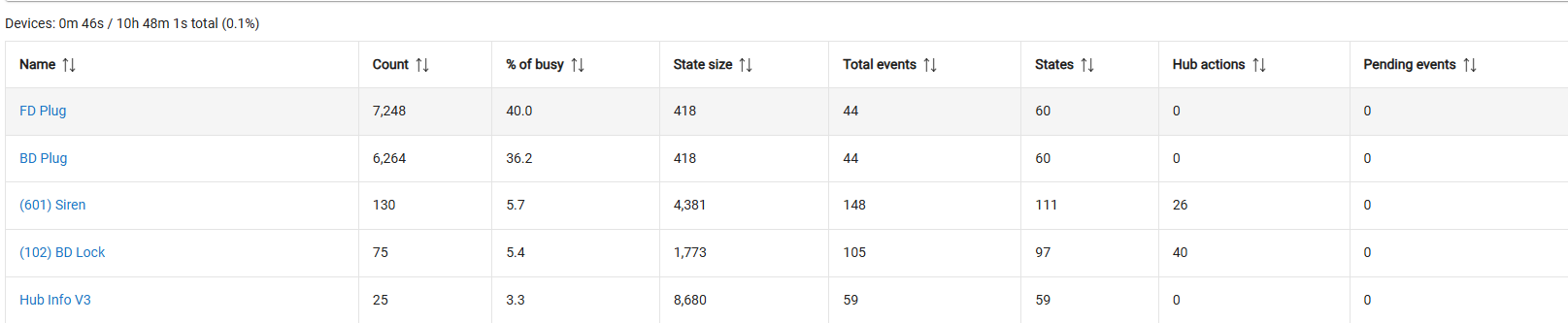
-TR plug
-TR plug
-Siren (for reference)
-Smart Lock (for reference)
-And Hub Info app (for reference)
I’ve got 5 mmwave sensors that just asked me to hold their beers 
exactly
So globally devices represent 0.1% of your hub's busy time... nothing to see here. What about apps?
0.4%…. The sluggish response time happens most frequently with my Yale z-wave smart Locks. Perhaps this is an issue with those device devices specifically and not the hub. Although I have had my siren and other devices get really backed up and fire like 30 to 45 seconds after I submit the command on occasion, but the Yale smart locks are definitely the ones that I notice this with the most
I don’t know much about ZWave, avoid it as much as I can. But people here have said ghosts can cause issues.
Also worth specifying if you are on the legacy Z/IP or the new ZWave-JS stack.
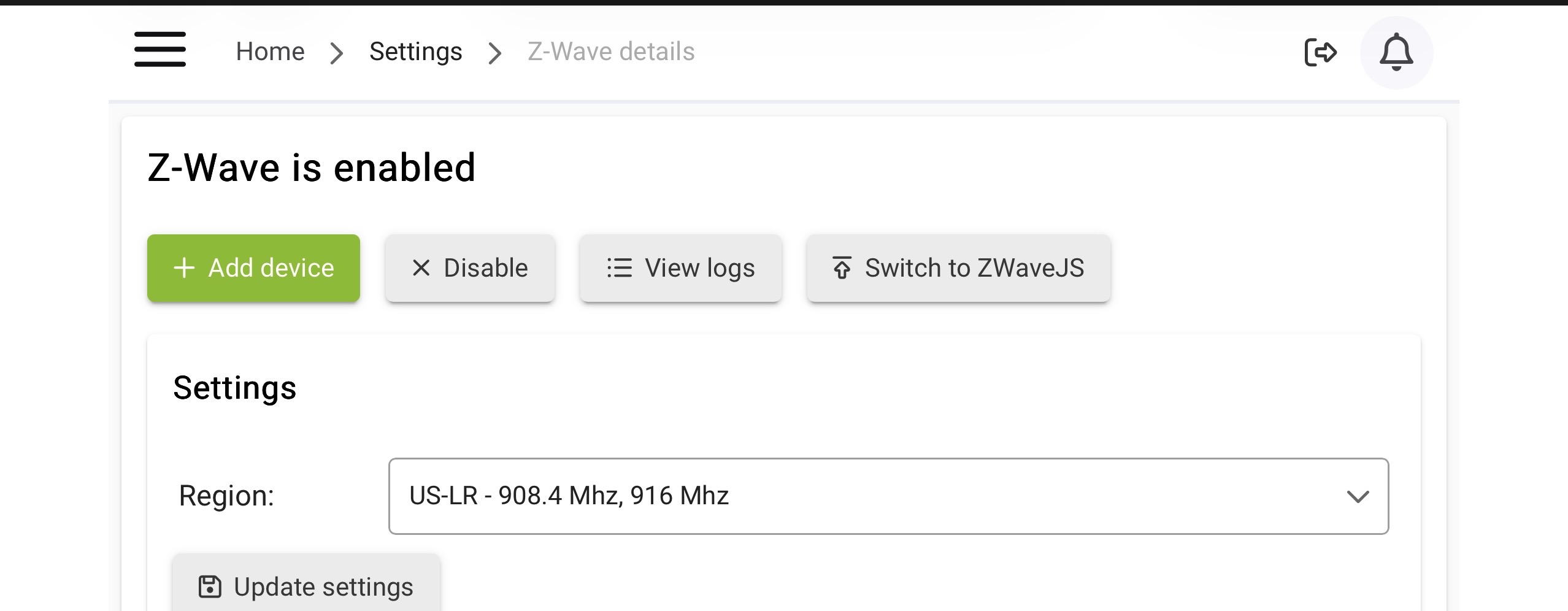
Definitely. @KRS - as noted, are you on Z-WaveJS? Option to choose Z-WaveJS (or fall back to Zipgateway) is on the Z-Wave Details page.
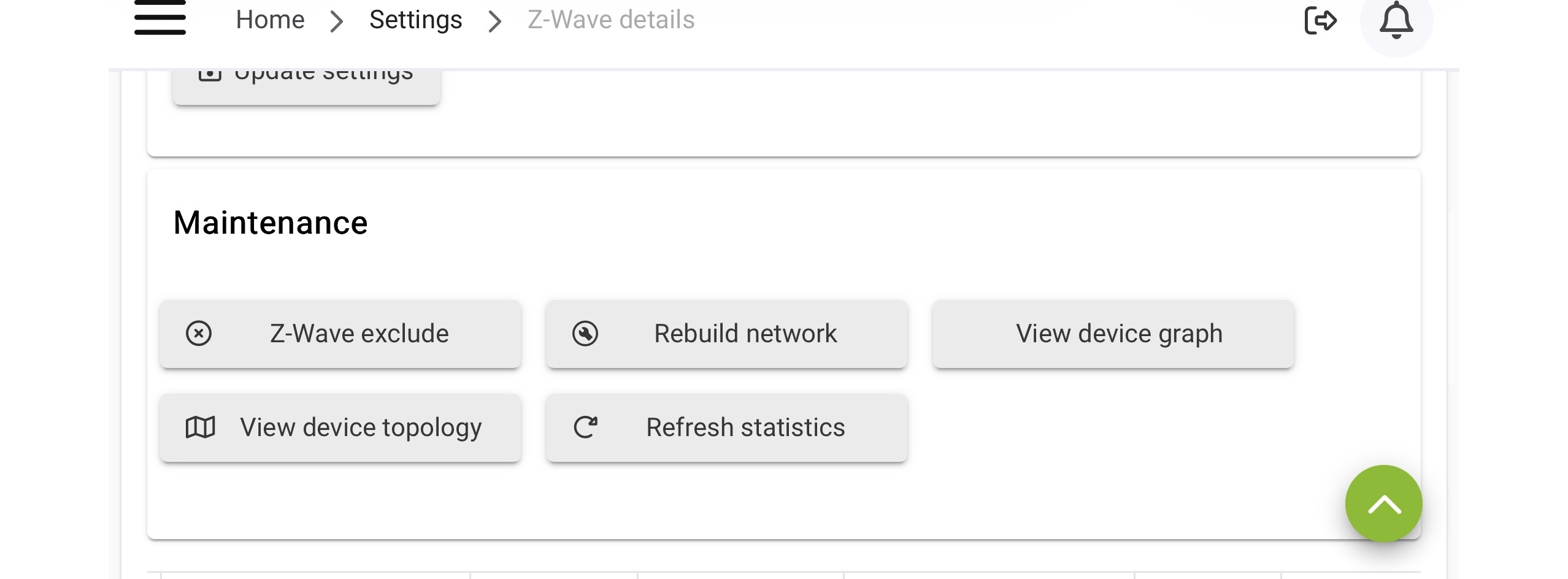
Post a screen shot of your Z-Wave Details page...it may take multiple screen shots, you can use Snip on Windows if you don't have a screen cap app you already use.
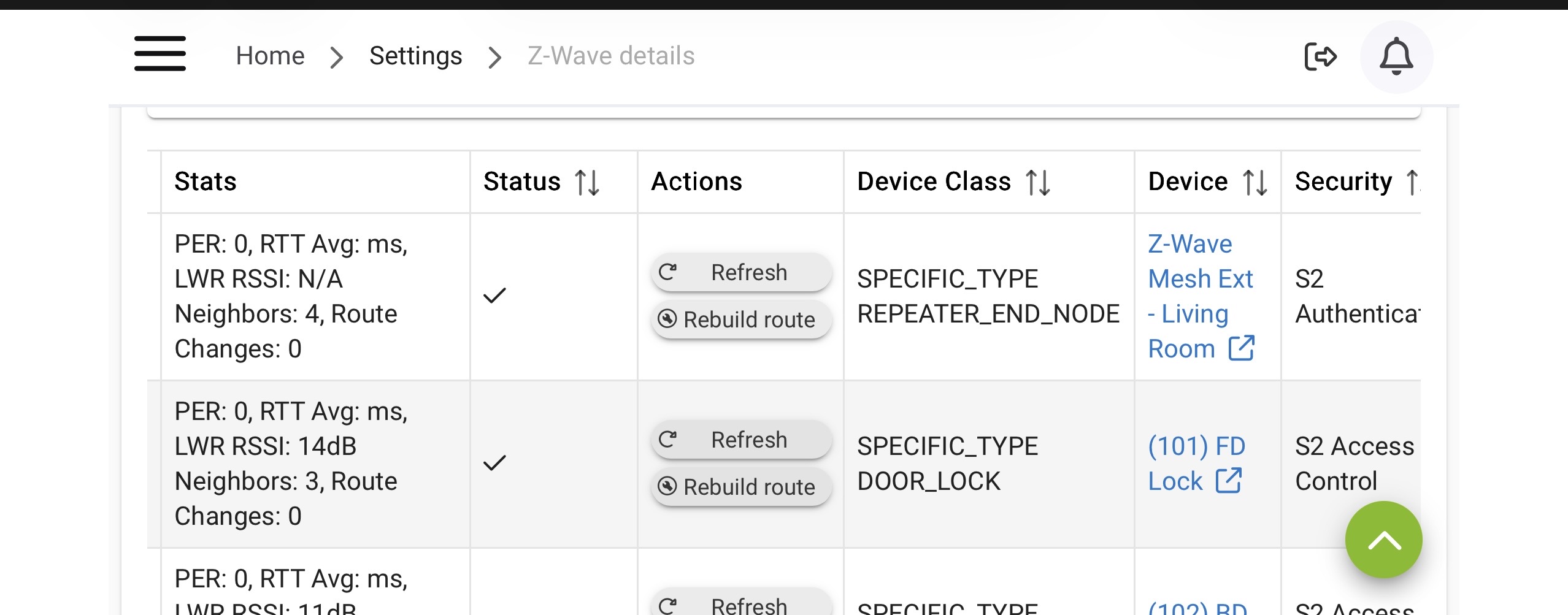
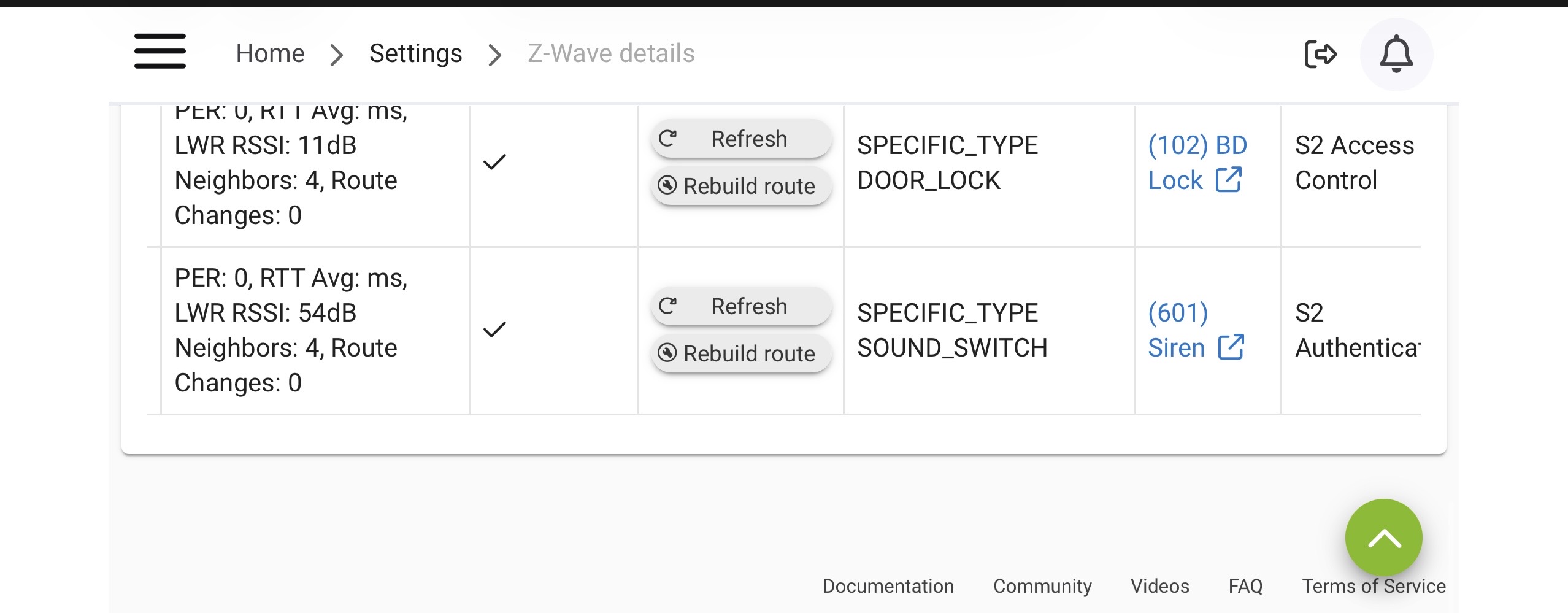
Sorry, I’m on mobile at the moment. The screenshots are a little tight but since beginning to utilize Zigbee and Z-wave in the past couple of months I quickly realized that z-wave is the absolute worst and I try to avoid it as much as I can so there’s really not much here, and it has been tightened up and cleaned up since the last time I attempted any z-wave connection. I know what these four devices are, they are all “real”. Haha.
That looks good in terms of no ghosts.
However, the small number of devices and lack of mains powered repeaters like Z-Wave light switches could be behind your Z-Wave issues...you have three locks and one extender. Typically you would want mains repeating devices like light switches near each door lock, which are more dependent on nearby repeating devices.
Your BD lock and FD lock have very low RSSI numbers, and your repeater doesn't have one which is either due to recent reboot or it's just not talking much. 
Explanation of info in table:
Health Values Breakdown:
1. PER: Packet Error Rate, sometimes referred to as Packet Error Count (PEC), is the accumulation of packet errors for a given node.
2. Neighbors: The number of neighboring nodes this node is able to see.
3. Route Changes: The number of times the route has changed.
4. RTT Avg: Round trip time, the time from a sent packet to receipt of an acknowledgement packet from the device.
5. LWR RSSI: A calculated value of the Last Working Route's RSSI, over each hop, compared to the background noise sampling. There must be at least 1 packet sent from the hub to the device for this to have a value populated.
If you have recently rebooted you will need a while to get all the info populated.
Well, I’m certain you’re right regardless, but to clarify, I have two locks and a siren.
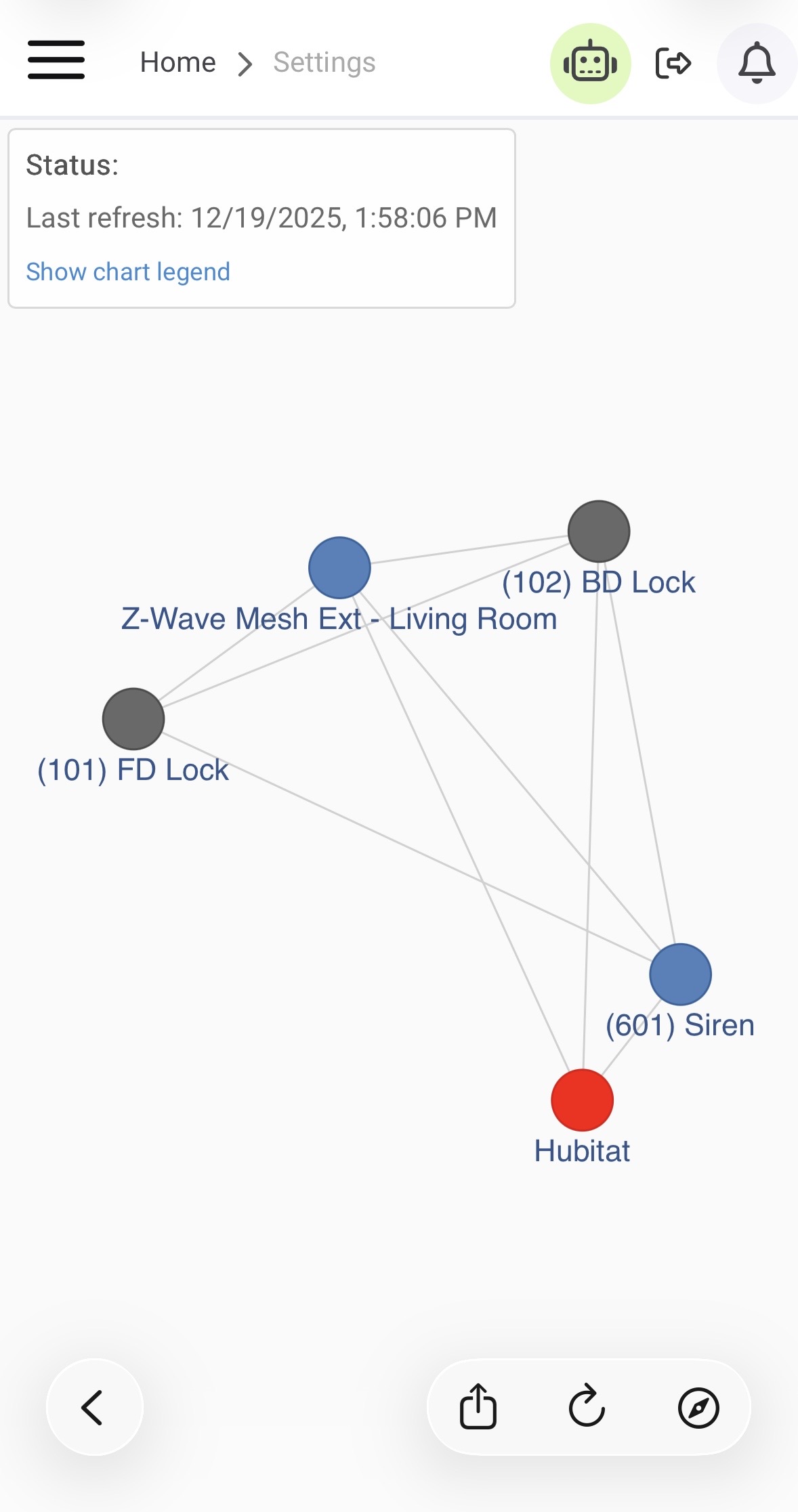
Here’s the basic layout
I have never trusted that Z-wave repeater is working properly because it’s the only device my system doesn’t really recognize properly.
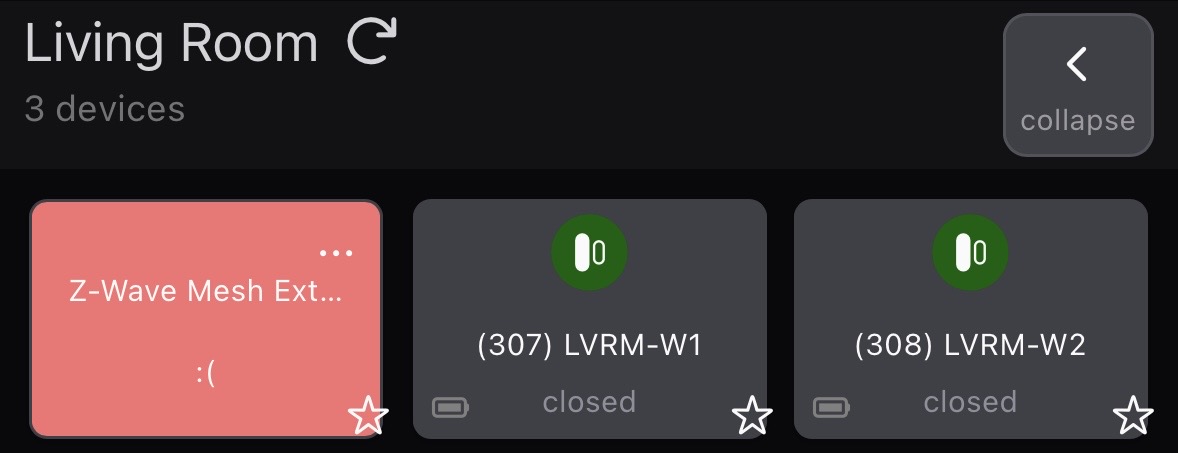
This is how it appears in my dashboard on the mobile app. If I click on it, I get this screen:
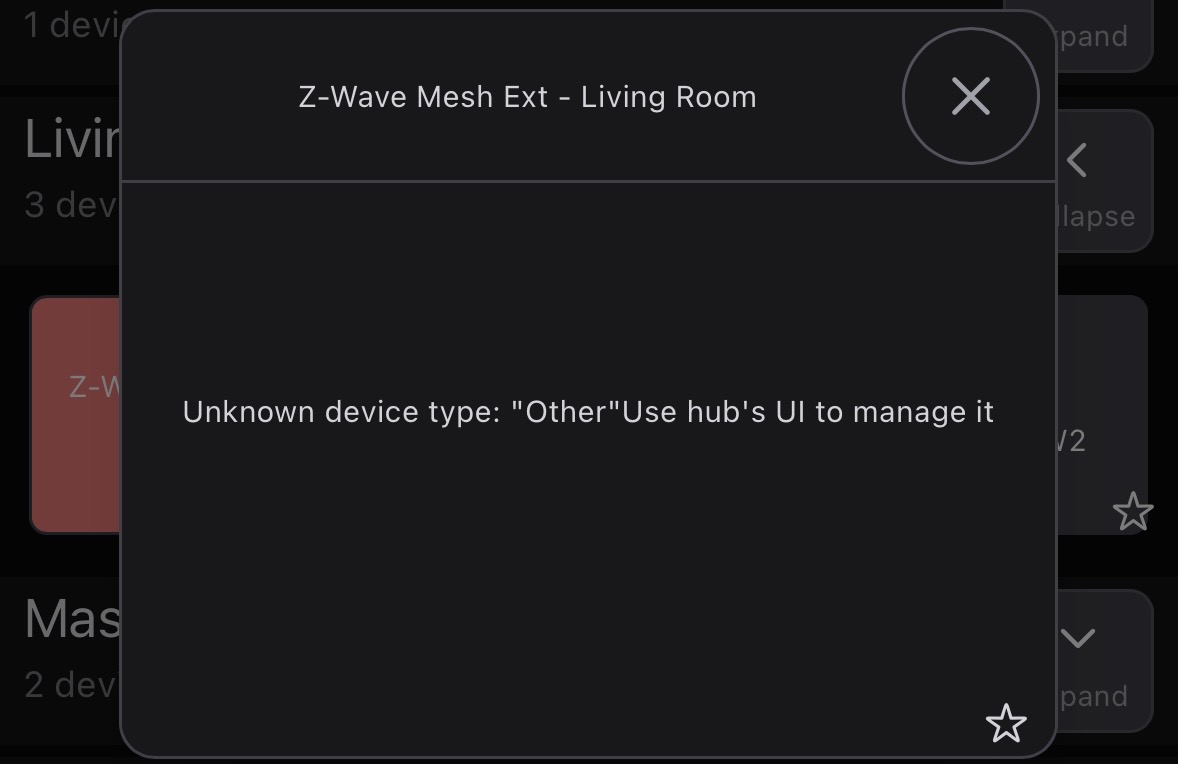
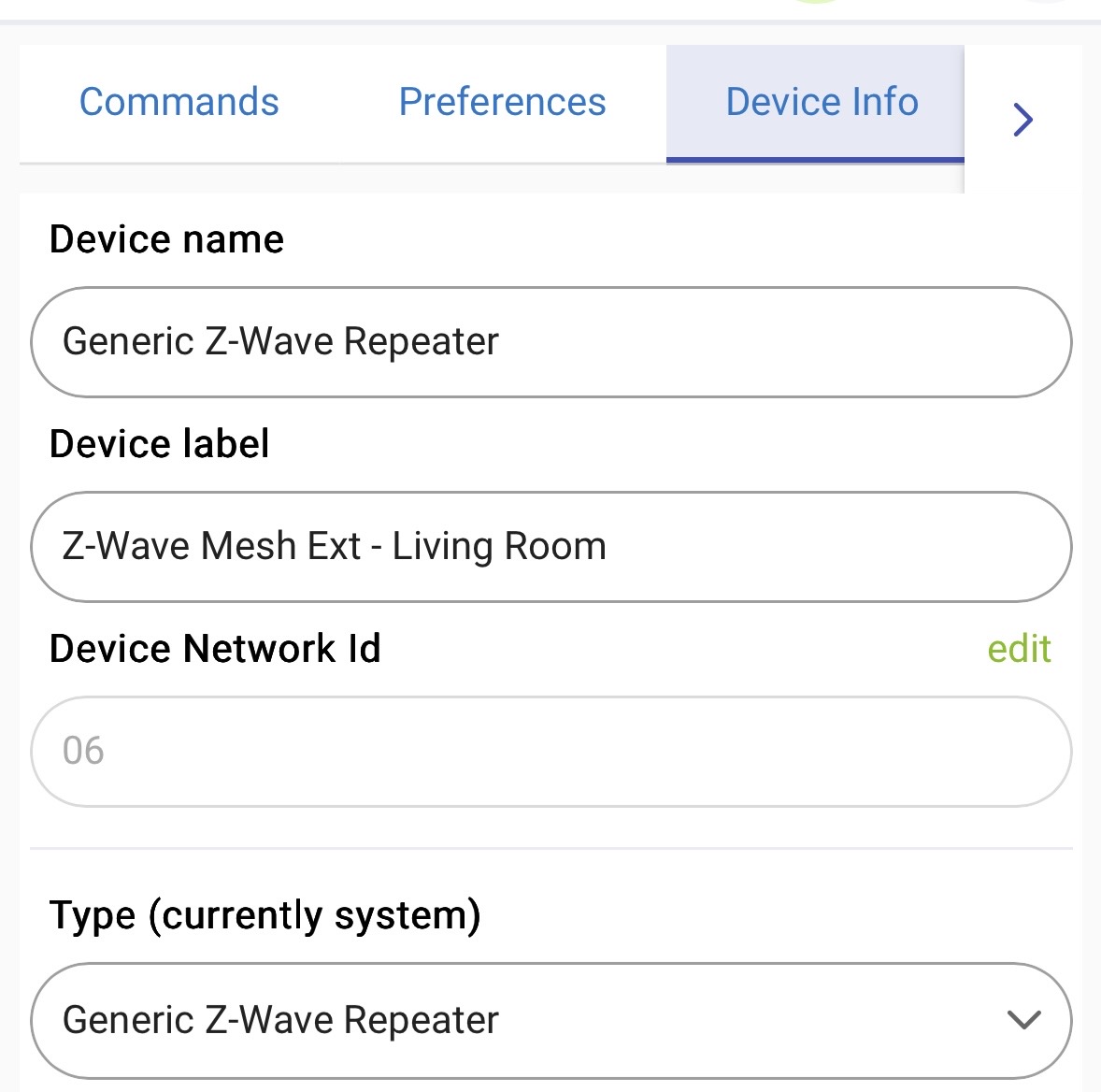
Which claims it is an unknown device type. However, when I go to the device page and look at the details, I get this information.
The details in the z-wave settings page suggest that it’s technically connected and working, but everything I see in my app tells me something’s wrong, but I have excluded and included it several times, and the idiot AI I still waste time trying to get assistance from claims this is "normal" for this device, but he's a known liar....
If your extender is just as far from the hub as the locks, maybe try placing it at about half the distance. I don’t know that it will make any difference, but it can’t hurt. Ever since Hubitat added the external antennas, all of my z-wave devices are directly connected.
Oops, yeah, you're right of course. 
There is a Z-Wave repeater made by Zooz that might be a choice...I don't have any experience with them, myself.
There are other Z-Wave repeaters on the market, but I've never really used them much myself. I had zero luck w/a couple generations of Aeotec repeaters, so don't have much good to say about them personally.
What is the brand of your current repeater and your locks/siren?
Ring has an older Z-Wave repater that many seem to like, not sure if it's available any more. I don't know anything about their newer "alarm range extender (2nd Gen)."
It's not, the graph is relative, not accurate in terms of actual distance.
Pretty much the same, my Schlage lock is direct connect to the hub as well. Wasn't thinking about the fact that he has a C8-Pro w/antennas.
@KRS - how far from your hub are your two locks and siren, and is your house construction normal wallboard/wood studs, or something more resistant to RF signals?
Also best to keep your hub a few feet away from other devices like routers and access points, wireless home phones, etc.
It's the Aeotec Range Extender 7. I dunno what you think, but I was really disappointed in all of the Aeotec devices I bought and struggled with some so much I gave up and found another brand. SUprising given their size and status.
The locks are ten feet from the extender, probably 20 from the hub. There's almost 0 interior walls between these points, it's very open. Regular studs and dry wall construction.
Hub is only by the router, as necessitated by the ethernet connection, but I could move them a bit further apart.
Yup - my same experience w/the Aeotec exteners I tried. Zero usefulness - tried in multiple locations.
Won't hurt, might help. I'd move it farther away.
Also ensure your hub is being powered by the provided USB power wall wart, as the hub can have issues when powered by other less consistent power sources. POE in particular can cause problems.