Hub C7
I see that you can schedule a local backup which is great as long as your hub is functional.
There is also a manual option to backup to your computer
Is there an automated way to backup to your computer? i.e. some app ?
I was going to sign up for the subscription backup service but when I read it doesn't restore everything to the C7 ...i abandoned that.
I'm not sure where you read that not everything is restored. Do you mean any external (non-hubitat) related components or something else? As far as I know, the purpose of the cloud subscription service is to be able to back up your hubitat hub completely (rules, z-wave, zigbee etc) and be able to restore it. Luckily, I've never had to use the "restore" functionality but I have used it to migrate from my C-5 to C-8.
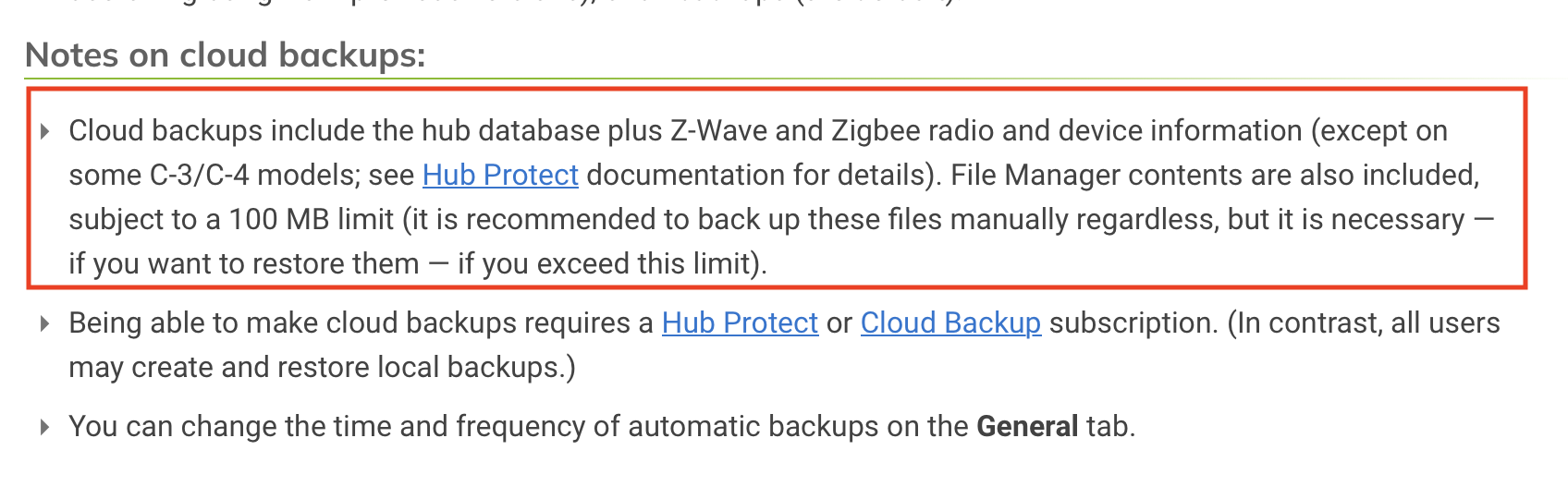
If you were to do a local backup, it will NOT backup any z-wave radio information, so if you have to restore from that, you will have to pair all your z-wave devices again. That being said, there are a few threads on doing local backups (automaticall).
This is the solution I use for auomating local backup (Using Node-RED to log in to Hubitat with security enabled [SOLVED]). There is also a way to use the "curl" command and do local backup (that was what I was using before I started with Node-RED). Hope this helps.
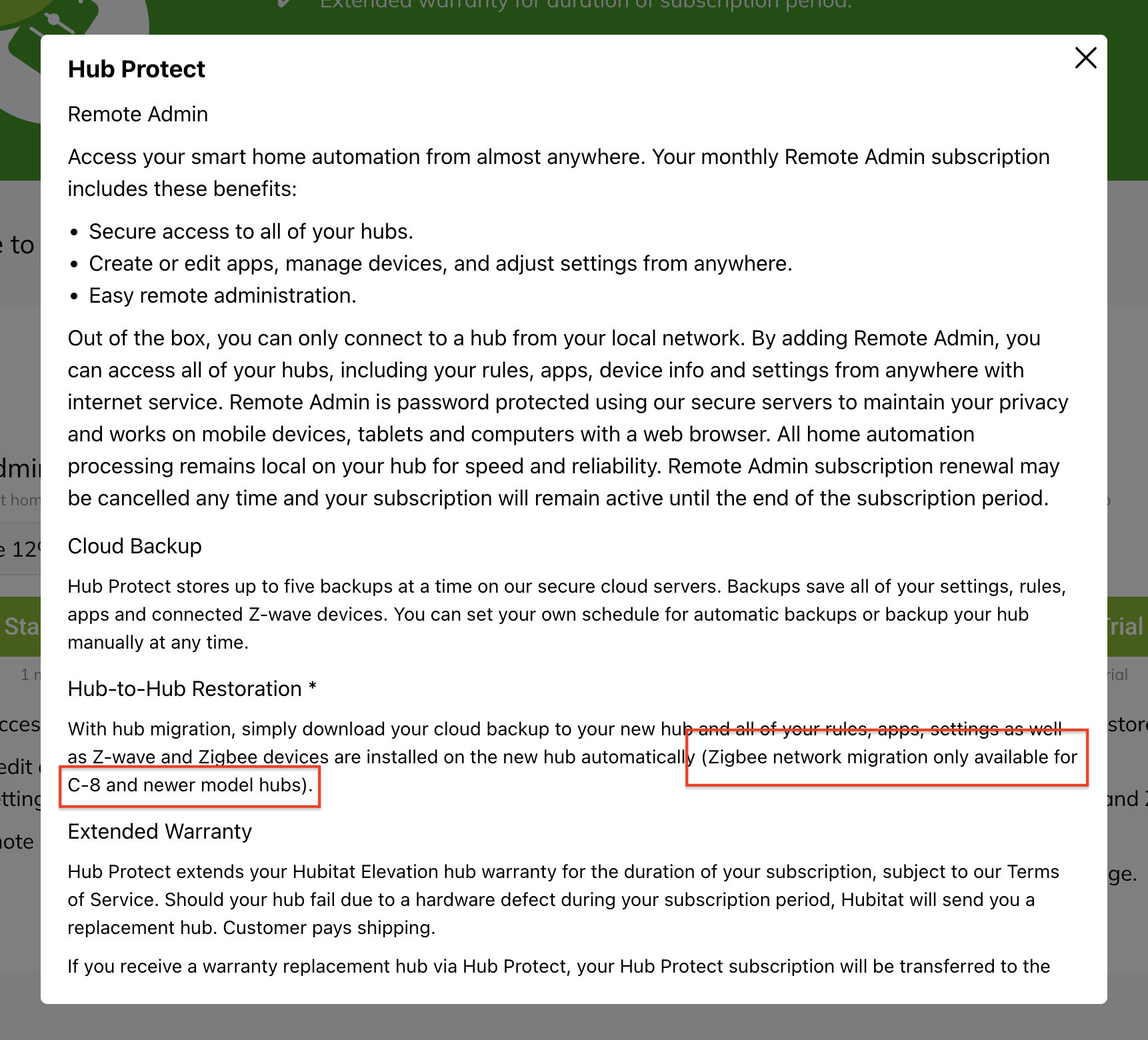
At the risk of over-inserting myself here, I wonder if it's this line from the pop-up you get on the Subscriptions page when you click the Learn-more link for both Protect and Cloud Backup...
I noticed this blurb the other day and it didn't sound quite right to me, but I chalked it up to me not keeping up lately with this sort of stuff.
You know what - I had no idea about this either since I went from a C-5 to C-8!
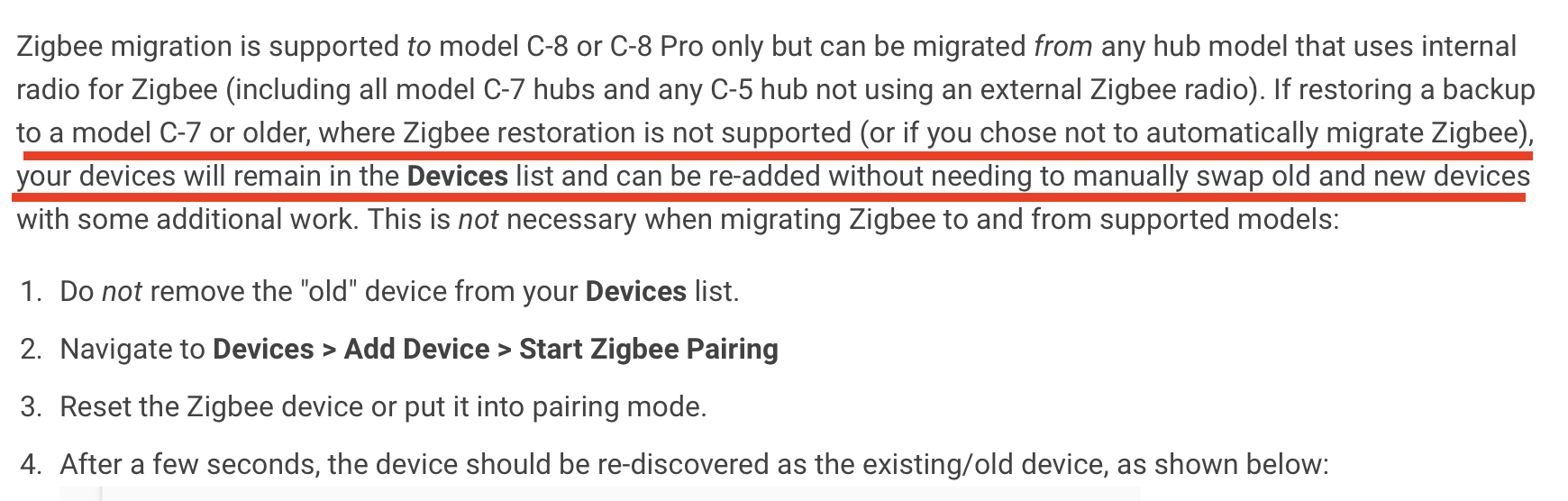
If Zigbee is not migrated it may be a bit painful but at least it doesn't mess up things like missing ZWave network would. Can't you simply just re-pair the zigbee devices and they would all slot back into place (not ideal if you have a large number of zigbee devices).
Zigbee networks cannot be RESTORED on C-7 hardware (or earlier). However, a zigbee network backed up on a C-5 or C-7 can be restored without any issues on C-8 hardware (or later).
@bobbyD - will it be possible to clarify this in the backup subscription documentation?
Depends on the computer it is run on. For Linux, you’ll find several examples of shell scripts to create and download a local backup on the Hubitat community.
And then you can use cron to schedule the script to run daily.
Correct, the Zigbee radio chip in the C7 and earlier does not have the capability of restoring the radio data. However, the devices will slot back into their assigned id's if re-included after a restore thus preserving any automations.
Aren't they two sides of the same coin? If I can't restore, what's the point of a backup! I guess all I'm saying is that the documentation needs to make it clearer.
No one has said backups cannot be restored. Backups from ANY model hub can be restored to a C-8 (or higher). Such restores will have data from both radios, regardless of the model that the backup was made on.
 If I can't restore, what's the point of a backup! I guess all I'm saying is that the documentation needs to make it clearer.
