Just got me 6 ZEN04 LR's and want to sprinkle some around for house for reliability purposes, ie, some are powered off for long times (less mesh confusion upon re-power), and some "mission critical".
This thread seems like the "go to" thread for LR, correct? Or is there another? (I'll have to look, as well.)
I probably should augment my qr codes in a plastic bag approach I've used with the two LR contact sensors I have, lol, so I'll likely be using this app.
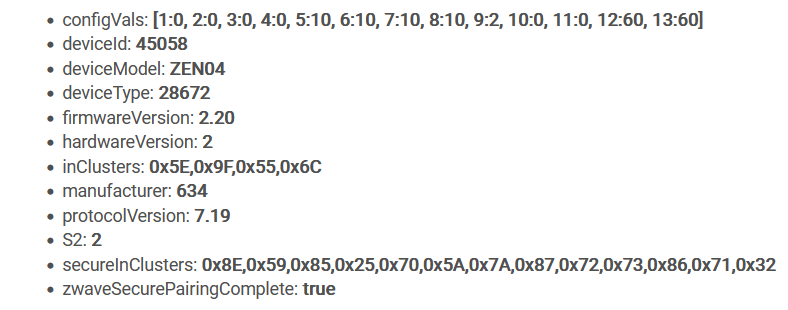
What's the best way to check firmware version on a brandy new ZEN04, since I sort of remember there's been an update? Nothing's on the box. Include as LR, check, exclude, then include as mesh if update needed?
edit: Found some LR stuff in Documentation. I should go there more often I guess, lol.
edit2: Paired with SmartStart perfectly (side note, had to stop android app and reopen to get it off the schneid). Version 2.20 is latest, 9/23, per Zooz changelog, so I'm good to go. Next stop: check out the app.
Used the app for the first time.
Didn't read the thread, lol.
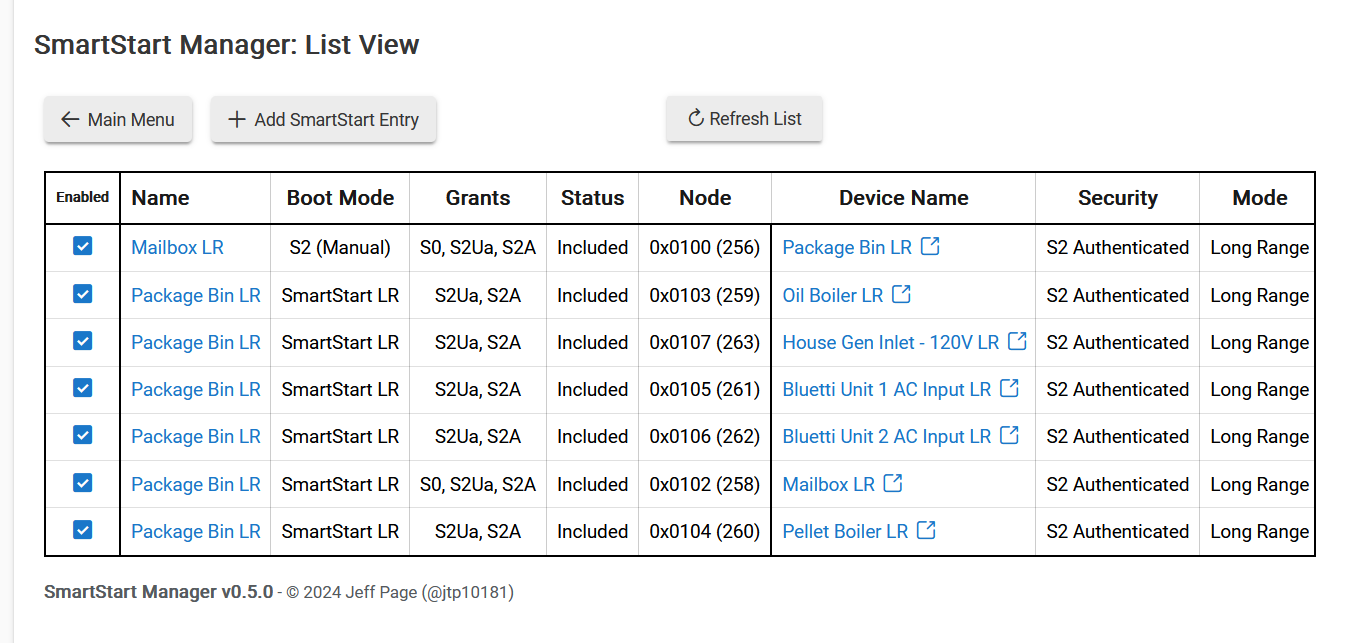
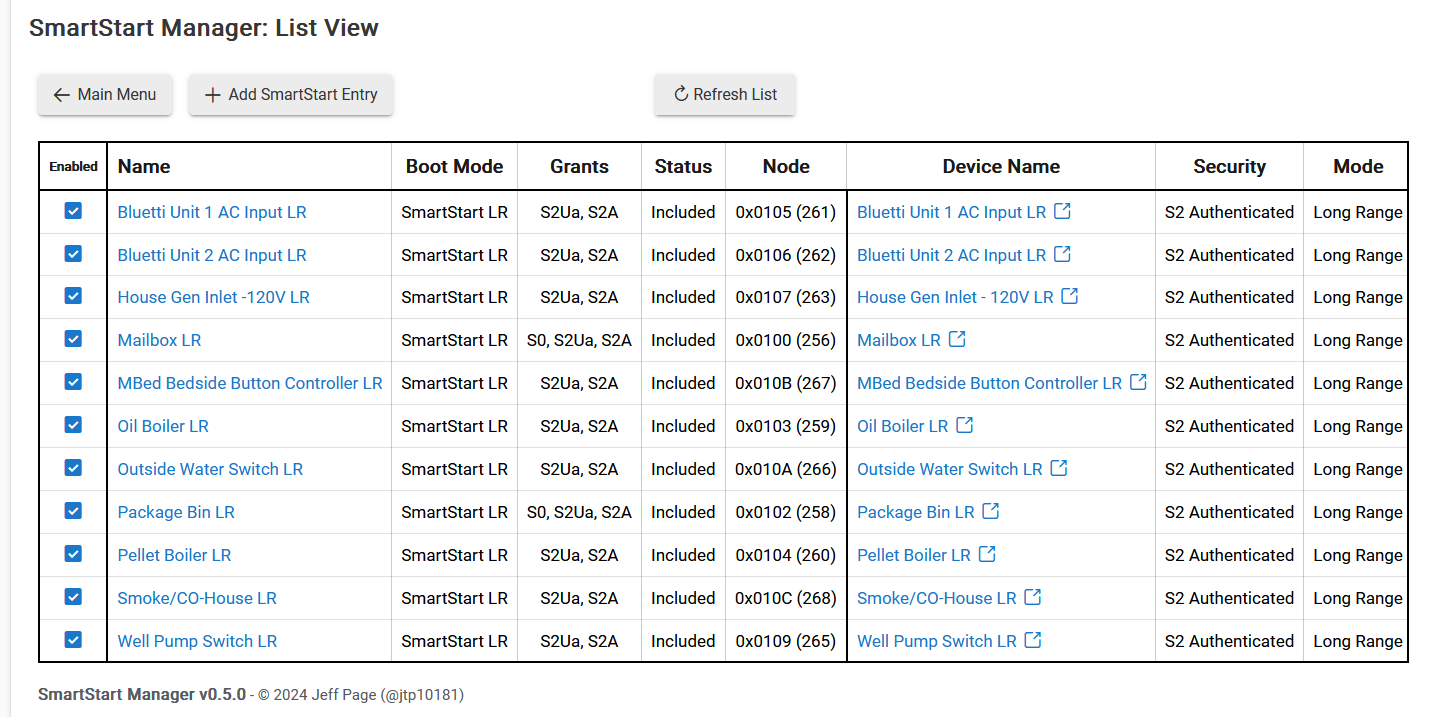
I wonder if you could take a look at my list, below.
Apparently the Hubitat app keeps putting in "package bin" for Name; I guess I can edit that in your app.
Also, what's the story with the S2 Manual Boot Mode for (the real) Package Bin (device name)? Should I change it to SmartStart LR, like the other ZSE18 (mailbox)?
Must have been set to that on accident after you included it. It does not impact anything once the device is included but if you ever were to exclude it and try to include again it would be an issue. So yes, you can change it now to avoid any future confusion.
One more question, for the moment, lol:
What's with the 5 X's at the start of the DSK?
The DSK is not complete without the number, is it?
Thanks. @jtp10181 ?
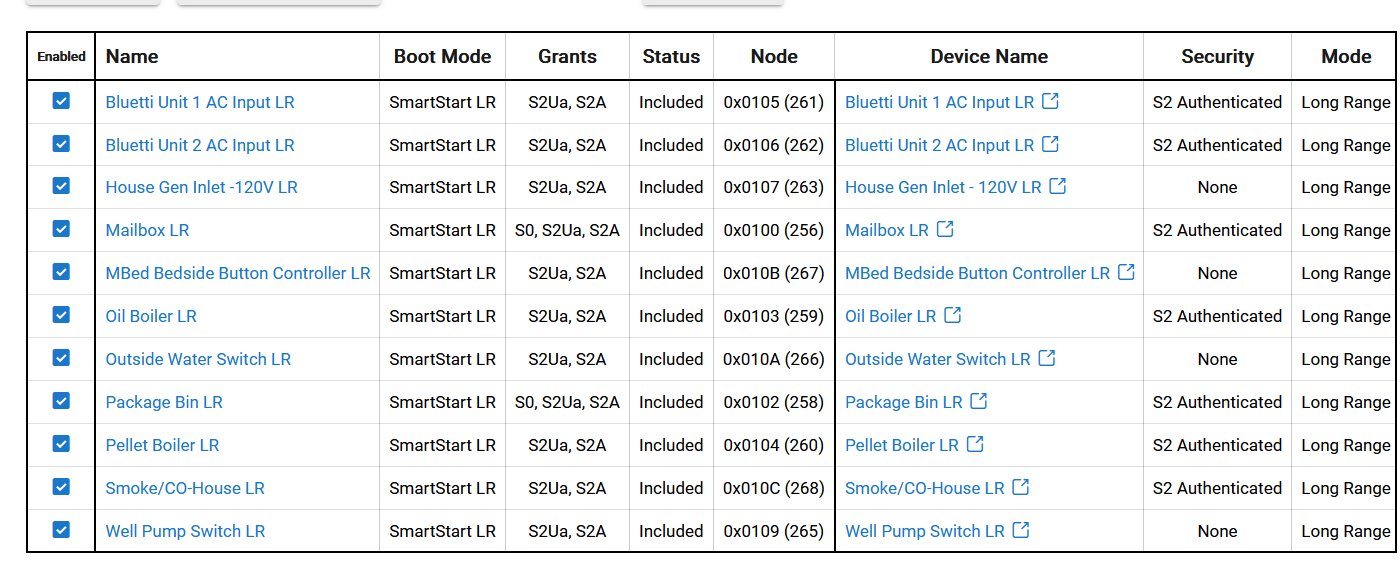
I wonder if you could take a look at my list, below?
The 3 ZEN34 wireless switches have security = none. I can see that. Consistant.
However one ZEN04 (House Gen Inlet 120V) also was paired with security = none
I don't understand that. All the other ZEN04 plugs paired with security = S2 Authenticated.
Holy Crap!
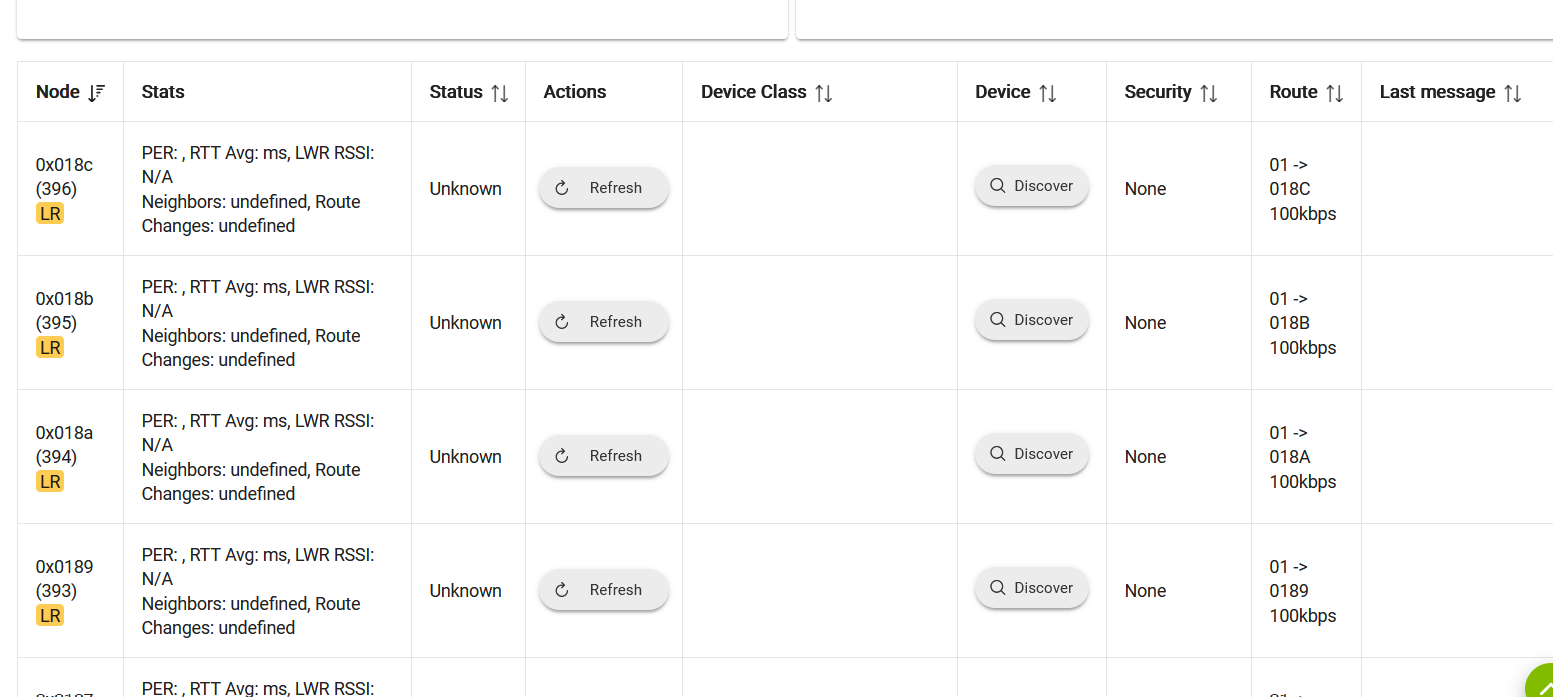
On a whim, I sorted the Z-wave device details by node:
I got, maybe, 50, 50, Unknown LR devices! Sample below.
What the hell is going on??????
edit: I went to my go-to move, shutdown/power cycle, and they all went away! Got an alert for high hub load, probably just as a result of the shutdown/power cycle. Might do it again for giggles.
Yes both the fake ghost nodes and the security showing wrong are issues that get resolved by a shutdown or even just a reboot sometimes. Now that I think about I believe the security showing wrong was a known issue that never got fully resolved. Seems to just be best practice to restart the hub after pairing LR at the moment, until they get things worked out more.
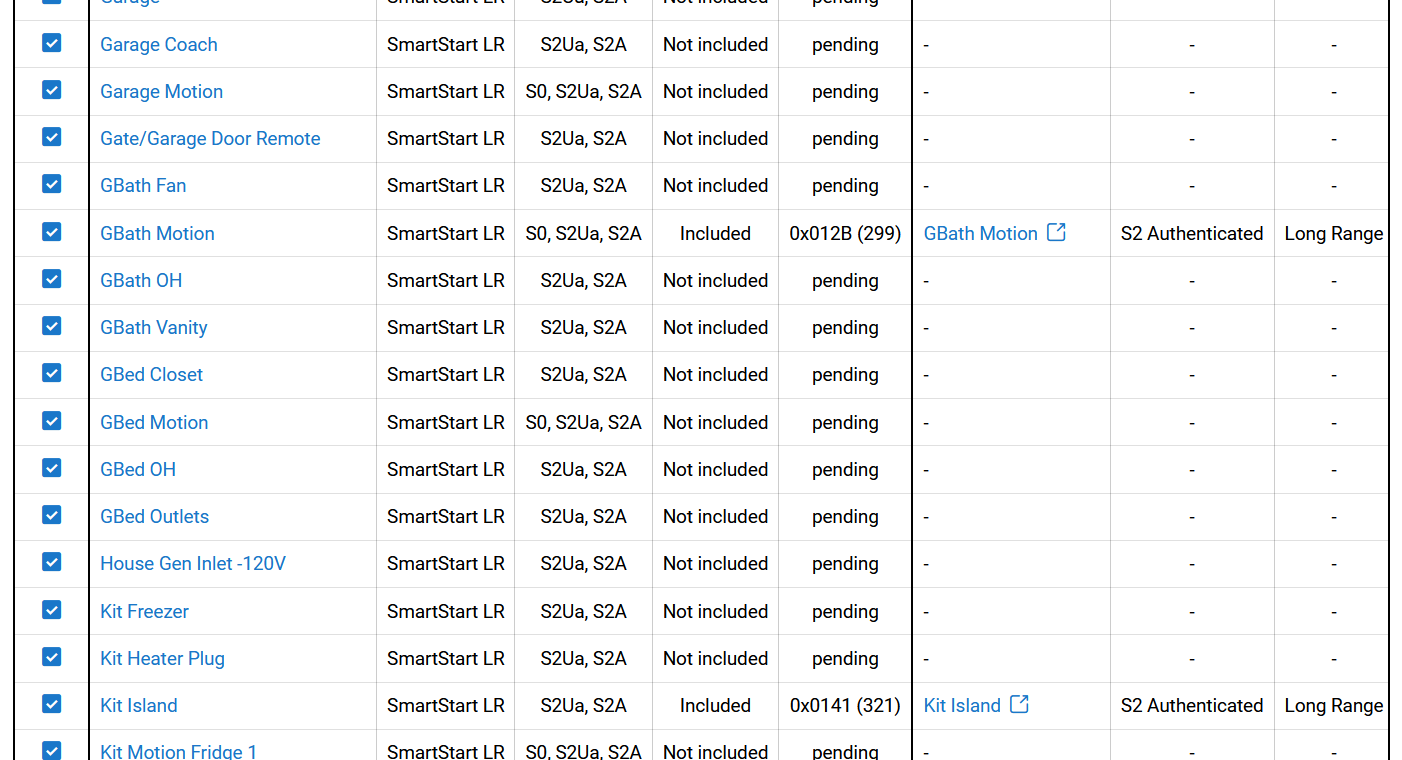
My SmartStart database must've gotten corrupted somehow.
I've been adding devices, successfully.
The table was fully populated yesterday.
I have no idea what I did.
The devices and rules still work fine.
So far I've rebooted.
edit: and shutdown/power cycled.
I'm not sure how old my SS backup is.
edit: It's a week old.
Any other suggestions?
Restoring a SS backup wont do anything. I have no idea how the hub determines if the device is already included or not. The app just pulls the info from an endpoint on the hub and matches it up with the z-wave details endpoint data. Usually you can even remove something from SS and add it back and it will still remember it.
You could try activating some of the devices to see if that helps but I dont think it will. Best thing to do at this point if they dont re-populate with the node info would just be to disable them in SS so the hub is not looking for those devices.
I have a LR device I added via Smart Start. After install, I came to the conclusion that it would actually be better to install as a non LR device so that it can be part of the mesh network to help a light switch even further get better signal.
Is there a way to convert the LR to Non-LR/Mesh without removing the device and reinstalling it as non-LR?
No, has to excluded and re-included. Make sure you either disable/delete in SS or change the boot mode BEFORE you exclude, or it will just include itself as LR again immediately.
If you have a bunch of apps tied to it already and want to avoid breaking them, the simplest way is to create a virtual device placeholder, and use Swap Apps to move everything to the virtual device before you exclude. Then swap again to new device after included again.
There is another way to do this without using a virtual device by editing the DNI but its more complicated to explain.
I removed the LR device and was able to re add it non-LR no problem. I do, however, still have the device shoing up in my "Z Wave Details" page. And in the "Device" colum it just has "discover"? Is this something to be concerned about?
When you exclude LR sometimes they leave a temporary ghost. If you shut the hub down and unplug for 30 seconds usually that ghost will be gone when you boot back up. Actually usually just a reboot clears it out if you dont want to deal with unplugging it.