You'll need to do a manual re-sync since the hub ID is used as part of ID when the app requests that Google automatically sync devices when the app settings change. Just say "Hey Google, sync my devices" or pull down at the top of the device list in the Google Home app. After that the automatic sync should start working again.
Okay... after some initial confusion between the official Google Home integration and this one, I think I figured out the migration to C8. Thanks!
So the push events are no longer active and when I try and redo the app completely the option never shows up. It is almost like it doesn't think my hub platform version isn't late enough. I'm on 2.3.5.103. If I go into the code and change 2.3.4.115 to 2.3.5.103 everything works again. Is this a parsing error of the version numbers? At a glance the code appears to assume all the numbers will always be higher so it stops when it reads 103.
Yes, I see what's wrong and it's an issue comparing the two version numbers. I'll get a fix out ASAP.
Edit: Fixed. Update to 0.37.1 and the Homegraph options should come back.
3 Likes
I just finished migrating over to a new C8 and got everything going, but when I got to re-authenticate in google home, it shows both my new hub and my old hub as options. Since I've named my new hub the same as my old one that I'm taking out of service, it'd be preferable not to have a repeat name and guess which one is the correct one. Is there a way to get rid of the old one. Am I going to have to reconnect the old one to the network and remove the integration from there or even just rename it something like "old hub"?
Do you mean you created a new Google Action and the entry for the old action is still there or do you mean your old hub is visible when you're going through the authentication flow (or something different)?
If you mean the old action is still there then that's a known issue on Google's side: see this issue on their issue tracker for more info. They're apparently working on a fix, but we'll just have to live with it for now.
If you mean the old hub is visible in the authentication flow, you should be able to deregister it by going to My Hubitat and clicking the appropriate "deregister hub" link on the "Registered Hubs" page.
Yes, it was indeed just a matter of removing it in my hubitat. I was thought it might have been something to do with that google issue, but am glad it's not. Thanks for the help.
So, I've got a weird one. This morning, around 4:50 am, the lights in my bedroom flashed several times while my wife and I were asleep.
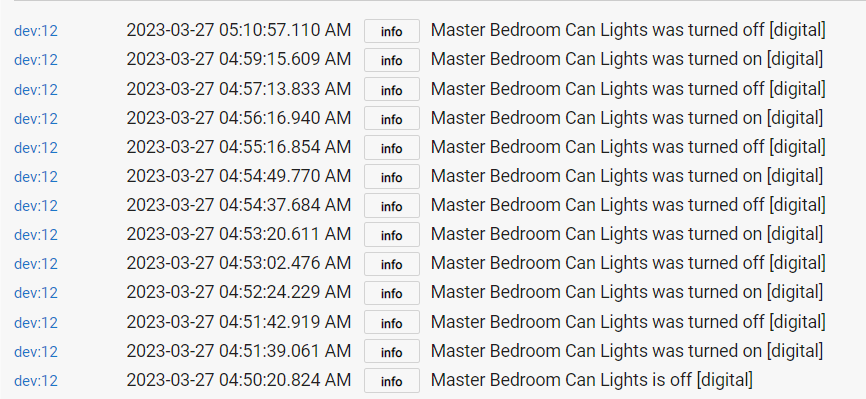
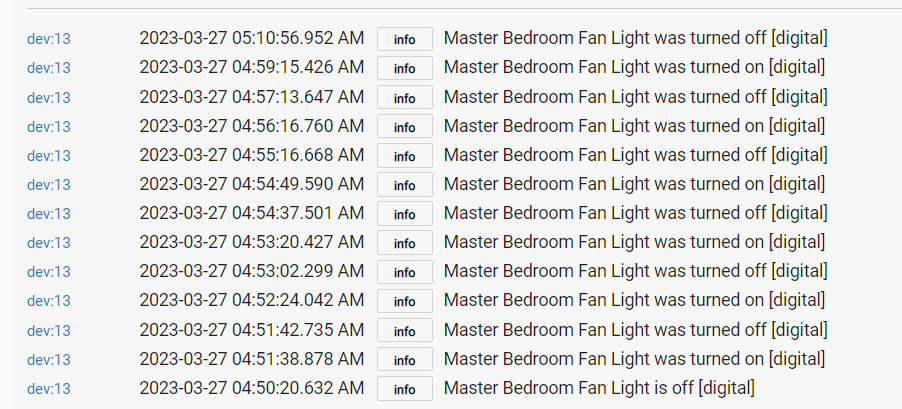
So, I check the device events and see they all originated from this app (at this point, I really don't think the app is to blame).
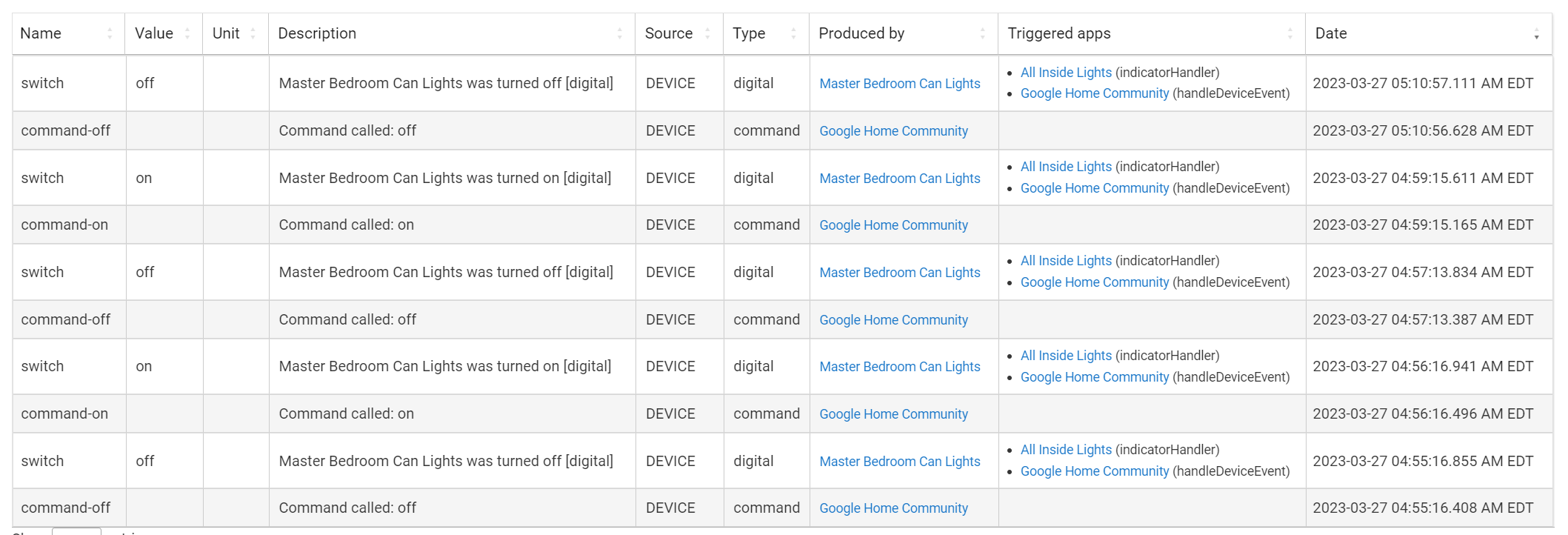
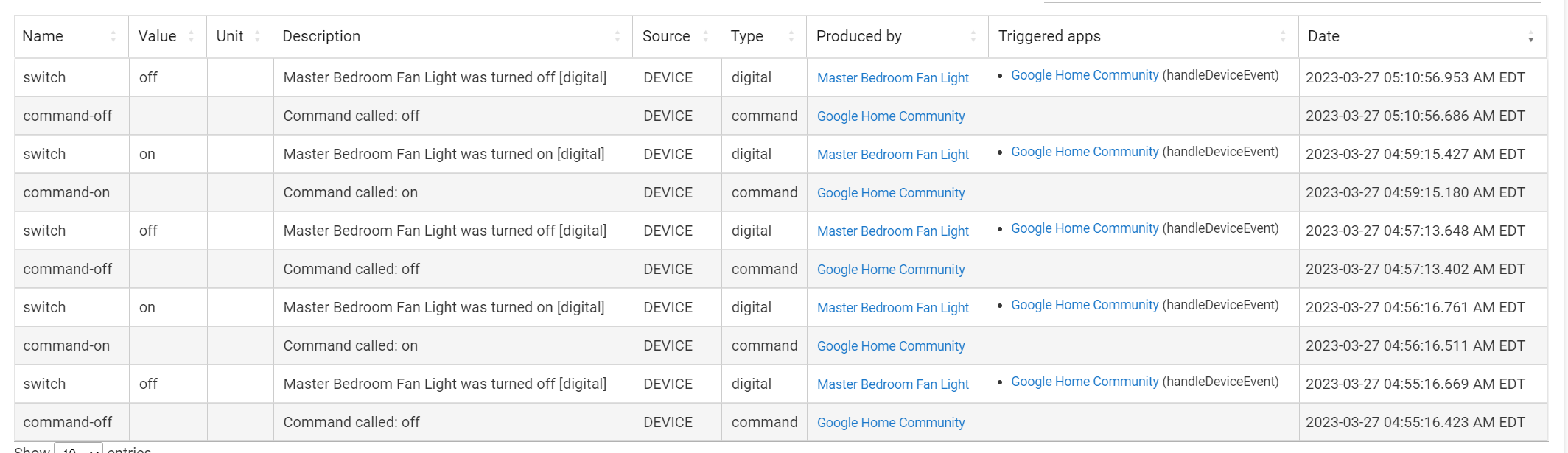
Since, I don't have debugging turned on, I checked my Google activity feed and see:
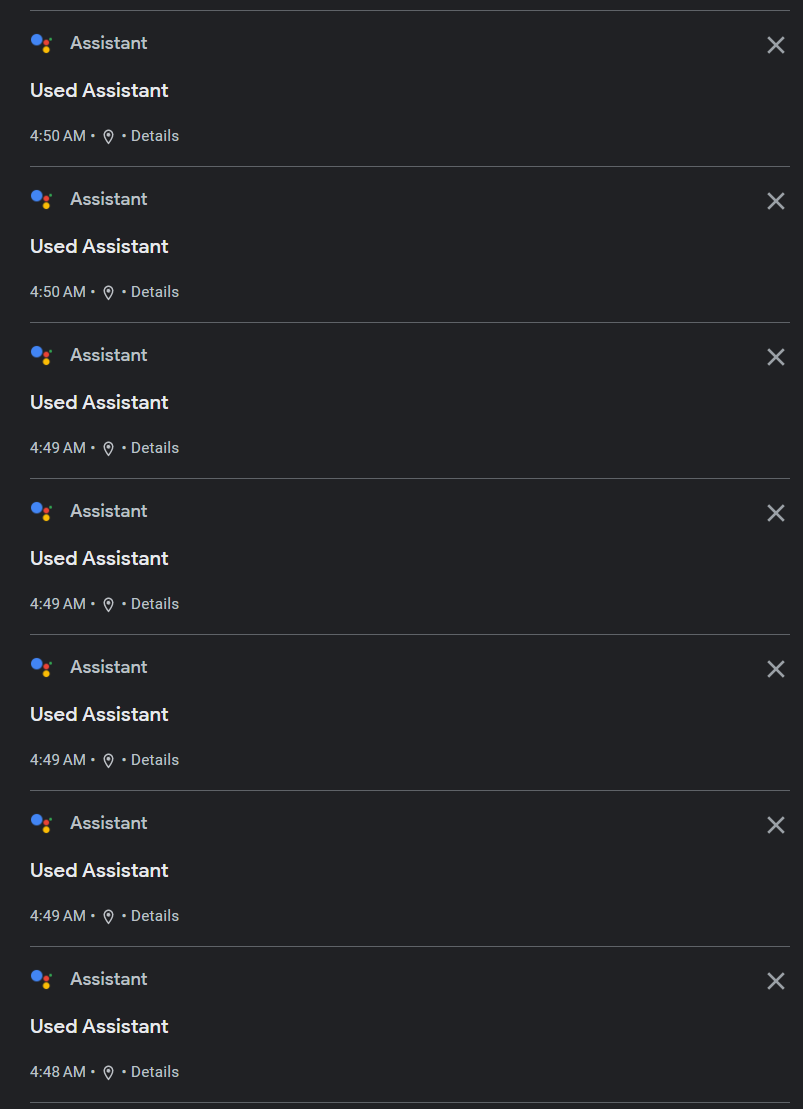
The location is correct for my house
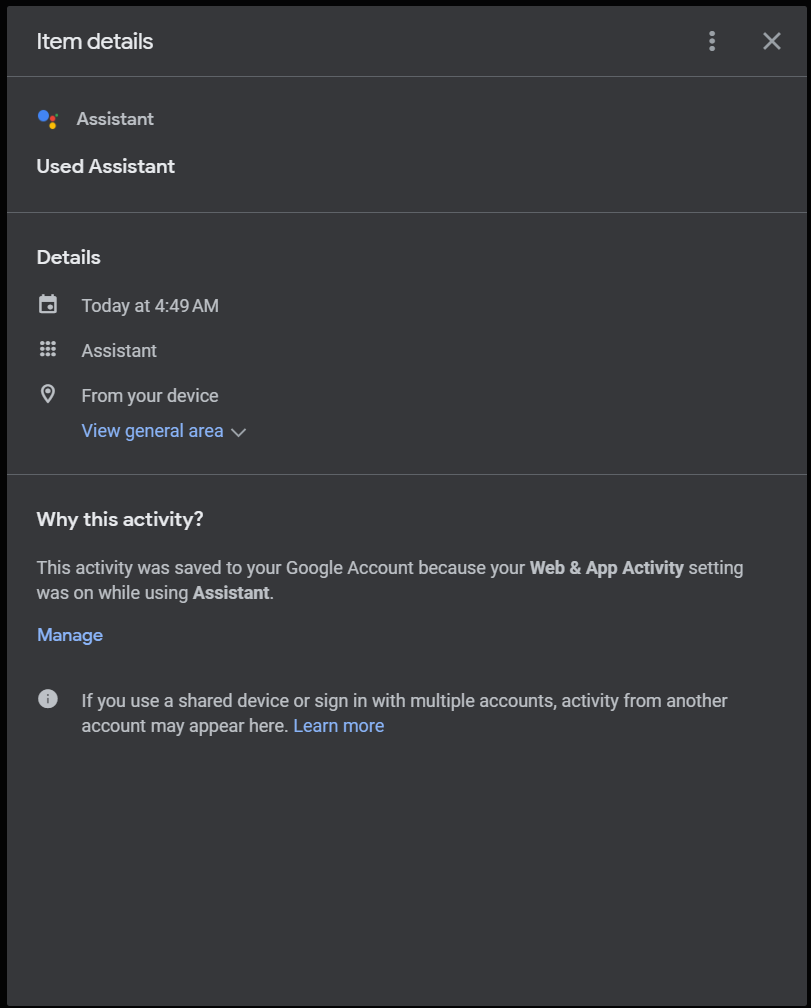
What's odd from the Google activity feed that correlates to the lights toggling is that the "used assistant" events just show "from your device" instead of showing which device.
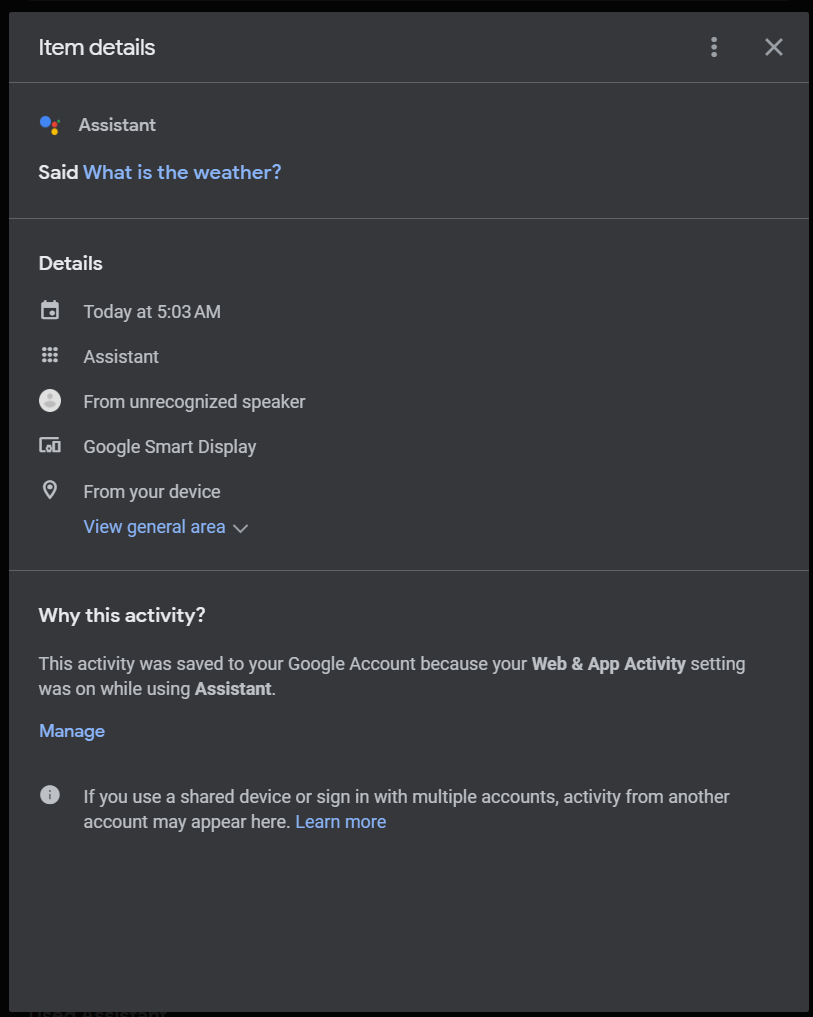
I checked the cameras that are able to pick up audio from the bedroom and don't hear any interactions happening (although I need to go over this a bit more).
So, my point in posting here. Has anyone seen something like this before? Are there any other avenues of data gathering I can take (besides seeing if Google themselves can provide any additional info)?
Hoping I can get some help I'm having an issue with my parent's Hunter Douglas blinds integrating with this app. When I look at the devices (each blind) it shows the correct open/close level. If I enter the shade level on the device page it works fine. However, in the Google Home app it shows the blinds offline and I have the following errors in the GHI logs:
app:52023-04-12 09:40:27.523 PMerrorError retreiving state for device Hunter Douglas PowerView Shade: org.codehaus.groovy.runtime.typehandling.GroovyCastException: Cannot cast object 'null' with class 'null' to class 'int'. Try 'java.lang.Integer' instead at line 4989 (hubitatPercentageToGoogle)
app:52023-04-12 09:40:27.516 PMerrorError retreiving state for device Hunter Douglas PowerView Shade: org.codehaus.groovy.runtime.typehandling.GroovyCastException: Cannot cast object 'null' with class 'null' to class 'int'. Try 'java.lang.Integer' instead at line 4989 (hubitatPercentageToGoogle)
app:52023-04-12 09:40:24.531 PMerrorError retreiving state for device Hunter Douglas PowerView Shade: org.codehaus.groovy.runtime.typehandling.GroovyCastException: Cannot cast object 'null' with class 'null' to class 'int'. Try 'java.lang.Integer' instead at line 4989 (hubitatPercentageToGoogle)
app:52023-04-12 09:40:24.524 PMerrorError retreiving state for device Hunter Douglas PowerView Shade: org.codehaus.groovy.runtime.typehandling.GroovyCastException: Cannot cast object 'null' with class 'null' to class 'int'. Try 'java.lang.Integer' instead at line 4989 (hubitatPercentageToGoogle)
app:52023-04-12 09:40:12.317 PMerrorError retreiving state for device Hunter Douglas PowerView Shade: org.codehaus.groovy.runtime.typehandling.GroovyCastException: Cannot cast object 'null' with class 'null' to class 'int'. Try 'java.lang.Integer' instead at line 4989 (hubitatPercentageToGoogle)
app:52023-04-12 09:40:12.312 PMerrorError retreiving state for device Hunter Douglas PowerView Shade: org.codehaus.groovy.runtime.typehandling.GroovyCastException: Cannot cast object 'null' with class 'null' to class 'int'. Try 'java.lang.Integer' instead at line 4989 (hubitatPercentageToGoogle)
app:52023-04-12 09:40:10.019 PMerrorError retreiving state for device Hunter Douglas PowerView Shade: org.codehaus.groovy.runtime.typehandling.GroovyCastException: Cannot cast object 'null' with class 'null' to class 'int'. Try 'java.lang.Integer' instead at line 4989 (hubitatPercentageToGoogle)
app:52023-04-12 09:40:06.649 PMerrorError retreiving state for device Hunter Douglas PowerView Shade: org.codehaus.groovy.runtime.typehandling.GroovyCastException: Cannot cast object 'null' with class 'null' to class 'int'. Try 'java.lang.Integer' instead at line 4989 (hubitatPercentageToGoogle)
app:52023-04-12 09:40:06.644 PMerrorError retreiving state for device Hunter Douglas PowerView Shade: org.codehaus.groovy.runtime.typehandling.GroovyCastException: Cannot cast object 'null' with class 'null' to class 'int'. Try 'java.lang.Integer' instead at line 4989 (hubitatPercentageToGoogle)
app:52023-04-12 09:39:54.080 PMerrorgroovy.json.JsonException: Expected a closing curly brace '}' or a comma ',' on line: 1, column: 2312.
But got an unterminated object. on line 3509 (method updated)
1 Like
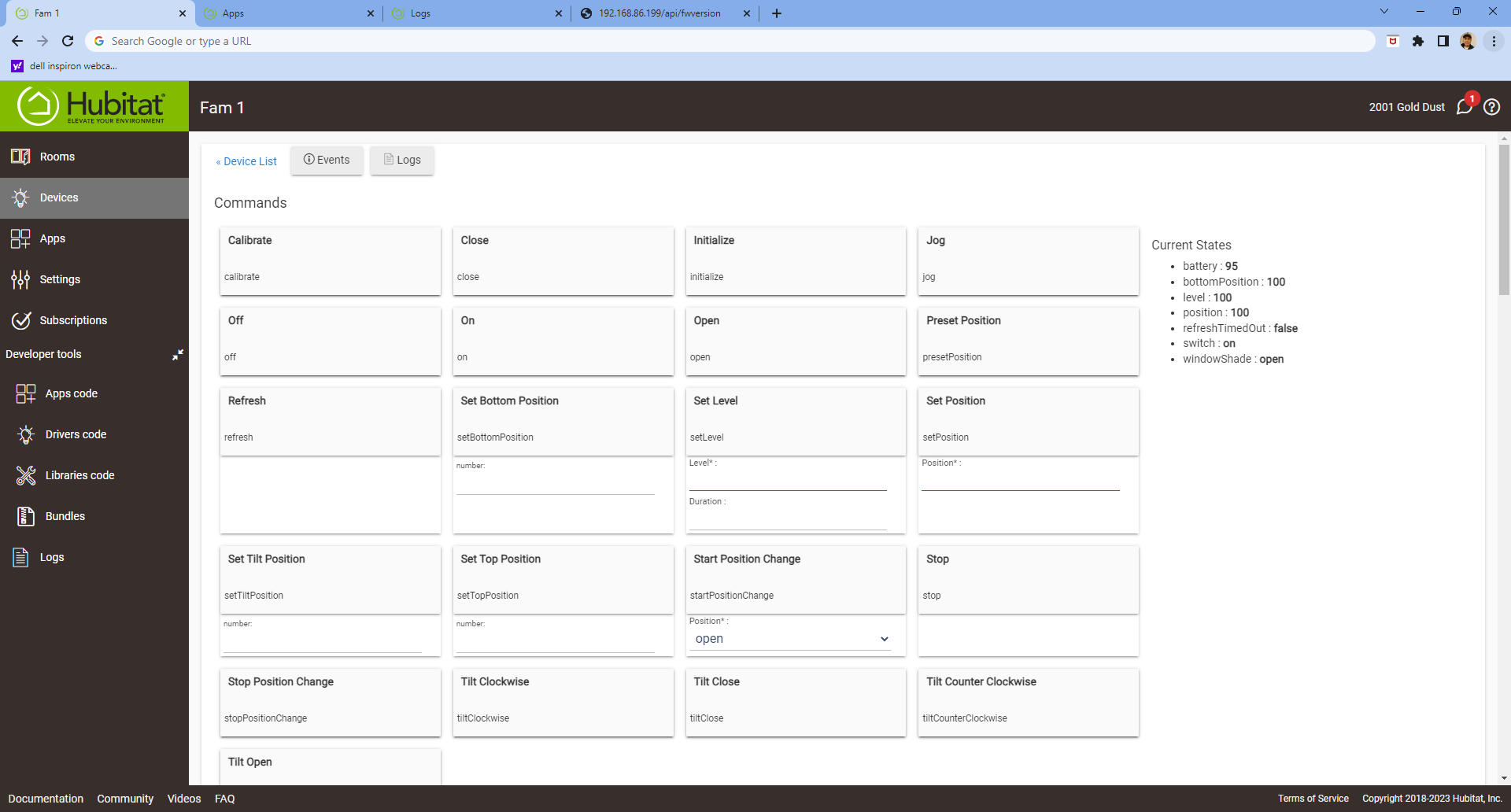
That error indicates that the app can't read a value for the attribute you configured as your blinds Open/Close Attribute. Check the Open/Close trait of your blinds device type and make sure the Open/Close Attribute is set to an attribute that appears under the Current States heading on the blinds' device page.
Found it. Toggled "Discrete Only" and that fixed it. Thanks for pointing me in the right direction. Great app!
I lied. It showed that shade(s) online after that, but I keep getting an error. Here is my device and setting in GHI.
This is the setting when it shows "Offline"
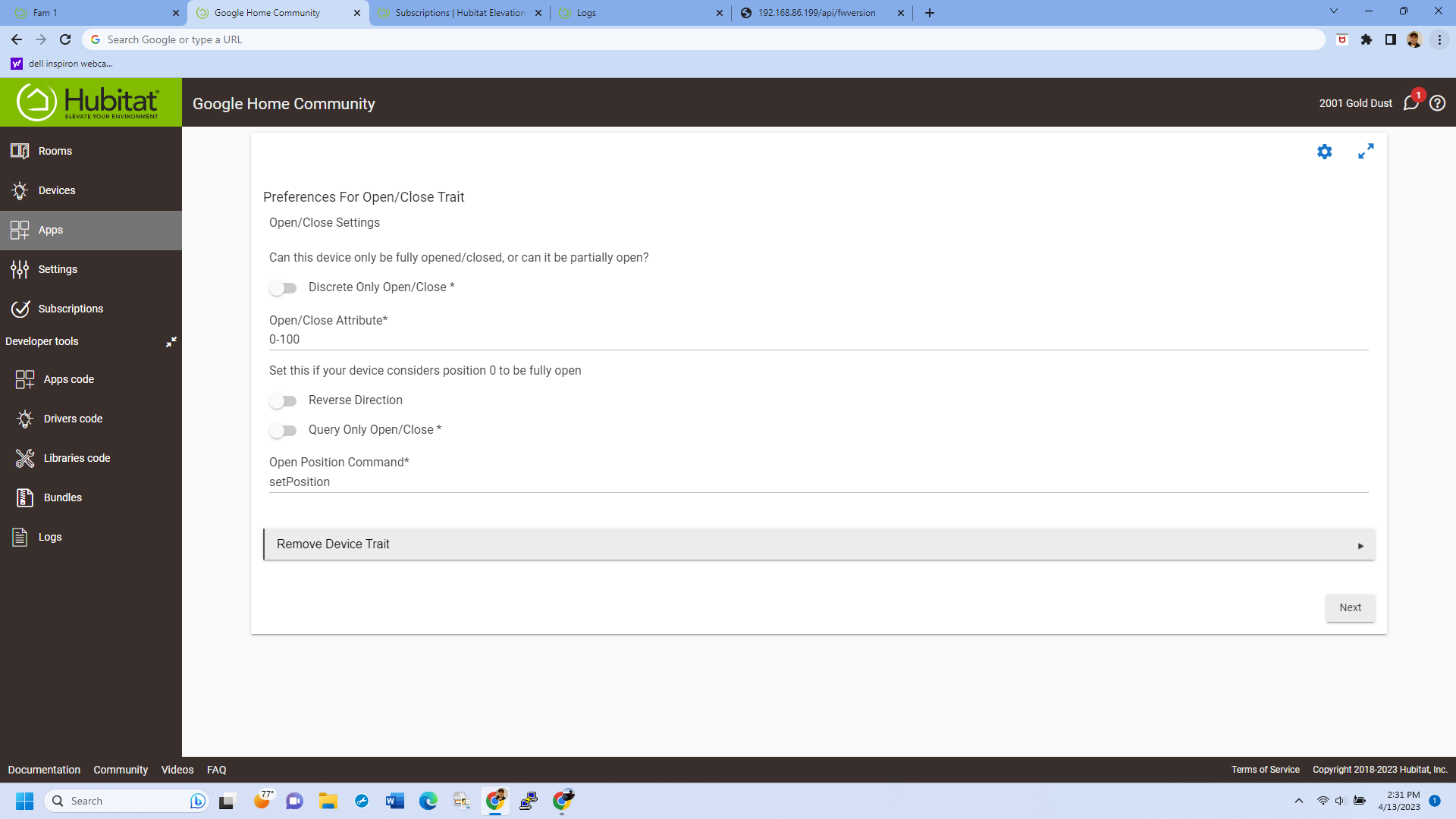
This is the setting when it show online, but I still get errors when controlling the shades:
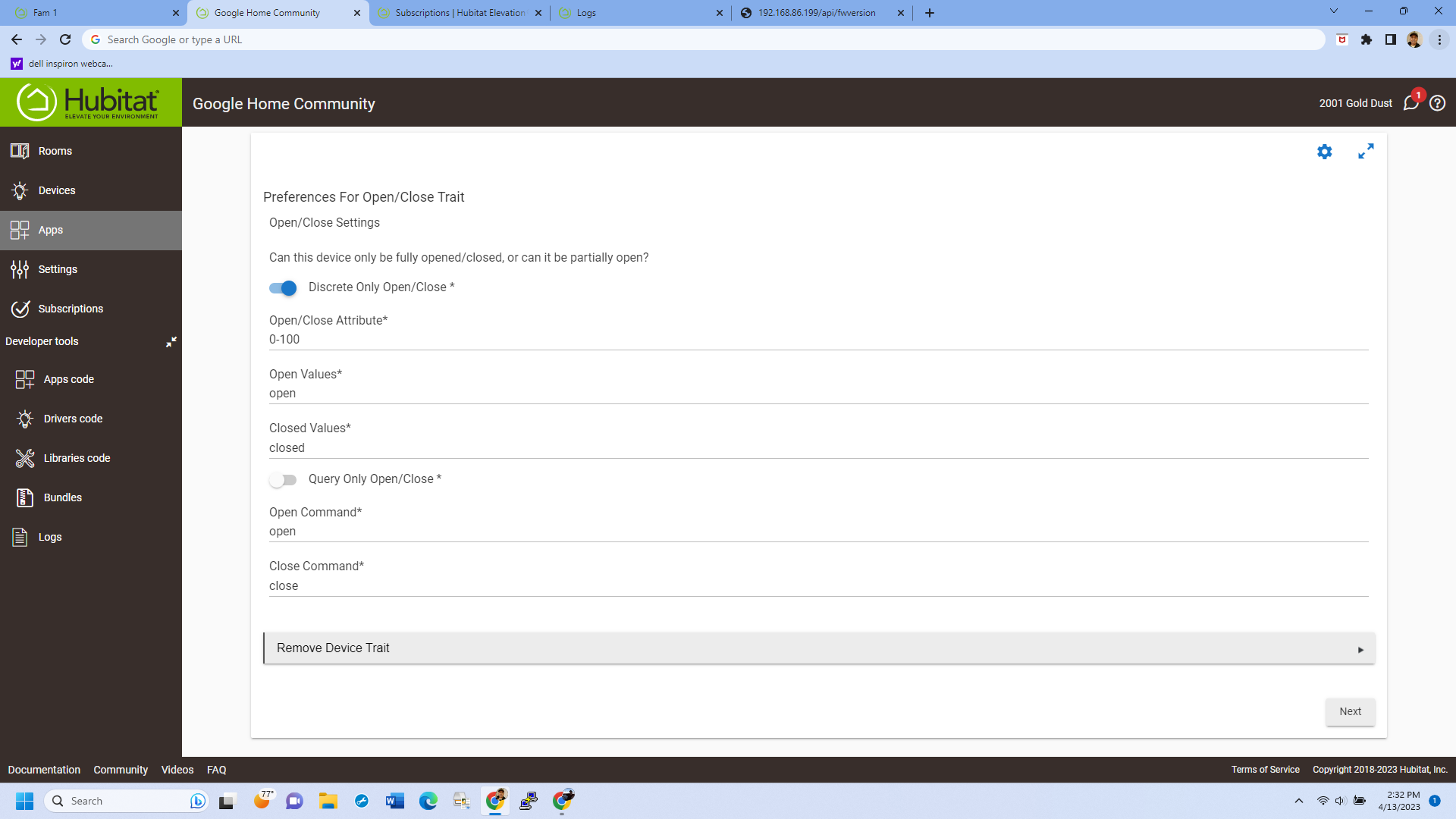
The "Open/Close Attribute" setting needs to be the name of an attribute that the app will look up the value of to determine if the shade is open or closed (or how open it is, if the "Discrete Only" toggle is turned off). In this case, it should be either:
-
windowShadeif you turn the "Discrete Only" toggle on, since that's the attribute that reports the discreteopenorclosedvalue of the shade -
positionorlevelif you turn the "Discrete Only" toggle off, since those attributes report the percent of the way the shade is open
For most traits I tried to give reasonable defaults for these sorts of attribute settings. Sadly the Open/Close trait maps to several different Hubitat device types that all use different attribute names (contact for contact sensors, door for garage doors, windowShade for shades, etc) so there wasn't really a good default to pick. 
1 Like
You're the best! Works great now!
And thanks for getting back to me so promptly. I'm heading back tomorrow night and wanted to make sure I got it working!
A quick note for those trying to set this up outside of the USA.
I've been trying for weeks to get my custom Google Home action added to my home. The reply was always "Could not reach [my test action name] . Please try again later." This showed before even getting an auth prompt for Hubitat.
The reason WHY?
I'M NOT IN THE USA!
Once I establish a VPN connection to the USA on the device I'm trying to link on I finally get a Hubitat auth prompt. Today I'll see if I can get the custom device mapping to work.
(such a frustrating thing to have been blocked by!)
I'm in the UK and it works for me. Are you using any ad blocking DNS?
Oh! I am!
I've got a couple of Pi-Holes.
I am surprised that has an effect as generally it's been so seemless I forget they're there.
I'll bypass them and see if that gets me past needing to use a VPN to USA. (I only did that after finding it worked for someone else witb the same issue.)
Thanks!
@mbudnek had to move to a new hub, what do we need to do to get it back up and working when you change hubs?
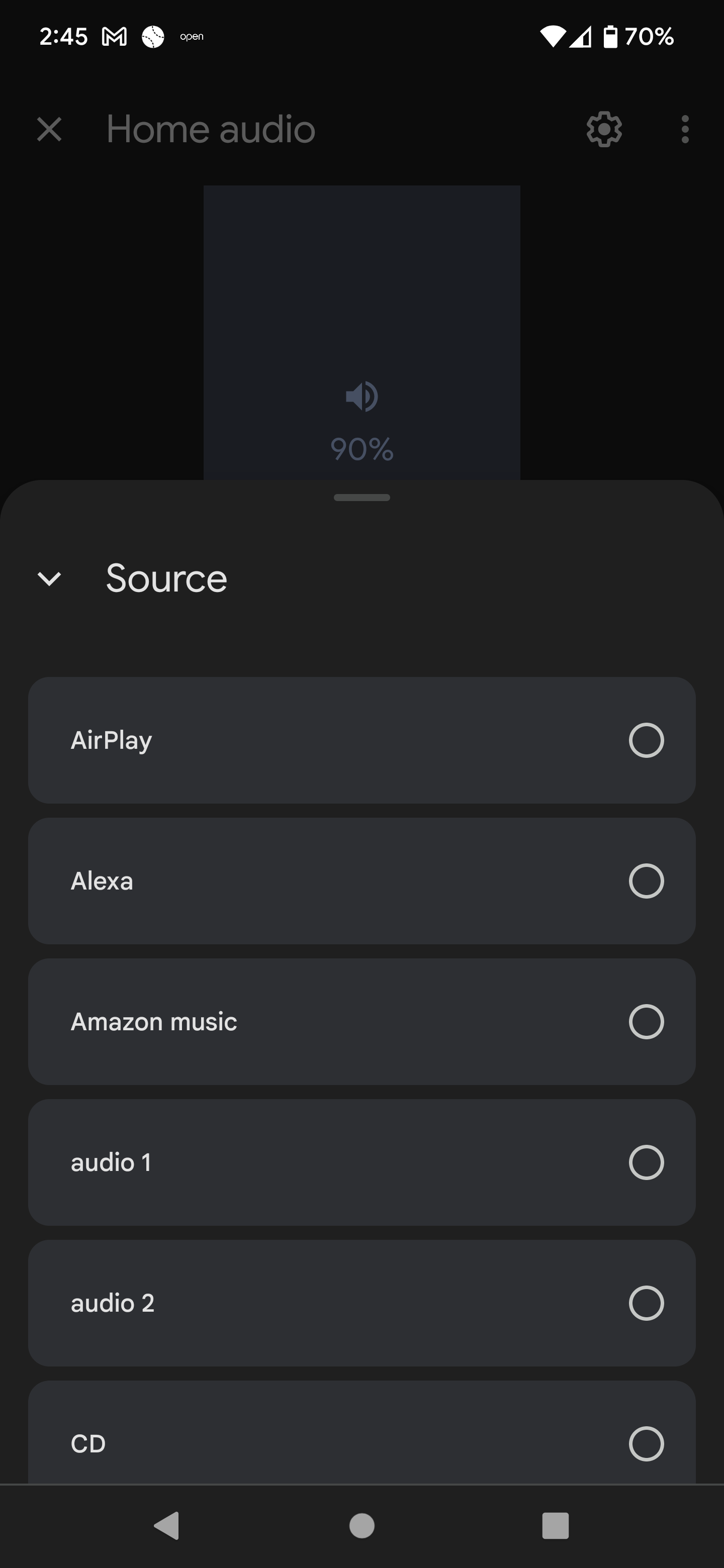
Again, amazing job on this app. Wanted to throw something out that I recently saw after getting my parent's Yamaha Musicast linked with GH. To note, this is a direct link between GH and Yamaha not through HE.
When I open the Yamaha receiver in GH (long press) there are the usual volume, play, mute functions, but further down there's a source button. When you press it, a window opens to select the input (see photo below). Is there a way to get this trait implemented in to this app?
TIA
@BorrisTheCat You should just need to modify the client ID, client secret, and fulfillment URL in your Google Action. See the setup instructions for the values to use. You may also need to re-link the integration in the Google Home app (devices -> add -> works with Google -> tap your integration -> reconnect account).
@curtman3 I'm guessing that's the InputSelector trait. I've been putting off implementing that while I think of a way to make the code generic so that it can work with AppSelector, Channel, and Modes (and possibly some others) as well since they're all essentially the same structure. I'll take another crack at it and see what I can come up with.
2 Likes

