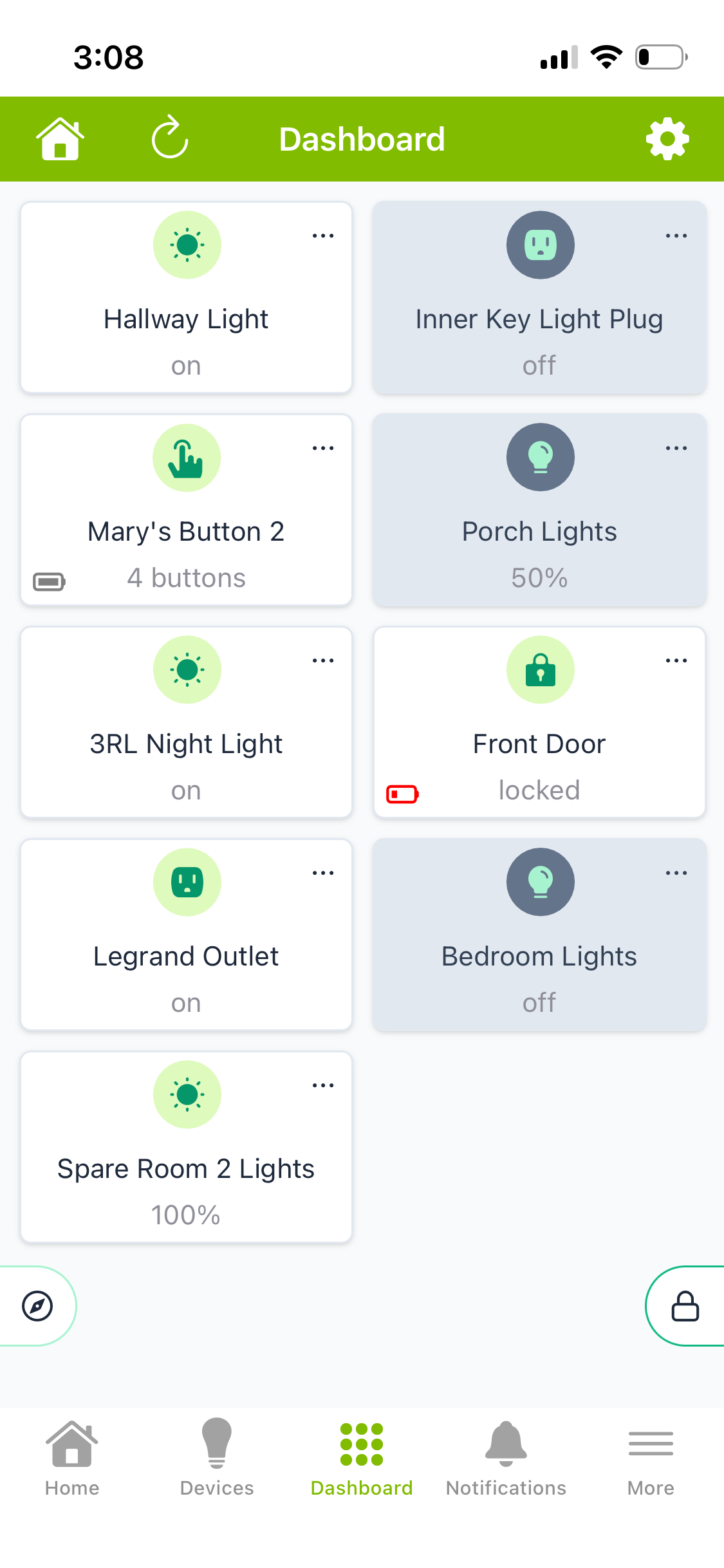
Strange “fix” if I create a new EZ Dashboard or create one from a classic it works. As such the problem is “solved”. Since this happened on multiple devices my guess is that some software update broke these existing ones, it got fixed, but either they didn’t or couldn’t build a fix for the impacted ones.
I posted this back in May 2025:
iPhone EZ Dashboard left column tiles not working and not working for left 2 columns on iPad
My hub is a C-8 running 2.4.1.176. I have an iPhone 16 Pro, iOS 18.5. The Hubitat app is 2.1.2 (411). I have a 6th gen iPad running 17.7.8
The tiles in the left column on my iPhone and the left 2 columns on my iPad do not work - they will not turn on the associated device and touching the 3 dots in the upper right corner does nothing. If I move the tile to the right on my iPhone and 2 columns to the right on my iPad they work just fine. Likewise they work in the 1st column if I go into a dashboard on my Mac Mini Pro in Safari or Chrome.
I also tried this on my daughter's iPhone 15 Pro with the same iOS and Hubitat App version and does the same non-working thing for tiles in the 1st column.
So it appears this is clearly some sort of bug with the iPhone and iPad Hubitat dashboard portion of the app.
I am now running Hubitat 2.5.0.143 but still haven't sen any mention of this issue let alone a fix for it. Why hasn't this been even acknowledged, let alone fixed?
You’re still running iOS 18.5?
That version of iOS is just over a year old, you might want to update it in general and for security purposes, but it may or may not resolve this issue.
I don’t use EZ dashboards so I can’t say if it’s fixed, but your Hubitat app version is not current either, I don’t know what the current version is, but I have 2.1.60 (460) installed.
Sorry for the confusion. That's what I was running a year ago. I'm now up to date with iOS 26.5. I'm also running Hubitat Elevation 2.1.60 (460). Same result. Any tile in the 1st column doesn't work. Move it to the 2nd or 3rd column and it does work. This is only for EZ dashboards. Classical dashboards work just fine in the 1st column.
Strange, I just set up a EZ dashboard from logging into my hub via the Hubitat app, added some devices and the first column seems to work fine.
I only added 11 devices quick and it only set up 2 columns.
All the devices in the 1st column were turned on via the EZ dashboard.
Strange. This has been going on for over a year for me and it isn't just my iPhone. As I mentioned it other posts (or maybe that 1st thread) it happened on my wife's iPhone, my daughter's and my iPad.
Since you said it was working for you I created a new EZ Dashboard and the 1st column works. So it seems that at some point there was a bug that now got fixed, but I don't know if there is any way to fix the 13 EZ dashboards I have created on the 4 devices. Having to delete each one and then recreate it is a real pain.
1 Like
Are you using a log EZ dashboard created a while ago?
If so maybe you could try a quick test with a new one with 2 columns only.
I didn’t change any settings in the EZ dashboard app or the dashboard.
Edit: for reference I have a iPhone 13 mini, iOS 26.5, hub is a C-8 on 2.5.0.123.
I just edited my other post to say a new one worked. Any way to fix the existing ones?
I went into an existing one and clicked "Update Dashboard" hoping that would fix it, but it didn't.
When I copied an existing classic to a new EZ the copy worked. So a pain, but I guess a lot better than having to re-create each one.
Is there a way to copy an existing EZ to a new EZ?
1 Like
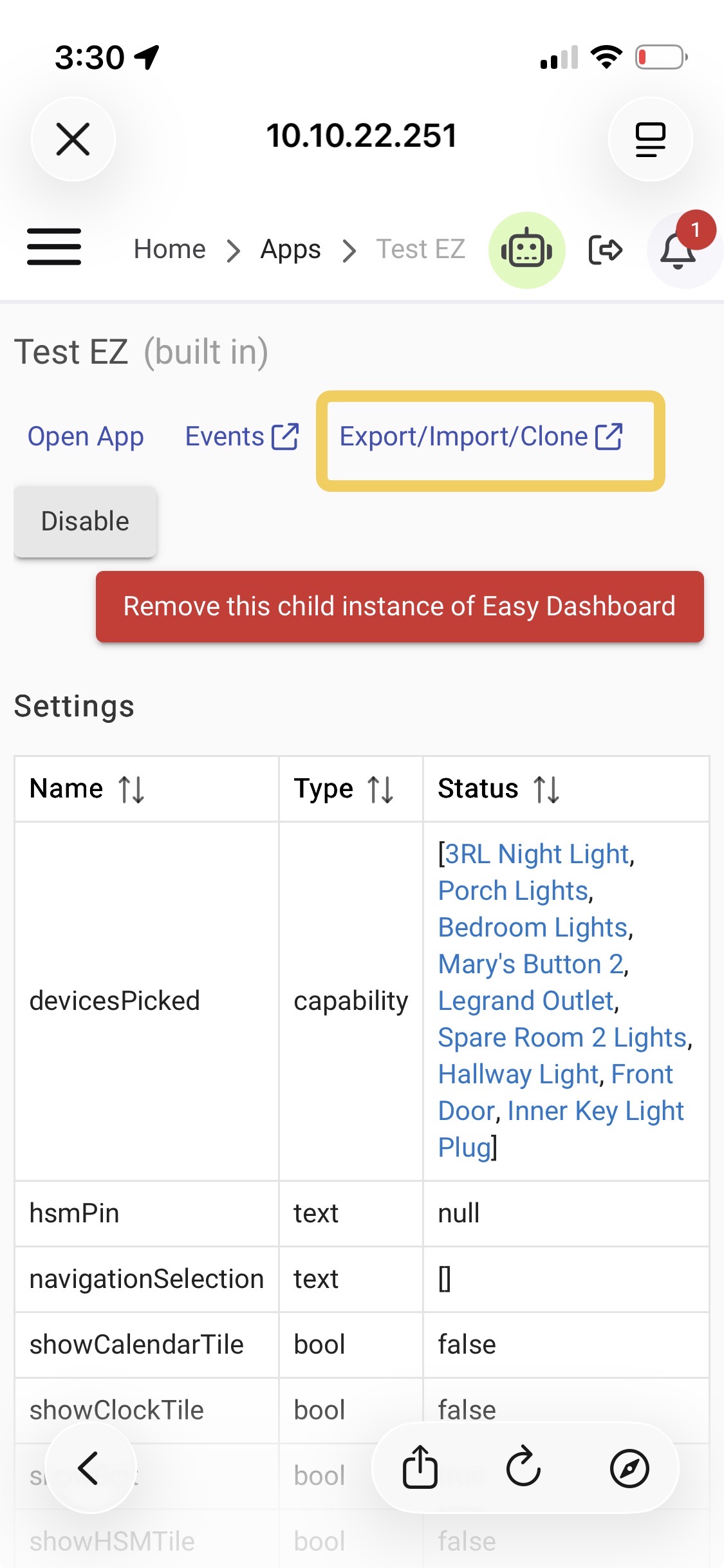
Very good question, maybe the export/import/clone option could help in this case or just duplicate the problem.
I probably will just duplicate the classic ones.
What is strange is that each of the classic ones has a "Main" tile as the classic ones were nested in that. When I duplicated one just now the Main tile didn't get copied over (which I get) but what was strange is that it added a tile for a device that is in that room but hadn't been in the classic one. Oh well.
Just one BTW, am I right that the "Dashboards" setting is related to the "compass" in the lower left?