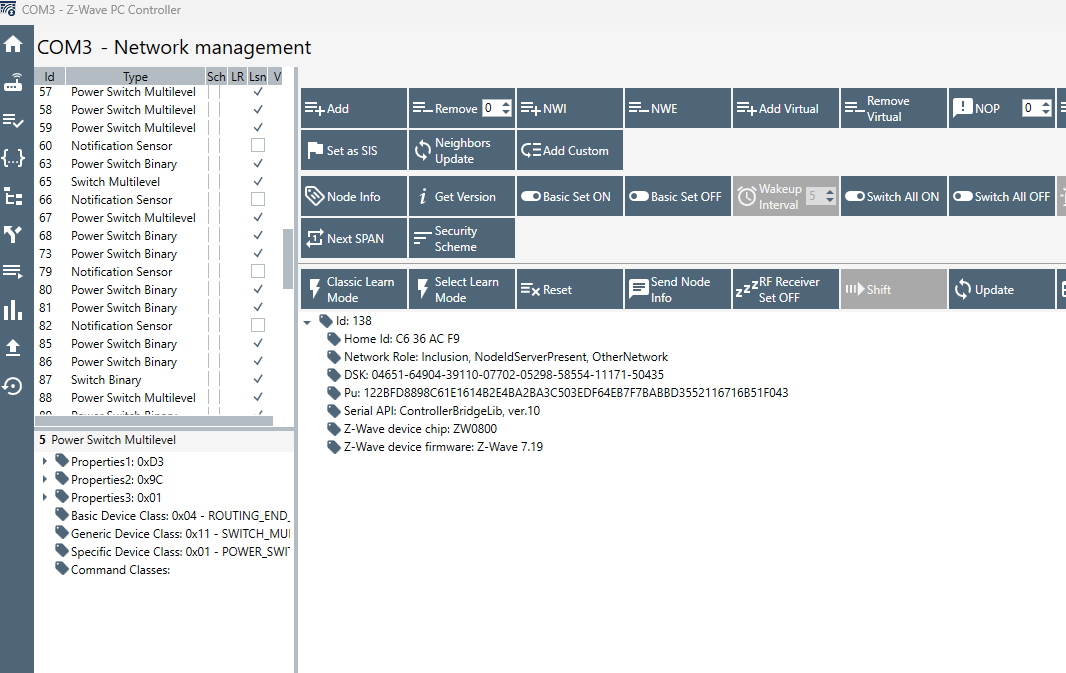
I'm finally going to migrate my C5 to my new C8 Pro. Looking at my zwave details on my C5, i see this. I believe I have a number of Ghosts with no In or Out, right? The thing is, some of those devices work fine. Like, I know Master Closet and Landscape Front Yard Lights works just fine. What does that mean, if anything, particularly for the planned migration to the C8 Pro? I'm also able to be convinced to just start from scratch on the C8 Pro if needed (given the problems migration appears to cause... and i will be adding 10+ Inovelli mmwave switches in the next few weeks anyway)
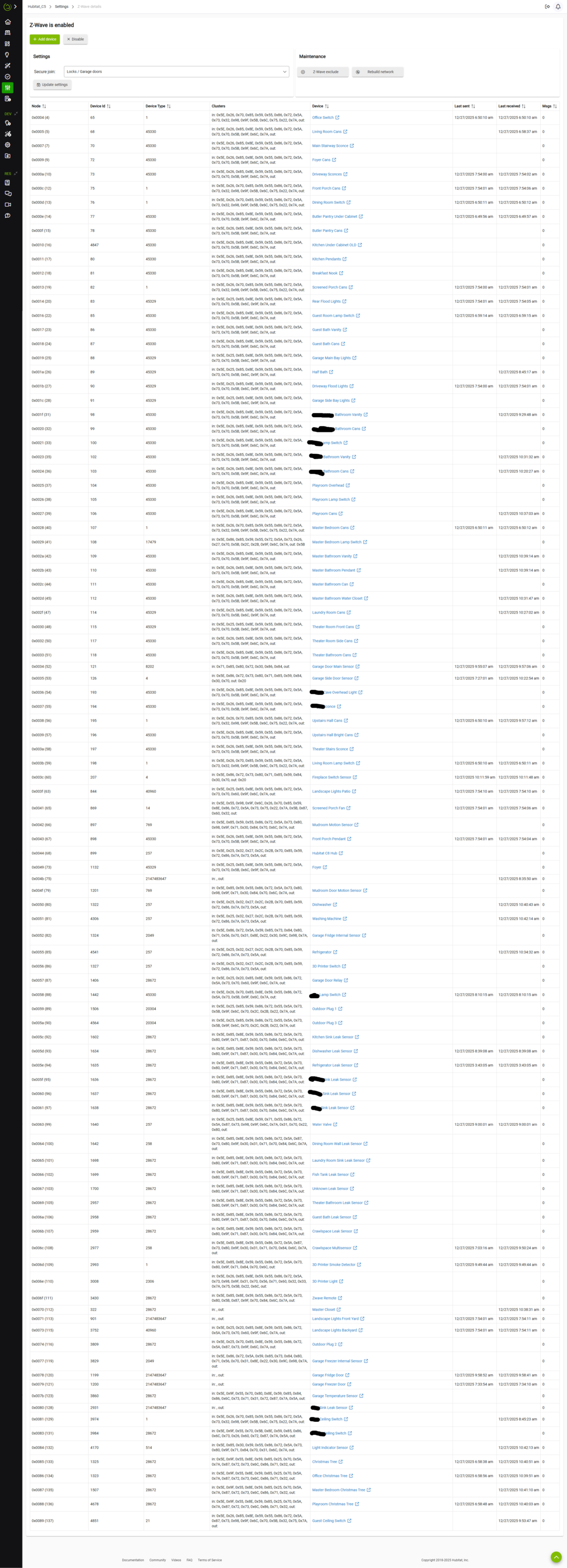
I would focus more on the entry that has no device associated to it (75).
Someone else can probably confirm if no in or out is an issue for the others.
Yeah, I'm working through removing those two no-name entries now, with a z-wave stick. hopefully that's right..
This guide says that working nodes are never ghosts, so relying on that. Hoping this mirgration goes well....
Hmm. Using a z-wave stick, but the ghost nodes (75 and 46) don't show up....
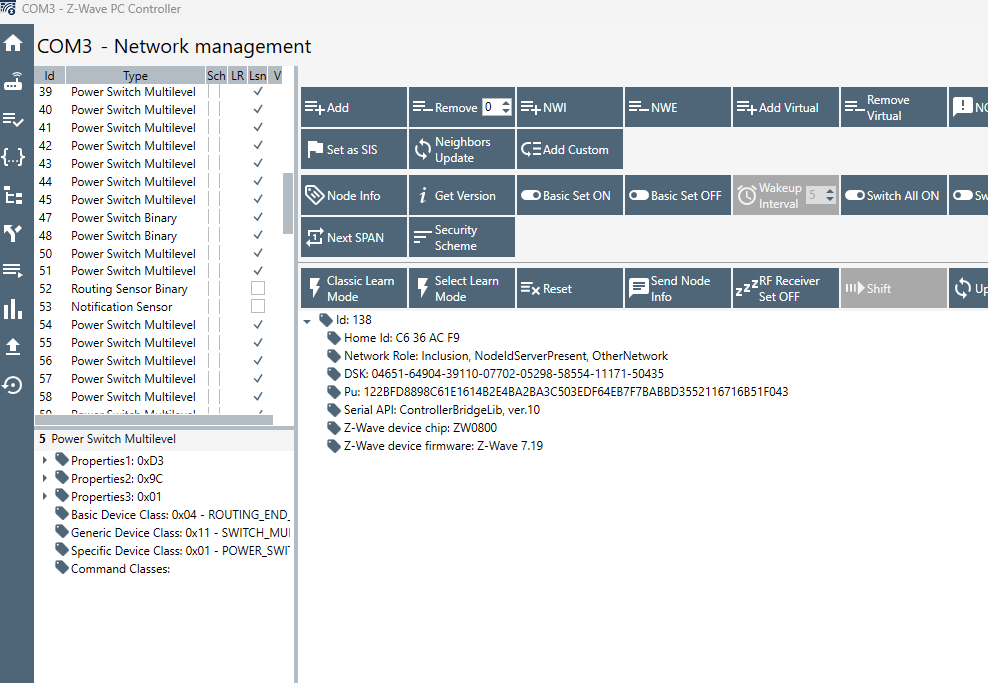
what do i do with that?
If you do a migration, then change the Zwave to the new JS version, the ghosts are much easier to remove.
So are you saying to proceed with the migration, ghosts and all, and then remove them on the C8 Pro with the new JS version?
I'm also toying with the prospect of just migrating zigbee and LAN/apps, but not zwave. If i were to do that, what would that do to migrated apps that use non-migrated devices? Would there be empty devices in everything that i could use the Swap Apps to easily swap old devices for newly added (non-migrated) devices on the C8?
I would. If it doesn't work, you still have your original hub as it was.
I totally agree with @Slate. You can restore the full backup, see if you can get it working, and if not, start again without z-Wave and re-pair the devices… That will take a while though…
If you go that way, you might be able to pair the devices back in the originals.
This is what I'd probably try (as @Slate was suggesting). Z-WaveJS is much better at removing ghosts from the Z-Wave Details page using the hub's built in tools than ZipGateway. You're safe as noted, as you have your original hub safely unchanged while you give it a try on the new one.
Well, I migrated. But what I feared based on forum posts seems to have happened, maybe? All my 450+ devices show up in the device list, but nothing shows in zwave details (no devices at all). And, yes, I selected to migrate the zwave radios....And we're sure that the zwave radio was able to be migrated from the C5? I thought I remember seeing at some point that the C5 didnt support this?
EDIT: Zigbee migrated just fine. Nothing at all for zwave. I've doubled/triple checked that i followed all migration instructions. At a loss here.
From Migrate support doc:
If you have a new Hubitat Elevation model C-8 or C-8 Pro hub and want to migrate from an older hub (model C-5 or newer), follow the steps below to perform a full migration, including seamless transition of Z-Wave, Zigbee, and Matter devices.
There are sometimes issues w/a migration. I'd take a new backup on the C5, and then re-do the migration to the C8. Make sure you select Z-Wave (as I know you confirmed). ![]()
Before you do that, shut down the hub, pull power for 30s, then plug in again and boot up and see if your Z-Wave devices populate on the Z-Wave Details page.
On my C5, i just have this interface to create a cloud backup. No specific option to choose what to backup, as i assume it's everyhting (zigbee, zwave, etc.). And I assume it's just on the C8 Pro that I select to migrate zwave, zigbee
After creating a cloud backup, it shows as having everything on the C5 cloud backup page. it doesn't show anything under Migration ready backups, but my understanding is that the Migration ready backups page is for people who don't have Hub Protect or Cloud Backup subscriptions.
I feel like I'm late to the party on this migration from the C5, but seeing all the forum posts on migration issues has kept me blissfully ignorant on my C5 until now...
Ah, ok, guess 3rd times the charm. Zwave details is now populated. I tried one on/off command right away (hope that's ok), but nothing happeend. I'll let it sort out the mesh for a bit and try again... but at least going in the right direction now...
Still no zwave devices working, unfortunately, even after the zwave details populated and letting it sit for an hour. Have also power cycled a few times (removing the wall plug as well, for a few minutes). Not working in either direction, i.e., devices not responding to hub commands and hub isn't updating device-initiated state changes. I assume the ghost nodes should be cleared up, by switching to ZwaveJS temporarily on the C8 Pro? Is it ok to do that post-migration given the circumstances?
@danabw any ideas? Seems like you’ve helped a lot on these issues in other forum posts.
EDIT: Well, I ended up switching to ZWave JS, removed the ghost nodes, and switched back to legacy ZWave. Still nothing.
I did a test to see if i could add a new device via inclusion, and i could, so the zwave radio itself appears ok.
Running out of ideas from scouring the forum...
@bobbyD any assistance you could offer?
So not a single Zwave device is working?
Maybe create a temporary virtual device for one device and migrate apps to that. Then delete and re install that one node and see if you can at least get one device working… wondering if it’s a platform issue.
Do you really have 450+ unique devices on the hub?
Good luck.
Not a single one. No response at all to commands from the hub.
Yes, not all are physical devices though.
@bcopeland would you be available today to assist? I'm at a standstill
Tagging @support_team for additional help.
After you did this, did you do the shut down/pull power/30s/restore power dance?