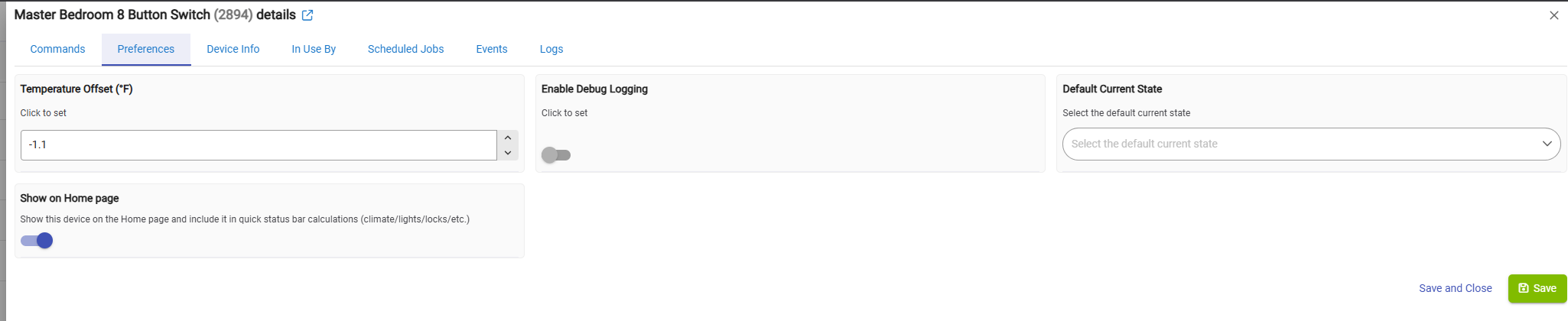
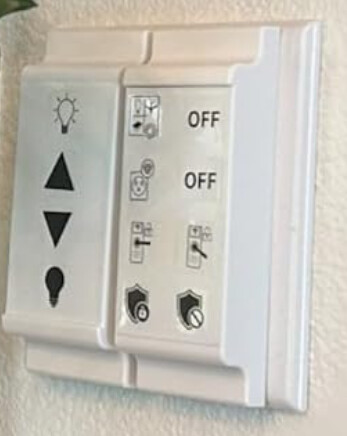
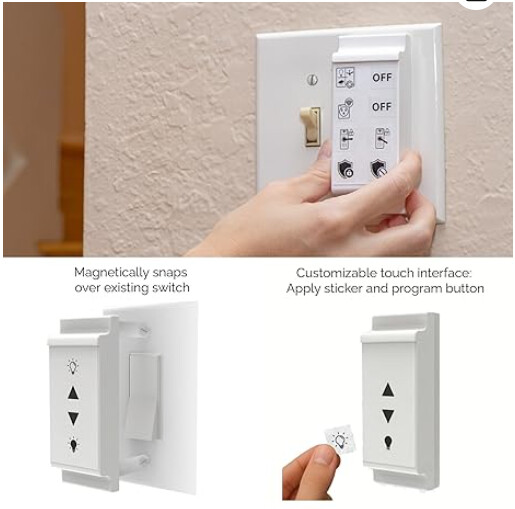
I just got the Zunzunbee 8-Button Slate Switch knowing that it works with Home Assistant but not Hubitat. HOWEVER, in less than 30-minutes, my friend Claude and I landed on this driver if using 8 buttons. It does short press and long press for each of 8 buttons and has temperature & battery sensor. It can be setup for less buttons. If you want less, I don’t know if that changes anything in driver. The number of buttons used is set on the device itself, not in Device settings in Home Assistant or Hubitat. It also includes stickers to place on the button controller’s face.
The driver is below if anyone else ends up buying one. I just got it so I can’t recommend or discourage purchase yet.
If you have issues, I can try to help but it will probably be Claude running the debug. If any experts have suggestions for improvement, they are more than welcome.
/**
 * Hubitat Zigbee Driver: zunzunbee Slate Switch (SSWZ8T)
 * 8-button battery-powered Zigbee 3.0 scene controller
 *
 * Button actions decoded from IAS Zone commandStatusChangeNotification
 * Zone status values map directly to button number and press type.
 *
 * Buttons 1-8, each supporting: short_press, long_press
 * Also exposes: battery %, temperature (°F)
 *
 * Author: Stephen Nutt (device testing & reverse engineering)
 *         with Claude (code generation)
 *         Based on zigbee-herdsman-converters PR #11298
 * Date: 2026-05-26
 */

import hubitat.zigbee.clusters.iaszone.ZoneStatus
import groovy.transform.Field

metadata {
    definition(
        name: "zunzunbee Slate Switch (SSWZ8T)",
        namespace: "zunzunbee",
        author: "Claude",
        importUrl: ""
    ) {
        capability "PushableButton"
        capability "HoldableButton"
        capability "Battery"
        capability "TemperatureMeasurement"
        capability "Refresh"
        capability "Configuration"

        attribute "lastAction", "string"

        fingerprint profileId: "0104",
                    inClusters: "0000,0001,0003,0402,0500",
                    outClusters: "0019",
                    model: "SSWZ8T",
                    manufacturer: "zunzunbee"
    }

    preferences {
        input name: "tempOffset", type: "decimal", title: "Temperature Offset (°F)", defaultValue: 0, range: "-10..10"
        input name: "logEnable",  type: "bool",    title: "Enable Debug Logging",    defaultValue: true
    }
}

@Field static final Map<Integer, String> ZONE_STATUS_MAP = [
    0x2002: "button_1_short_press",
    0x2003: "button_1_long_press",
    0x2004: "button_2_short_press",
    0x2005: "button_2_long_press",
    0x2008: "button_3_short_press",
    0x2009: "button_3_long_press",
    0x2010: "button_4_short_press",
    0x2011: "button_4_long_press",
    0x2020: "button_5_short_press",
    0x2021: "button_5_long_press",
    0x2040: "button_6_short_press",
    0x2041: "button_6_long_press",
    0x2080: "button_7_short_press",
    0x2081: "button_7_long_press",
    0x2100: "button_8_short_press",
    0x2101: "button_8_long_press"
]

def installed() {
    log.info "zunzunbee SSWZ8T installed"
    sendEvent(name: "numberOfButtons", value: 8)
    initialize()
}

def updated() {
    log.info "zunzunbee SSWZ8T updated"
    if (logEnable) runIn(1800, logsOff)
    initialize()
}

def initialize() {
    sendEvent(name: "numberOfButtons", value: 8)
}

def configure() {
    log.info "Configuring zunzunbee SSWZ8T"
    def cmds = []
    cmds += zigbee.enrollResponse()
    cmds += zigbee.configureReporting(0x0001, 0x0021, DataType.UINT8, 30, 3600, 5)
    cmds += zigbee.configureReporting(0x0402, 0x0000, DataType.INT16, 60, 1800, 50)
    return cmds
}

def refresh() {
    log.info "Refreshing zunzunbee SSWZ8T"
    def cmds = []
    cmds += zigbee.readAttribute(0x0001, 0x0021)
    cmds += zigbee.readAttribute(0x0402, 0x0000)
    return cmds
}

def parse(String description) {
    if (logEnable) log.debug "parse: ${description}"

    if (description?.startsWith("zone status")) {
        return parseIasZone(description)
    }

    def descMap = zigbee.parseDescriptionAsMap(description)
    if (!descMap) return

    if (descMap.clusterInt == 0x0001 && descMap.attrInt == 0x0021) {
        def battPct = Integer.parseInt(descMap.value, 16)
        if (logEnable) log.debug "Battery: ${battPct}%"
        sendEvent(name: "battery", value: battPct, unit: "%")
        return
    }

    if (descMap.clusterInt == 0x0402 && descMap.attrInt == 0x0000) {
        def rawTemp = Integer.parseInt(descMap.value, 16)
        if (rawTemp > 32767) rawTemp -= 65536
        def tempC = rawTemp / 100.0
        def tempF = (tempC * 9 / 5 + 32) + (tempOffset ?: 0)
        tempF = Math.round(tempF *10)/ 10.0
        if (logEnable) log.debug "Temperature: ${tempF}°F"
        sendEvent(name: "temperature", value: tempF, unit: "°F")
        return
    }

    if (descMap.clusterInt == 0x0500) {
        if (logEnable) log.debug "IAS Zone cluster message: ${descMap}"
    }
}

private parseIasZone(String description) {
    def matcher = description =~ /zone status (0x[0-9A-Fa-f]+)/
    if (!matcher) {
        if (logEnable) log.debug "Could not parse zone status from: ${description}"
        return
    }

def zoneStatusHex = matcher[0][1]
    def zoneStatus    = Integer.parseInt(zoneStatusHex.replace("0x",""), 16)
    if (logEnable) log.debug "IAS zoneStatus: ${zoneStatusHex}"
    def action = ZONE_STATUS_MAP[zoneStatus]
    if (!action) {
        if (logEnable) log.debug "No action mapped for zoneStatus: ${zoneStatusHex}"
        return
    }

    if (logEnable) log.debug "Action: ${action}"
    sendEvent(name: "lastAction", value: action)

    def parts     = action.tokenize("_")
    def buttonNum = parts[1].toInteger()
    def pressType = parts[2]

    if (pressType == "short") {
        sendEvent(name: "pushed", value: buttonNum, isStateChange: true,
                  descriptionText: "Button ${buttonNum} short press")
    } else if (pressType == "long") {
        sendEvent(name: "held", value: buttonNum, isStateChange: true,
                  descriptionText: "Button ${buttonNum} long press")
    }
}

def logsOff() {
    log.warn "Debug logging disabled"
    device.updateSetting("logEnable", [value: "false", type: "bool"])
}