After the last update to 2.4.3.149, two ZSE41s are acting strangely.
They will close all on their own!
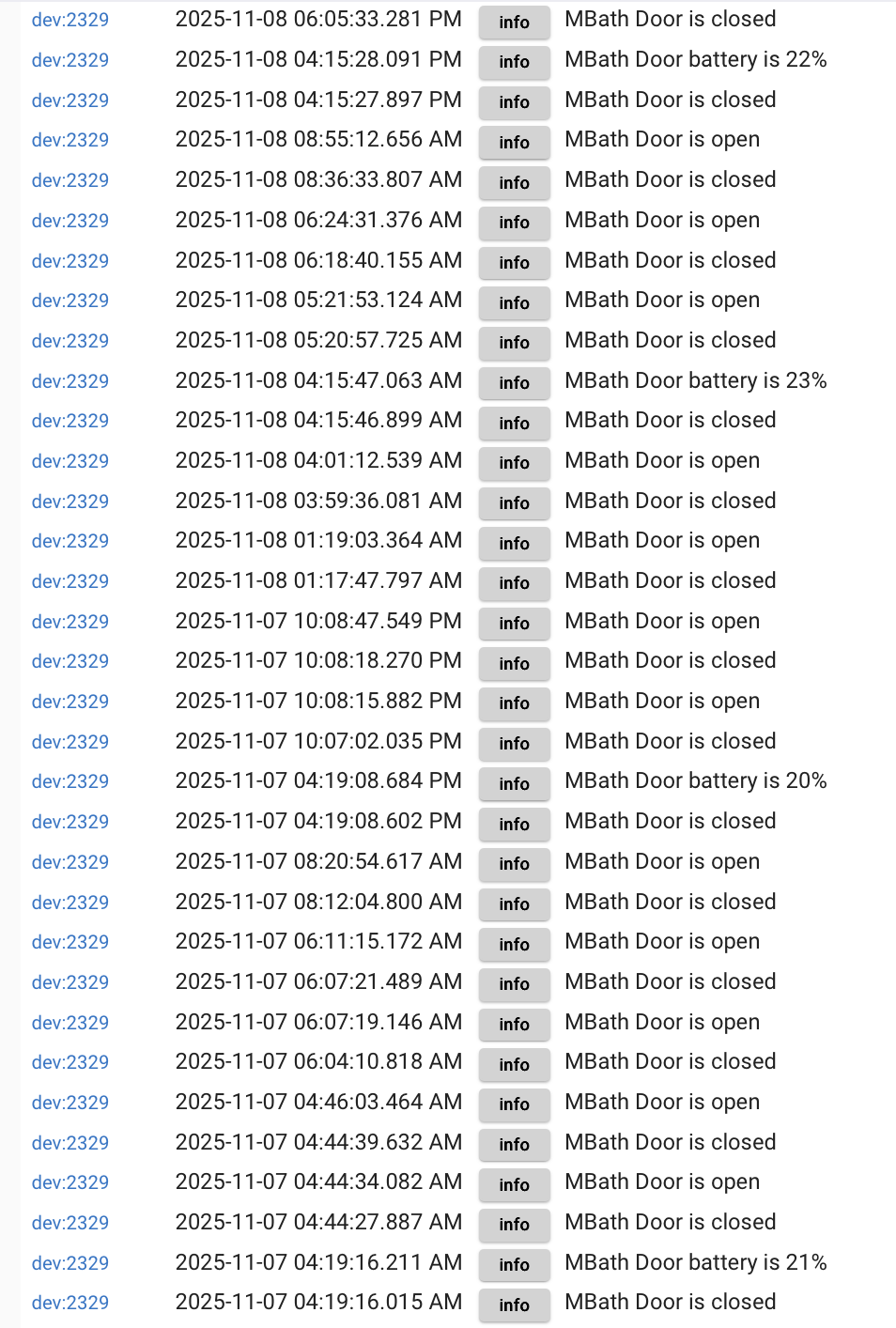
One in the upstairs master bath woke me up at about 4:15 AM for two nights in a row, and it also turned on at ~4:15 PM, when I wasn't home.
The fan and light are turned on via rules during the day, and just the light at night.
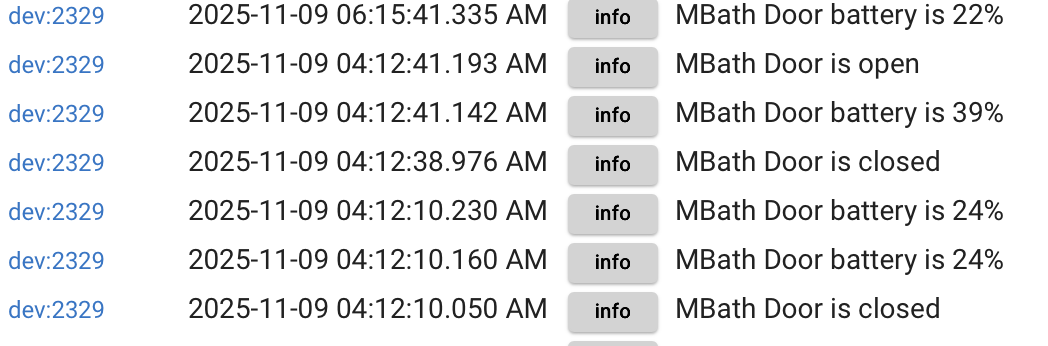
The log is below.
The other one in the powder room downstairs turned itself on several times in the same time period as well.
Both devices' batteries show 20%.
System driver, paired LR, ZWJS.
Examination of the logs around activation time yields nothing.
Shut down and power cycled.
System was stable for a long time. This is quite annoying.
I've not experienced anything like this before.
I'm reverting to previous version to see if this problem, as well as the ZCombo end of life thing, go away.
As your batteries are showing only 20% my first step would be to change the batteries.
I've had motion sensors play silly beggars when the batteries get low.
Just something to eliminate.
Happened again this morning same bloody time-seems to be on a 12-hour cycle.
Smoke detector warnings also persist (it has a June 2023 date on it).
Downstairs closing also showed mysterious closing during the middle of the night.
Now, these doors are usually open, so misoperations can be discerned more easily than a door or window that's closed all the time.
I have seven of these ZSE41s.
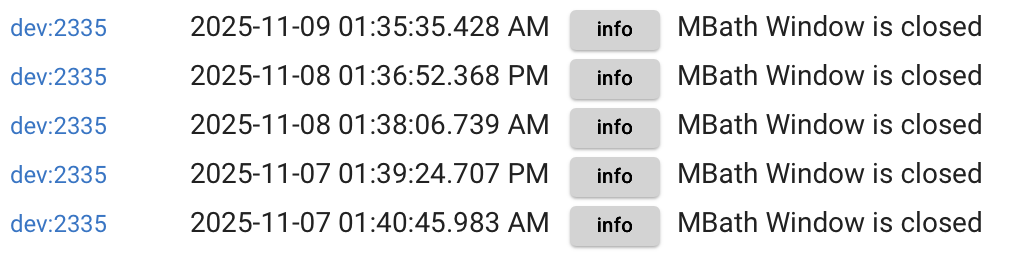
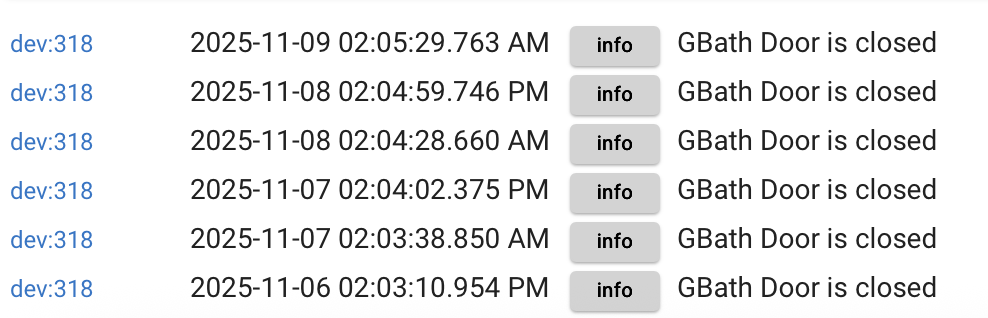
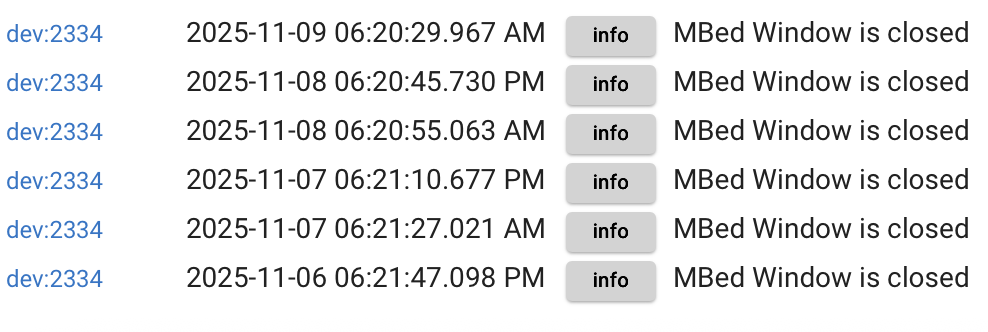
I just now looked at a window sensor I use upstairs to tell me if it's open when I leave. Windows are all closed this time of year. This is what I see:
I'm going to revert again.
Perhaps the smoke detector mis-reporting is related.
Thing is, I'm going to have to disable rules because of this until it gets sorted out. Not happy about it.
edit: I guess it could be part of a health check for the closed sensors.
Thing somehow, the normally open sensors report closed with no rule or physical interaction.
At 4:12:10 it reports closed, when it was actually open.
The later reports are me physically closing the door and opening it again.
It almost seems like a 12 hour check in, or whatever, is causing these open sensors to report closed.
I'll try reverting. Then the batteries, but the 12 hour cyclical nature has me doubting this.
There have been quite a few reporting-related oddities that have popped up in JS in the ~6 weeks or so. I had a Z17 wired-sensor issue and my mesh Titan started throwing odd state reports.
I can put up with some quirks here & there, but those 2 issues became too intrusive, so I rolled back to ZIP. I don't plan to go back to JS until there's a much higher confidence that these reporting issues are fixed (and I don't mean just patching stuff at a per-device / onesey-twosey level -- there's clearly something wrong deeper in the JS code with how it's parsing reports).
ETA -- for the record, I'd much prefer to be on JS - when it's working well, it's awesome. So I'm definitely rooting for it!
I usually check check the logs every morning for warnings, etc, but I hadn't for the last few weeks because I was pre-occupied with the new car, lol. So, I don't even know which revision kicked off the smoke detector warning. I just dropped down to 2.4.2.160 and it's still giving me the hourly notice.
I've been running JS for a long time, and I believe there was a firmware version that didn't kick out these warnings even with JS.
With these contact sensors, I don't know. Maybe they tried tweaking something JS related and it had unintended consequences. It happens every 12 hours, so more tedious troubleshooting.
Is the smoke detector thing related to my contact sensor thing? Who knows.
I think I'm going to revert some more (but to where? lol), to see if I can get rid of the smokes messages. Easy to verify, as I said, because of hourly nature.
In parallel, I might see if I can find an unused contact sensor and replicate. Or something similar.
Also, disable the app that wakes me up at night and turns on the fan all day when I'm not home!
I've gone back and forth to ZIP before, and I'm not crazy about that either, but things are getting intrusive.
edit: And your valve operator mis-function has more "intrusive" potential than merely waking me up in the middle of the night and burning kW-hrs needlessly by running a fan.
I would be focused on the devices and not the hub. the zse41 are sleepy zwave devices. the hub cant reach to the devices while they are sleeping. you can test this for yourself by running a refresh on the device from the zwave details page… it will time out.
If you enable debug logging on the device, you should be able to confirm the device is actually waking up and reporting a state change.
I woke up one contact sensor because I wanted to see what software version they are.
The switch reported closed!
I tried it on four other ZSE41s: same result!
Waking up, ie, four button pushes, causes to report, of course, battery %, and closed!
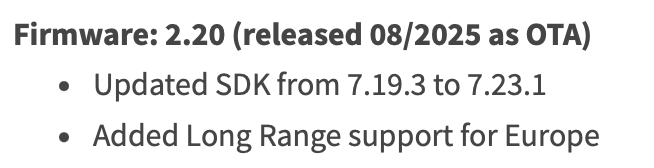
There is a firmware version update by Zooz, below, which seems applicable. Mine are on 2.0/.
Updating firmware on a device paired as LR still requires exclude and pair as mesh?
I have 7 of these. Ugh. But worth it if that's the fix.
My mesh Titan had the opposite problem, Routine check-ins were fine, but an intentional Refresh would immediately throw wrong values (Wet, High Temp alarm -- this behavior was also confirmed by Jeff with his Titan). My Z17 would flip-flop open/closed wrong only when physically actuated - check-ins and refreshes had no effect WRT state change.
So the various JS state reporting issues are all over the map in terms of what triggers them.
As someone who has been trying to update all of my zse41’s over the past week… use fresh batteries as the update is a serious drain on the battery. Also i’ve had the best luck immediately after a hub shut down and unplug.
PS: disable the device before shutting down the hub, it will increase your odds of a quick update.