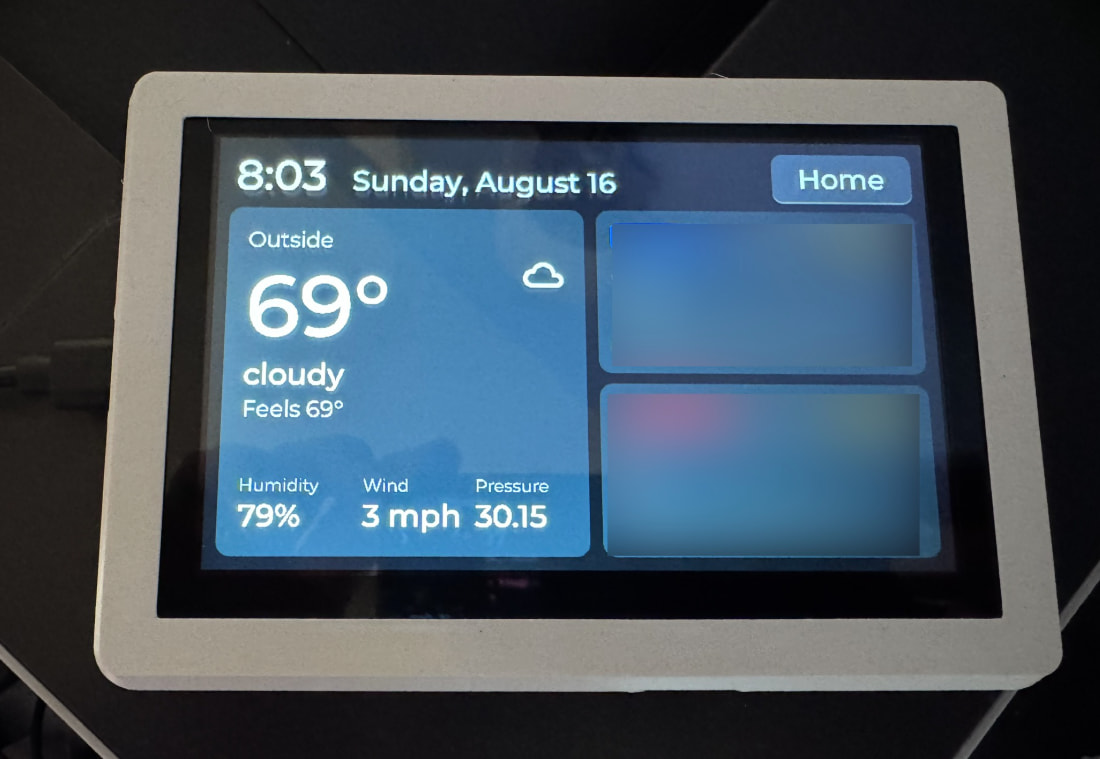
I’m not smart enough or have any free time to see if this could work with Hubitat, but what do you all think about this product from Waveshare? Zigbee 3.0 and Thread capable.

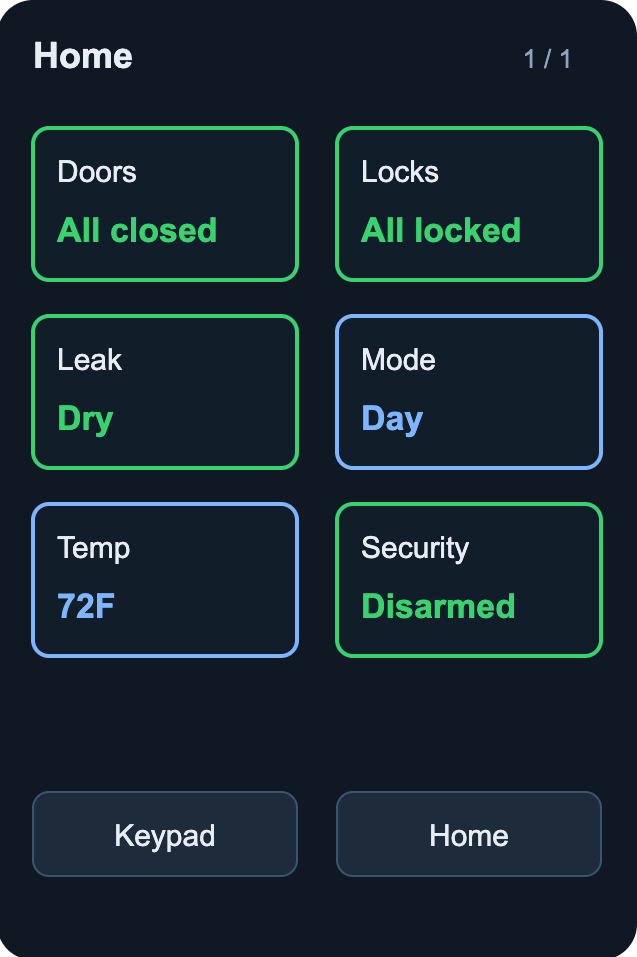

Wow, I’m impressed. Now it’s on my to-do list.
They have an absolutely huge variety of LCDs of all sorts of sizes (mostly small though) that have ESP32 varieties, most of which include ZigBee, Thread, WiFi, and Bluetooth. For a mobile dashboard, they even have a watch or battery powered boxes (that include axis chips).
VERY dangerous for tinkering...
Now, if they start including wired models with PoE out the back (so no cords are visible) and a larger screen, I would be in real trouble.
Same. The cable dangling out the bottom doesn't do it for me. One can always do a 90 degree connector and modify the case to hide it, but rear mounted is much better for me.
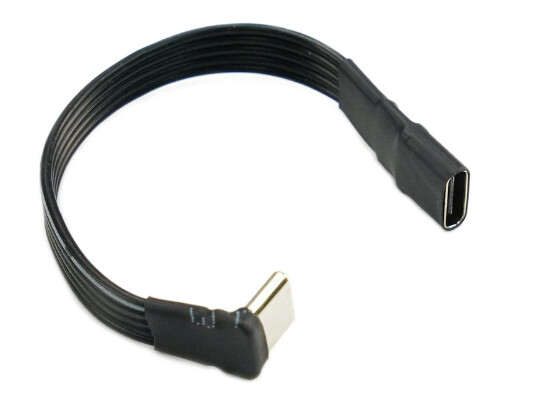
Yup, I have something like that on my current wall panels to get to the 1 gang box behind it. Works well.
Still would prefer rear mounted POE though. 
Plus if it using Ethernet, I can have the WiFi focus on something else. Being a hub AP for custom sensors, acting as a separate IOT or guest wifi... Or just disable it.
Rear facing connections... This is one thing I do not get with a lot of these type of touchscreens or other dashboard parts... You would think that more would have that laid out differently or even just the option for it especially since so many show being used as a wall mount (and are "on" in the pictures but do not show their cables sticking out).
I like these from a hardware standpoint, but don't have any due to the effort required to make it do what I want (also I have no 120V in the boxes I want to mount them to - just low voltage).
Have also thought a time or two about this one:
But doing something ESP32 based is more likely what I'll do.
For this Vendor, Waveshare, they place them in the Development category. Why else would it be OK to put a camera in, and have it face out the back. Under what circumstance is a rear-facing camera useful... a phone mockup? I did buy one with their case and it came with a camera, and my code ignores it completely. The -C5 one in the OP is available in a case with no camera, and that's the one I'll check out next. But delivery is a month out.
The -S2 and the -C5 are significantly different chips with different architectures (RISC-V). The ESP32-S2 is dual core, while the -C5 is single core, lower clock. It still uses too much power for anything close to a 1-yr battery, so I wouldn't pursue Zigbee or Thread. I have code that does most of a Matter-over-Wifi but have put that aside for a while. It's far enough to know it can work, but I already have working code for MQTT and http in parallel.
I bought a package of these two items:
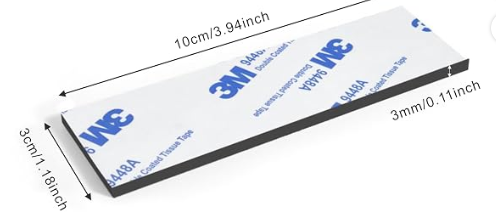
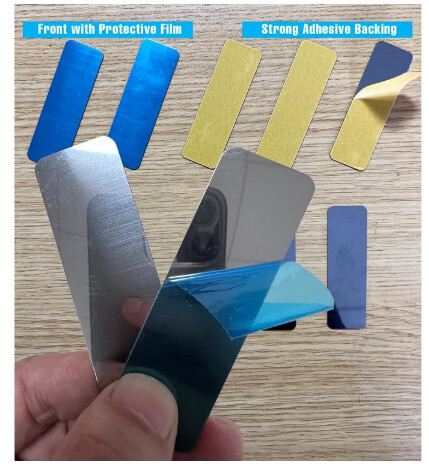
The first is adhered to the back of the case, the second is stuck to the wall using Command strips. The display then sticks to the wall magnetically and is very strong. For me, that became the final answer. I don't need a better/different case.
Another thing that keeps making me pause on wall tablets is the longevity.
A lot of the android based ones are on obsolete, or soon to be obsolete, versions. So am I going to have to rip this thing down and start all over qualifying a solution in a year or two? That doesn't sound fun to me. I don't care about it being obsolete, per se, as I can isolate it on the network, etc... But it needs to keep working without nags, etc.
I want something as dumb as possible to simply be a portal for dashboards, that I can (hopefully) support and use for a minimum of 5 years.
I have a similar quest. 
The design I implemented is responding to those criteria... at least for me. First, the Keypad is just a display. It's smart about what to display and dumb about how that happened.
For example, the keypad sends 3 events. ARM, PARTIAL, and OK. (OK comes with the string of numbers pressed just prior to the OK.) And all the logic of what to do because of those messages is on the Hub. Obviously for a Keypad, those events need to be sent to HSM, and HSM decides if arming is possible. If a door/window is open, HSM won't arm and sends the keypad a 'not ready' message. The Keypad then displays... 'Not Ready', with no idea why that happened. The Keypad does NOT know the unlock code. That string is sent when OK is tapped and the Hub, using Lock Code Manager probably, determines if the code from that specific Keypad can Disarm HSM.
The Dashboard side of the code is similar. The choosing of hub devices is left for the hub to do, the Keypad just displays stuff, or in the case of the Control Dashboard, which item got tapped. The Keypad only has to know what to display if it gets a 'closing' message (for a GDO), or if it gets a '35' for a Dimmer, 'on' or 'off' for a switch, etc.
For me, I think the code can remain functional for years. Sure the new ESP32-P4 coupled to a -C2 is a more ideal late-2026 choice, but I don't need that for this project.
Thanks for the insight. I'm looking at the webpage/docs now.
I received this version a day or two ago and have not pursued getting my code to run yet.
It's WAY overkill for the Keypad I have built. But it's main advantage is the RISC-V CPU that is the 2026+ direction Espressif is taking. And for my eyesight, sausage-like fingers and motor skills, the 4.3" display will make the buttons 'better'
What to do with the extra CPU power? Mimic liquid-glass for the UI? Don't think so. I focused my objectives to be "what does someone NEED while tapping at this small Keypad?" I decided that a whole house Dashboard makes zero sense. I would need to see, in the Summary Dashboard, why it won't ARM. Or, on return, I can turn on a light or close the GDO. Would have to be 'stuff' in the immediate vicinity. Not a general purpose dashboard, but a very focused "What's in a 5-7 meter sphere of where the Keypad is mounted that matters?" This is why I've limited the # of slots for interactive Controls Dashboard to 6.
I will ask a dumb question.
The version in the first post has Zigbee and Thread. It seems everyone is just using this device for a mini-dashboard.
Why purchase a version with Thread and Zigbee? It seems to be not utilized. Or could you use this as a Thread repeater since it has that feature?
There is a similar but larger 7" display that seems like it would be more ideal for everyday use as a dashboard. Why aren't people using this?
I am using these first generation Sonoff Panels:
reflashed with HA Blueprint Project. The customisation is very flexible. Little downside - Home Assistant is required and first reflash must be done via USB-to-TTL RS232 Adapter. Minor soldering is also required. The rest of the setup is very simple.
Personally, I have no interest in a wall mounted general Dashboard. Others think differently from me, I've noticed I added features to my Keypad to allow me to see why ARM would fail.
The -Cx series have the Zigbee radio, which of course is Thread too if you use it that way. The -S3 that I used does not have that radio so Thread or Zigbee isn't possible.
The newest development display I bought has the -Px series which is a more powerful CPU but also has no Zigbee... so they couple it to a 'coprocessor' -- a -C2, so it's a board with TWO ESP32's on it. That one I hope to get Thread running.
I have an NSPanel (and posted a driver for it, the API proved to be a bit limited) that I have never really used. My main dashboard is using @jpage4500 's awesome HD+ on an Android tablet (it is a Lenovo 10") that will get updates into 2030 (and I have had it for a number of years already). I cannot imagine going smaller than that even though it is sitting on a stand on my desk ~3ft away from me.
Spousal approval prevents me from being able to mount something on a wall somewhere useful.
p4 > c5