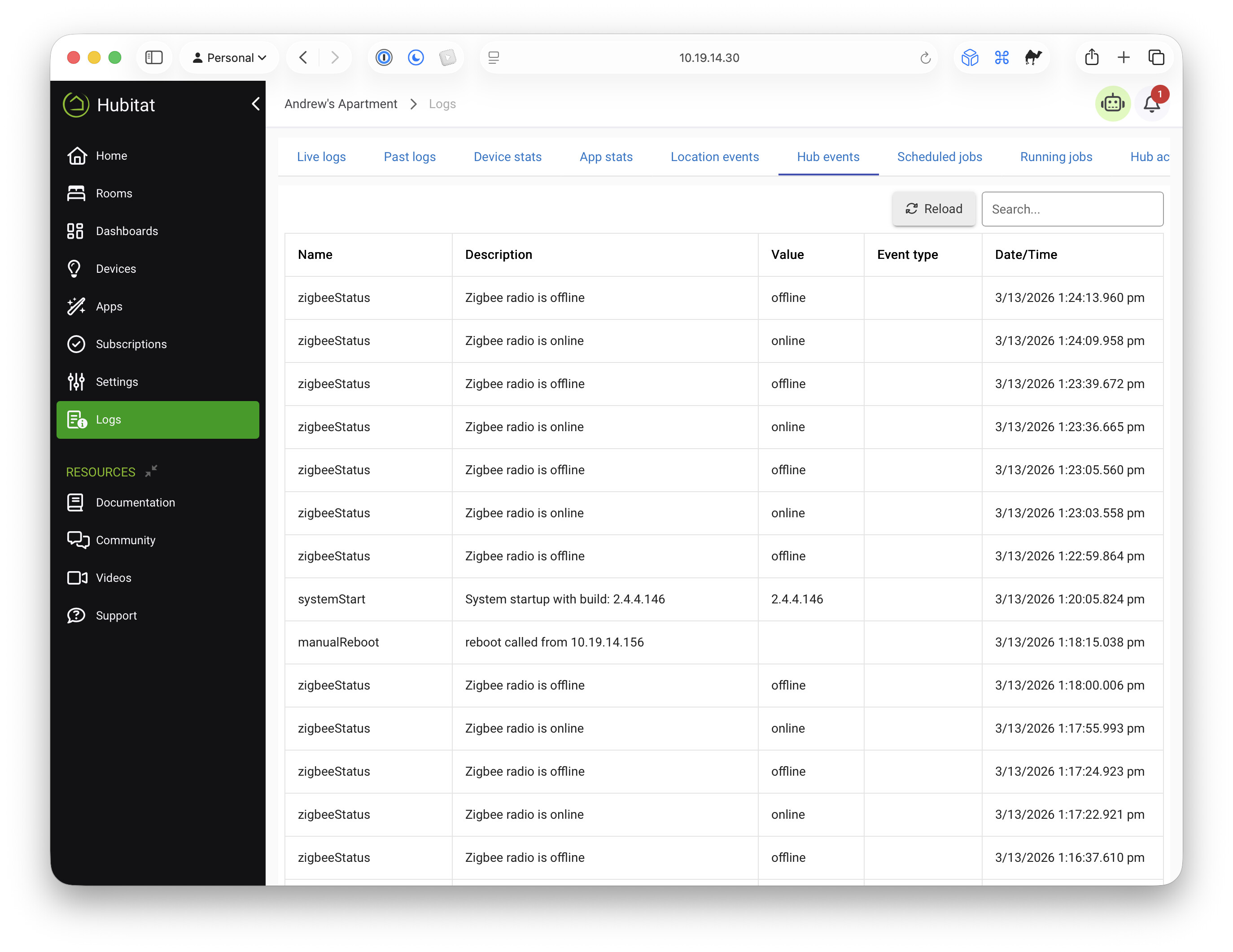
I have a C7 whose Zigbee radio has been in a perpetual boot loop for months. I posted briefly in a now closed thread from 2024 (Is this normal? > Zigbee radio is offline - #10 by swiss6th). Because of my work and low need of this hub (and laziness? ), I have put off doing anything about it. I now have a need to actually use the hub again, so I set out to troubleshoot.
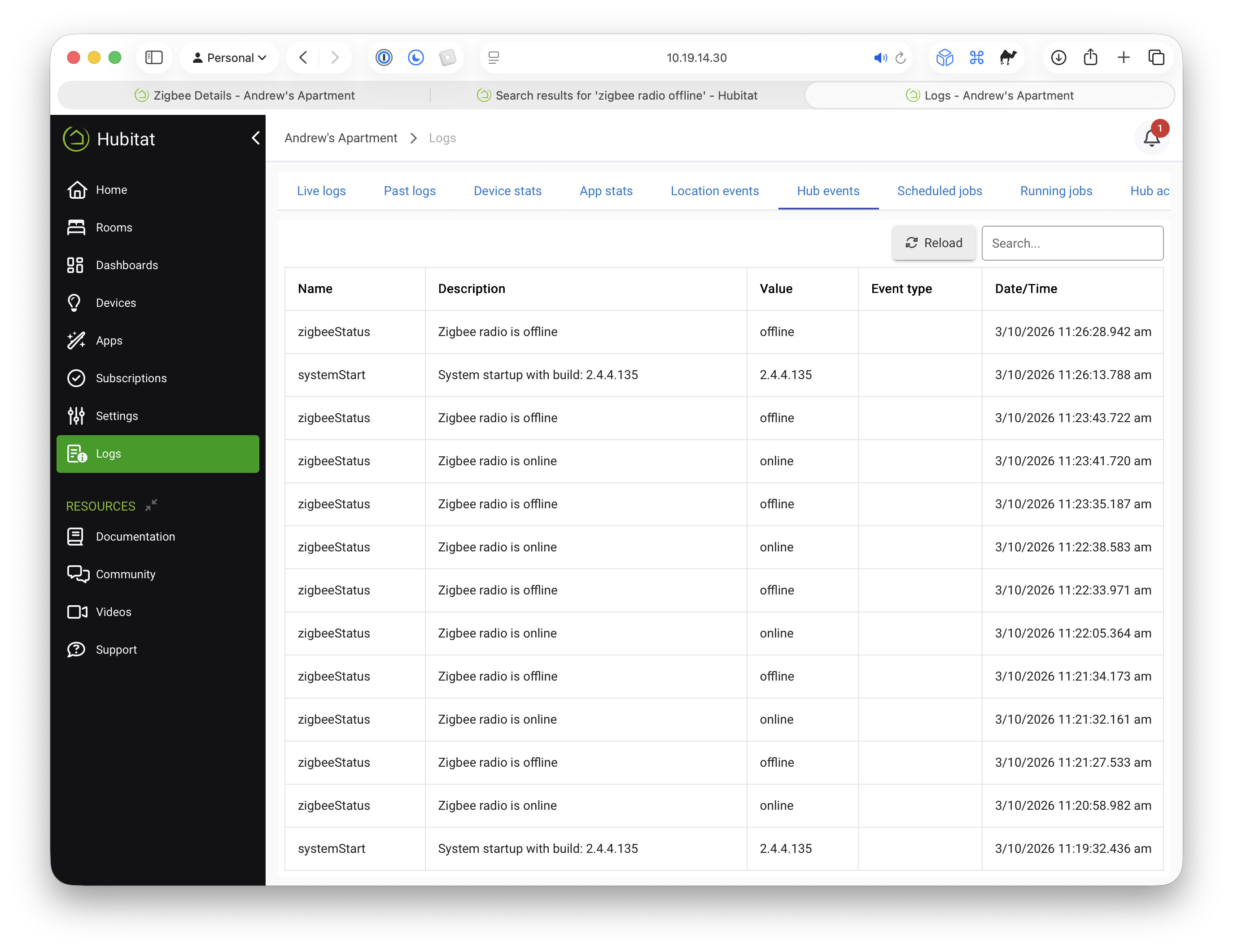
It came down to a full hub reset and a Zigbee radio reset—to no avail. No apps, no devices, no customization, but the Zigbee radio just refuses to stay running. Here's a screenshot of the log (on 2.4.4.135) before the full reset:
Other steps I've tried, both one-at-a-time and in various combinations:
Plugged into a different high-quality power supply (I've always used the one that came with the hub)
Disabled a 2.4 GHz Wi-Fi AP on a nearby shelf
Unplugged a nearby Phillips Hue hub
Shut down the C7 and pulled the power for several minutes
None of these steps have been successful. The Zigbee logs have been empty even before the reset and are empty now. The Zigbee channel is at 25, although I have a hunch that this may have been the original cause. Back in 2024, I think I had just switched from channel 20 to 25 before all this started happening. Since the radio won't stay online, it has proved impossible to change the channel back.
At this point, I've already used the "nuclear" option. Hubitat staff, let me know if you need my hub ID. Also, I'm OK opening up electronics; if there's a pin I need to short, or if I need to hook up a debugger, let me know. I'm not an expert, but I can follow instructions.
That is odd. I've seen my radio flopping, but that was under heavy hub load. Long shot, but do you have a backup from when it was working? It probably won't work but what the hell, give it a shot. Restore the working backup to the C7 ( be sure to first shutdown any hub you may have migrated to from the C7.
I did make a backup before I reset the hub, but it was when the issue was already occurring. I don't think I made one before I changed the channel in 2024. I was not smart enough to grab one of the automatic backups once I noticed the issue. That might have been helpful.
Looks like time to create a warranty claim request for @bobbyD to review...include the links to your old conversations in the "Comments" section of the request.
Warranty? The hub is probably 3 years old, and I don't currently have a Hubitat subscription. I haven't submitted a claim because surely it's past the warranty period (I thought).
It never hurts to ask, though you are probably a bit too far out to be covered. If you bought the hub in 2024 and the Zigbee raio failures occurred very soon after, then you might find some leniency.
Yes, because this gives them the permission and the information they need to look at your hub.
Like Dana said, it can't hurt to ask. At the very least, you may get an answer if it is hardware failure or something that can be fixed via a software update or some reset procedure. They are typically pretty good about standing behind their hardware, but it probably depends upon the situation.
Happened to me. All my Zigbee issues on my first C8 culminated in it just getting stuck on Initializing, but that was after the warranty expired. Hubitat extended my Warranty by a few months and sent me a new hub, I believe based on logs, but three years does seem like a stretch.
Maybe if hub logs go back that far they can see if it was a bad hub from the start, it could also just depend on how many C7s they have laying around too.
I’m going to reply to this thread on this issue as it is the newest one I found.
After much research on my first foray into home automation I bought a used C7 and a bunch of Zigbee sensors from Temu and ended up with this issue where Zigbee radio was offline and wouldn’t come up no matter what I did.
Quite a disappointing first impression, but I did get it working in the end so this is what happened:
When I got the hub I went through the Get-Started process and let it update, it ended up on 2.5.0.159 and Zigbee would simply not work no matter what, status was blank, I tried resetting radio and enabling/disabling and factory resetting the box to no avail.
After reading some threads here I started installing previous versions that I had on the box... I tried “install platform 2.4.3.172” form diagnostic tool but nothing changed, I tried “Restore Previous Version” and went through all the ones I had available: 2.3.7.141 2.3.7.144 2.3.5.152 but nothing changed.
None of that work but note that I did not do a full reset on each of the previous versions until the last version 2.3.5.152 when in an act of total despair at having a paperweight instead of a hub I performed a Full Reset and the Zigbee radio finally came online!
then I did "Install platform 2.4.3.172" from diagnostic tool and it kept working, it didn’t break.
then I did a normal update and ended up on 2.5.0.159 with a fully working radio hurray!
In my case, the Zigbee radio never recovered. Support deemed it dead, and I ended up just buying a new hub. They did offer me a discount, which was greatly appreciated.
 ), I have put off doing anything about it. I now have a need to actually use the hub again, so I set out to troubleshoot.