Does anyone know how to find out what the "unknown" really is?
I can get the DNI by clicking on it, but that doesn't show up anywhere...
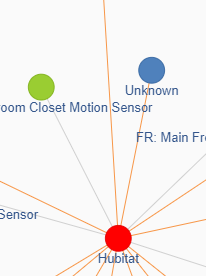
I saw this happen once too.
I don't have answers but have also observed. I attributed it to having lots of stuff unplugged while we painted last week.
I think it was a device that wasn't properly removed, like if it broke.
DNI's (shortIDs) can 'go away' even when the corresponding device has gone nowhere..
In a Zigbee a DNI doesn't always stay the same (at least until the C-8 came along) still the hub's database maintains the correspondence between a given device's 64-bit MAC and its 'current' DNI (the C-8 always seems to maintain the same shortID that a device had when it was initially migrated; on older hubs randomized DNI's get assigned by whatever router handles a join/rejoin).
The DNI can change when a parent router detects loss of contact with one of its child devices-- it broadcasts a 'network leave' command, assuming the child isn't coming back (or has already rejoined another parent elsewhere in the mesh). It then evicts that end device from its child table, freeing up a slot.
Meanwhile, that end device (if it has rejoined the network via another router) gets issued a new DNI/shortID by the router that accepted it. Prior to the C-8, a randomized shortID would be assigned by whatever router (or the hub) handled the rejoin, and a join notification (along with the new DNI and underlying MAC) would be broadcast throughout the network so the correspondence of MAC -> new shortID gets kept intact-- the hub reflects this change in its database.
Until the database 'syncs up' a new shortID with a pre-existing MAC, you may see remnants of the old DNI surface as 'unknown' instead of a device name when instances of the old shortID can't be matched with a MAC address (because it's already been matched up with a new DNI). The Zigbee Graph seems to accumulate old data; probably why those Unknowns hang around...
6 Likes
Thanks for the explanation. I decided to view the graph. I have two unknown devices. Because the graph does not show any information, I can't figure out which MAC belongs to them. It would be nice if there were a way to purge them on the C5 or C7 hub also.
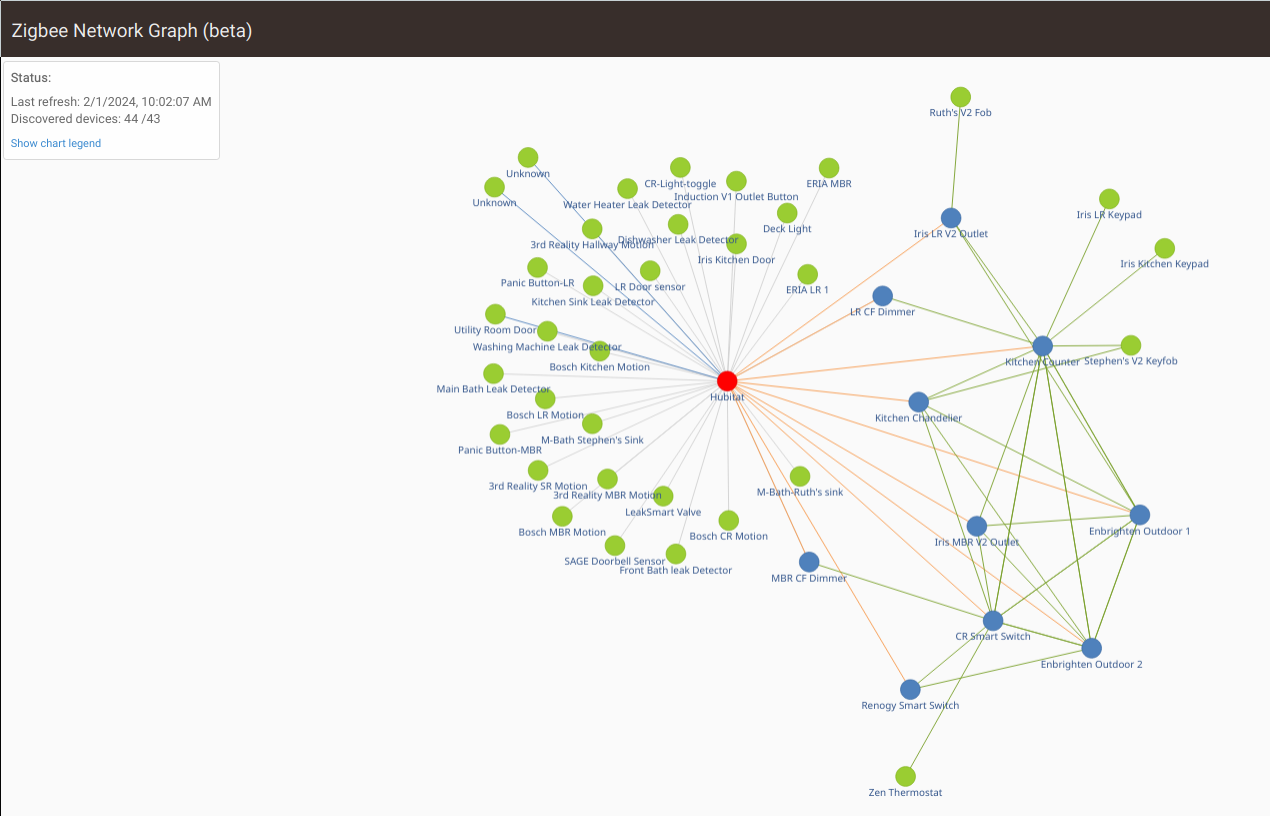
The other strange thing was seeing the "Discovered devices: 44 /43" in the information box. I have 43 devices. I am guessing #44 is the hub itself. This is on the C7 hub. I have a separate C5 hub which has all my Iris V1 devices. Since there are fewer devices there, it would be easier to figure out which the unknown device actually is since I only have 11 devices on that hub.
Pretty sure that the max device count matches up with Zigbee details page (I don't think the hub is included there). Don't worry about 'unknown device'... maybe think of it as 'device ID changed' indicator for reasons stated above; those designations go away on their own when things settle down.
As far as tryinig to correlating to reality in other aspects, it's been noted that the Zigbee Graph can't substitue for a mapping tool (which actually inventories neighbor and child tables of the routers ). Instead the Graph infers connections-- many of which don't exist as depicted-- based on (AFAIK) Zigbee logging, the hub's neighbor & child tables and the 'first hop' routers observed when the hub talks to devices in the mesh. Most of that info comes from the hub's getChildandRouteInfo; so the resulting picture needs interpretation to be useful...
In conjunction with getChildandRouteInfo, it can provide useful insights as to how your mesh is configured. Taken out of that context, for all but simple meshes it's best thought of as showing inferred connections among recently active devices -- in most instances not with the child/parent relationships that the picture implies.
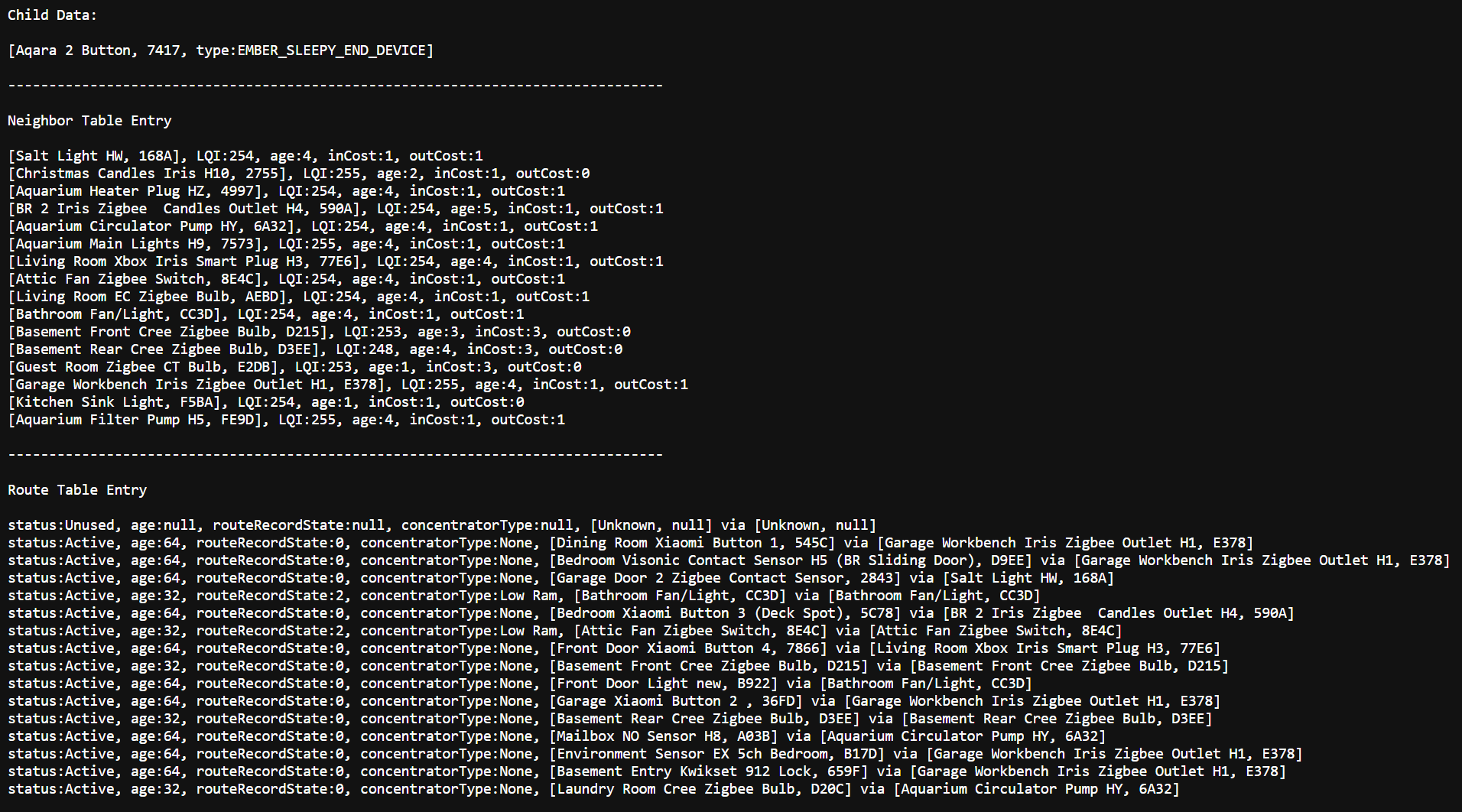
To compare use of the Zigbee Graph with/without taking 'Zigbee reality' into account, I let the Graph run for a while, took a snapshot, then compared the connections it accumulated to the 'real' getChildandRouteInfo with actual neighbor/child counts and 'first hop via' routes to other devices.
Here's the source getChildandRouteInfo snapshot; it's a stable mesh so the only neighbor changes are occasional evictions/replacements of those with weak connections:
Here's the 'raw' Graph after 20 min. or so:
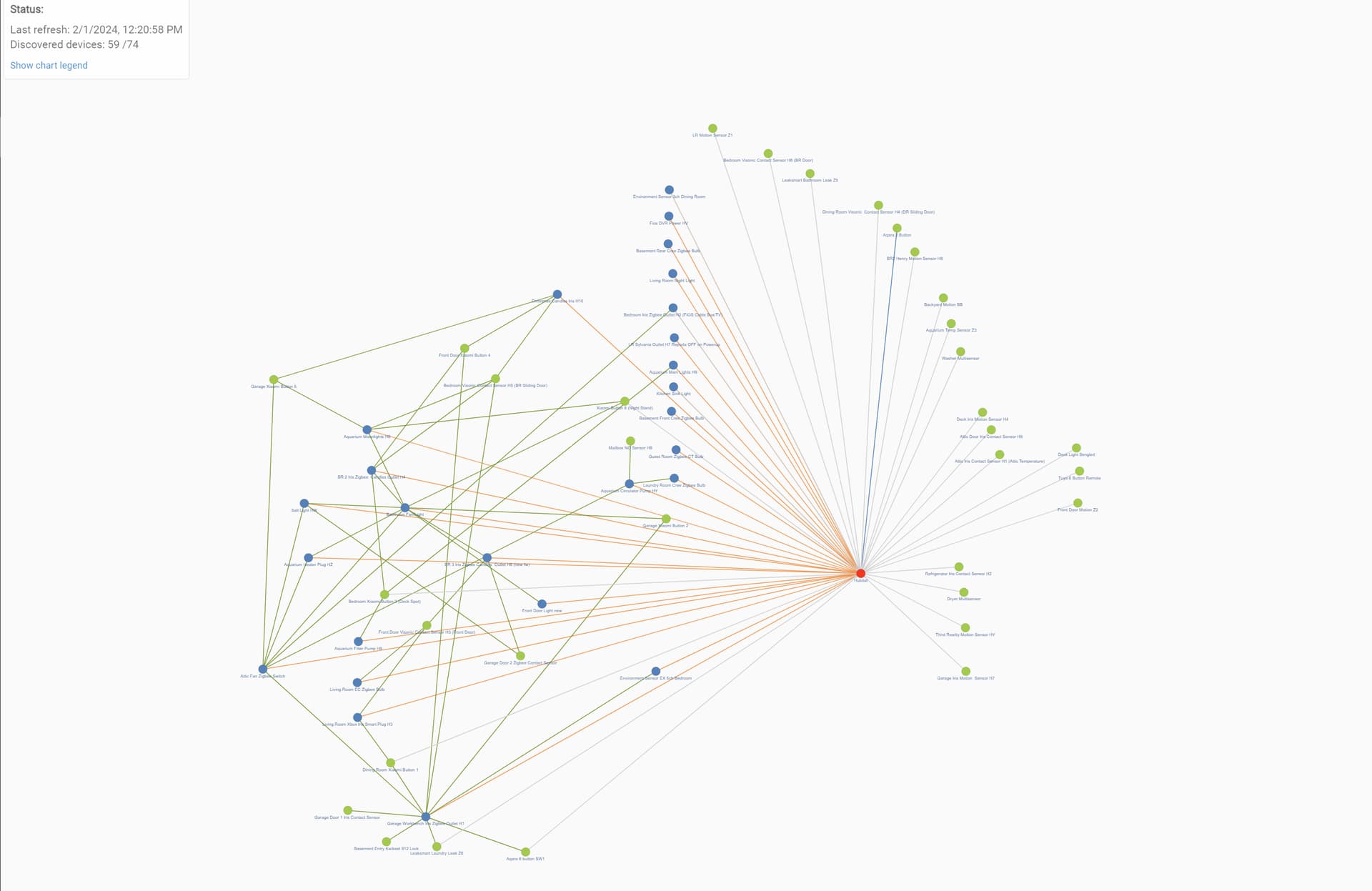
From it you'd count in excess of two dozen orange connections to the hub; implying more neighbors than the 16 the hub can track. In reality, the hub's neighbor table shows about a dozen neighbors good enough for routing. And there's actually only 1 direct-connected child device; not the 22 or so depicted by the Graph... their parent connections are in reality to other routers and aren't correctly shown in the graph.
The following pic highlights what connections of those depicted were credible, as opposed to artifacts resulting from inability to distinguish first-hop routers from direct connections...and scenarios that don't happen in Zigbee, like sensors with simultaneous connections to more than a single router.
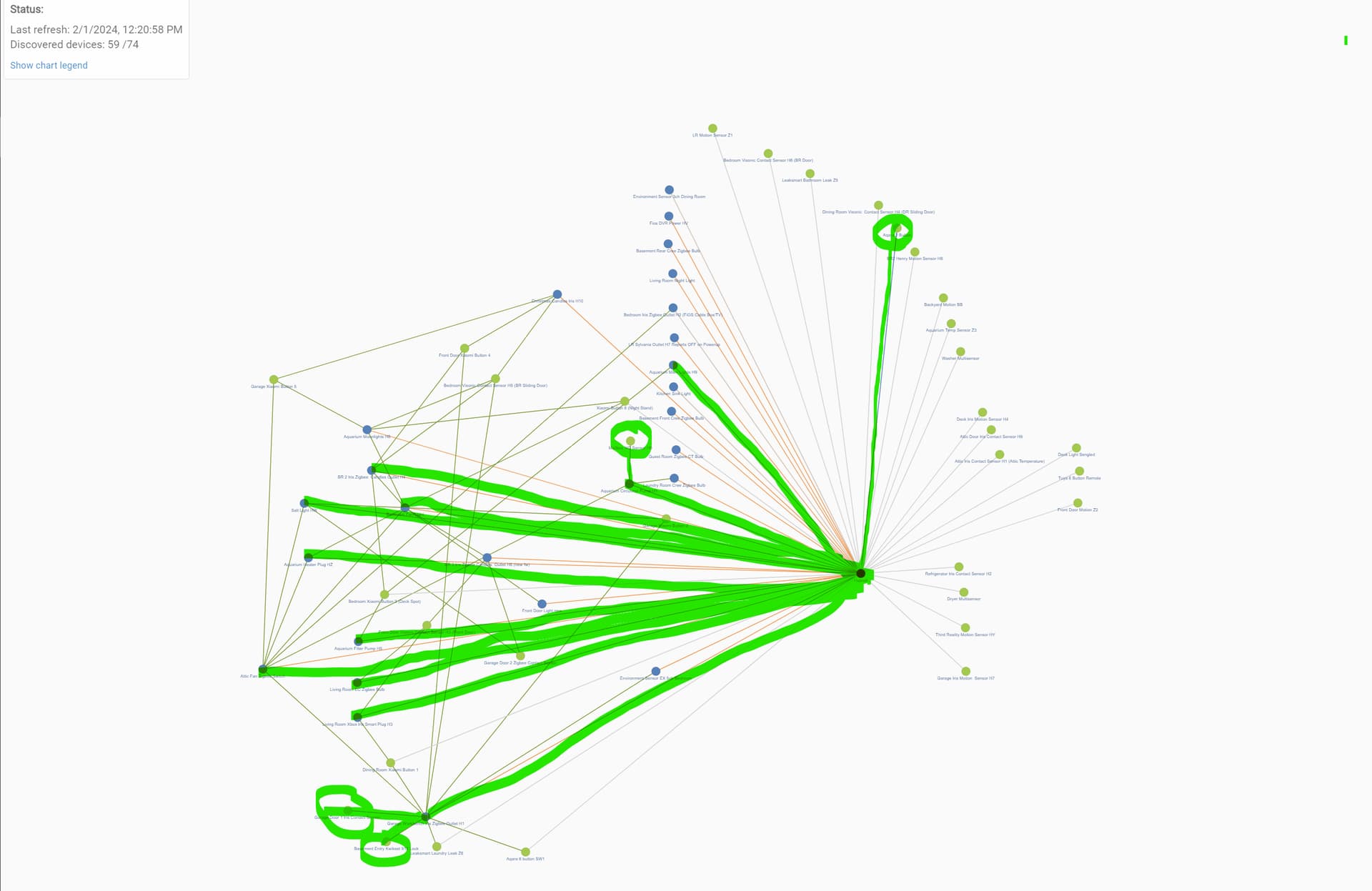
Useful to me were a couple of end device connections that the Zigbee Graph pointed out (I circled those that looked 'credible' based on the single parent link shown and their actual proximity... useful info that I would have needed XCTU and my Xstick to find out otherwise.
3 Likes
Thank you for the thorough explanation. That helps.
1 Like
On My C-8 I found the Graf is not very good 
Seems on my setup it never fully populates or most times just shows a few things.
I have a few times it shows a unknown device 0000 .. but after a day or so it goes away.
I never get a chart like you guys are showing ..
LOL Found it .. But mine never shows routes and never shows all devices.
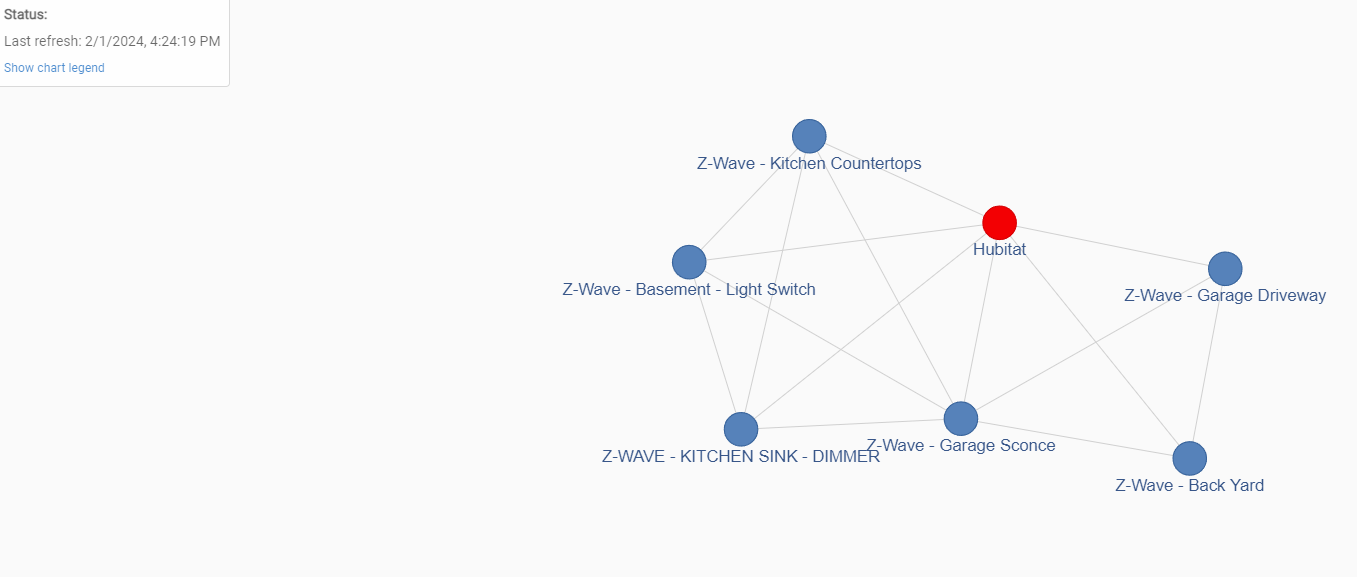
Weird part the Z-Wave one always works for me 
http://your_hub_IP/hub/zigbee/getChildAndRouteInfo
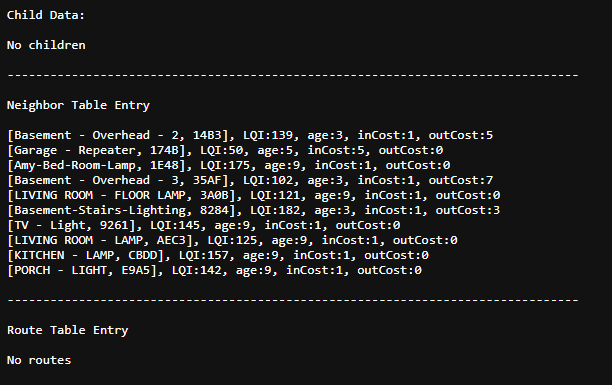
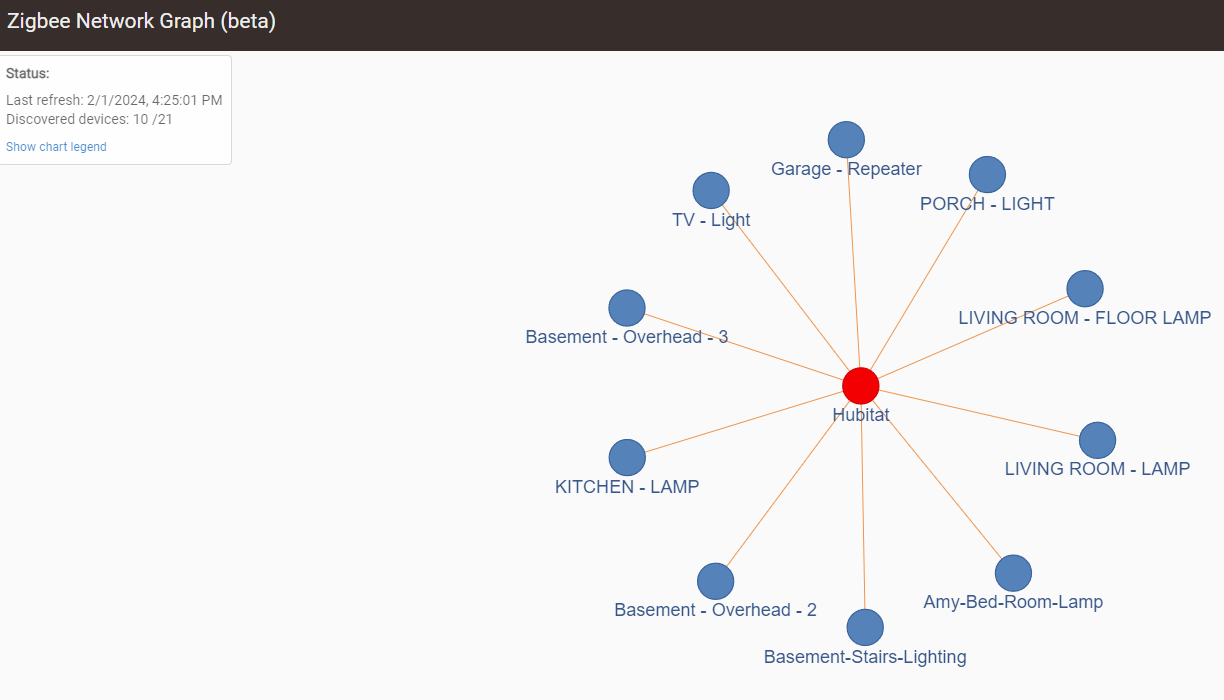
How's your Zigbee mesh performing? The hub's neighbor table(in getChildandRouteInfo) should show the best 16 routers that it can communicate with; looks like yours shows 10, with only a couple of those useable for routing based on their inCost/outCost numbers.
You want to see low (but nonzero) numbers on those entries with '1' being the best category and '7' the poorest; 0 means 'no status' received from the remote neighbor within several age intervals (an interval is about 15 seconds; you'd expect to see the age counters increment when you refresh the getChildandRouteInfo page). You also want to see a few 'stable' neighbors there; the marginal ones (RF link-wise) may come and go if better ones are in range.
Not all of these neighbor entries need to be populated, or showing good numbers, unless your mesh isn't performing well... then you'd want to take steps to improve the coverage by adding more repeaters or addressing signal blockages/reflections that might need fixing..
The route table entries tend to come and go; for a small mesh you might need to refresh the page at the right time to see them. Those entries also get populated when new route requests get issued by the hub (because old routes have been 'expired' due to lack of recent use).

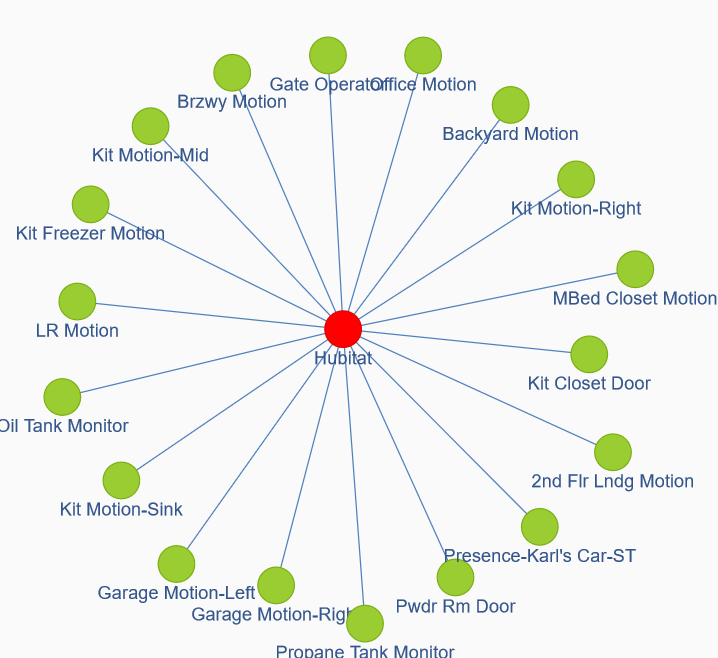
Well .. mine are almost all repeaters LOL
They are plugin lamp modules / repeaters.
They seem to work ok .. IDK
Maybe I have to many repeaters LOL ?
[Basement - Overhead - 2, 14B3], LQI:122, age:4, inCost:1, outCost:7
[Garage - Repeater, 174B], LQI:79, age:5, inCost:3, outCost:7
[Amy-Bed-Room-Lamp, 1E48], LQI:164, age:9, inCost:1, outCost:0
[Basement - Overhead - 3, 35AF], LQI:89, age:4, inCost:1, outCost:7
[LIVING ROOM - FLOOR LAMP, 3A0B], LQI:103, age:9, inCost:1, outCost:0
[Basement-Stairs-Lighting, 8284], LQI:175, age:4, inCost:1, outCost:3
[TV - Light, 9261], LQI:135, age:9, inCost:1, outCost:0
[LIVING ROOM - LAMP, AEC3], LQI:147, age:9, inCost:1, outCost:0
[KITCHEN - LAMP, CBDD], LQI:167, age:9, inCost:1, outCost:0
[PORCH - LIGHT, E9A5], LQI:140, age:9, inCost:1, outCost:0
I had a thought. Could the "unknown device" possibly be a virtual device? I do have at least one of those.
That's all that matters... no need to troubleshoot something that isn't broken.
Your sensors (or other end devices) must be happily connected to a non-hub parent so the only time you'd see evidence of them (or other non-neighbor routers) in getChildandRouteInfo would be if the hub needed an updated route to them... in which case you'd see a (transient) 'via' entry in the Route Table Entry section.
1 Like
No; I don't think so; virtual devices won't show up in the Zigbee graph.,, whatever shows up there should result from network activity and virtual devices have no physical connection to the mesh.
This topic was automatically closed 365 days after the last reply. New replies are no longer allowed.

