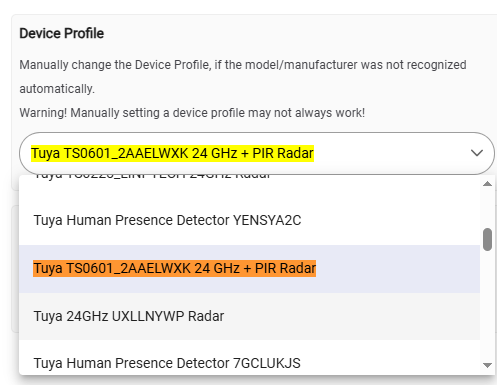
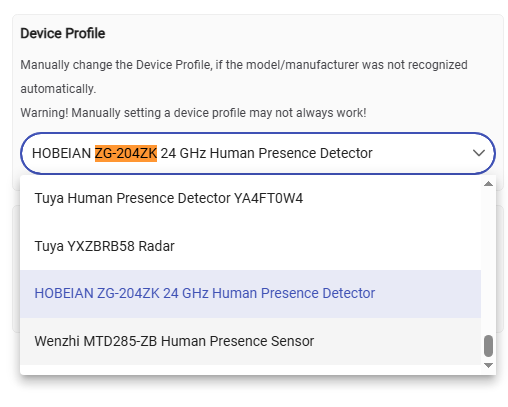
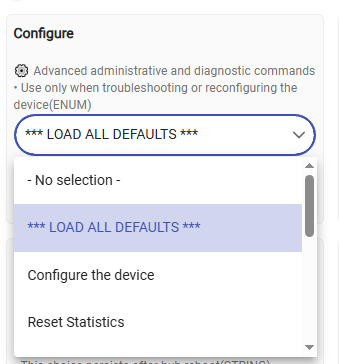
It was only a few dollars, so I figured I'd give it a shot. So, ultimately it wouldn't be a big deal if ultimately it can't work. It pairs just fine, but load with the "Device" default. I've tried changing it to the Generic Zigbee Motion (no temp), I've tried using the Tuya community Drivers.
I have an issue with a mmWave sensor that appears to be similar to this one:
Manufacturer
_TZE200_w0ap83qu
Model
ZG-204ZX
I tried manually selecting the Device Profile as you suggested @kkossev but it doesn’t quite work. Illuminance seems to report OK but the motion state seems to always want to report “active” and the human motion state just reports “unknown”. I’ve tried adjusting the sensitivity to see if that makes a difference but it doesn’t appear to…
Actually maybe the motion is working and I just didn’t give it enough time to change states. I’ve set it to “only radar” presence detection and lowered the sensitivity. Will do some further testing…. great work on the driver!
then pick “TS0601_HOBEIAN_RADAR” as your profile … ALL shows and works but to be fair i dont beleave its the right profile altho it will let you adjust setting and it works
@robevansaus your device is totally different compared to the one that the OP has, I will comment in another, more appropriate thread about it. Let's keep this thread for one device only.
... these HOBEIAN labeled gadgets are a nightmare to identify... : (
The default device profiles JSON file was also updated (ver. 4.1.4).
After you update the driver manually (either import the new code from the Driver editor, of if using HPM - perform a 'Repair'), click on the "Load Standard Profiles From Git Hub" button.
Your device fingerprint should now be present in the driver and the JSON file. The Deice profile group is this :