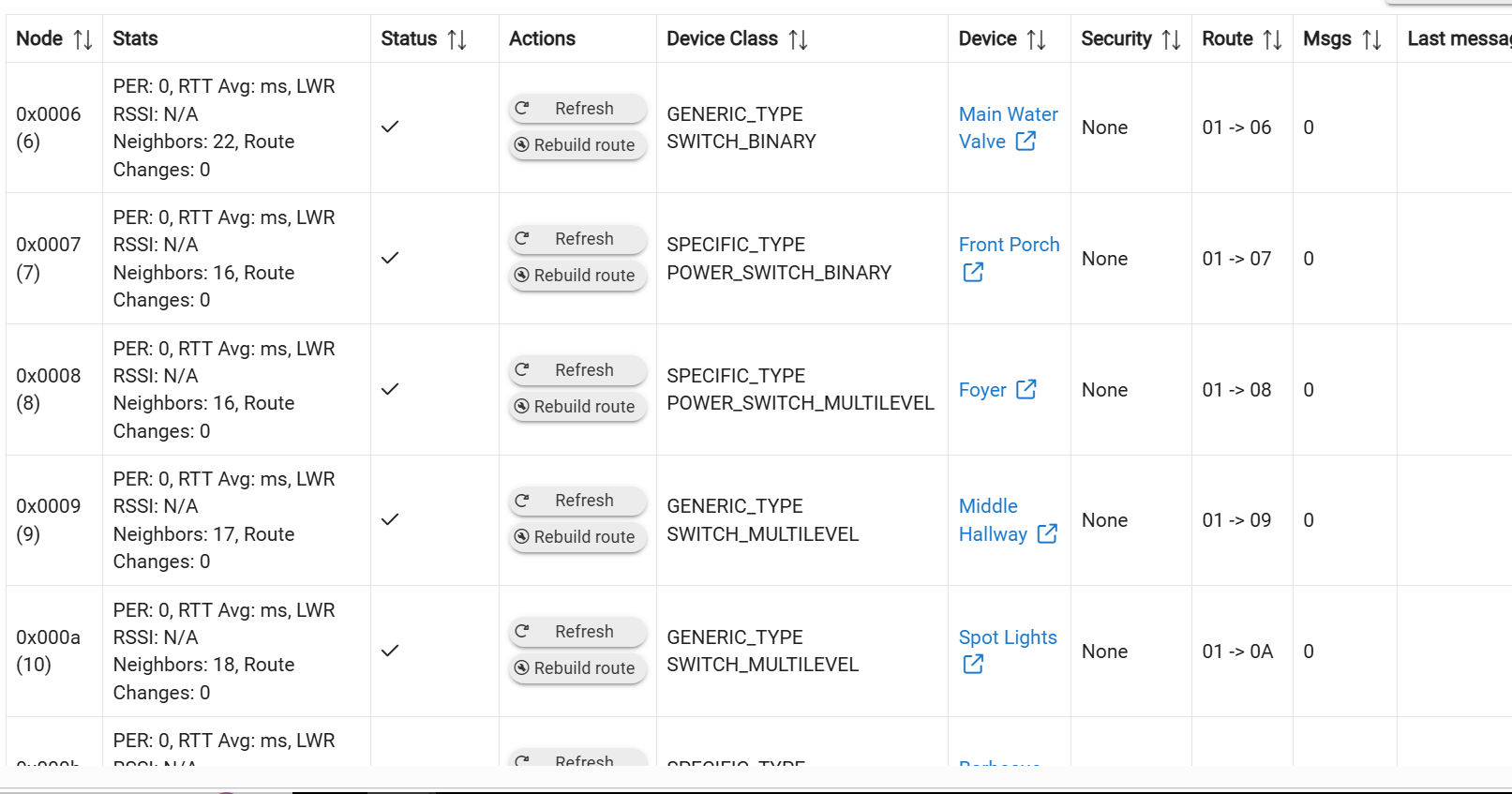
new router, devices report their states but will not change from hub. done everything i could find online. see the hub, it knows when I change states manually, did the shut down 45minutes depowered, reboot. no joy. even got a wet sensor alert but can't respond to the hub. hub is ethernet wired. not wifi. Side note… new wifi is wifi7. Only wifi device in use is ecobee thermostat.
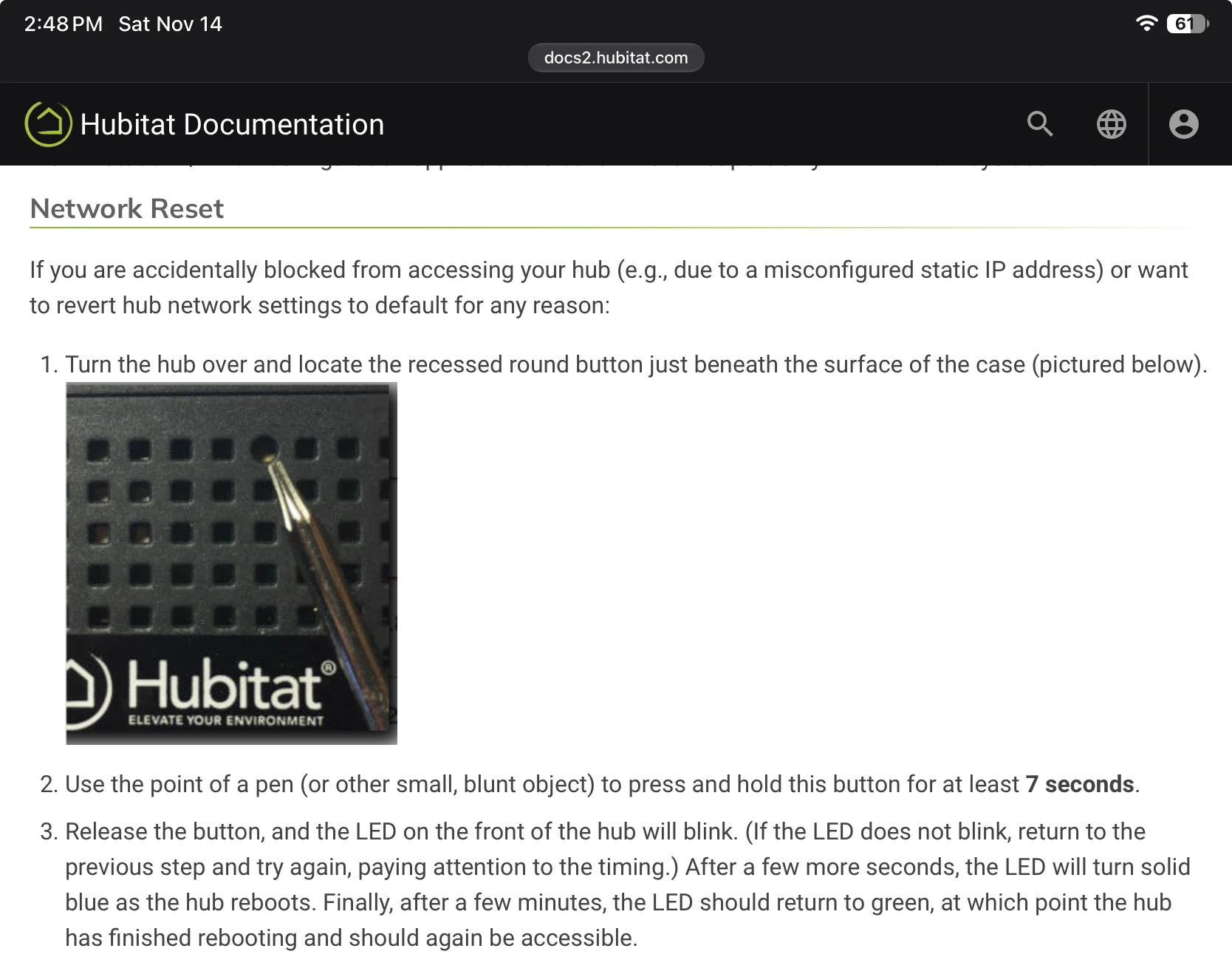
Yes sir.
Can you connect to the hub using a web browser to the hub’s new IP address? (The IP address assigned by the new router.)
I am a little confused as to exactly what problem you’re having. For example, is it that you cannot connect to the hub at all? Or not via the Hubitat mobile app? Or just not when you’re away from home? Etc…
I can connect to the hub using the app. I am currently troubleshooting from direct IP connection from laptop on same network (laptop is wifi connected, hub is Ethernet connected) all devices (all of them are Z wave, connect and don’t show any faults)
The issue is no devices respond to changes made from app or laptop.
Is your subnet on the new router the same as the old? Did you have DHCP reservatons? Use angry ip scanner to scan and find your devices. You will likely have to redo some ip's via reservation to smooth things over.
Ok, so your Z-Wave devices are no longer accepting commands to change their states when commanded to do so via the hub? Is this correct?
The hub can receive Z-Wave device updates from each device, when manually changed (e.g. a Z-Wave light switch.)
But when the hub sends a Z-Wave command to a light switch, the switch does not change/respond.
Is the above a correct statement of the issue?
Yes. This is the problem. Hubitat c8 pro. I tried disabling all but one of my devices, a light switch closest to the hub and that didn’t work either.
Interesting issue. Tagging @bcopeland from Hubitat to see if he has any ideas as to what might be causing this.
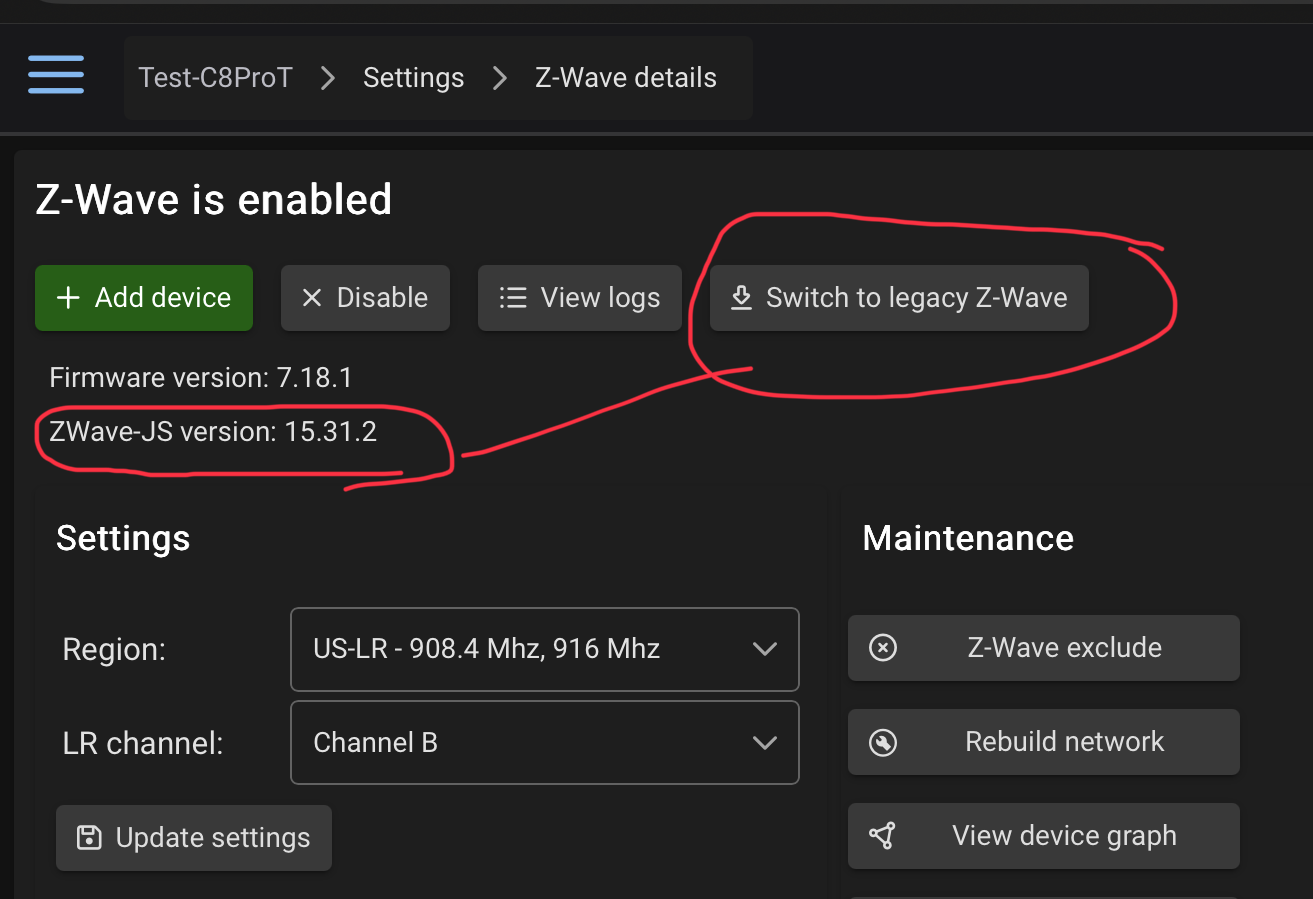
Are you using Z-Wave JS or the older Z-Wave?
Older I believe. Generic-z-wave smart switch

Take a backup so any changes you have made are saved, then try shutting down, then power off the hub.
Wait 30 seconds and power back up again.
This will cause the zwave radio to power down, reboot and come back up, clean hopefully.
Fingers crossed your devices will be there.
Whatever the issue is it’s beyond my comprehension. I guess I could do a factory reset and start over but I can’t help but think there’s a a simple yet elusive problem here to do with ip. I’ve just done a shut down and am waiting for 30 minutes before repowering with a 3amp power supply in case the old supply was too weak? Grasping at straws, I know.
I would not do that until it is a last resort.
1st thing - Your LAN and Router have nothing to do with your Zwave radio. So, while the timing is coincidental, the IP of your hub won't be the cause of issues with your Zwave communicating. However, a reboot might have exposed existing issues with your Zwave devices.
2nd thing - It would be helpful to see a screenshot of your Zwave table (Same page as your Zwave version you posted earlier - and it is way better to grap a screenshot on windows snipping tool as opposed to trying to use a phone to take a picture). Logs from around the time where you are sending commands and they are not working. Open a new tab with your logs, go back to a device in the first tab, and send a command. See what the logs say.
Tagging the rest of @support_team from Hubitat to see if anyone has a suggestion.
Please don’t do a full reset until someone from Hubitat takes a look.
Without necessarily waiting on support, I am going to suggest gathering some of the items I mentioned above. Also, starting here: How to Troubleshoot Z-Wave | Hubitat Documentation
A few of the steps, particularly around ghost nodes might be relevant here. Most of the steps the OP has already taken are not related to actually troubleshooting Zwave and the IP discussion confused a few of us to begin with.
Also, hub firmware version would be helpful. The latest version has the new troubleshooting tab on the home page which might have some useful information (Like failed devices)
Agree 100%
I was also wondering what might happen if the OP switched to Z-Wave JS? If he has a good cloud backup (with radios backed up), then it should be pretty safe to try ZWJS to see if it helps. But since I don’t use Z-Wave any longer, I was hoping for some folks with more expertise to chime in.