Hello all. I have a home grown app I use for lighting. It has been an on again / off again sort of thing. It has been running for five or six years and I haven't used a light switch in that time. I get confused when I'm away from home and the lights don't work. 
I'm curious if there is any interest in an app like this. There are some parts I want to update, but it has been working well over the years so I only occasionally work on it.
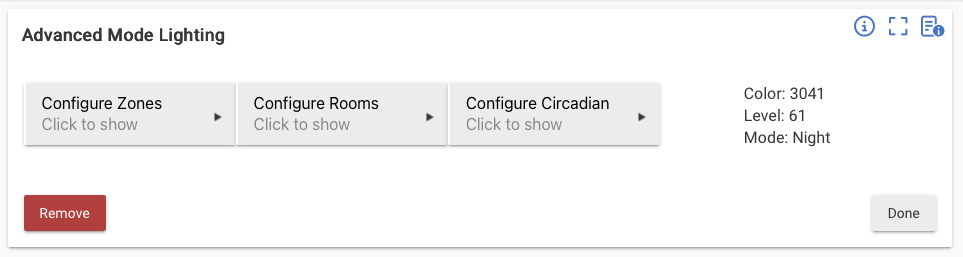
It has three parts and a custom driver. The first screen looks like this:
The zone screen is pretty basic.
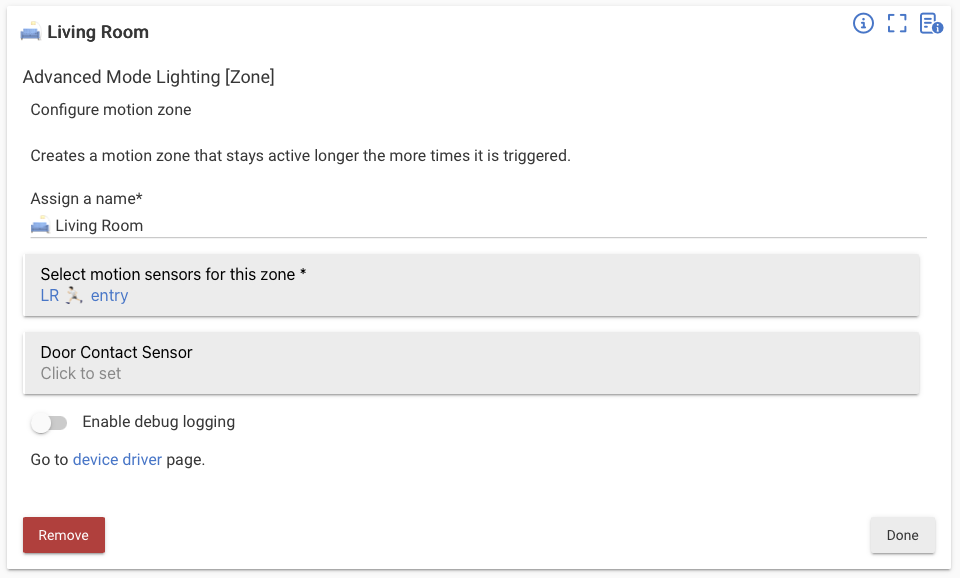
Here you setup and name the basic motion zones. You add any motion sensors that turn on the lights. The contact sensor is an override. When it is closed it overrides the off condition (countdown) for that zone. I use this mainly for a bathroom so that when the door is closed the light won't turn off even if it doesn't detect movement.
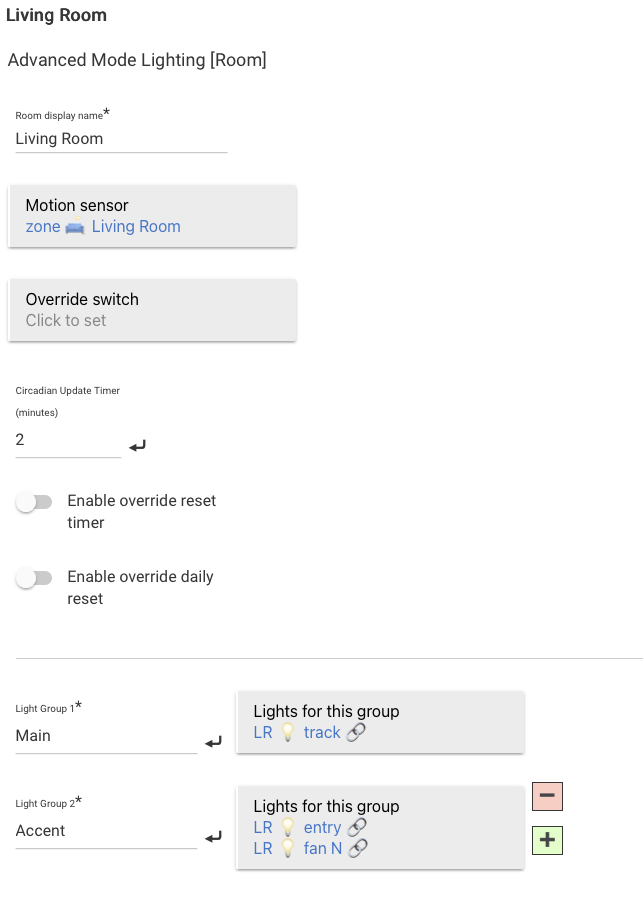
The room app is where the excitement happens.
The next section lets you setup custom light colors and temps.
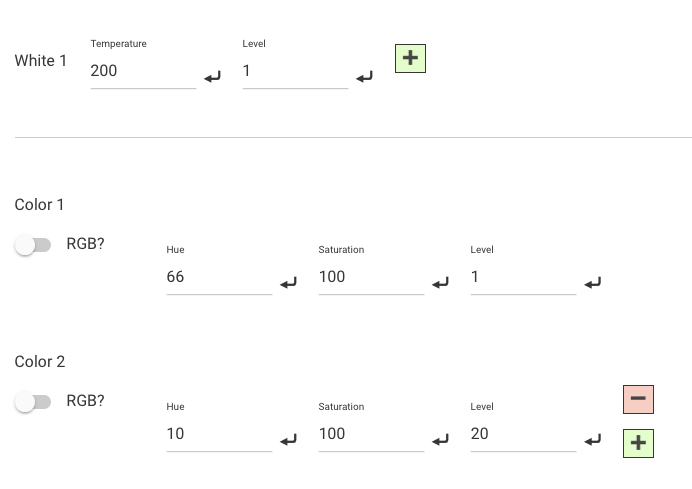
Again, you can add and remove these as desired.
Finally, this all comes together in a table where you click on a cell to set the action based on the hub's mode.
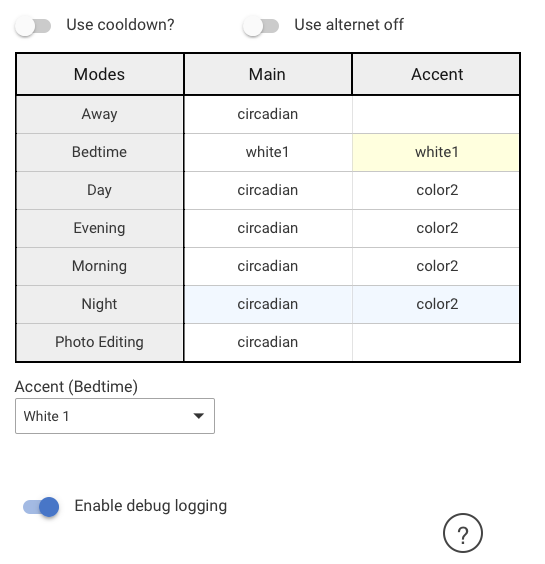
Here you can set the values by clicking on a cell (yellow). The current mode is highlighted in blue. It is very quick to change the configuration or setup a new room.
In this example, you can see that I mostly use the special circadian mode. In the first image at the top of the post you can see what that value is (color, level, and hue).
I don't have it setup at the moment, but I have also used theater and guest modes that are more interesting the photo editing mode only impacts my office and central wiring closet / laser cutter room. The rest of the house is typically in circadian.
The final tab is the circadian configuration. Here you can set times for the lights to fade levels and color temps.
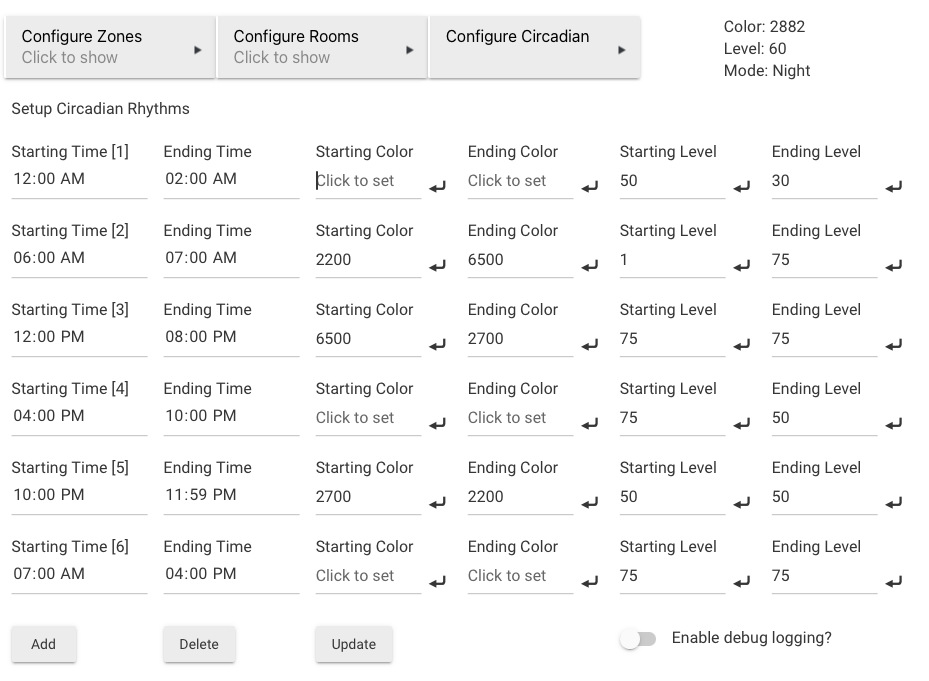
This is my least favorite section, but it works for now. You can see that you can change the light's level and color temp over time, or just one of those (level, color temp).
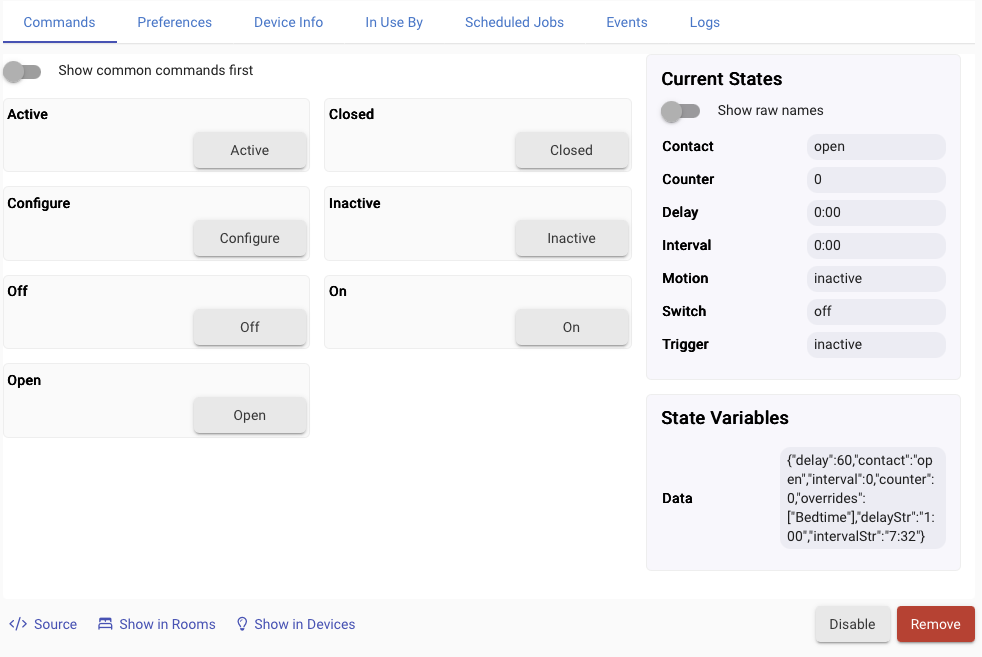
The last part is a driver you can reach from the zone page. This handles how the motion triggers behave. Here you can manually trigger the motion and contact events.
The preferences allows you to control how long the lights stay on and even setup individual delays based on mode.
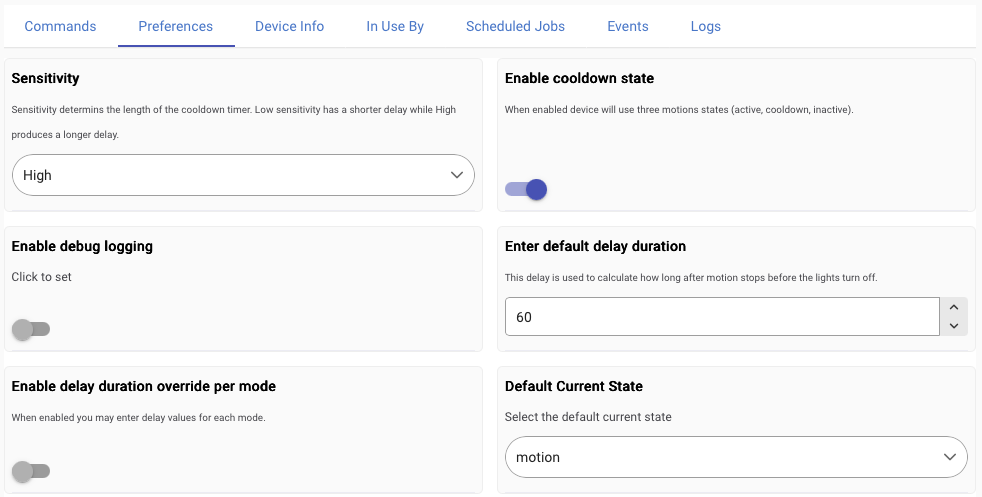
This is a very quick overview. There are a bunch more in the details.
So, is there any interest in having this published, or are there already too many lighting apps out there?

