This was one of my first rules, but I don't understand why the (Required Expression false) is shown in bright red. Obviously the time is not within the timeframe. But I have other rules in which the expression is false and it doesn't display it in red letters. Any idea why this rule is showing the false expression in red? Just curious.
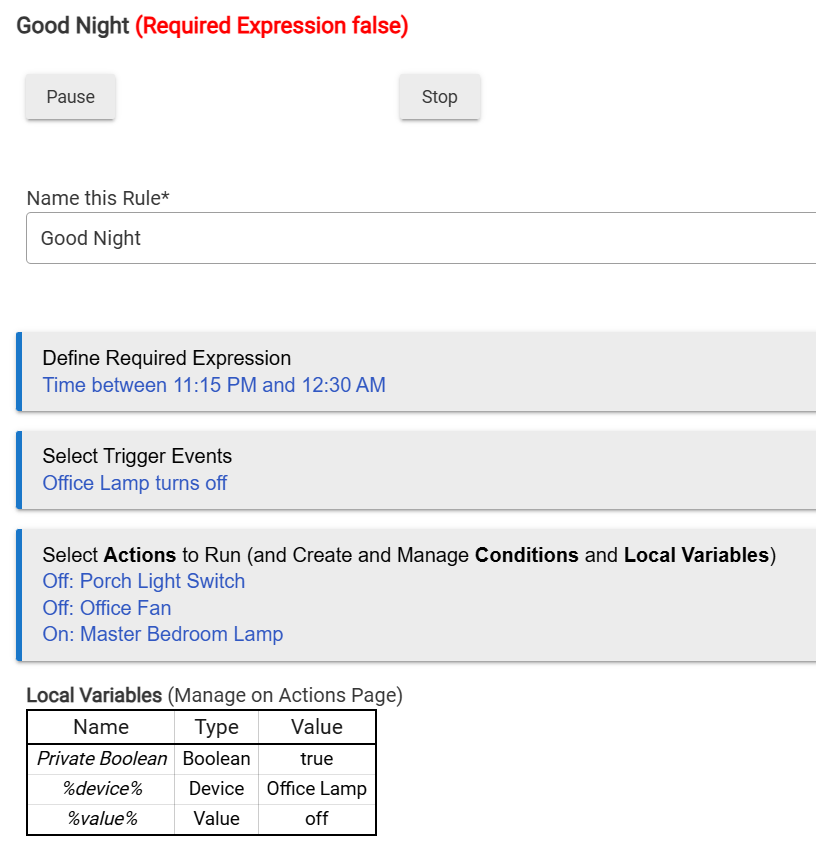
This is normal and expected. I'm not sure why your others wouldn't be. Can you share an example?
3 Likes
With respect to the other rules you mention, are you by chance looking at those statuses from the listing of rules on the Apps page?
If so, realize that the Apps page (like the Device page) isn't dynamic, so if you've had it open/unrefreshed for a while, it may not reflecting current status info.
2 Likes
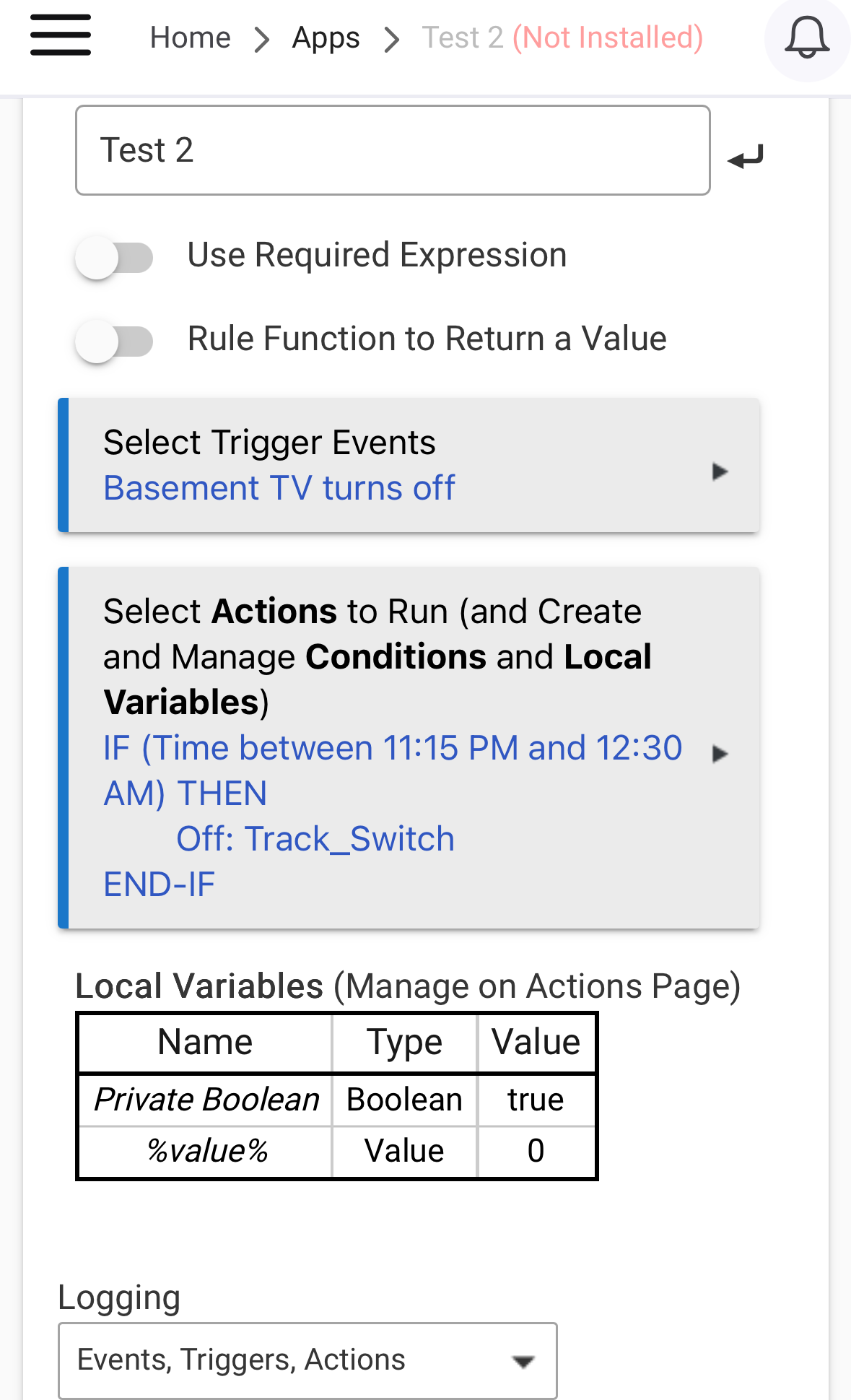
That should work perfectly fine too.
Required Expressions (REs) are useful when the trigger event occurs frequently, but many/most of those occurrences wouldn't be applicable to that particular rule.
In that sense, think of REs as gatekeepers for when the rule is "live"... If the RE is false, then it's as if the rule doesn't even exist on your hub. When the RE is true, the rule is live and all corresponding trigger occurences are fair game.
With no RE, every trigger occurrence would fire the rule... In your example above, that first conditional would then shut the rule down right away if it's false, but the rule still fires overall.
In the grand scheme of things, a rule firing with every trigger is not generally a signifcant drain on the hub, but I like to minimize all/any unecessary hub activity/traffic as much as I can, so if an RE can help do that, then I'll use it.
ETA -- in the particular example we're discussing here from the OP, I could take or leave using a RE... A lamp or a TV turning off isn't a frequent or rapid-fire occurence, so I wouldn't sweat trying to gatekeep that particular trigger. so either approach (OP's example and yours) should work perfectly fine.
6 Likes
Thanks for the info.
1 Like
This topic was automatically closed 365 days after the last reply. New replies are no longer allowed.