How do I create one
?
Look for “Repeat”
Something like this.
Just knocked this up quickly to give you an idea.
What are you trying to do?
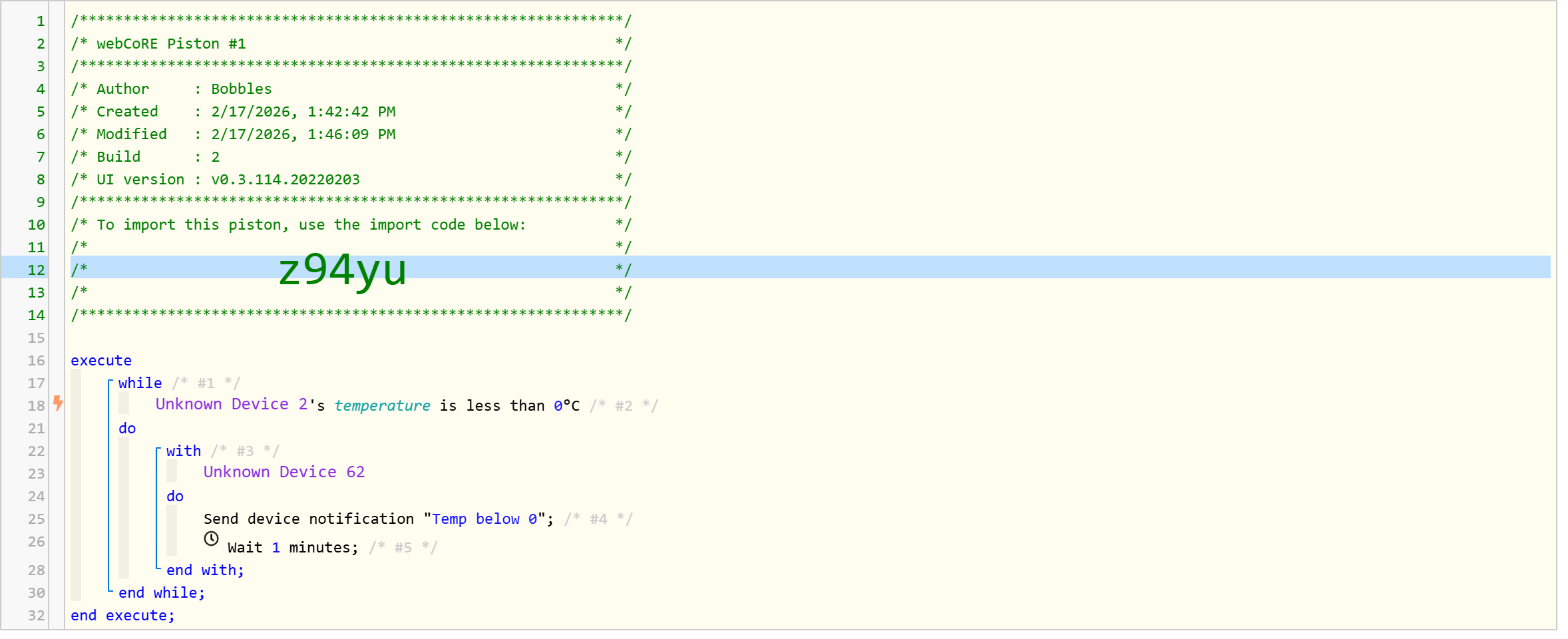
This sends a notification every minute WHILE temperature is less than 0 C.
Trying to create a loop of changing lights with a start and end time turning them off at the end
Don’t understand your use case.
Think you could express it as steps in words, like:
While x is y
Do this
Do that
Until something is Z
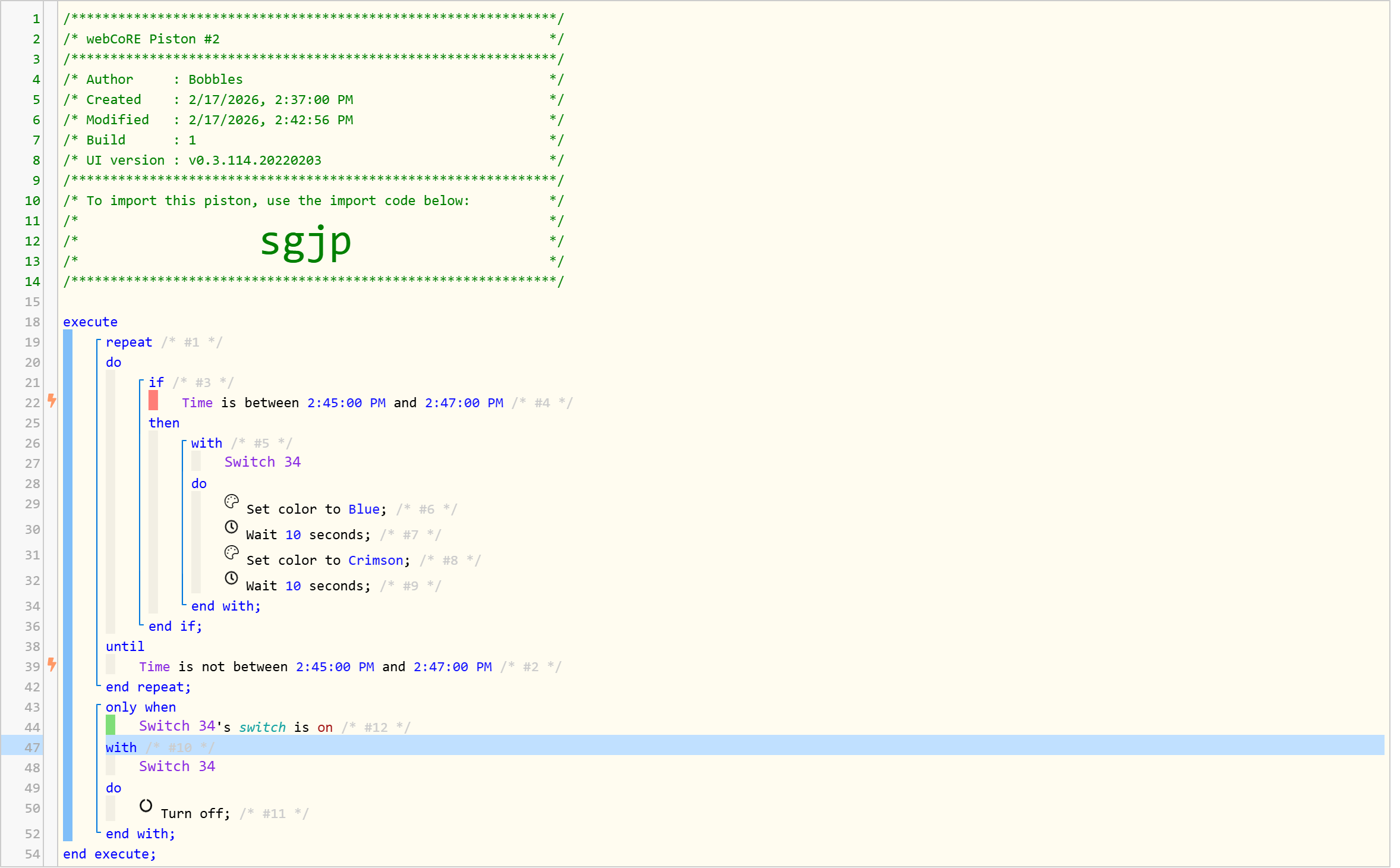
You are probably better off creating a device array variable, and using a for each device loop inside of a while, but I have no idea what you are actually doing.
As far as creating those, you have to check "Show Advanced Statements" in the Options dropdown for those to be an option.
I cannot find a "repeat" option all I get is this so far and it hangs on the last colour and wont turn off at the end
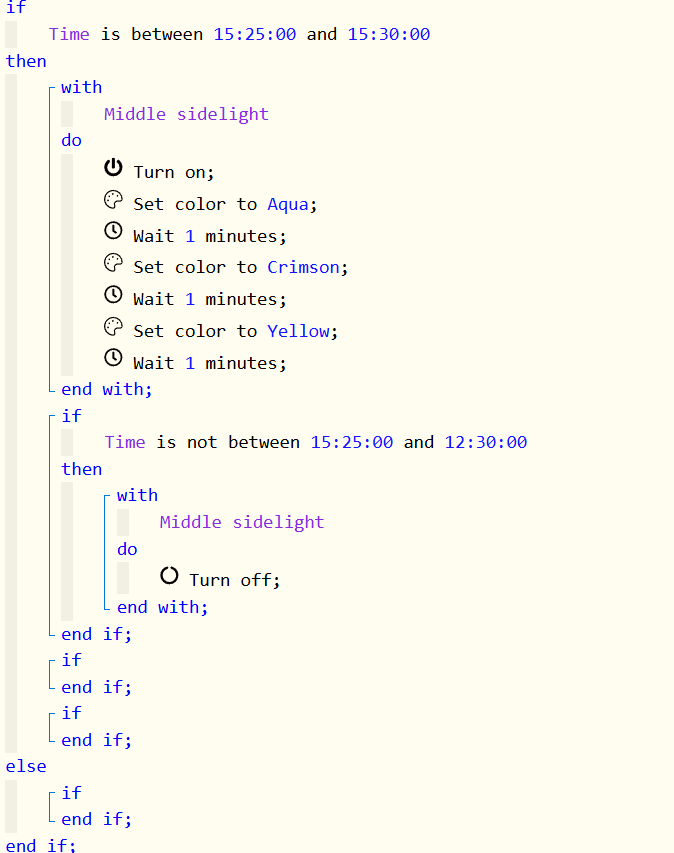
I have been trying for 2 days to get a while block without any success and the same with "show advanced statements"
Do you have advanced statements 'ticked'.
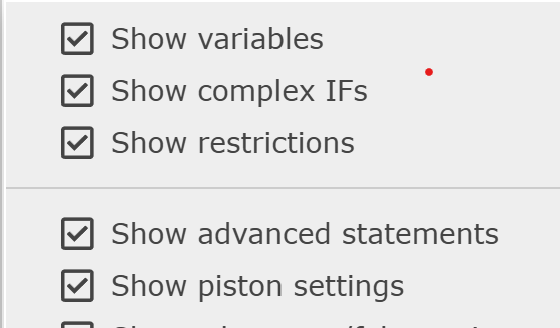
Nowhere can i find advanced statements, whether in the built in Hubitat app or the standalone Webcore app in any of the settings
So you have 'Show Advanced Statements' ticked but this list does not show up when you click on 'Add a new statement.
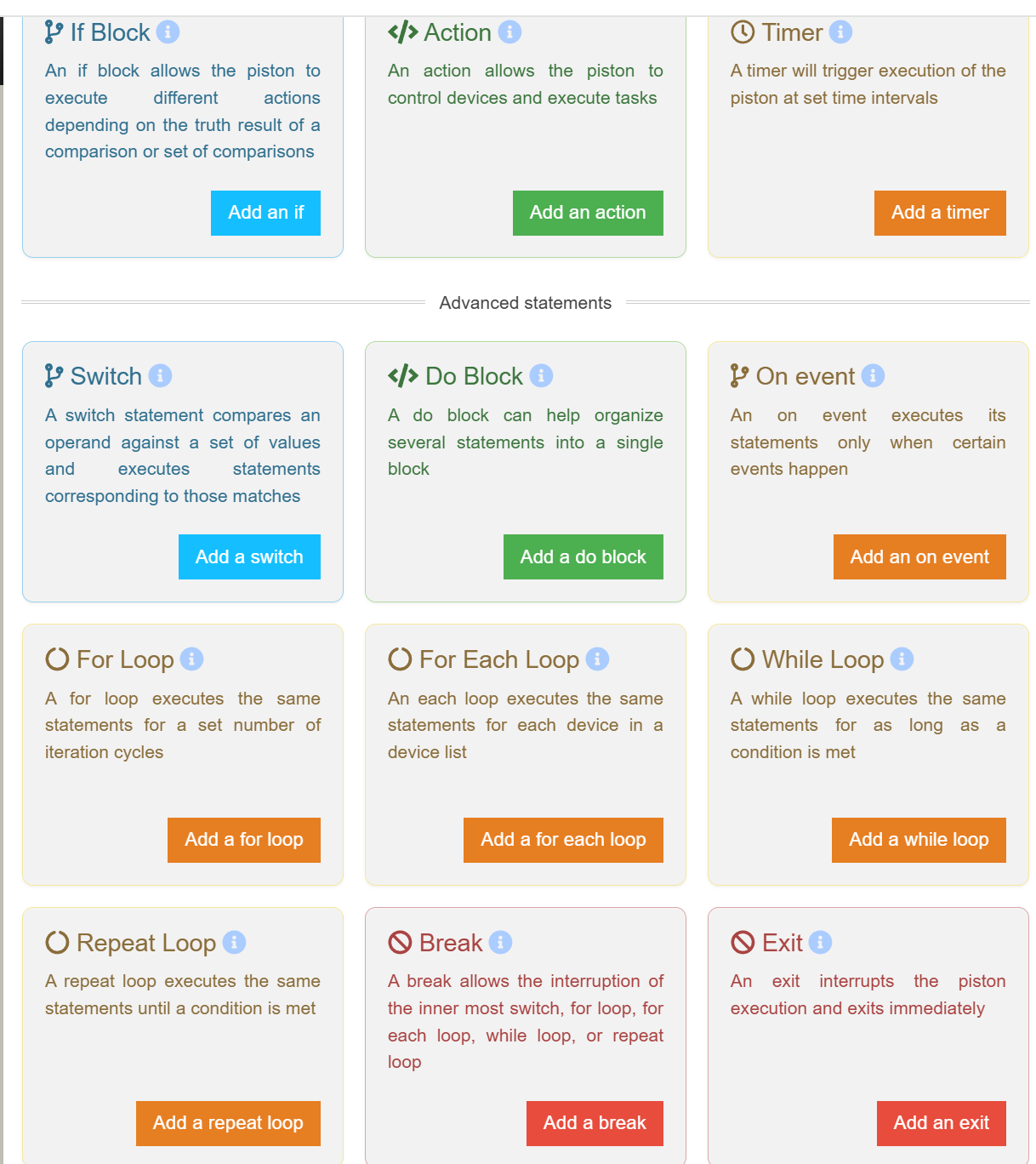
Never seen that anywhere?
Sorry to repeat myself but do you have Show Advanced Statements ticked?
I can't fand advanced statements anywhere in settings
Put a piston in 'Edit'.
Top right you will see options.
You should then see the options that I have posted in a screenshot above.
You should then see the advanced statements if it is ticked as indicated above.
I dong't get the picture you sent but I got this and enabled them all, this is the furthest I've got for days
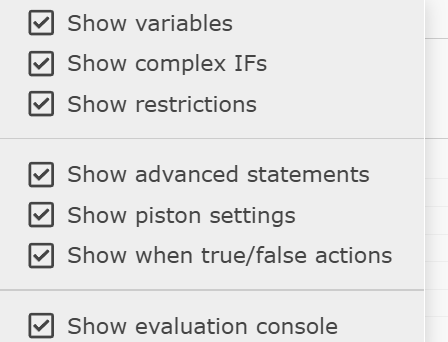
You should see all the options now.
Personally I don't have the 'Show when true/false actions' ticked as I don't use it and it just adds a bit more 'clutter' to the piston.
Never use the evaluation console either so I leave that unticked.
I'll sort that out later, I'll come back if I encounter further difficulties as I move forwards
Thank you
1 Like