I recently purchased an Aqara Z1 Pro wall switch (5-gang version with a slider control). The driver I have is “Generic Zigbee Multi-Endpoint Switch.” I am able to successfully use 3 of the top buttons, but not the bottom button or the slider. I want to use the slider as a scene controller to dim a chandelier. Which driver should I use, and how do I map the device to dim the chandelier?
That seems very specific, a generic driver is not going to do it. The bottom button must use custom endpoints that are not seen by the generic driver. The slider is never going to be added as a switch, if anything it would need to be added as a dimmer, or some other capability that provides a slider (like audio volume).
I suggest you try your luck with AI to get a driver working for this. Explain how the first three buttons work with the generic multi-endpoint switch driver, that the fourth one does not, and that the slider needs the level capability to set a level attribute.
If you get it working, you will have basically a virtual dimmer device for the slider, that will set a level attribute but not actually do anything. You would need to add a rule, so that when the Z1 level changes, set the chandelier level to the Aquara Z1 level value.
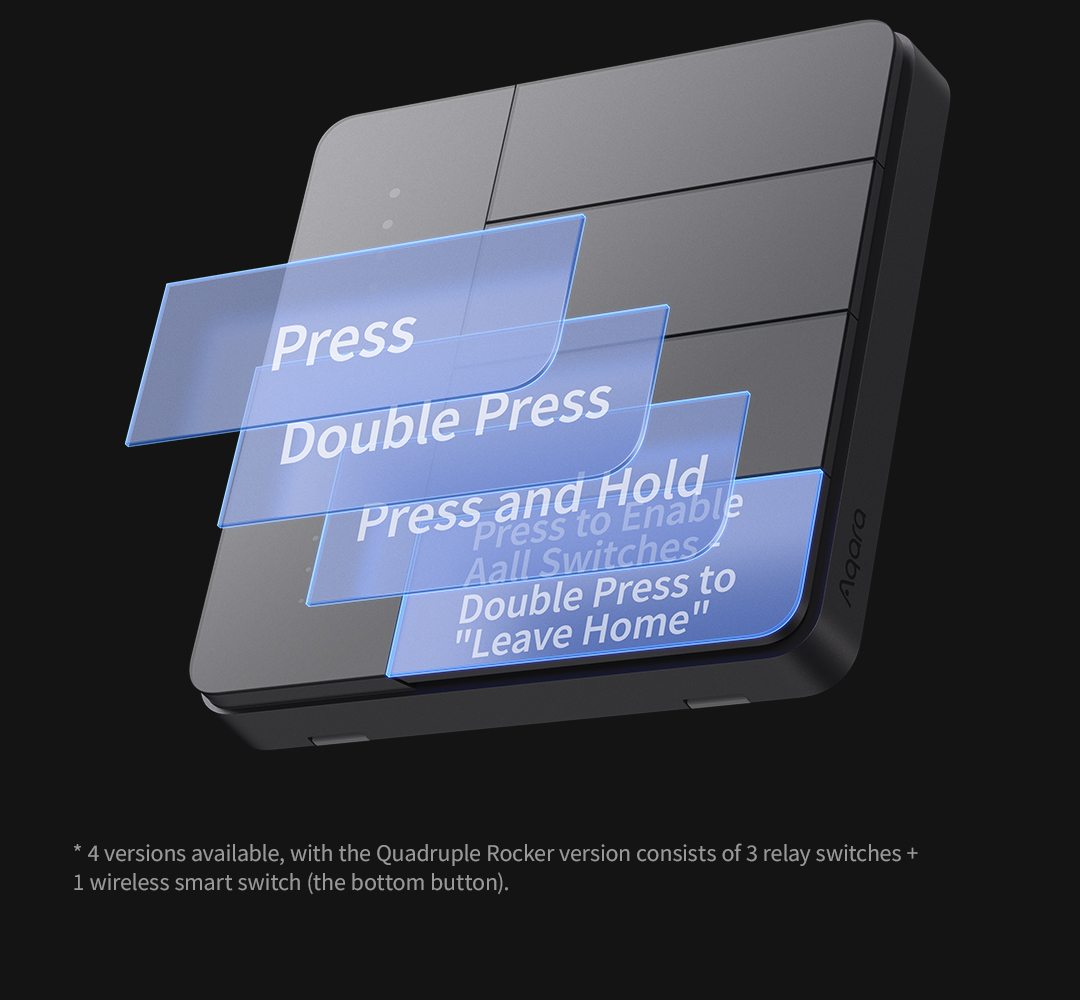
Edit: I just looked at that device, it explains that the bottom button is not a switch, but a button. It would need the pushed, held, and doubleTapped capabilities and those attributes added to the driver.
I gave it a quick shot using this prompt:
"Write a Hubitat Elevation driver for the Aquara Z1 Pro device found at
https://www.aqara.com/en/product/smart-wall-switch-z1-pro-sea/
The first three buttons work with standard endpoints with a generic zigbee multi-endpoint switch driver. The third button needs to be added as a button, with the push, held, and doubletapped capabilities added. The slider should be added as a level capability, to act like a virtual dimmer that will set a level attribute in the driver when it is changed on the device."
It will most likely not work out of the box. Use your favorite AI chat bot to post the code back in along with any errors from the logs, and have it fixed. Repeat until it works. I used DeepSeek.
Edit2: Nope, for sure won't work it missed the button capabilities and attributes. I had it add those.
Edit3: Ooops, I didn't tell it to make child switches for the the first three buttons. I had it do that. Anyway, you get the idea. Go back and forth with AI until it works.
edit4: Preformatted Text isn't working right on the updated community code.
/**
 * Aqara Z1 Pro Parent Driver
 *
 * Creates child devices:
 * - Endpoints 1, 2, 3 -> standard switches
 * - Endpoint 4 -> button (pushed/doubleTapped/held)
 * - Slider (endpoint 21) updates parent level
 */
metadata {
    definition (name: "Aqara Z1 Pro Parent", namespace: "custom", author: "Your Name") {
        capability "Configuration"
        capability "Refresh"
        capability "Level"               // from slider (read‑only)
        attribute "level", "number"
    }
    preferences {
        input name: "logEnable", type: "bool", title: "Enable debug logging", defaultValue: true
        input name: "txtEnable", type: "bool", title: "Enable descriptionText logging", defaultValue: true
    }
}

// -------------------------------------------------------------------
// Lifecycle & child creation
// -------------------------------------------------------------------
def installed() {
    log.debug "installed()"
    sendEvent(name: "level", value: 0, unit: "%")
    updated()
}

def updated() {
    if (logEnable) {
        log.warn "Debug logging enabled for 30 minutes"
        runIn(1800, "logsOff")
    }
    configure()
    createChildren()
}

def logsOff() {
    log.warn "Debug logging disabled"
    device.updateSetting("logEnable", [value: "false", type: "bool"])
}

def createChildren() {
    // Endpoints 1, 2, 3: Switch children
    [1, 2, 3].each { ep ->
        def child = getChildDevice("${device.deviceNetworkId}:ep${ep}")
        if (!child) {
            child = addChildDevice("custom", "Aqara Z1 Pro Switch Child", "${device.deviceNetworkId}:ep${ep}", [
                name: "${device.displayName} Switch ${ep}",
                isComponent: false
            ])
            log.info "Created switch child for endpoint ${ep}"
        }
    }
    // Endpoint 4: Button child
    def childButton = getChildDevice("${device.deviceNetworkId}:ep4")
    if (!childButton) {
        childButton = addChildDevice("custom", "Aqara Z1 Pro Button Child", "${device.deviceNetworkId}:ep4", [
            name: "${device.displayName} Button 4",
            isComponent: false
        ])
        log.info "Created button child for endpoint 4"
    }
}

// -------------------------------------------------------------------
// Zigbee configuration (bind & report)
// -------------------------------------------------------------------
def configure() {
    log.info "Configuring parent device"
    List<String> cmds = []
    // Endpoints 1,2,3 – On/Off cluster (0x0006)
    [1, 2, 3].each { ep ->
        cmds.add "zdo bind 0x${device.deviceNetworkId} ${ep} 0x01 0x0006 {${device.zigbeeId}} {}"
        cmds.add zigbee.configureReporting(0x0006, 0x0000, 0x10, 0, 30, [destEndpoint: ep])
    }
    // Endpoint 4 – Multistate Input cluster (0x0012) for button
    cmds.add "zdo bind 0x${device.deviceNetworkId} 4 0x01 0x0012 {${device.zigbeeId}} {}"
    cmds.add zigbee.configureReporting(0x0012, 0x0055, 0x20, 0, 30, [destEndpoint: 4])
    // Endpoint 21 – Analog Input cluster (0x000C) for slider
    cmds.add "zdo bind 0x${device.deviceNetworkId} 21 0x01 0x000C {${device.zigbeeId}} {}"
    cmds.add zigbee.configureReporting(0x000C, 0x0000, 0x29, 0, 30, [destEndpoint: 21])
    sendHubCommand(new hubitat.device.HubMultiAction(delayBetween(cmds, 100), hubitat.device.Protocol.ZIGBEE))
}

// -------------------------------------------------------------------
// Parse incoming Zigbee – route to children or update parent level
// -------------------------------------------------------------------
def parse(String description) {
    if (logEnable) log.debug "Parent parse: ${description}"
    def descMap = zigbee.parseDescriptionAsMap(description)
    if (!descMap) return

    def ep = descMap.endpoint?.toInteger()
    if (ep == null) return

    // On/Off reports from endpoints 1,2,3 → send to child switch
    if (descMap.clusterInt == 0x0006 && descMap.attrInt == 0x0000 && (ep == 1 || ep == 2 || ep == 3)) {
        def child = getChildDevice("${device.deviceNetworkId}:ep${ep}")
        if (child) {
            def state = (descMap.value == "01") ? "on" : "off"
            if (txtEnable) log.info "Endpoint ${ep} turned ${state}"
            child.sendEvent(name: "switch", value: state)
        }
    }
    // Button events from endpoint 4 → send to child button
    else if (descMap.clusterInt == 0x0012 && descMap.attrInt == 0x0055 && ep == 4) {
        def child = getChildDevice("${device.deviceNetworkId}:ep4")
        if (child) {
            def btnVal = Integer.parseInt(descMap.value, 16)
            switch (btnVal) {
                case 1:  child.sendEvent(name: "pushed", value: "pushed"); break
                case 2:  child.sendEvent(name: "doubleTapped", value: "doubleTapped"); break
                case 255: child.sendEvent(name: "held", value: "held"); break
                default: if (logEnable) log.debug "Unknown button value: ${btnVal}"
            }
        }
    }
    // Slider on endpoint 21 → update parent level
    else if (descMap.clusterInt == 0x000C && descMap.attrInt == 0x0000 && ep == 21) {
        def rawVal = Integer.parseInt(descMap.value, 16)
        def level = Math.min(rawVal, 100)
        if (txtEnable) log.info "Slider level = ${level}%"
        sendEvent(name: "level", value: level, unit: "%")
    }
    else if (logEnable) {
        log.debug "Unhandled: ep ${ep}, cluster ${descMap.clusterId}"
    }
    return []
}

// -------------------------------------------------------------------
// Commands received from child switches (turn on/off)
// -------------------------------------------------------------------
def on(Integer ep) {
    if (txtEnable) log.info "Turning ON endpoint ${ep}"
    zigbee.on([destEndpoint: ep])
}
def off(Integer ep) {
    if (txtEnable) log.info "Turning OFF endpoint ${ep}"
    zigbee.off([destEndpoint: ep])
}

// -------------------------------------------------------------------
// Refresh – read all current states
// -------------------------------------------------------------------
def refresh() {
    List<String> cmds = []
    [1, 2, 3].each { ep ->
        cmds.add zigbee.readAttribute(0x0006, 0x0000, [:], [destEndpoint: ep])
    }
    cmds.add zigbee.readAttribute(0x0012, 0x0055, [:], [destEndpoint: 4])
    cmds.add zigbee.readAttribute(0x000C, 0x0000, [:], [destEndpoint: 21])
    sendHubCommand(new hubitat.device.HubMultiAction(delayBetween(cmds, 100), hubitat.device.Protocol.ZIGBEE))
}

// The slider is read‑only; setLevel is a no‑op
def setLevel(val) {
    log.warn "setLevel() not supported – slider is input only"
}
/**
 * Child device for Aqara Z1 Pro endpoints 1,2,3 (relay switches)
 */
metadata {
    definition (name: "Aqara Z1 Pro Switch Child", namespace: "custom", author: "Your Name") {
        capability "Switch"
        capability "Refresh"
    }
}

def on() {
    // Extract endpoint number from child's DNI (e.g., "00:11:22:33:44:55:66:77:ep2")
    def ep = this.device.deviceNetworkId.split(":ep")[-1] as Integer
    parent.on(ep)
}

def off() {
    def ep = this.device.deviceNetworkId.split(":ep")[-1] as Integer
    parent.off(ep)
}

def refresh() {
    parent.refresh()
}

def parse(String description) { }
/**
 * Child device for Aqara Z1 Pro endpoint 4 (wireless button)
 */
metadata {
    definition (name: "Aqara Z1 Pro Button Child", namespace: "custom", author: "Your Name") {
        capability "PushableButton"
        capability "HoldableButton"
        capability "DoubleTapableButton"
        attribute "numberOfButtons", "number"
    }
}

def installed() {
    sendEvent(name: "numberOfButtons", value: 1)
}

// Optional simulation methods
def push() {
    sendEvent(name: "pushed", value: "pushed")
}
def hold() {
    sendEvent(name: "held", value: "held")
}
def doubleTap() {
    sendEvent(name: "doubleTapped", value: "doubleTapped")
}

def parse(String description) { }
I’m not exactly clear on what you are saying in your edits. Is there a particular code that will work?
What is posted now is the parent driver, and the child drivers for the buttons and the slider. You would need all three drivers saved in driver code, but the parent should install the proper child devices when you press initialize in the parent device, after choosing and saving the new parent driver in device info, on the paired device you need the driver for.
I'm sure a bit of back and forth is still needed with AI to get it to work, but I just was wondering what it would spit out, so this is just the start of an AI driver, you would need to get AI to fix any errors based on debug logs this might generate when initialize, or when using the device.
I still had that tab open for DeepSeek, so here are instructions:
Installation & Pairing
- Create all three drivers in Hubitat:
- Parent:
Aqara Z1 Pro Parent - Switch Child:
Aqara Z1 Pro Switch Child - Button Child:
Aqara Z1 Pro Button Child
- Pair the Z1 Pro – when discovered, assign the Parent driver.
- Click “Configure” on the parent – it will automatically create:
Switch 1Switch 2Switch 3Button 4
- Use them :
- Toggle any physical rocker → corresponding child switch updates and can control the load.
- Press the wireless button (fourth) → child button sends
pushed,doubleTapped, orheld. - Slide the touch slider → parent
levelattribute changes (0‑100%).
I followed your instructions, but unfortunately there was no response in the live log when pressing buttons, or using the slider. However, leaving everything else equal, I decided to switch the parent driver to Zemismart ZigBee Wall Switch Multi-Gang. I now get a response in the live log for all switches and the bottom button, but still nothing for the slider.