The Soner will allow you to set a minimum fan time per hour, and will let you set ‘fan on’ for up to 2 hours then go back to automating. I would like to make a switch on the hub its dashboard that turns the fan on for 6 hours then goes back to automating. During that time I would still like the cover to heat or cool when required. Basically it makes the 2 hour fan a 6 hour fan instead but everything else keeps running like usual.
I’m struggling to figure out how to make this work in web core and with w the ecobee suite package. Has anyone done something similar before? Thanks!
if fan mode is ON, will it still turn on heat or AC when required?
I was hoping there was some kind of "wait X hours" option in webcore. I can't see anything like that. But my plan was to make a virtual switch trigger this, then make the piston automatically shut off that switch after 6 hours or something too.
My understanding is that having the fan on does not alter any heat/cool operation, though I have not done any testing as extreme as 6 hours.
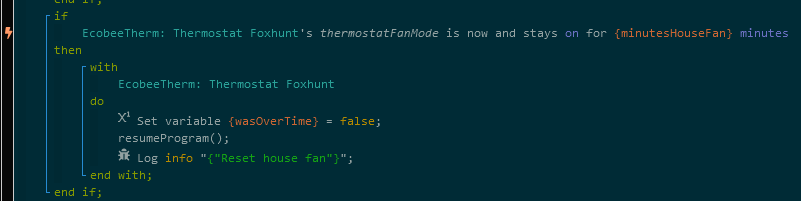
The auto shutoff in webCoRE is a straightforward if/then statement. Here is the exact snippet that I use (with extra commands to set a variable and log data).