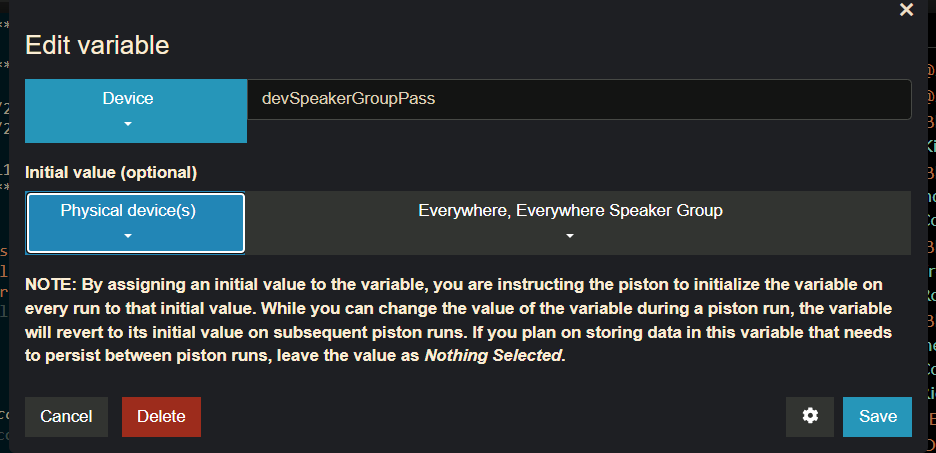
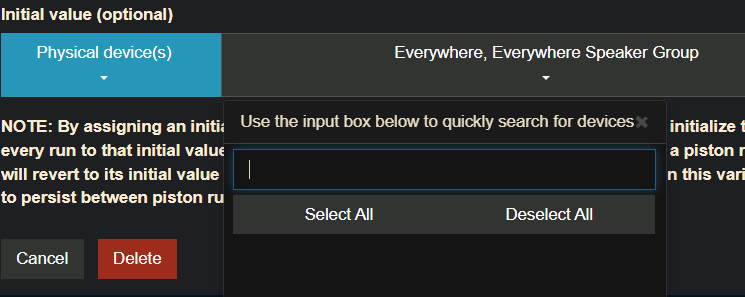
Windows 10, Firefox 145.0.2
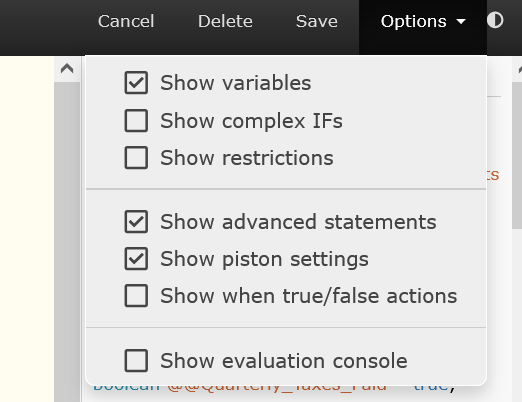
But piston settings are not shown.
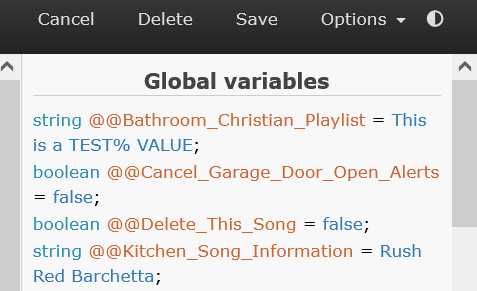
Windows 10, Firefox 145.0.2
But piston settings are not shown.
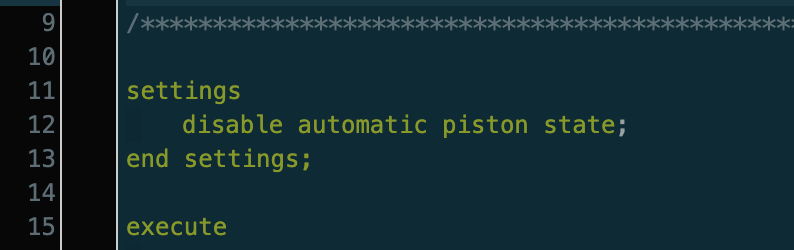
Thanks for the screenshots! I haven't used piston settings in a long time but I think that may be normal. For me it enables a "settings" line above the piston code that you can click to configure the piston name, description, and automatic state message:
The area in your second screenshot normally shows additional options, but only when a statement is selected:
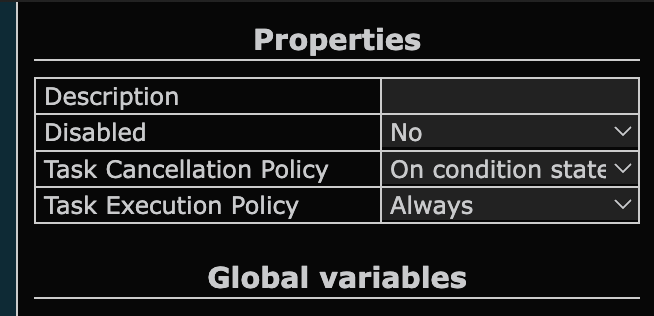
I'm an idiot. Not having a statement selected was my issue. Sorry for the chatter....
The recent fix for multi-select dropdowns in Chrome 143 is now published to https://dashboard.webcore.co, please let me know if anything seems amiss on other platforms and devices.
@ipaterson on Firefox, the drop down list isn't working, it only scrolls to what's visible on the page, I can't scroll to all my devices, I have to use the white box and type devices in manually to see them if they start after the letter D.
Browser version, OS, and device please?
Sorry, yes of course. Windows 11
Firefox 145.0.2 (20251124145406)
Actually doesn't go passed letter B.
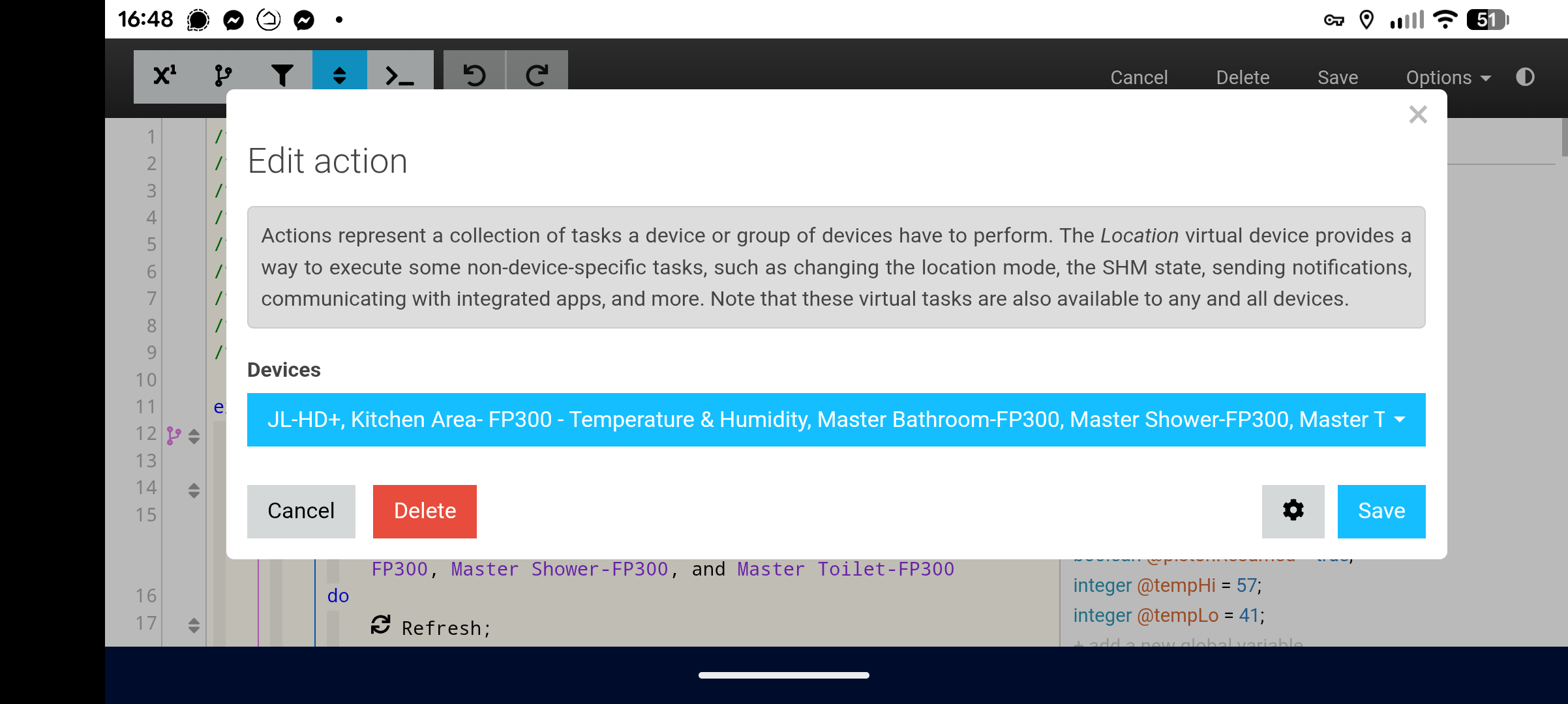
Selecting a device in "Only If" doesnt work, nor in "IF", In "Then" action it works and scrolls fully, unless within "Then" an "If" is chosen, then doesnt scroll.
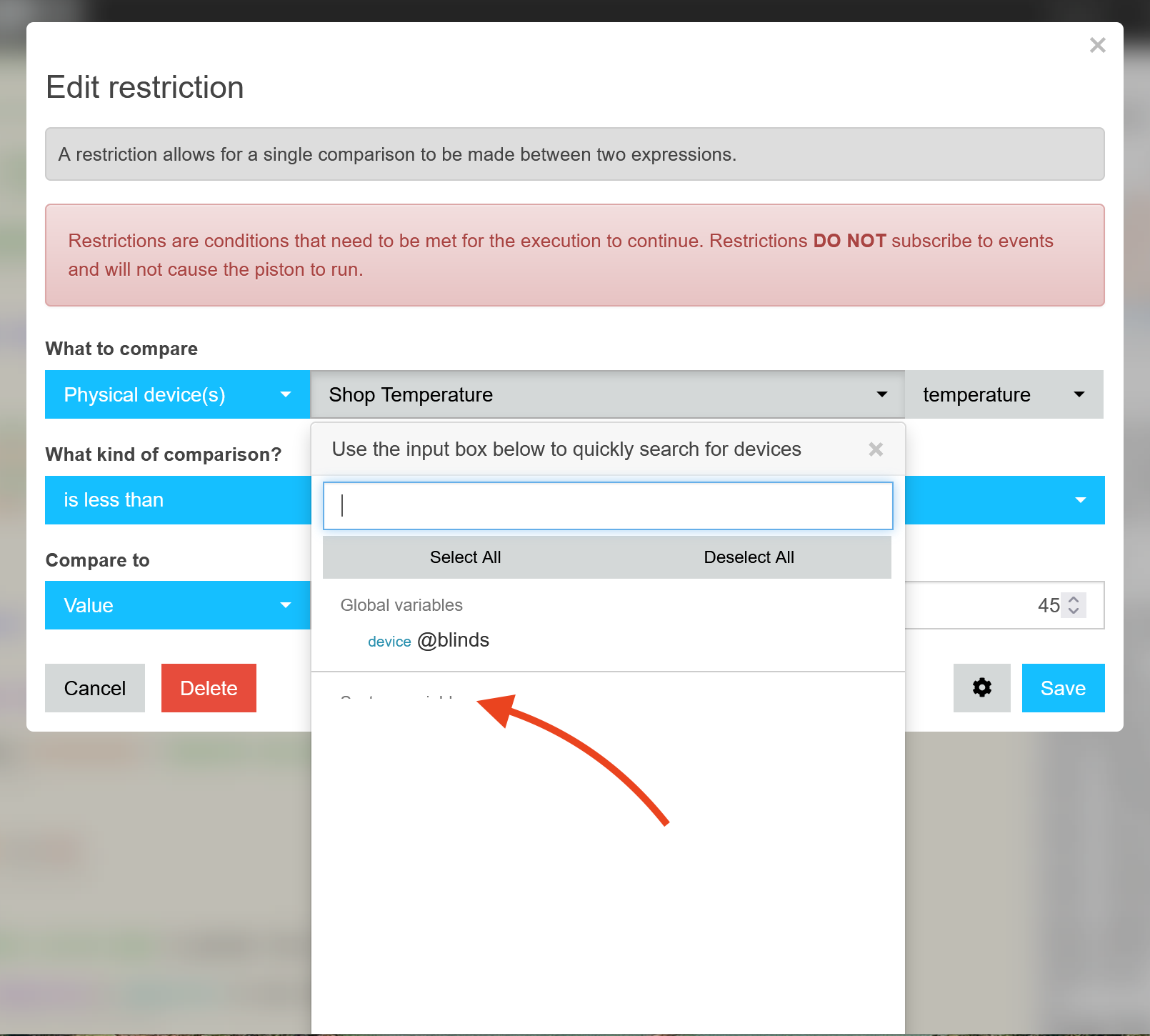
I haven't been able to get Firefox to break scrolling in that way on Windows, but I am seeing other issues with small screens. In this example the dropdown is mostly empty with just a small scrollable section at the top.
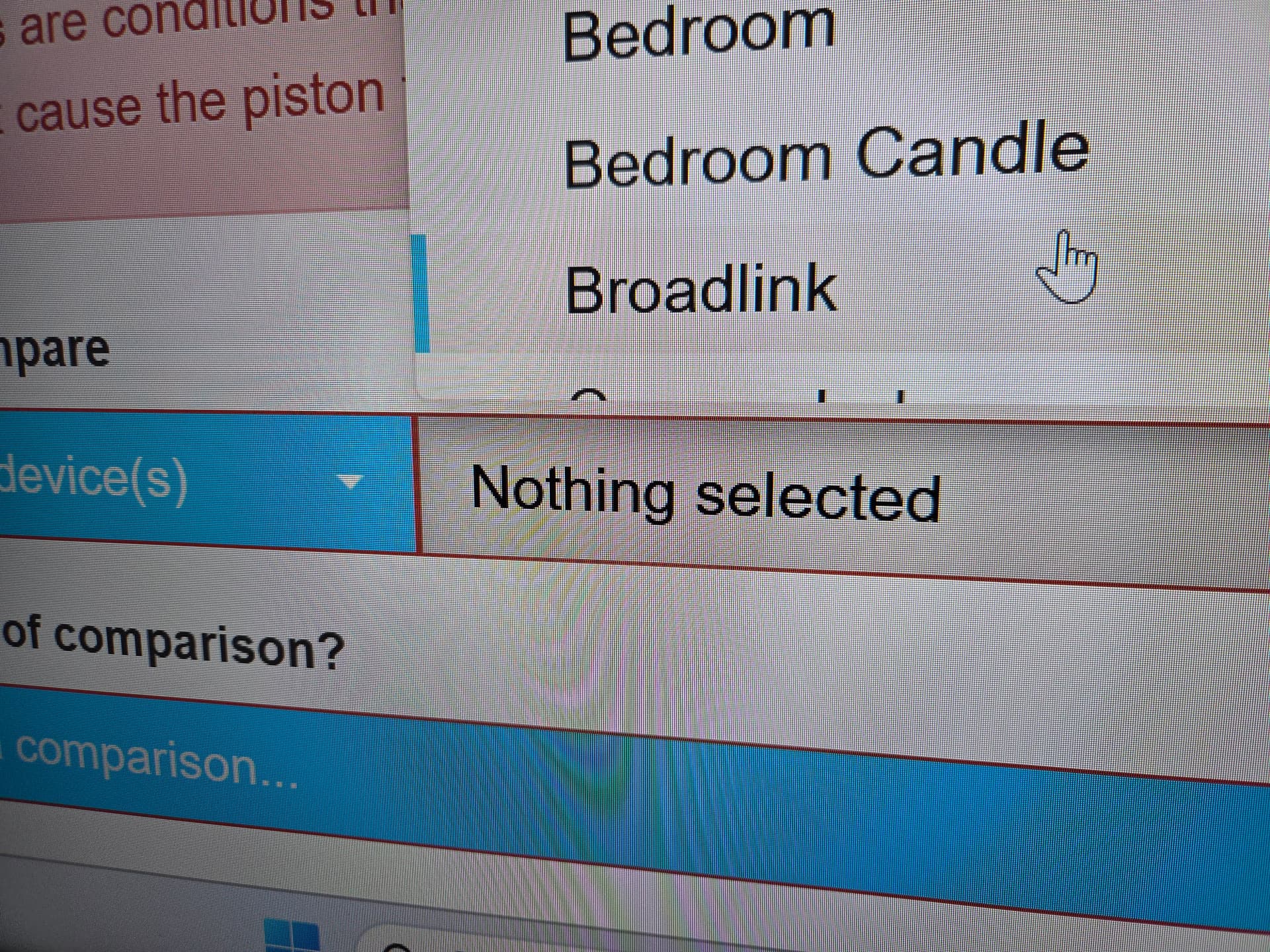
@Greenwave I pushed a fix for this to staging.webcore.co and there is a chance that it could be related to your glitch as well. If it still does not work for you on staging would you please DM me a full screenshot? There is a lot of uncertainty from that tight crop but since the dropdown is above the "Nothing selected" toggle I'm operating under the assumption that you are using webCoRE in a relatively small browser window.
I'm still seeing issues when trying to pick from a list on Chrome with Android 16 on my Pixel 10 Pro XL. When tapping on the list it just continues to add devices randomly.
I suggest posting this in the dedicated webcore forum - there are some ridiculously tallented people in there. 
thanks
Tim
@Greenwave helped test out a solution for the inability to scroll the device dropdown on wide but short browser windows (around 500 pixels tall). It seemed to affect any browser and was caused by some mathematical issues in calculating the size of the dropdown. I updated the third party code powering that dropdown to the latest version and fixed some webCoRE styling that was still conflicting with it.
This has been published to https://staging.webcore.co/ and solved the problem for @Greenwave. However, updating code that was nearly a decade old to the latest version that is still over half a decade old could result in unforeseen issues. This update will chill on staging for a couple weeks to allow time to uncover any issues before it moves to the live dashboard.
Please let me know if you notice any new problems with dropdowns on https://staging.webcore.co/, particularly on mobile devices. As with all staging updates, you'll have to clear the browser's cache to get the latest code.
If you cleared your browser cache and tried https://staging.webcore.co and the dropdowns are still broken please reply to this thread or DM me. Otherwise drop a vote in this poll if all is well (vote only for the platforms you tested).
A reminder of some of the ways in which the dropdowns were broken after recent web browser updates that should be fixed on staging:
Empty space at the bottom of dropdown
No dropdown, clicks select random devices in Chrome 143
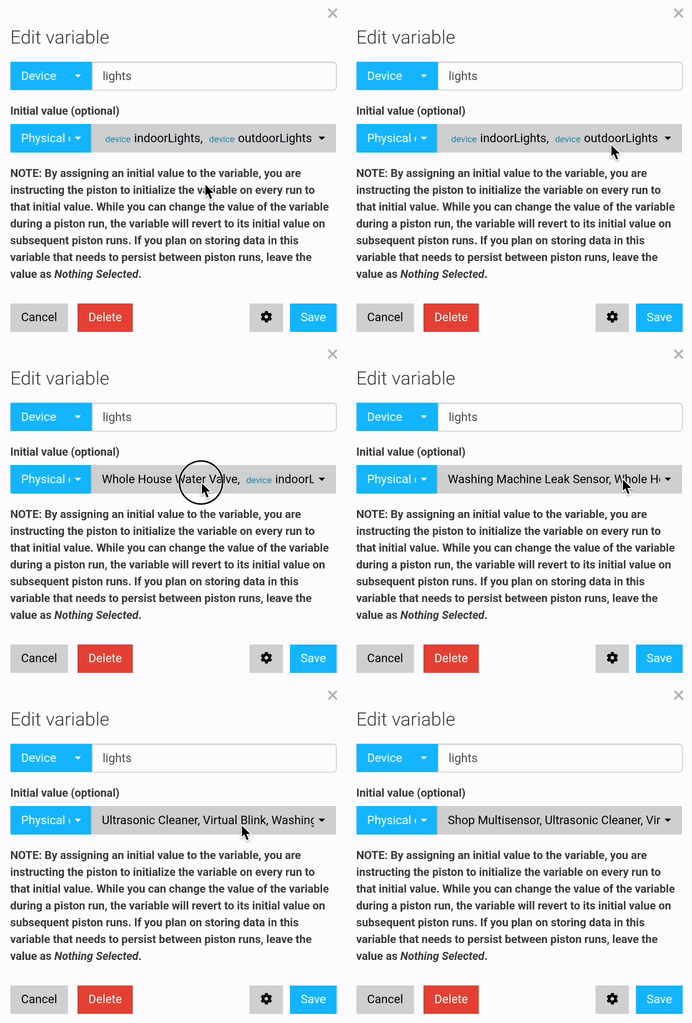
Not pictured:
I'm seeing issues with drop downs as well.
Device list drop down doesn't populate correctly. Only a couple show up. A search does find them.
I'm not seeing this on staging.
Any idea when you will get the changes you've made into the live (built-in) app on HE?
Thanks.
I want to get some feedback to the poll to have more confidence that the fix hasn't introduced worse problems, but definitely within 2 weeks.
For those who had trouble with device dropdowns in webCoRE recently there is an important update on https://staging.webcore.co that should resolve a few lingering dropdown issues but needs your help to test. If after clearing your browser cache the staging site looks good please complete this poll otherwise PM me if there are still issues with the dropdowns. @jonathan.lorber @Greenwave @Pantheon @dnickel @djh_wolf
all good here. voted.
All seems well here.
Thanks for testing, everyone. Dropdown improvements have been pushed to the live dashboard. There are still a lot of improvements that could be made for small screens but I'm out of steam aside from fixing glitches that make it unusable.
Well the mobile seems ok but I just rebooted the hub and now I have this.
The dropdowns don't work for anything. If I click on a triangle arrow I just get a selection box or a blank box on the piston screen, 3rd example.
Running on dashboard.webcore.co seems ok. Maybe it's still cached?
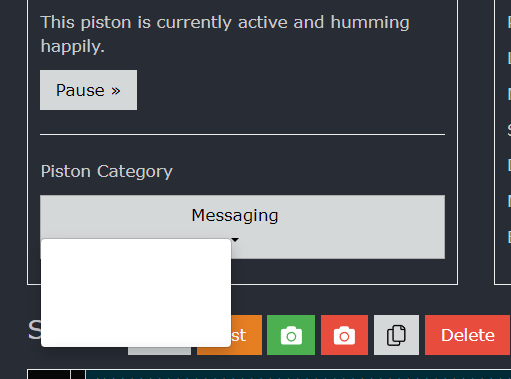
So if dashboard.webcore.co and mobile works and the staging site was working for you, what is the screenshot showing?
That seems like a good guess. Maybe your browser only updated part of the code since this change affected two different types of code. Rebooting the hub has no effect on your web browser, but if you can find a way to clear the web browser cache hopefully this should go back to normal.
Download the Hubitat app