Can I make a global array variable like @Music_Songs_Array?
Does not appear to be an option.
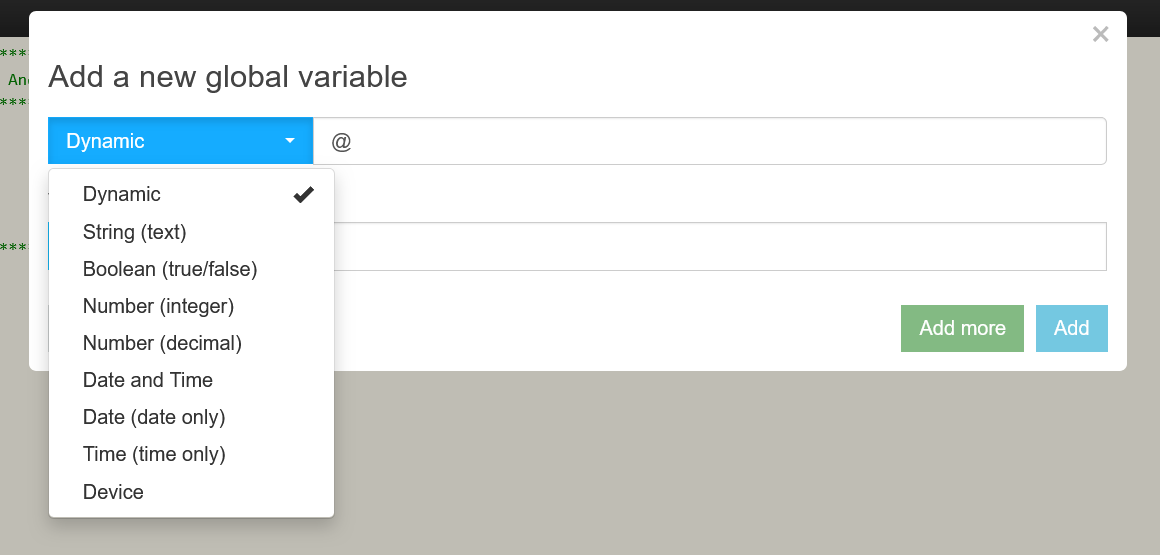
Yeah, that would be nice but it is not possible.
Only thing you can really do is save a json string in a global variable. That got me thinking about a json parser I wrote to parse csv files, so I played around with that today to make it parse a file into a json "list".
It will now also take a text file, and it will make each line a value in a json string, with a numbered key value that can act like an index for the data values.
I created a text file called AristTitle.txt and put it on the hub with file manager. It contains a test sample of what I believe is your format based on your other EOF read file post.
Artist1, Artist1B - Title1
Artist2 - Title2
Artist3 - Title3
The first line is to test for multiple artists with a comma being in the string.
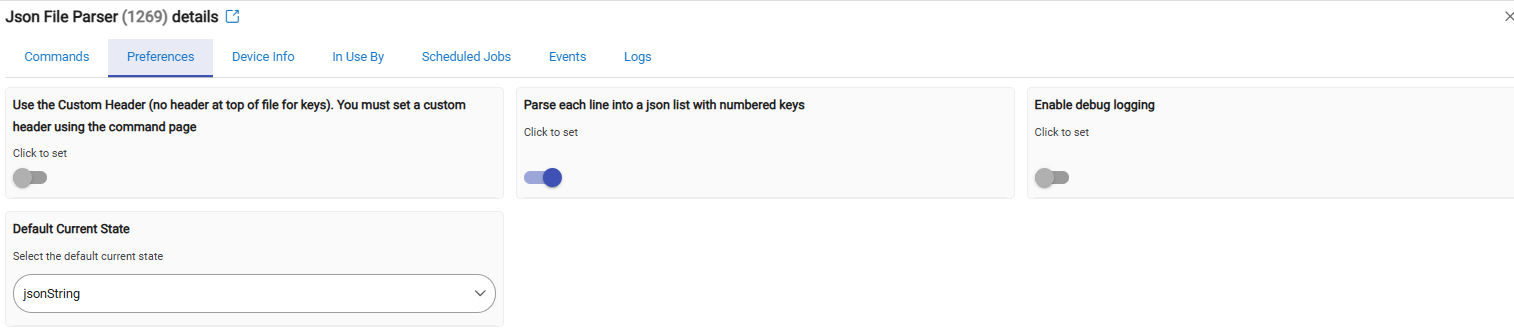
I added the preference to Parse each line into a list, so select that and save:
I put the file name in the Parse File command, and it parses it out to the string loaded from file manager and the json conversion
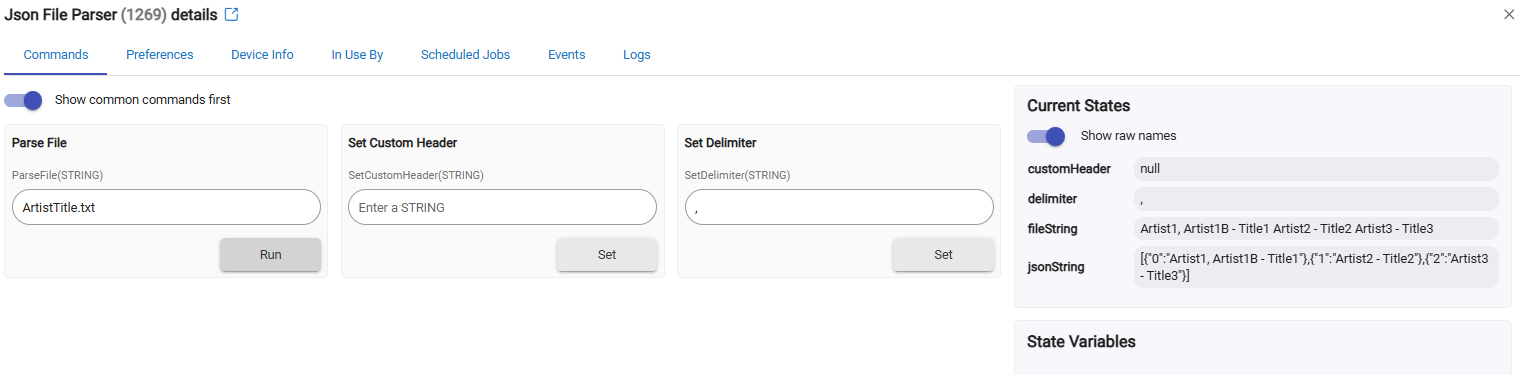

Now, you could just copy and paste the jsonString into a global variable.
On the Webcore side, you can just parse JSON data on the global variable. You could also just get the string attribute from the parser if you share the device with Webcore:
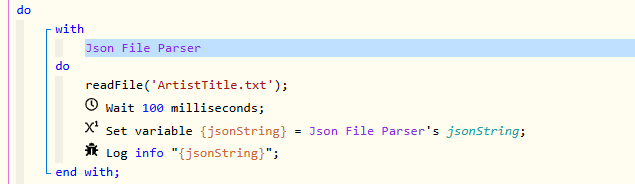
Wherever the string comes from, use the Webcore Parse Json Data to create $json.
Then you can pull an index with something like $json[0]. The only problem is that tags on the index and brackets.

So to clean it up just use replace to get rid of those characters at the same time:


You can also put it back into an array in Webcore by using a character index:
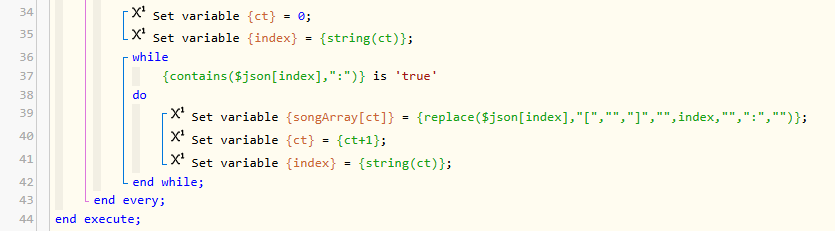

So yes, you can sort-of save an array of data in a global variable, just not an actual array.
It's a cold day here in VT, so I had some fun just playing around with this today. Totally up to you if you want to play around with it, or possibly use it.
This will save you eyes from what is in the screenshots and let you copy:
replace($json[0],"[","","]","","0","",":","")
1 Like

