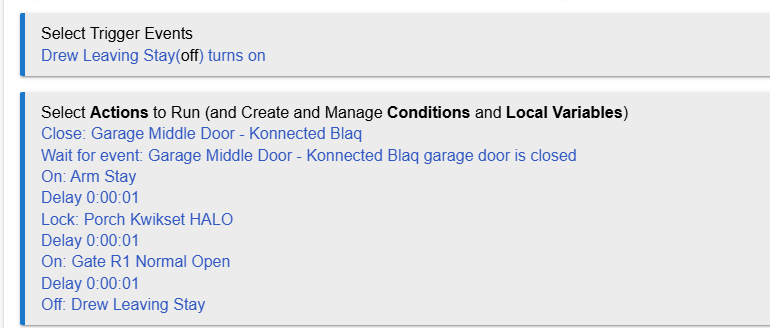
Super basic question, here and the documentation didn't specify this.
My "wait for event" is "garage door closed".
If my rule gets to this step and the garage door was already closed and has been closed for hours (i.e. I was parked outside), will this continue the flow, or does the rule need to see the door change from open to close to continue flow?
Ultimately, I'm creating a single virtual button that will close garage door, lock doors and arm alarm system.....however, my garage doors are on my alarm system, so I need to make sure it doesn't try to arm the system if the door is still closing.
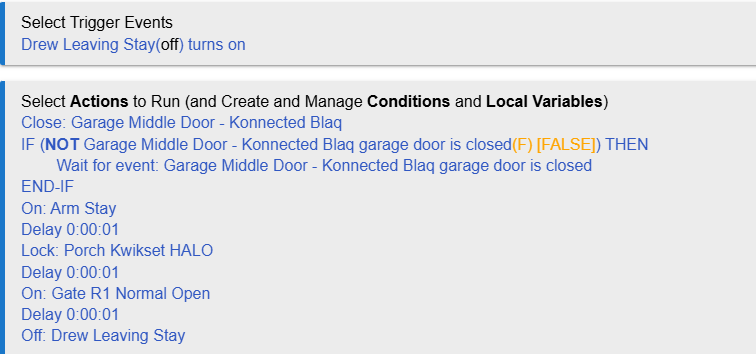
My understanding is that if the garage door is already closed it will wait until the door is opened and then closed again. I'd wrap those two statements into a "if the garage door is open" conditional
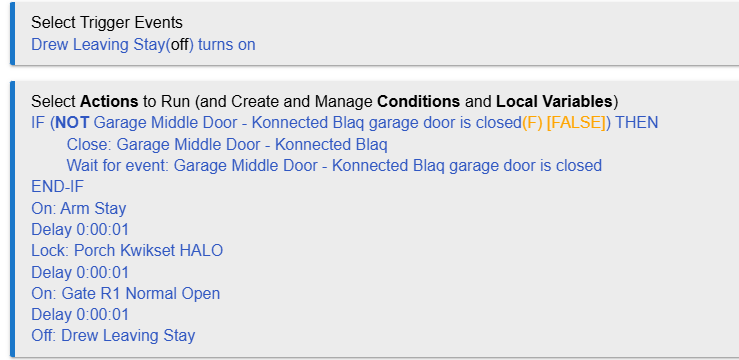
I'd actually wrap both the close and wait statements into an if then conditional to minimize command traffic, but that's just me. ie: don't tell the door to close if it already is.
I'd also add a "and NOT Garage Middle Door is closing", and opening. Otherwise, if the door is already in the middle of closing for some reason, it will stop.
I will just add the usual warning about garage doors. Highly advise against automating any sort of door closure unless you have more advanced systems in place to detect if something is in the way. No, the default eye sensors are not sufficient.
Search around on here and there are at least two stories of people getting their cars hit by the door due to automations they thought were safe.
100%. For this exact reason I will be the only person with access to this and I will only use this via Apple car play…..I.e. when I leave the garage. This trigger is a virtual switch that is shared with HomeKit and thus displays on my dash in CarPlay. This rule would only be activated when I’m in my truck with eyes on the garage door.
I shrare your concern and feel like the way I implement and use this will be ok.
Perhaps it will help if you remember that the underlying Hubitat design is that of event subscriptions. The wait schedules a wait for the event to occur.
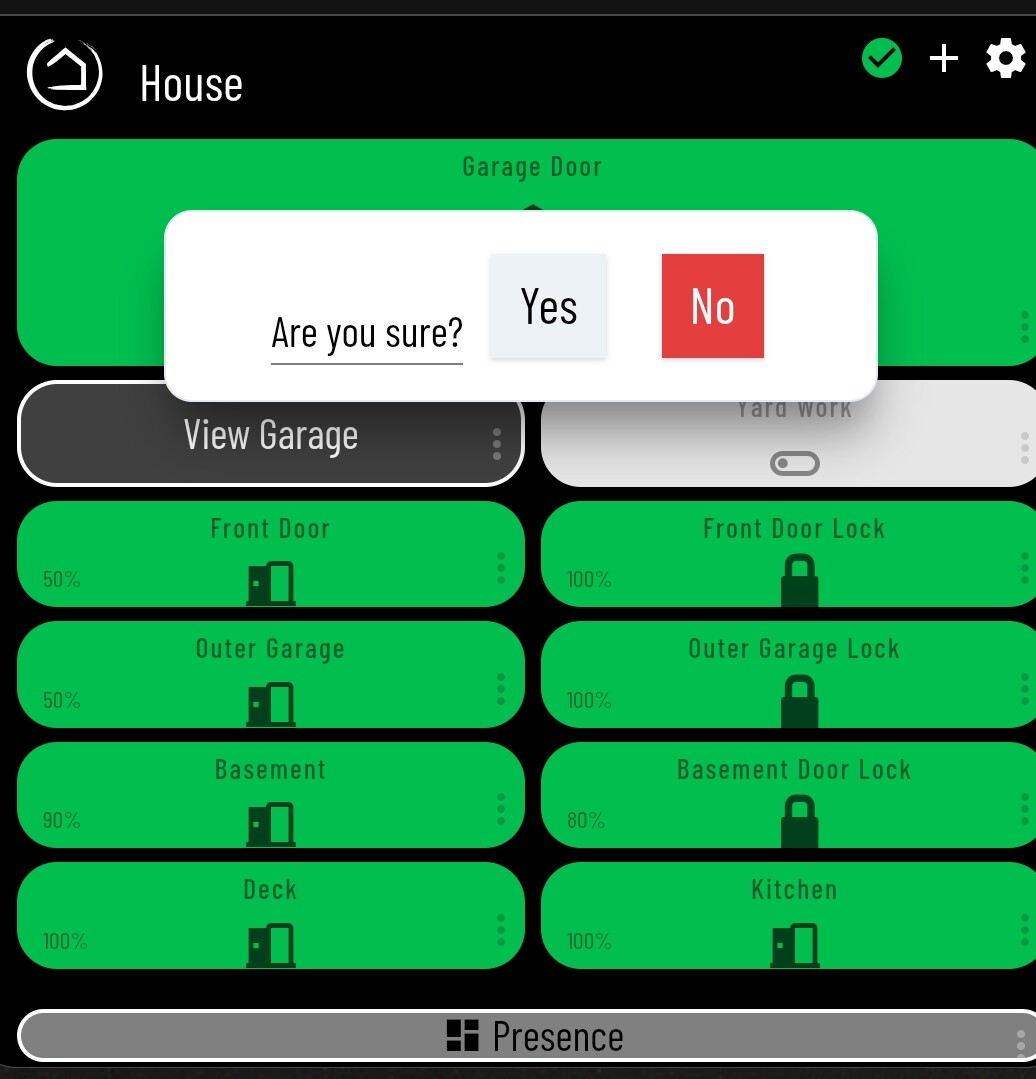
I have the ability to close mine with a virutal switch available in a dashboard and available in my android auto.
My wife and I ONLY use it after viewing the garage camera if we are not in sight of the actual door. We both usually call or text the other to make sure that there isn't a reason the door is left open on purpose.
1000% agree with not automating unattended/unobserved closure.
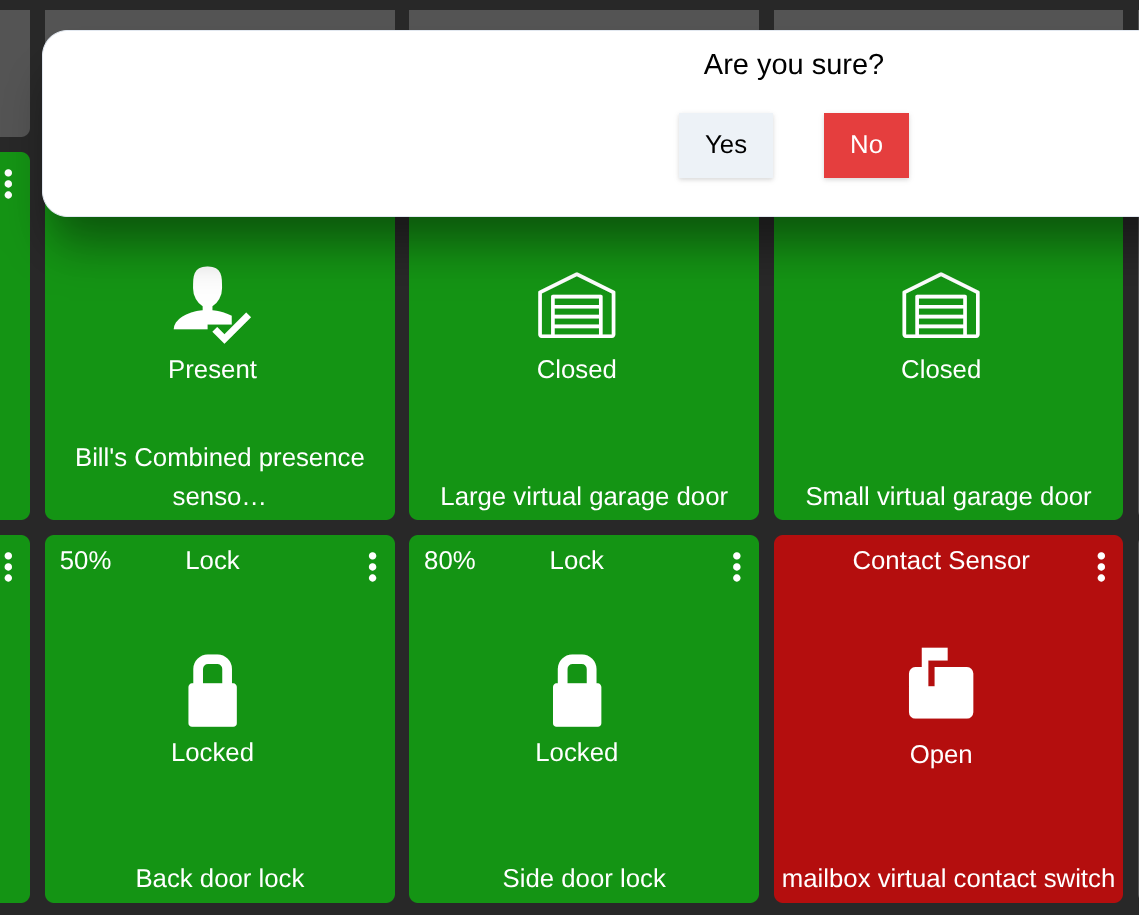
They should but that is not the case. This is the only one I've found that does this which is why I use and recommend it. Search around and share others that do the same. LGK requires that you acknowledge before proceeding.
Mine is setup with the Zooz app/driver, just tested it and I get the same confirmation pop up. I am about 99% it is part of the dashboard tile for that pop up to happen.
Maybe now. I set this up several years ago and at that time I couldn't find any other similar application that required a similar warning to proceed. I tested several others. If it is now the norm that's a good thing.
Mine has been this way since I got the hub in mid to late 2020. This was the first dashboard that I made and I brought the Go Control over from Smarthings which had the same warning since the early V1 hub.