I'm curious on why this "Wait Event" is skipped in the rule.
The Wait for expression was me prepping to make change but i wanted to get some input on the Wait for Action"
I have seen several instances in my rules where " Wait for Actions" was not working as i thought it should.

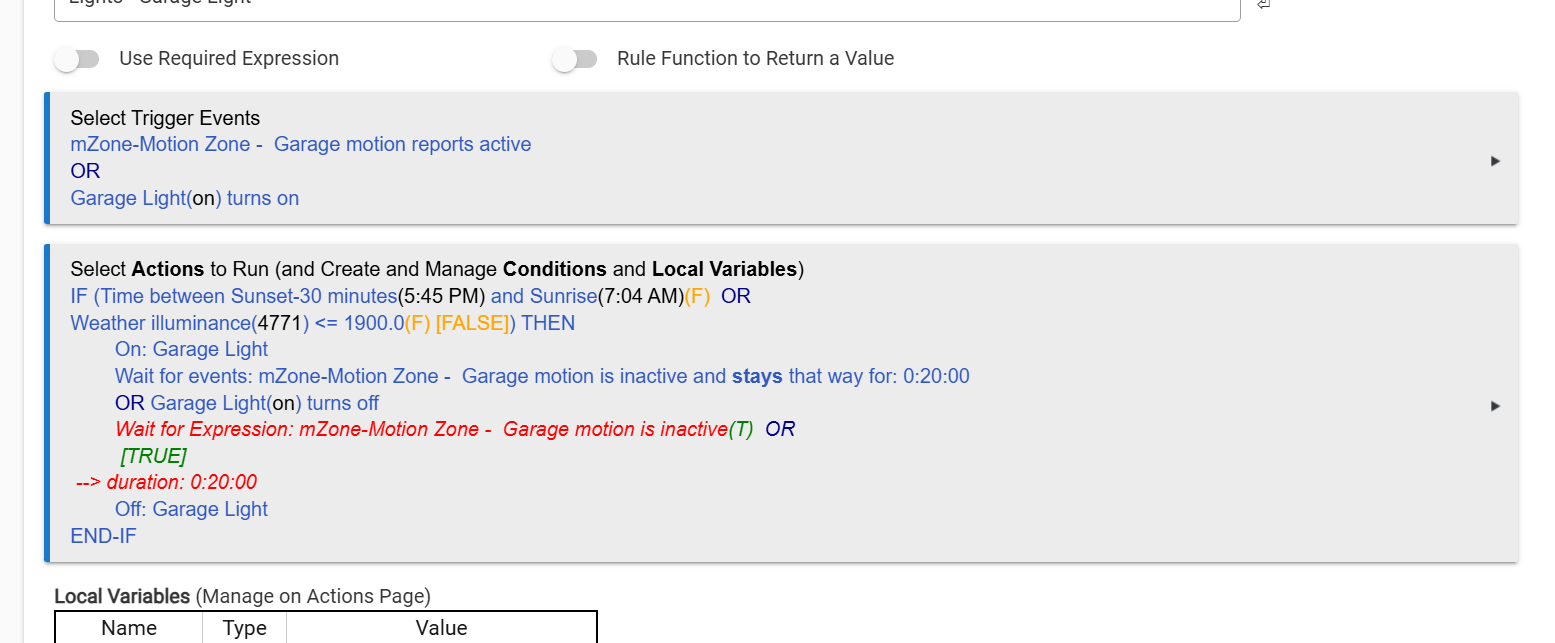
The statement is false so it skips over the then.
1 Like
how would i rewrite this to work as expected?
If motion present, and its between two times, or the illuminance is below threshold, Then
Action: Turn Garage Light on
Wait for motion to not be present for 20 mins or if Garage light is turned off.
Action: Off Garage Light
Right now your if statement is false, so you would need to wait until it is true, between those times or the illuminances is below the threshold.
if you remove the if statement and the end if does it work? My guess is it will. Again anything between the if and the end if will only work if the statement is true, unless of course you add an else then anything below the else will happen when the statement is false
Then make the if statement a required expression instead.
2 Likes
Your log shows you turned on the light at 9:51AM, which triggered your rule.
The first IF statement is set to execute IF the time is between 5:45PM and 7:04AM - which it is not, it's 9:51AM out side of the time window. Your IF can also run if the Illuminance is <= 1900. Which again, it is not, it's 4771 which is > 1900.
So if you want the actions within the IF to execute you will need to change the time constraint or raise the illuminance level, or run it again when those things are true.
2 Likes
Yes to this.
By moving that condition in a Required Expression, the rule won't even try to run outside of those times. It also lets you simplify the rule by eliminating the IF-THEN structure.
i made some changes to make this rule work.. OR think it does anyway.
The illuminance level is for when we have the rainy season.
Thoughts? 1min intervals are for testing
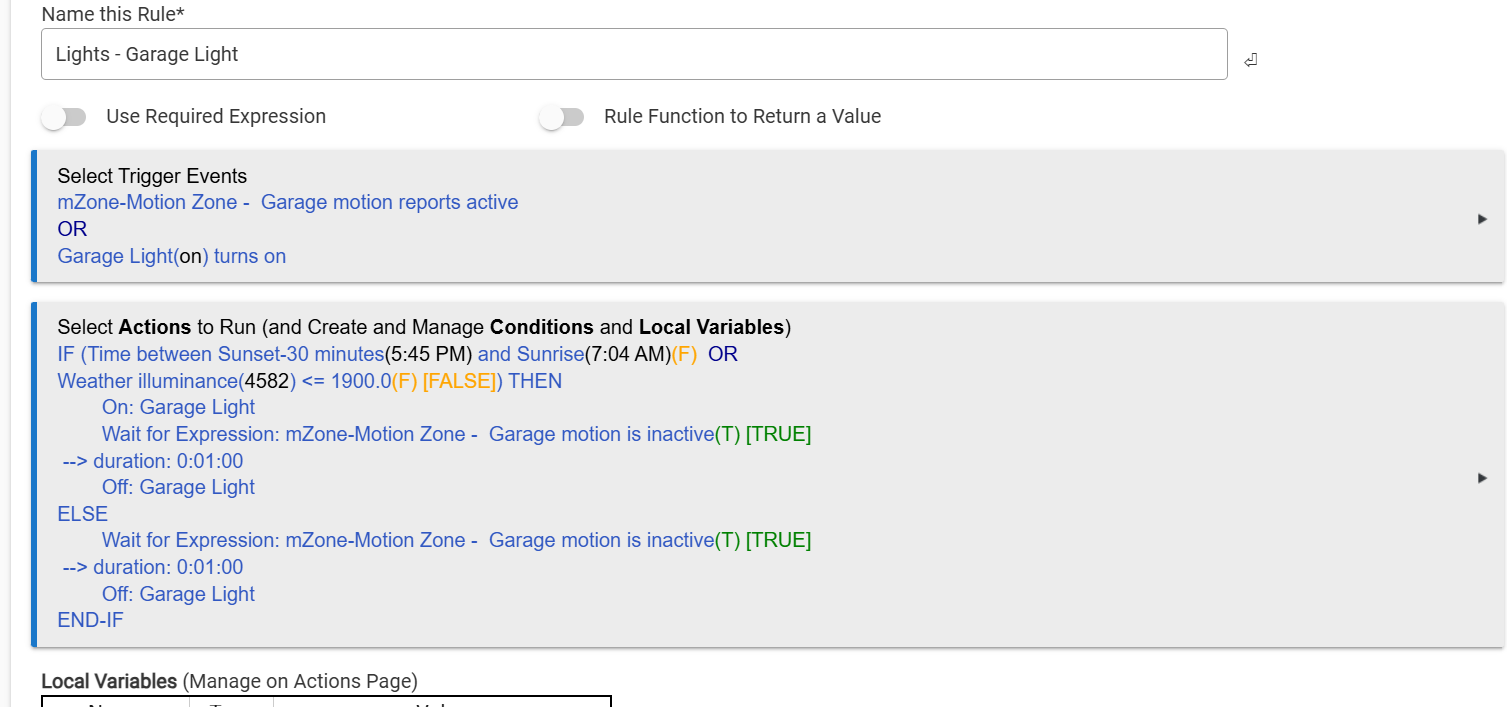
That should work.
Not sure if you have looked at motion and mode app but it will do the same thing.
2 Likes
Tried Room Lighting but the added illuminance made it difficult. Never thought of the motion app..... I think i will load that one up for future rules. 
1 Like
If you plan on using the weather illuminance for other things, you can make a rule to set either a hub variable/boolean True or False or a switch on or off. That way if you have multiple rules using the same illuminance level and the level needs to be adjusted you won't have to go back to every rule/app. Just an idea.
1 Like
You could simplify and do the same thing with one IF statement
Triggers as you have them now
Action
IF statement remains as you listed above.
Turn on the light
ENDIF(No need for an ELSE)
wait motion inactive
turn off light
2 Likes

