I have a dimmer module that uses motion to activate. It works fine.
Now I want to create a virtual switch for this dimmer to use in another rule. I simply want this virtual switch to turn on/off only by the physical push button on the dimmer regardless of what the motion is doing.
I created the virtual switch and wrote a rule triggered by this dimmer reports physical on. But pushing the switch button still does not turn on the virtual switch.
Any ideas?
Posting some screenshots of your rules (automations) would likely help... Plus any other relevant setup...
I'd say before you start, the first thing is to ensure that the dimmer module differentiates between 'physical' and 'digital' operation (otherwise it won't be possible). To prove that turn the dimmer on and off from the wall switch, then repeat (on/off) from the device page. Check the events tab for the device, and you should see it report 'digital', 'physical' if the driver supports it.
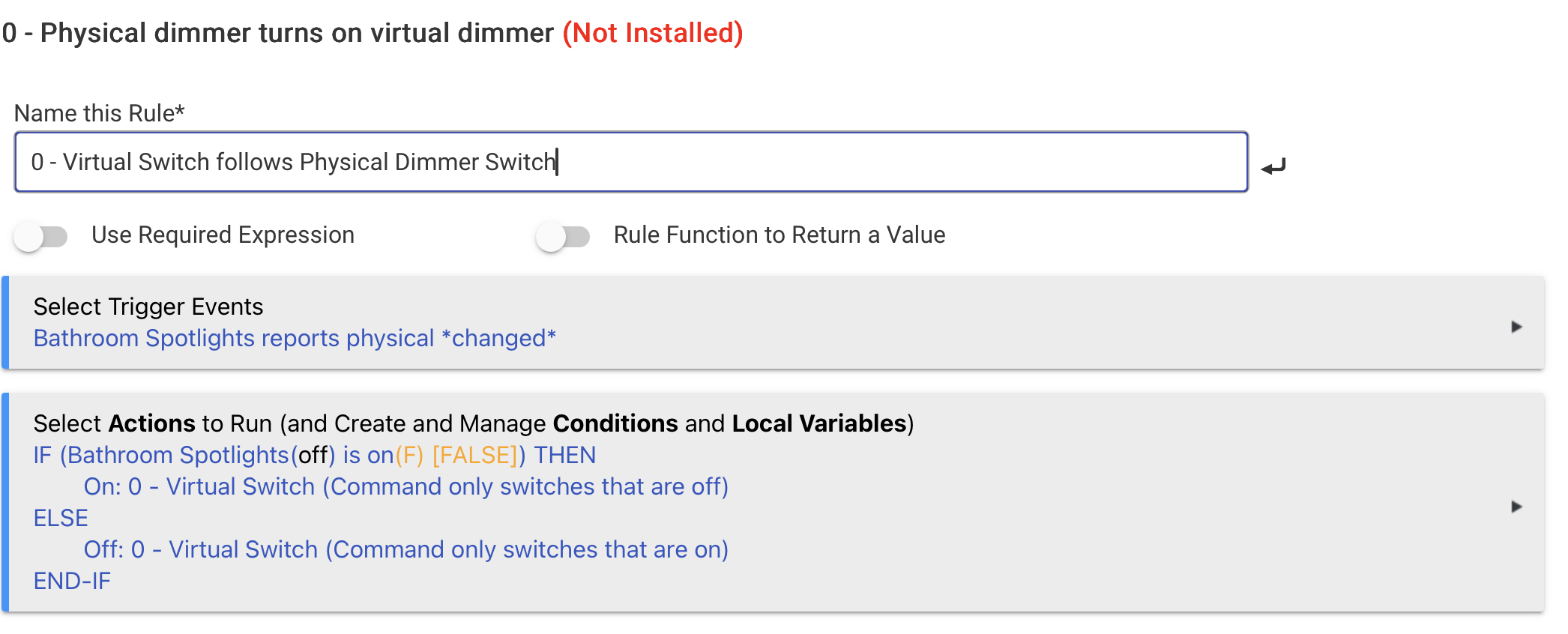
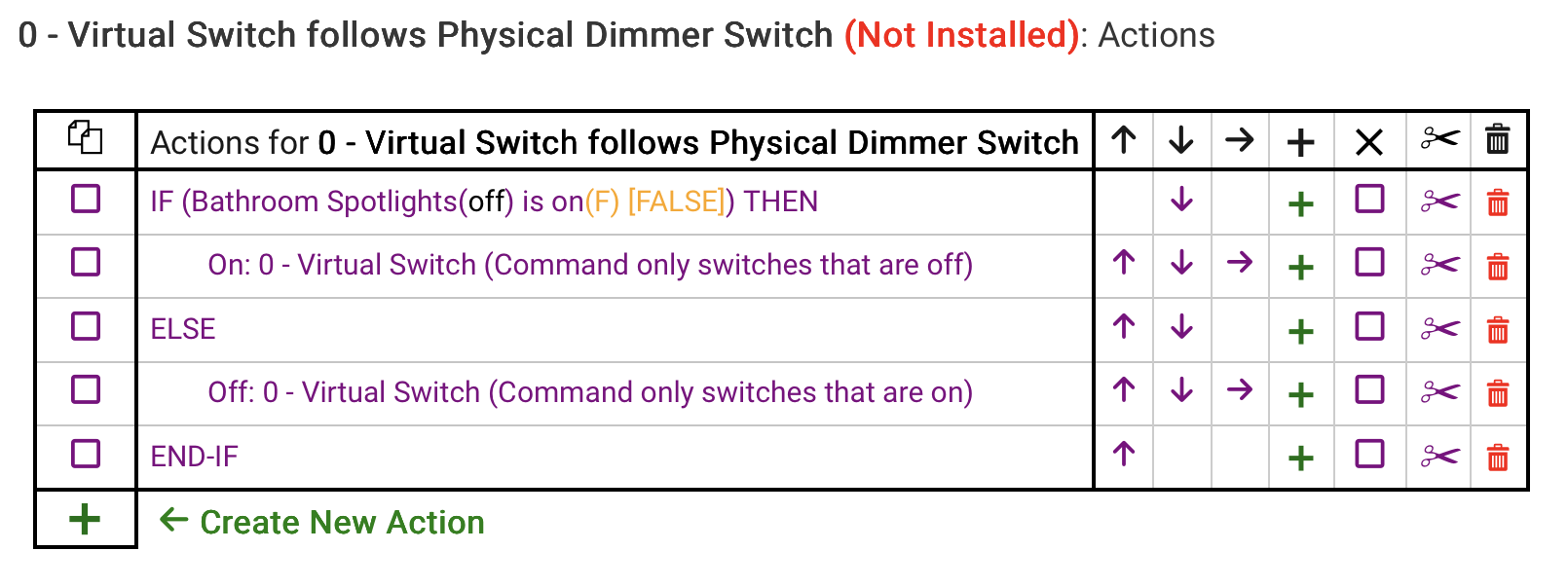
If that works, the rule is fairly simple (with some caveats) The rule below is shown with one of my dimmer modules (Fibaro Dimmer 2) that support reporting of digital/physical activations for both dimmer and switch:
Caveats:
- Adjusting the physical dimmer to a positive value will usually also turn the switch on
- Adjusting the physical dimmer to 0 will usual also turn the switch off
@buckchucko
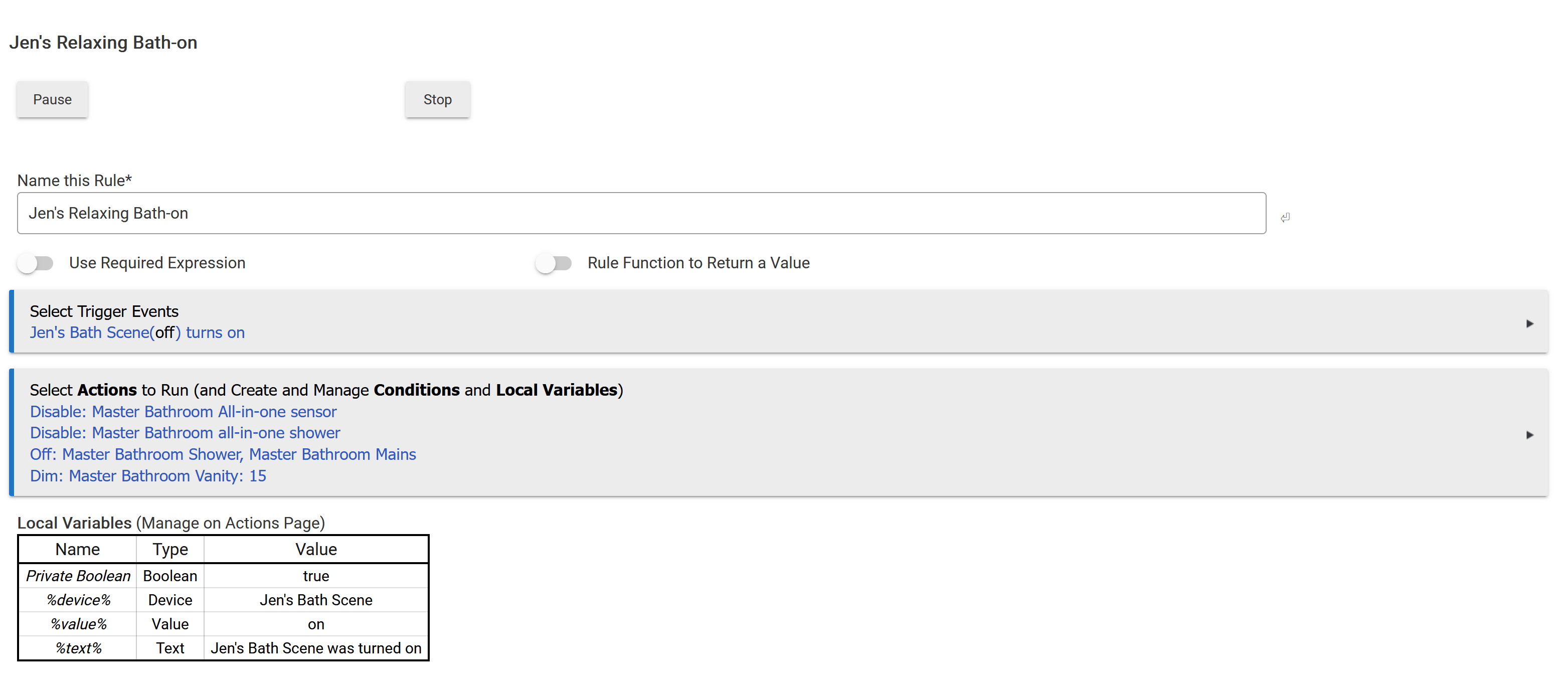
I do something similar for my wife's bath lighting...
The activator is a virtual switch. It disables the motion sensors and dims the lights and sets some others. When she's done and turns the virtual switch off, everything returns to normal..
Screenshots of the rule and any associated log entries when triggering the rule would be most helpful when asking for help with a rule that doesn’t behave as intended.
If we can’t see the rule and what the hub is actually doing, then we can only guess at what’s going on.
That can be half the fun, sometimes... 
Chances are your dimmer isn't reporting "physical".
You can see what it's doing in logs.
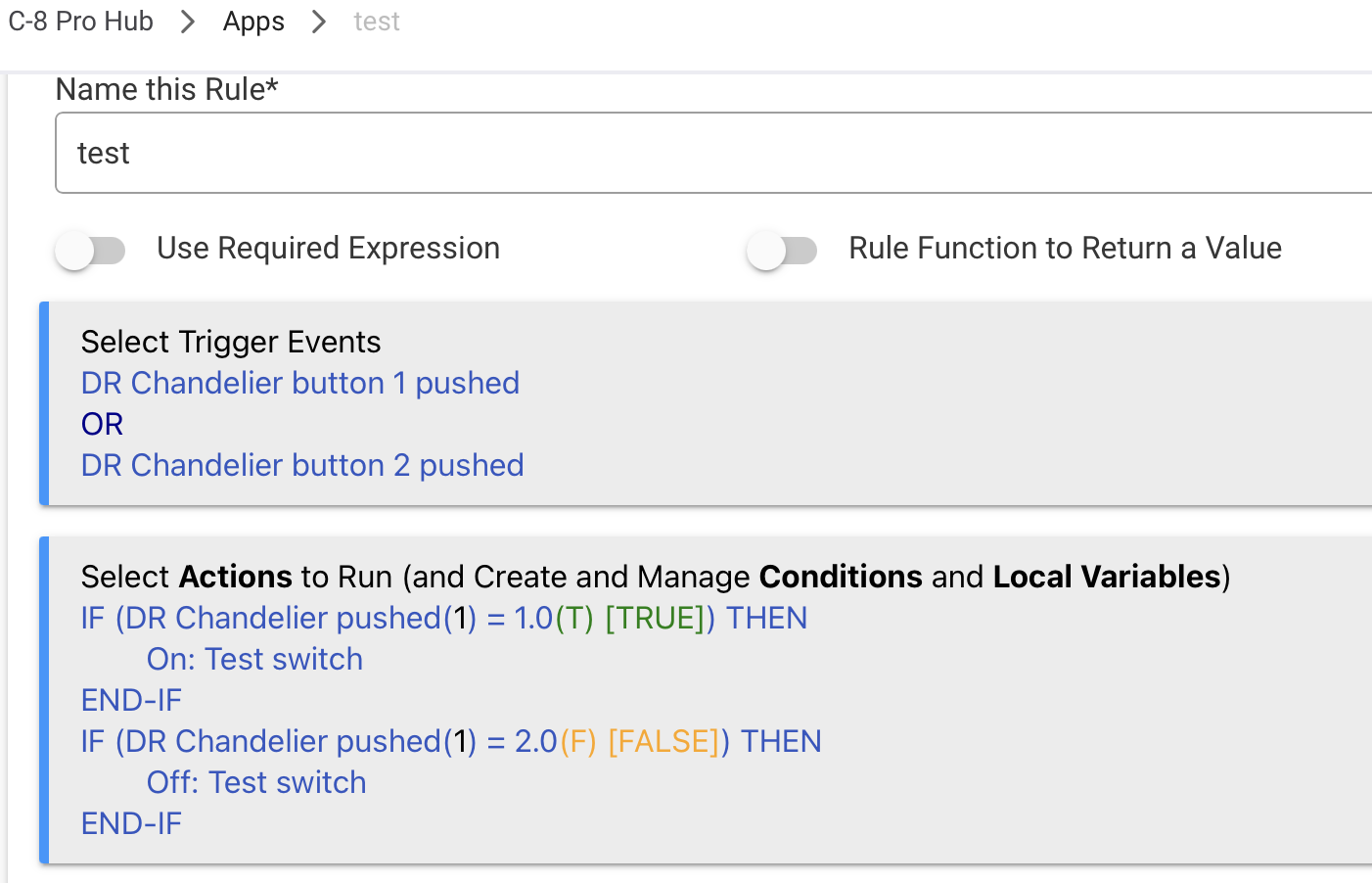
In my test example, I have a ZEN74 dimmer using the Zooz ZEN Dimmer Advanced community driver.
I have to test on button pushes.
So, the rule looks like this:
Thank you all for the responses. Here is what I have so far.
Switch info;
| Application |
01 |
| Endpoint Id |
0B |
| Firmware MT |
124F-1416-28013001 |
| Manufacturer |
GLEDOPTO |
| Model |
GL-SD-301P |
| Software Build |
20851203 |
| This is a Zigbee dimmer. |
|
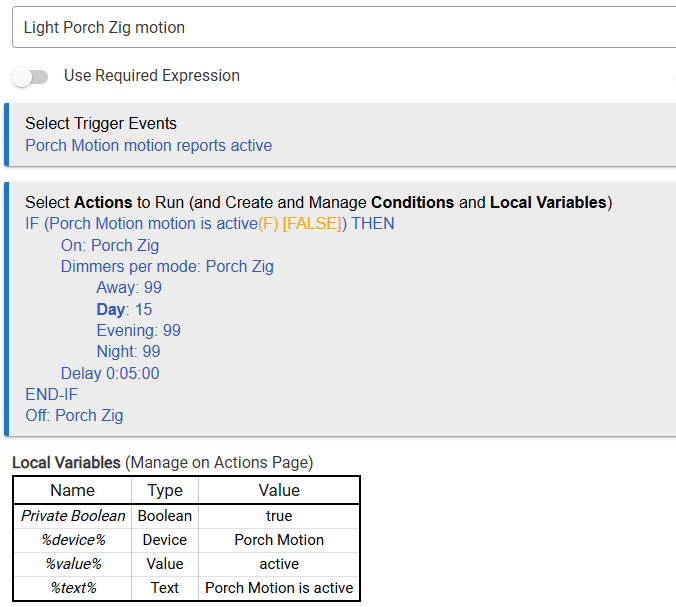
My normal motion rule which works fine:
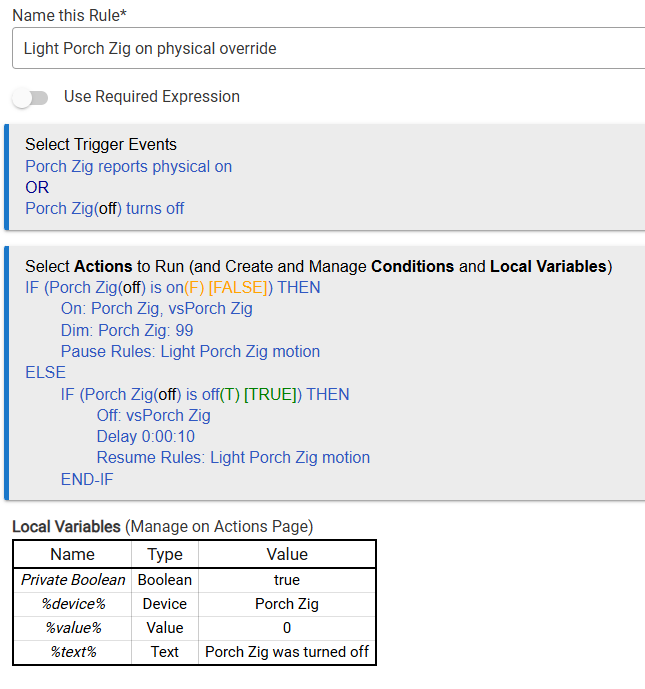
This is my rule for a physical button press: vsPorch Zig is the virtual button I created.
Looking at the logs, it appears that this module may not have a physical switch command since it logged no activity when I used the button, nor did my Dashboard vs go on or off.
I am using the "Advanced Zigbee RGBW Bulb" drives on this device.
Should I change drivers? How do I find out for sure that this switch FW can detect a physical switch depress?
Maybe that is the whole problem.
As detailed in my post further up - post number 3🤔
Events is good!
In my test case, it showed physical in events. but not logs, so it was driver specific I suppose.
I seem to recall from when I recently cobbled a driver together with ChatGPT, that what gets reported in the 'Events' tab isn't the same as what goes to the logs, so even if you don't see Physical/Digital in the logs, it'll work if it's present in the Events tab.
Potentially, with the right driver.
I just got word from the manufacturer about this. Quote....
Re: Re: Gledopto web message
Inbox

 |
|
It can only report it is on or off, but not how it is turned on or off.
If it cannot be read, this may be related to gateway compatibility.
So that ends this project.