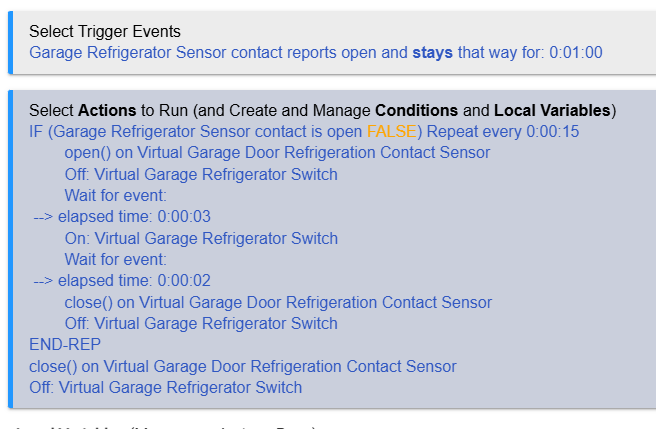
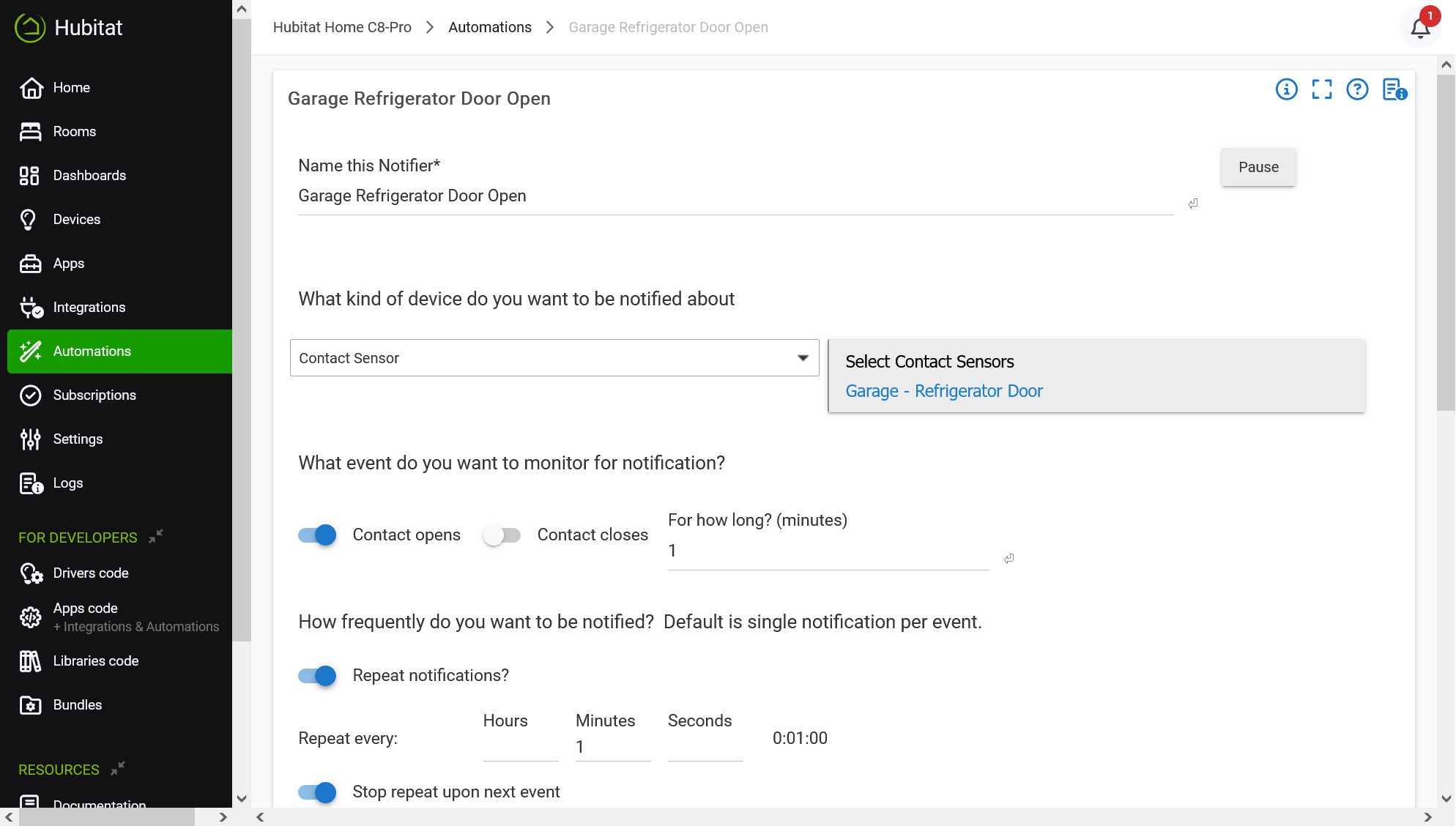
I am trying to use a virtual contact sensor with my Alexa speakers to let me know that my garage refrigerator door has been left open. I have a Zooz 800 Series Z-Wave Long Range Open|Close XS Sensor ZSE41 800LR on the refrigerator. I would use the 800LR directly except Alexa doesn't seem to have a condition "if open more than 1 minute". So I decided to try and replicate what I did with my Google speaker alert. As a new user I banged around until I figured out how to create a similar rule for my google speakers and that is complete by using a virtual relay. As per previous posts, Alexa only uses virtual contact sensors. To get started, I have been trying to create a simple rule inside Hubitat only to change the state of the virtual contact sensor: an easy trigger.... state change of a switch, etc but I cannot find an action to change the state of the virtual contact sensor. I am clearly missing something. Otherwise, how would one use a virtual contact sensor? Maybe I am going down the wrong rabbit hole. Thanks for any input.
Using Rule Machine, select "Set Variable, Mode or File, Run Custom Action", then select "Run Custom Action", then select capability "Contact", then select the virtual sensor, and then you can choose "close" or "open".
You might want to look into the Echo Speaks App. That gives you direct control to make Alexa say what you want, directly from Hubitat, to any Echo device. You can send the speak() command from any RM rule, using the Echo devices that are created in Hubitat by Echo Speaks.
You can also control any Alexa connected device from Hubitat by using the voiceCmdAsText command, which lets Hubitat give voice commands to Alexa. You can have Hubitat send the command "Turn off the bedroom light", and Alexa will do it like you had asked it yourself, if you have devices on Alexa not connected to Hubitat. You can also directly trigger routines in Alexa to run, without a virtual contact sensor needed as a trigger using the Alexa Skill.
Echo speaks is a bit of a pain to get up and running, as you have to setup a cookie server on a Rasp. Pi, or pay a fee to have a server do it. Worth the time to figure out though, I think. I just used an old PI 3 for the auth cookie server, there are easy instructions for setting it up linked on the Echo Speaks V4 release page.
Edit: There is also Voice Monkey, which has good free tier. You can send the URL commands containing the text to speak from RM or Webcore as a web request. You can also trigger routines with Voice Monkey like in Alexa Speaks, by creating routine triggers in Voice Monkey, to also eliminate the need for the Alexa skill and a virtual contact sensor.
I agree with @chrisbvt. I am doing exactly what you are seeking. I have two sensors on my garage refrig/freezer doors and I use Echo Speaks (and Echo devices) to notify me if a door is left open. But I use the Built-in Notifications App, which is super simple. I do pay the monthly $5 for the Heroku hosting service for Echo Speaks instead of setting up yet another RPi. It is a bit of a setup, but has been fire-and-forget for me for a long time now. And I do not need a virtual contact sensor.
And don't forget to close it immediately to reset it if you go this route.
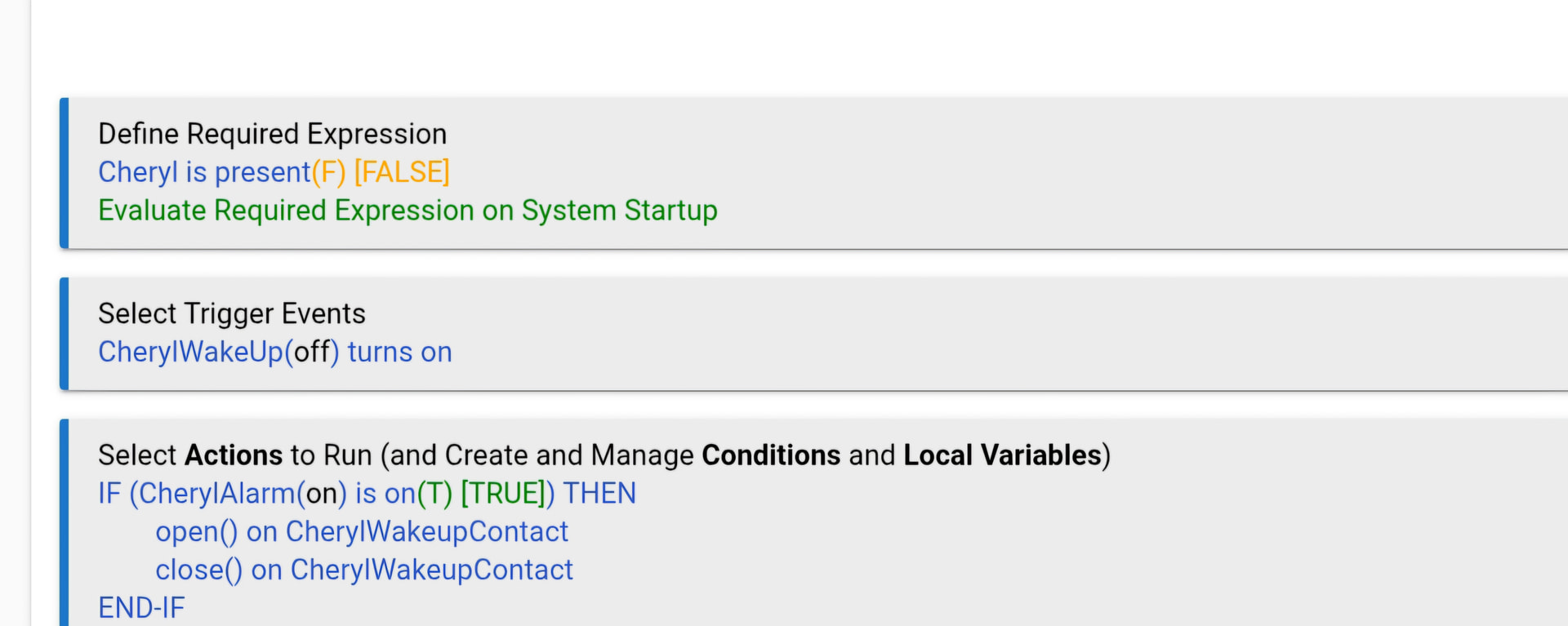
I have a set up to have Alexa run a morning routine for my wife when she turns off her alarm on her phone:
Phone alarms
She dismisses the alarm on her phone
Tasker turns off switch.
Rule for switch triggers if we are home and toggles the contact (Does other things to and that is why I have a separate switch as the trigger - but not in the scope of this discussion)
Alexa rule triggers her morning routine:
Greeting
Calendar Entries for the day
Weather for the day
Everything looks good, but I don't see a "Done with Condition" that in the past has seemed to operate as the 'save' function. And I don't know what to do w/parameters. I should apologize for not sharing that I have only had my HE for 1 month and am new to a lot of the automation protocols. I do however have an aptitude for digging in, searching for answers and knowledge. I did do this before posting my question. Sorry for my lack of experience.
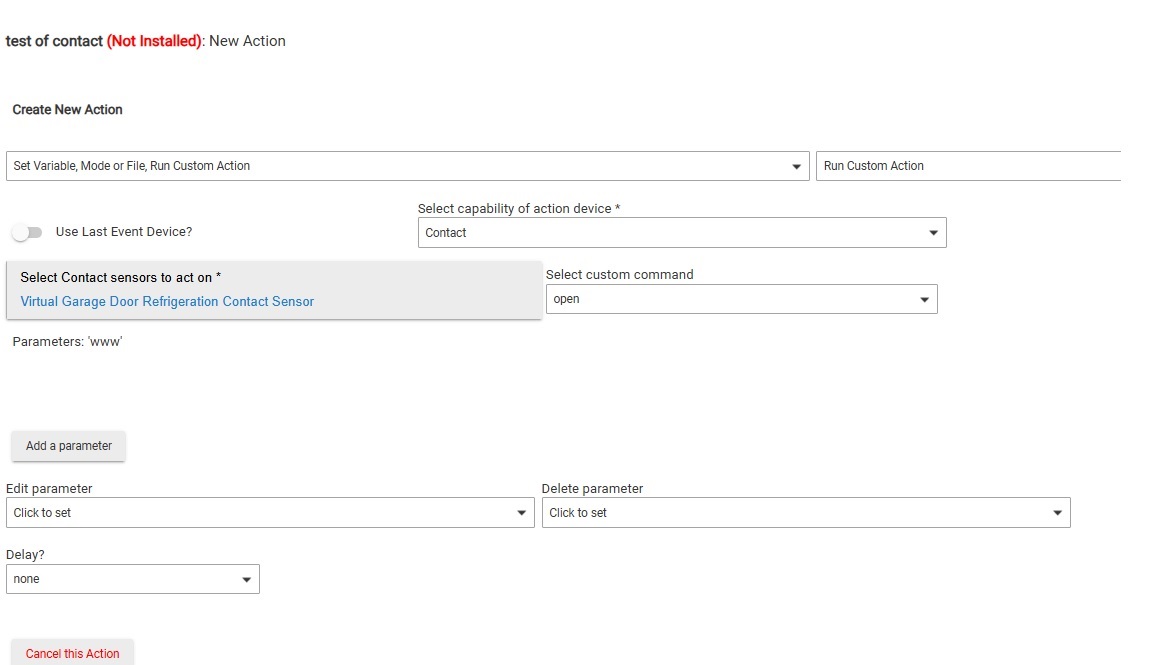
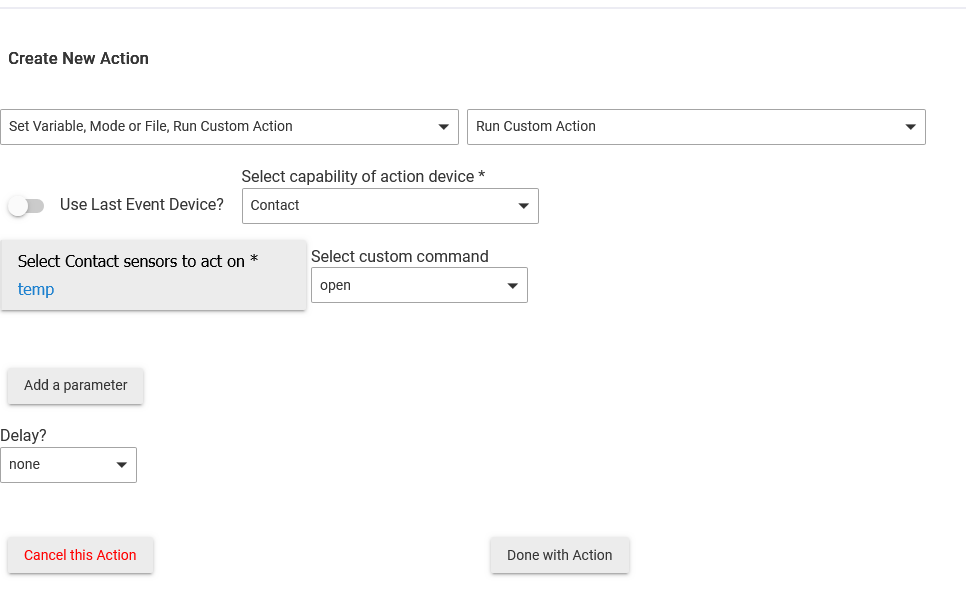
Thank you. I got myself into a 'loop'. I couldn't delete the parameter while inside the action because it was probably a bad parameter or ??, but I was able to delete/cancel the action and start over. I now will play with the automation: I did test it and it flipped the contact. I will now start working on the automation w/Alexa. I will also try some of the other processes recommended by others as part of my learning journey. Thank you for your guidance & patience
Sometimes, I am my own worst enemy. While I was able to delete the action and start over successfully, I later realized I simply had not scrolled down far enough to get the "Done with Actions" into the viewing window on my screen. LOL. Automation working good now.
Thanks. I have the refrigerator door open contact sensor working with the virtual contact sensor and then being closed before the end of the repeat. I message 2 Google speakers and 4 Alexa speakers in different rooms. Closing the contact is inside the repeat. Hopefully, someone in the house will get the message. House with 3 grandkids......
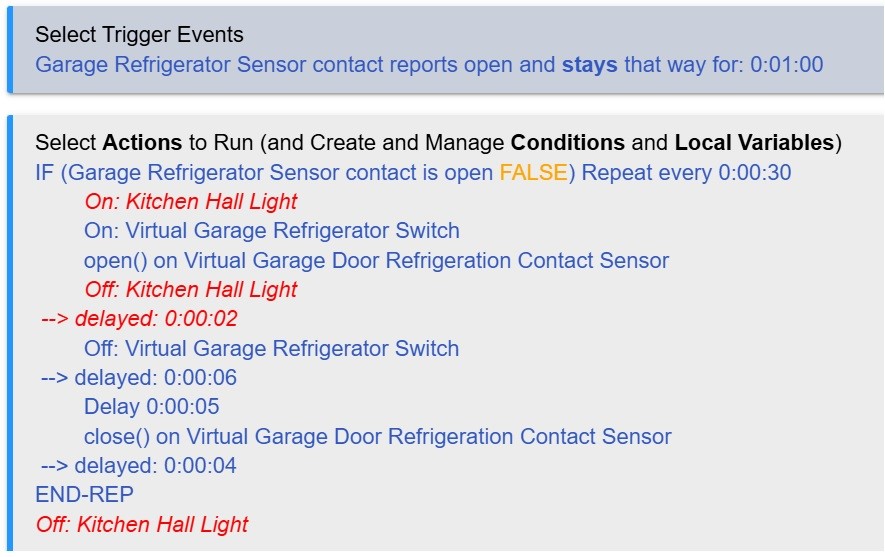
I would change those delays to wait for elapsed time personally.
Delays run the risk of multiple parallel instances running. Waits more or less auto cancel on repeated triggers.
This looks interesting. It is a whole new area for me. I have installed HPM and just installed Echo Speaks (after searching how to do that). I presume the raspberry pi is for local control since the current release notes refer to a free acct required in HerokuApp. I have done neither but it looks like something into which I should sink my teeth. I will start playing with this. I did get my Alexa working with the virtual contact sensor but this will be something new to learn. The raspberry pi is down the road. Thank you for your input.
I chose not to do the RPi route and stayed with Heroku at $5 a month for hosting the Echo Speaks app. It works for me. I just did not want to set up another RPi that I would have to maintain. YMMV.
Funny, because I was using Free Heroku, and when I realized they were charging, I already had an old Rasp Pi3 just sitting on my desk. I had it set up pretty quickly, using the non-docker method. I just opened a terminal and copy-pasted the commands in the tutorial. I just used the Pi imager app to put the Pi OS image on the card, and booted it up, updated the OS, and then copy pasted the commands in. Then put in the URL into echo speaks to use it get a cookie.
Shortly after that, we lost power and my SD card corrupted in the process, and I had to do the whole thing over again. Then I took a backup of the card, and plugged the Pi into a UPS. It has been up ever since, and I have not had to touch it at all.
OR, pay $5 and let them worry with all of that. 
Good point. $5 isn't much these days anyways. Heroku should give @tonesto7 a kick back for all the Echo Speaks subscriptions they ended up with for cookie servers that use almost none of their server bandwidth.
Cleaned it up and used wait. Had to google the difference between wait & delay. I think you are right that the delay may cause issues. I had some issues where all of a sudden the rule would not stop the if/else repeat. So I started over and put some delays between my virtual contact (Alexa) and the virtual switch (Google speakers). Alexa responds faster than Google. All seems to work for now. On to the next learning exercise....