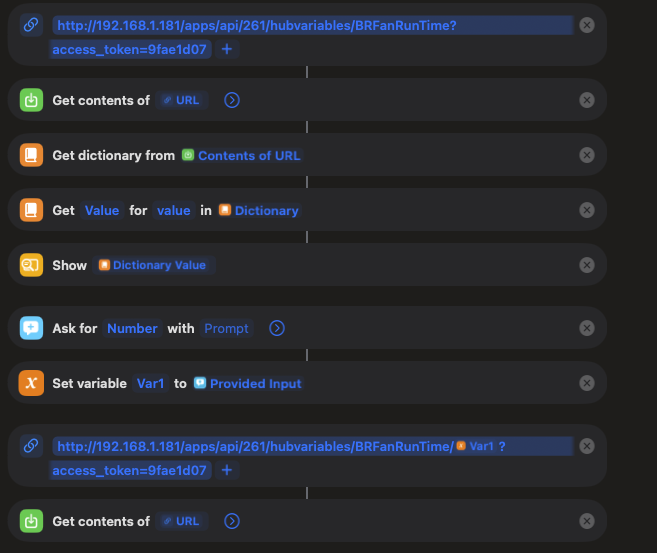
How do you do this?
-
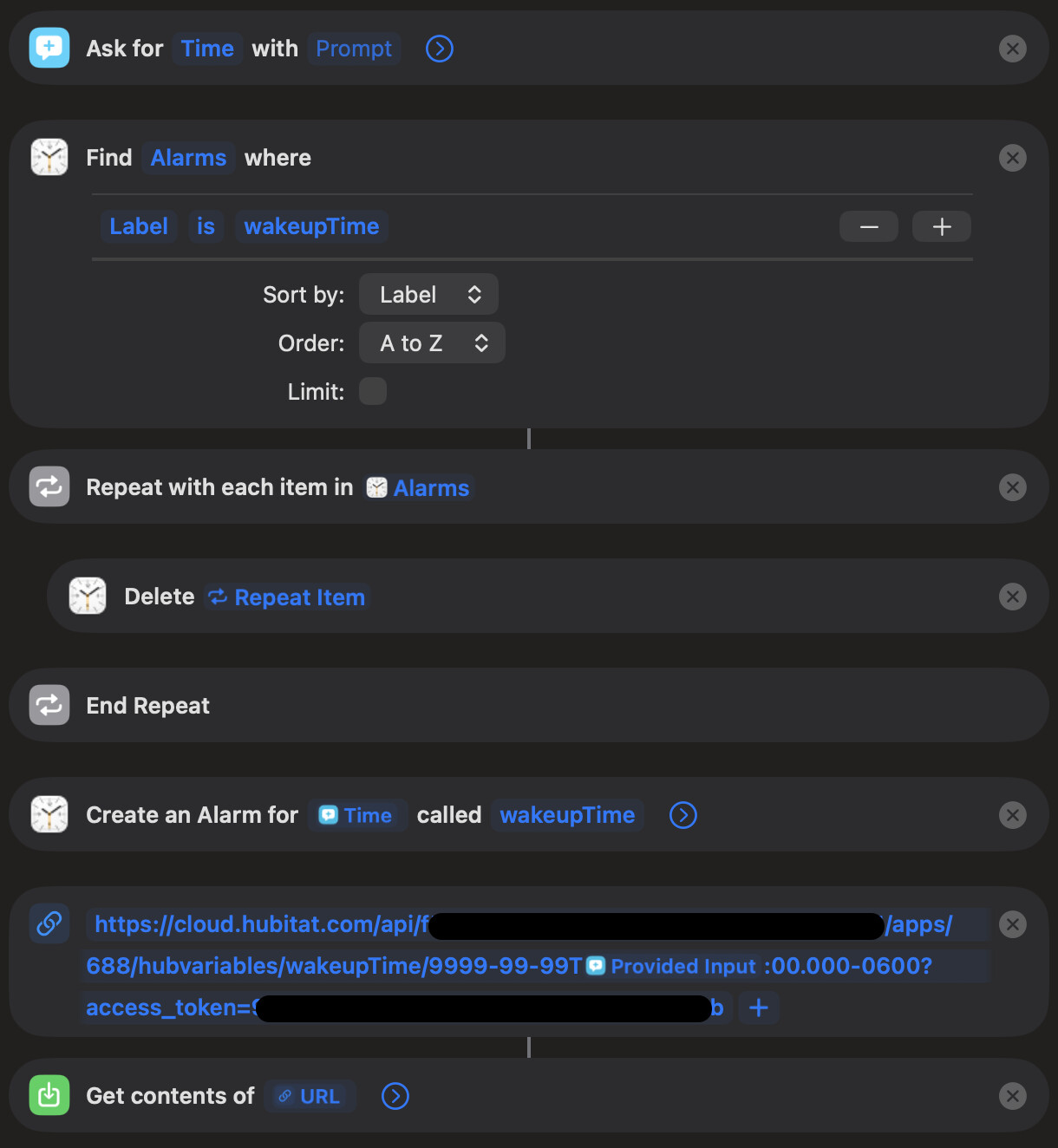
Create a DateTime hub variable on Hubitat, and expose it to MakerAPI. In this example, my variable is called "wakeupTime". And the variable type is time only.

-
Create a Shortcut on your phone that is like this one:
When you trigger the shortcut on your phone, you'll get to input the time. When you trigger the shortcut with Siri, you will be prompted for the time. -
You can use the DateTime variable to trigger a Rule or other automation.

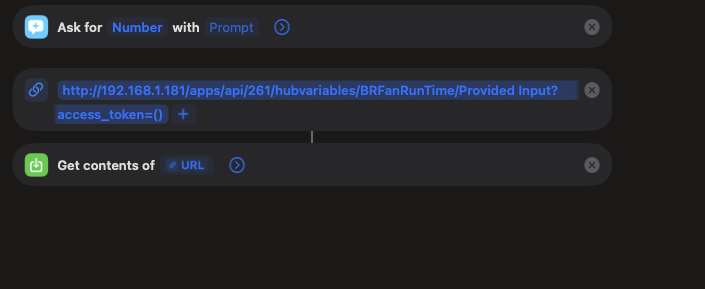
Trying to do this with just a number variable. I created the shortcut. I can get it to ask for an input, no problem. If I put 'Provided Input :0' in there I get an nullinvalid token. If I just hard code a number it works fine. Can't quite figure out what I am doing wrong.
One thing I can't seem to do is put the URL in a separate field above the GET. I have to embed it in the GET.
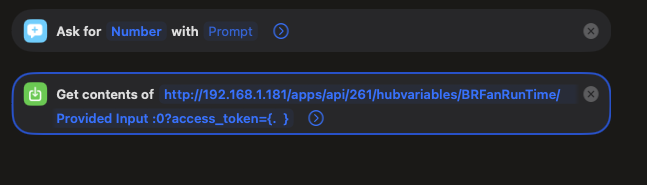
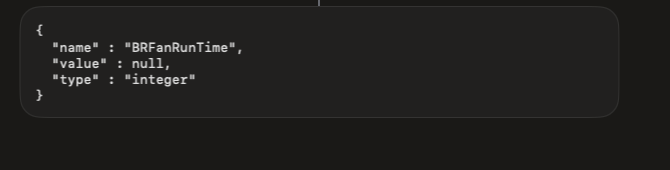
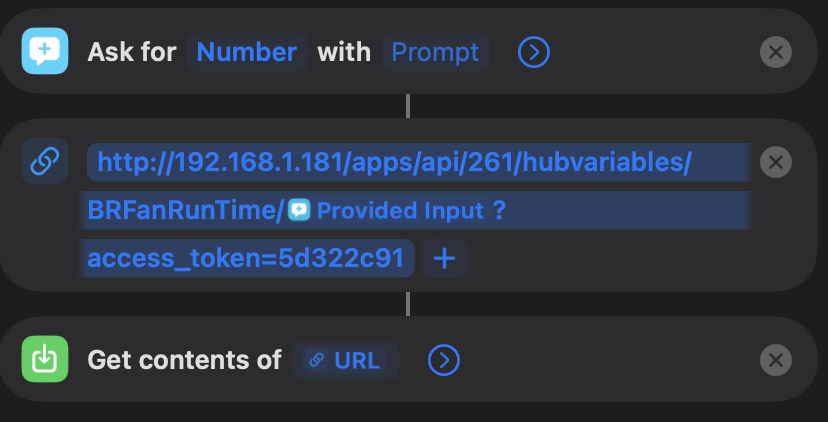
EDIT: OK, getting closer. I finally got the URL above the GET like you have it. When I run the shortcut I get this:
Here's my complete Shortcut (Without Token).
I'll have time later today to take a look at this in detail. DM me if I don't respond to this thread by tonight.
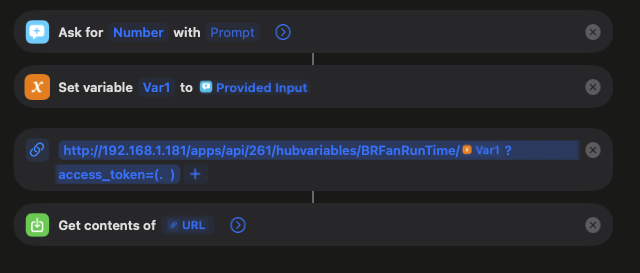
@aaiyar Thank you again for pointing this out. What I use the variable for is the number of hours our bedroom fan will run after we go to bed. I had been struggling with an easy way to change the time. Using a dashboard worked but not as clean as this method. I did some modifications to the shortcut to first show me the current time before I change it. Here's the result.