I have tried using this integration a few times, but I cannot seem to get it to work. I have my RPI controller integrated with the Unifi Cloud Console. I log in at both places without issue, but when I run this setup, it cannot find the site.
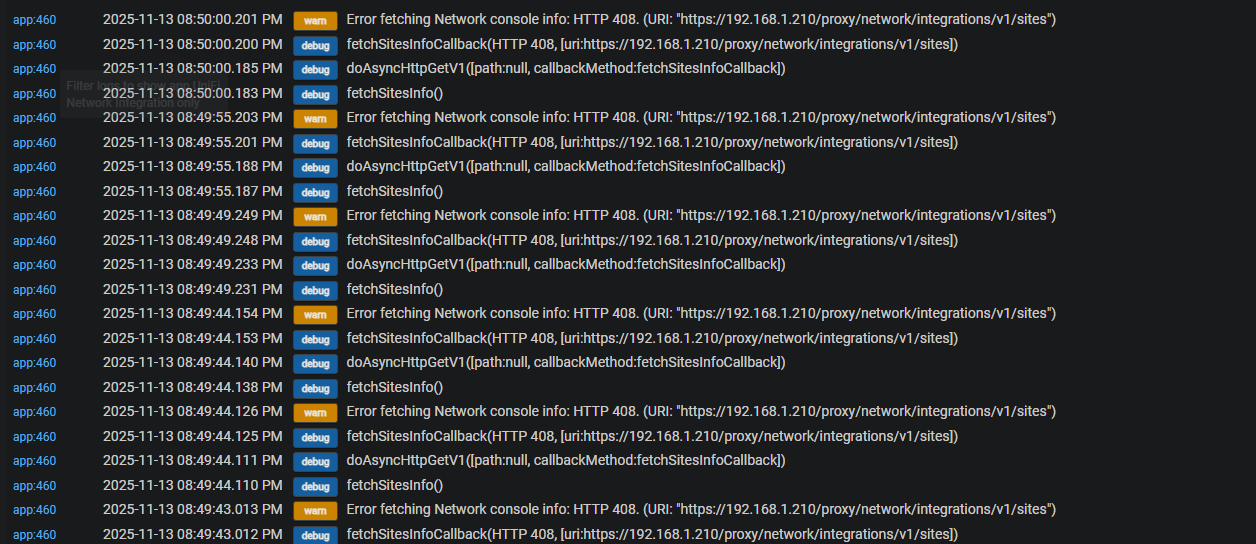
HTTP 408 is a timeout, so it's not getting a response with the allotted time. That's 15 seconds here, which should be more than enough if something between the two isn't wrong. What hub model do you have, and what platform version are you running? If you would, please check Settings > Hub Details and provide the values of both.
If you have a C-7 or newer, I'd also be curious: go to Settings > Network Setup, find the Network Tests link in the upper right, and use the Ping host utility to try to hit 192.168.1.210. In a few seconds, you should see results. What do those say? (Traceroute might also be interesting, but the goal is just to verify they can at least get this far.)
Also, by "RPi Controller," do you mean that you are running UniFi Network (previously "Controller") on a Raspberry Pi, not a UniFi OS console?
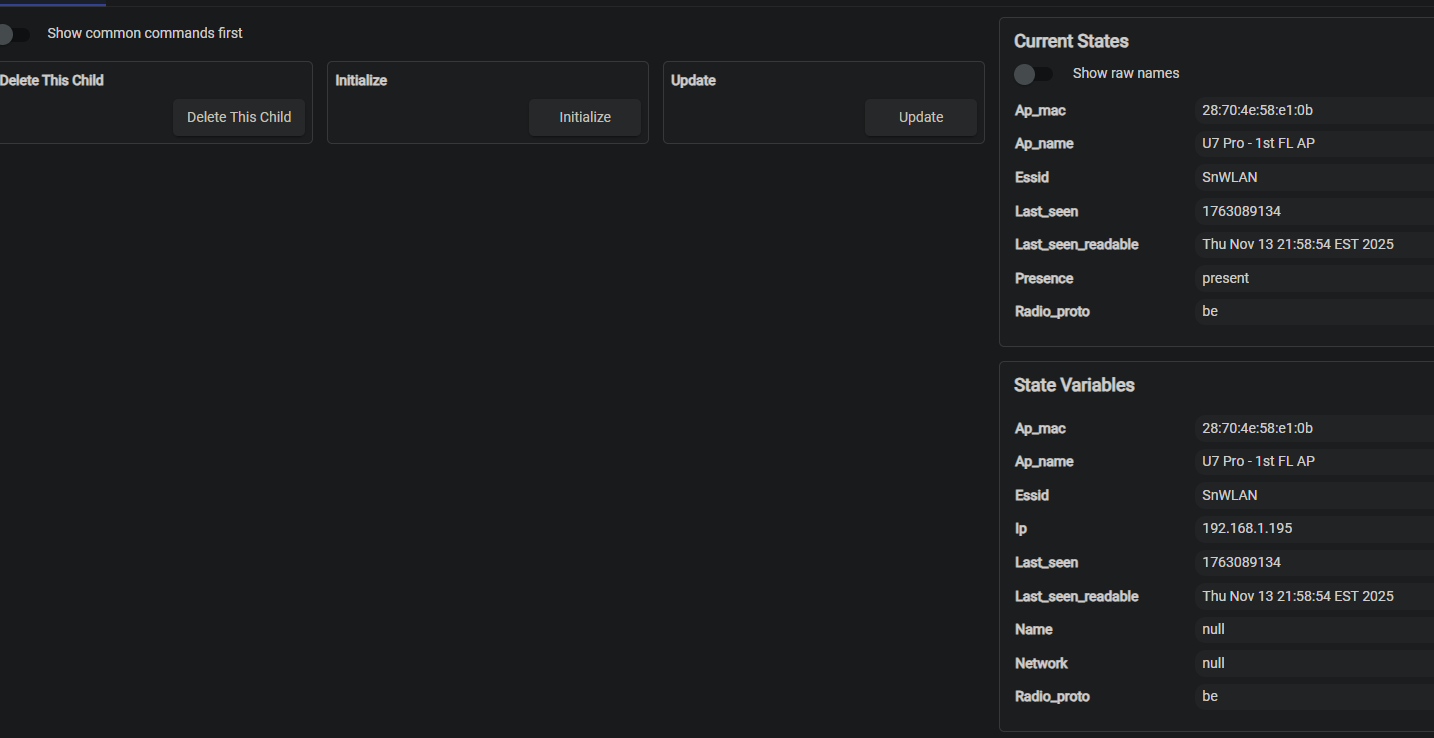
Would what? The UniFi Network Integration? Yes, for any particular network client device. I don't know what your second screenshot is showing, so more clarification would be helpful if that is what you are asking about instead.
Yes, this is a C7 hub and build 2.4.3.155. I try to put all my network communications on one hub, and the C8 handles the radios and rules.
Ping test
PING 192.168.1.210 (192.168.1.210) 56(84) bytes of data.
64 bytes from 192.168.1.210: icmp_seq=1 ttl=64 time=0.730 ms
64 bytes from 192.168.1.210: icmp_seq=2 ttl=64 time=0.687 ms
64 bytes from 192.168.1.210: icmp_seq=3 ttl=64 time=0.702 ms
--- 192.168.1.210 ping statistics ---
3 packets transmitted, 3 received, 0% packet loss, time 2045ms
rtt min/avg/max/mdev = 0.687/0.706/0.730/0.017 ms
and Traceroute
traceroute to 192.168.1.210 (192.168.1.210), 30 hops max, 38 byte packets
1 192.168.1.210 (192.168.1.210) 0.725 ms 0.602 ms 0.576 ms
Yes, I'm running the Linux version on a Raspberrypi Pi. It was previously moved from a Windows system to a dedicated PI. It isn't an Unifi OS console.
This Unifi Presence is designed to contact a Unifi Console (Device or Unifi network (Controller)) device.
It looks up the Mac and lets you know whether it's present.
Thanks for the information! I suspect this is because self-hosted Network apps run the API on a different port than consoles, likely 8443 if I remember from self-hosting myself a while back and if the port in your screenshot is the same kind of thing -- compared to the regular HTTPS port, 443 (implicitly used by this integration). A future version will add an option to specify a custom port.
This is a guess since I cannot find this documented in the Network API docs, at least not the ones I can pull up on my UniFi OS device, but it seems likely.
Thank you for getting the update out. I did try the new application. Unfortunately, I'm getting the same issue. I will have to collect the logs and get back here. I think since this is a self-signed cert. I don't believe the application trusts it, and it fails (Maybe).
I decided to set up a self-hosted Network application so I could test this. But I don't see the Control Plane where I can create an API key in my self-hosted version. I'm guessing this is for one of two reasons, either the fact that I don't currently have any devices adopted in it (should have one later this week to try -- don't feel like disrupting my actual network ) or maybe the self-hosted version just can't do this. I'm assuming you would have noticed if it was the latter, but can you confirm if or how you got to the Control Plane in your self-hosted instance to generate this?
Also, can you share the Logs from your most recent attempt?
I attempted to try that, too, but it's not connecting to mine -- says it's "taking too long to load" and never appear. Wasn't sure if that was something with self-hosted instances or just mine for some reason, but apparently it's just mine. I suppose it could still be because I have nothing adopted in it. I'll play around with it again when I have a spare device and see if I can get it to work then!

 ) or maybe the self-hosted version just can't do this. I'm assuming you would have noticed if it was the latter, but can you confirm if or how you got to the Control Plane in your self-hosted instance to generate this?
