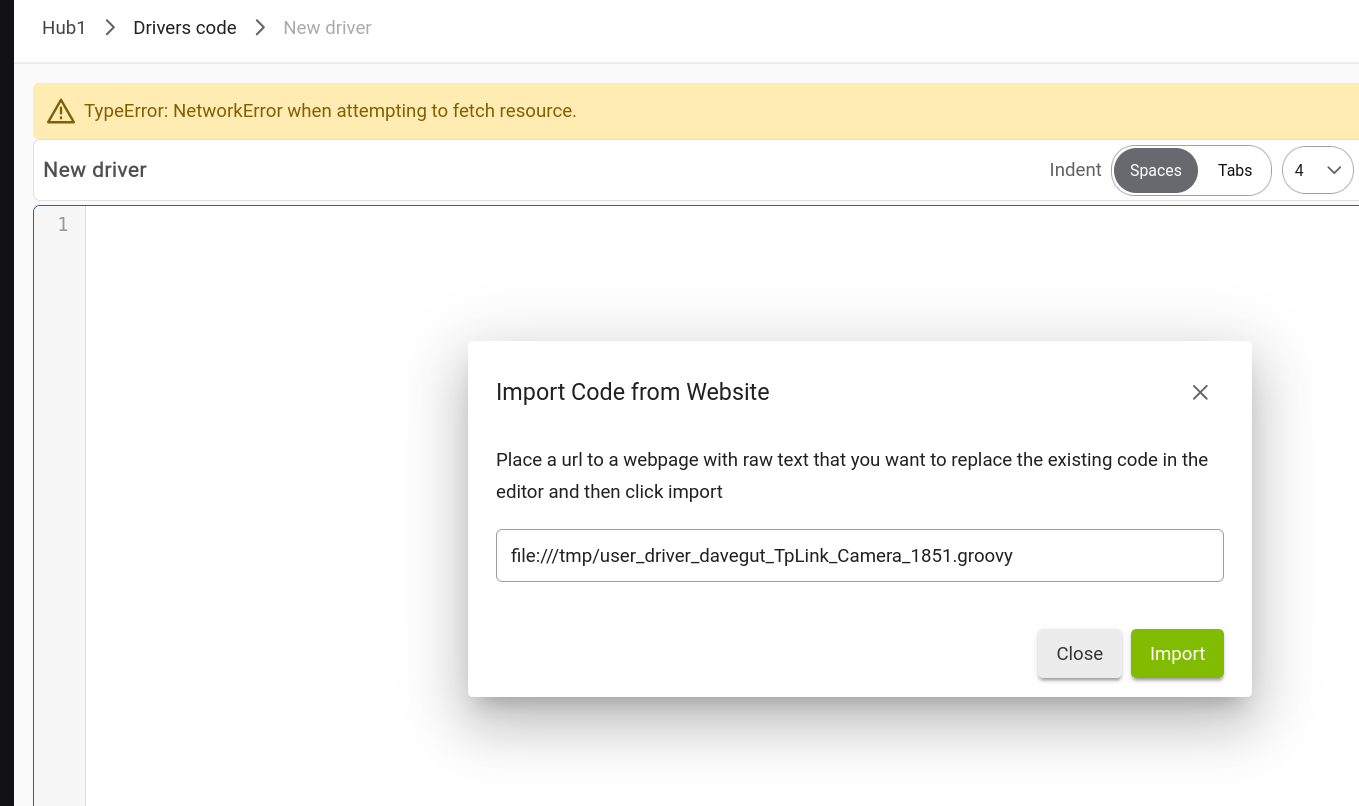
At the very least, having 3 /// won't work, but the format is wrong too, and you want the RAW file URL, not the one you have listed.
I don't see the link to a repository in the link you linked, I think you should have modified the code within the driver code of Hubitat according to that post you linked.
You cannot just import that code by trying to directly link from his posting. However you can (and should) use copy/paste the line he says to into Hubitat.
If you open the developer console for your browser, you'll probably see an error like this:
Security Error: Content at http://<hubIP>/app/create may not load or link to file:///tmp/user_driver_davegut_TpLink_Camera_1851.groovy
Pretty much any modern browser is, for security reasons, going to prevent an HTTP page from reading a file on your local computer -- which is what that file:/// URL refers to. (You might be able to dig into browser settings and adjust this, but I wouldn't suggest it.)
This is somewhat of an unusual way of doing things, as you might guess from the confusion above. As mentioned there, if you have the code on your computer, I'd suggest just copying and pasting it. A script or the IntelliJ plugin (might need to be updated for the latest IDE version...) could handle automating this, but that's typically more useful for more complicated sets of apps/drivers or things you do on a regular basis. Otherwise, the import feature would typically be used with an HTTP(S)-accessible host -- and even then, you'll likely run into security concerns for the same reason as above if the host doesn't have its CORS settings set to allow arbitrary origins like your hub (GitHub does for their "raw" pages for sure).
In other words, this isn't a bug but rather a security feature of JavaScript in your browser, and that -- rather than the hub -- is also where it's coming from.