I am unable to connect to my hub via any browser. It started about 2am yesterday. I did not make any changes.
Hub is a C8 Pro, running version 2.5.1.182. It is on a UPS, IP address is static on my router.
I rebooted the hub and my router.
All rules are still running and notifying. The Hubitat app worked on my Android phone. The HD+ app does not connect.
I downloaded and installed remote admin and backup yesterday. I am able to connect to the Hub and have full control. I can save backups locally and to the cloud.
I have attempted to connect via web browser from five different devices, all time out. connection to port 8081 does not work either.
Is Hub directly connected to network via ethernet to router, or to switch? If to switch, maybe temporarily connect directly to router and see if that changes anything.
The Hub is directly connected to one of the router LAN ports. I moved the Hub to a different LAN port, same result. On my router I have disabled respond to Ping requests from WAN.
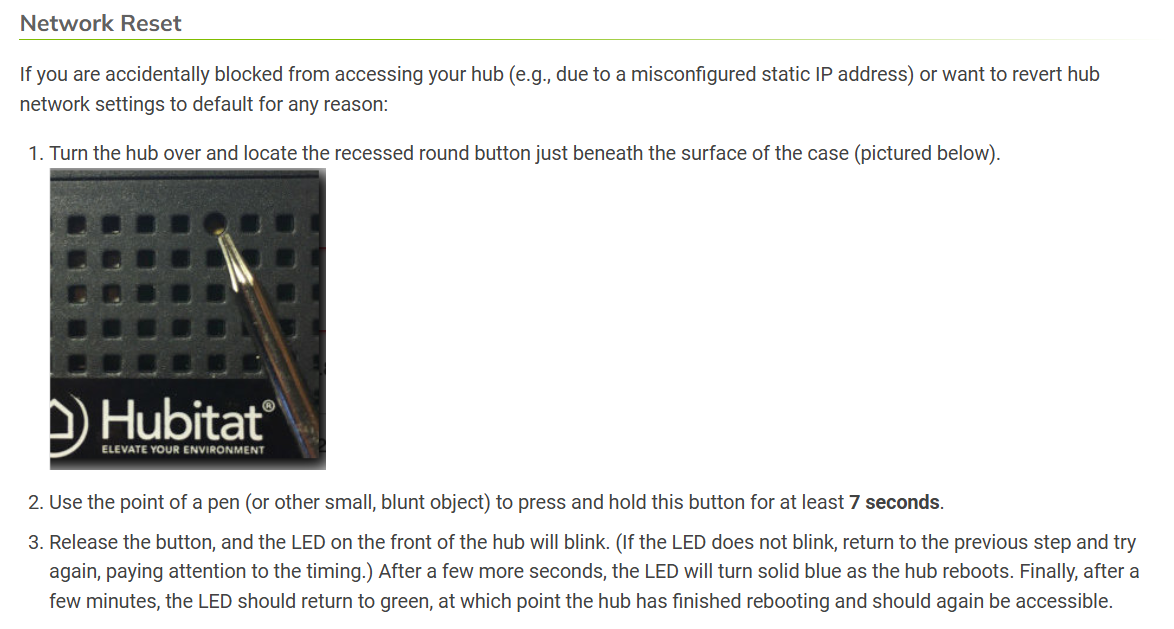
Just to rule simple stuff out, likely won't help, but there is a network settings reset button on the bottom of the hub (beneath the only round hole)...hold it for >7s and the hub will reboot (should see related LED change during reboot). You can try doing that while smarter people than I suggest other options.
I did notice that was an option. Just trying to rule out all other possible conditions. I did discover that ASUS routers block pings between internal LAN devices. I verified this by unsuccessfully attempting to ping between two windows computers. If I don't see any other options, I'll try tomorrow or the day after when I have enough time to do a restore.
You say you have remote admin capability. Use that and go the Settings|Hub Details screen and check the IP Address (I know you say you have a DHCP reservation for it but sometimes the DHCP doesn't repsond quick enough and....)
I will wait to try this as I will be unavailable the rest of the day. "If it wasn't for bad luck, I wouldn't have any luck at all". I've been on a streak lately with appliances and Internet orders.
If your ASUS model supports the newer VLAN firmware, go to the router web interface and look under LAN → VLAN. ASUS lets you assign individual Ethernet ports to different VLAN/network profiles.
For example:
Allow communication: Put LAN 1 and LAN 2 in the same normal/default network.
Disallow communication: Put LAN 1 on the main LAN and LAN 2 on a separate VLAN/Network, then disable Access Intranet for that separate network. ASUS specifically provides this setting to prevent one network from accessing the internal/main network.
Thanks to everyone for the suggestions. At this point I am assuming new firmware on the router caused this problem. Another reason to turn off auto updates on equipment.
As I suspected, the firmware had a bug that affected AP isolation. I did upgrade to a newer firmware, that in itself did not correct the issue. I had to enable AP isolation/reboot then disable Ap isolation/reboot.