This is Tuya device and will not work with the Generic Zigbee drivers.
Install the Tuya Zigbee Multi-sensor 4 In 1 driver ( preferably from HPM).
Toggle the 'Advanced Options' preference and click on the Save button.
Select the "Tuya 2in1" Device Profile and save again.
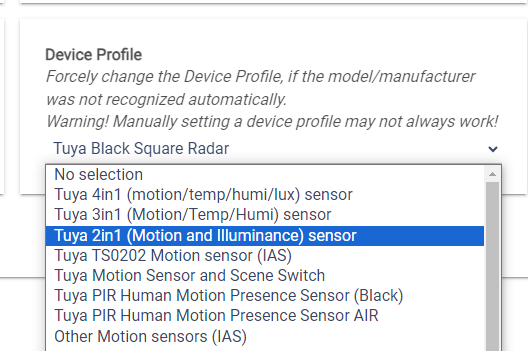
Next - pair the sensor again to your HE hub (without removing it). This second pairing step is obligatory.
The device should be paired with the custom driver previously assigned.
This is a new manufacturer and tha device fingerprint is not in the driver yet, but the above manual configuration procedure should be working. Let me know your results.