I want to create a rule that will change the furnace fan from AUTO to ON but only if the temperature rises above 77. I don't want it to trigger if the temperature is 77.5 but the change was from 78. Only going UP, not down. I'd also like to do this without creating a bunch of variables. I've looked everywhere for something like "rises above 76.5" or something similar, but if it exists, I'm missing it.
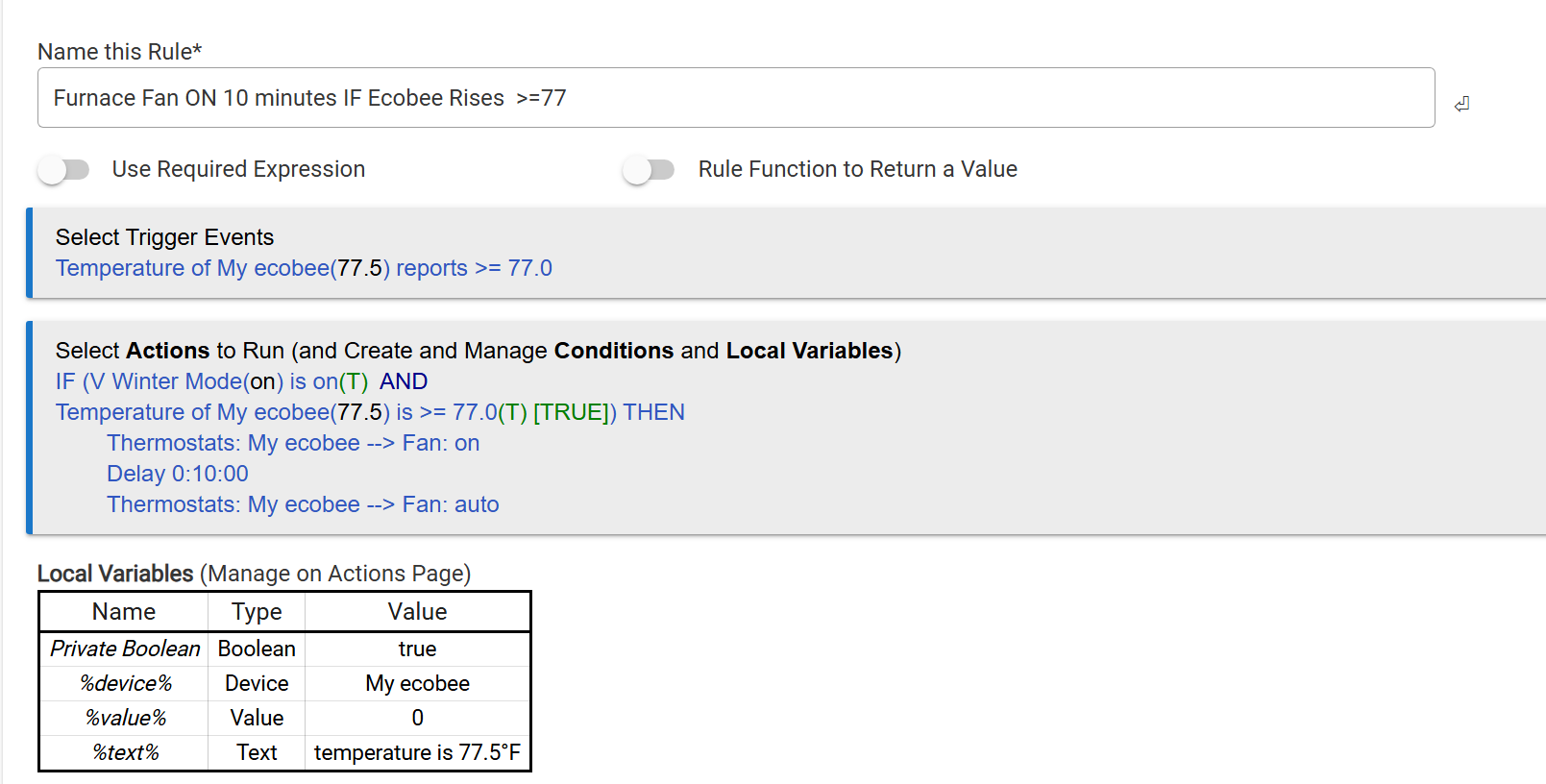
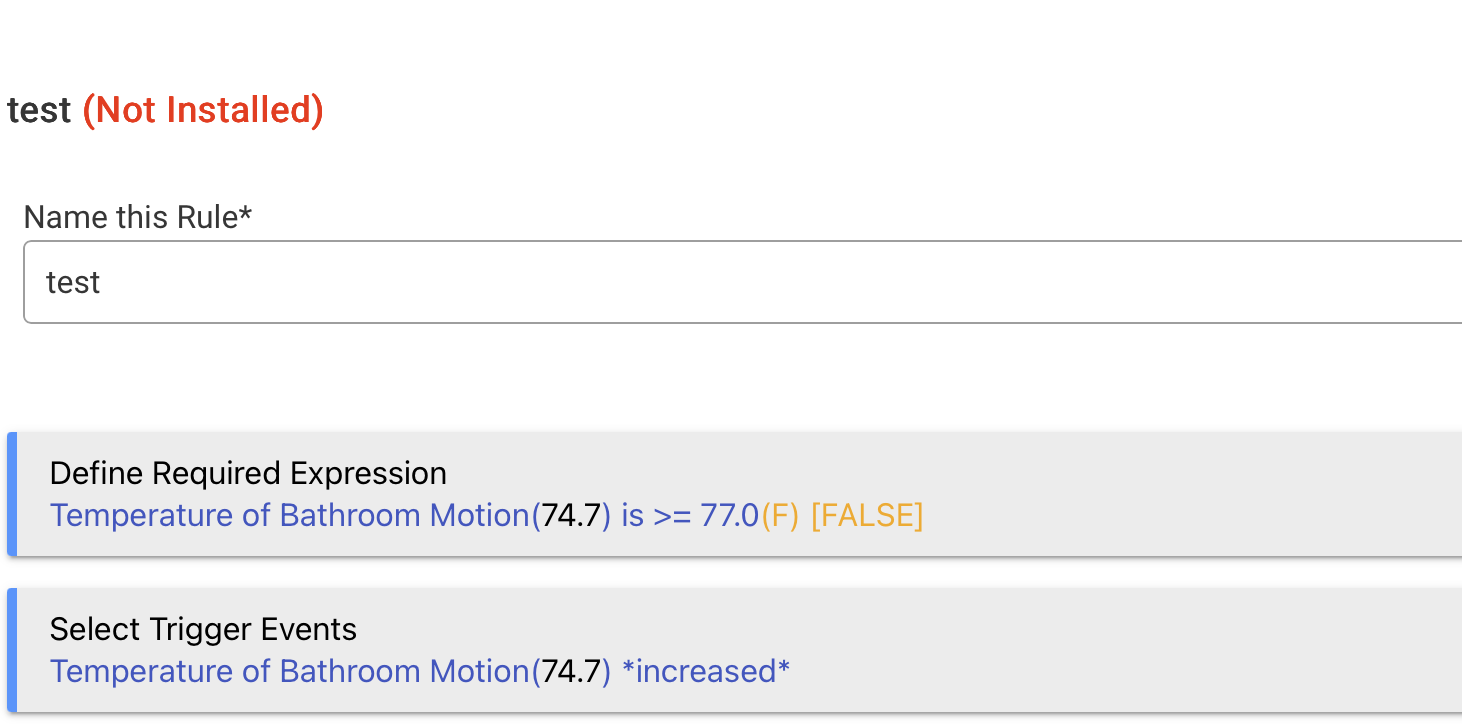
@sidjohn1's method will do what you want but keep in mind that once the required expression is met, >=77, every time the temperature increases the rule will be triggered again. That may or may not be an issue for you, but it seems like it might. So you probably want to do something in your rule to pause or halt the trigger until the temp drops back down.
This kind of specific state change is one of the use cases behind required expressions, but I would use them differently than proposed above. Here's my idea:
Required expression: Temperature of My ecobee <= 77
Trigger event: Temperature of My ecobee > 77
Actions to run: whatever you want, possibly what you have now
This rule will trigger only when the temperature becomes greater than 77 only if (per the required expression) it was <= 77 before. Once the temperature is above 77, it will no longer trigger, as the required expression will be false -- until if/when it goes below this threshold again and the require expression is again true. In other words, it will trigger only once when crossing this initial threshold in the desired direction, which sounds like what you want.
5 Likes
Hmmm, how’s that working?
When temp is <=77 isn’t the trigger “enabled”, but it won’t fire because it’s not >77, right?
When temp rises to above 77, the trigger is disabled and won’t fire, right?
I’m confused😳
1 Like
Wrong:
1 Like
Not obvious from the name “Reqiured”but cool anyway… so like this
- trigger is wanting to fire
- check current value of RE
2A)If true, let trigger fire
2B) if false, ignore trigger - then update RE if required
How would (could) this be done with conditional trigger?
If doable both ways, is one more efficient? Why?
Thanks
It can't; you'll see why in the docs:
conditions for conditional triggers are evaluated after the trigger event
This is the problem you anticipated for required expressions but isn't actually a problem for those since what matters for those is the state right before a trigger event.
2 Likes
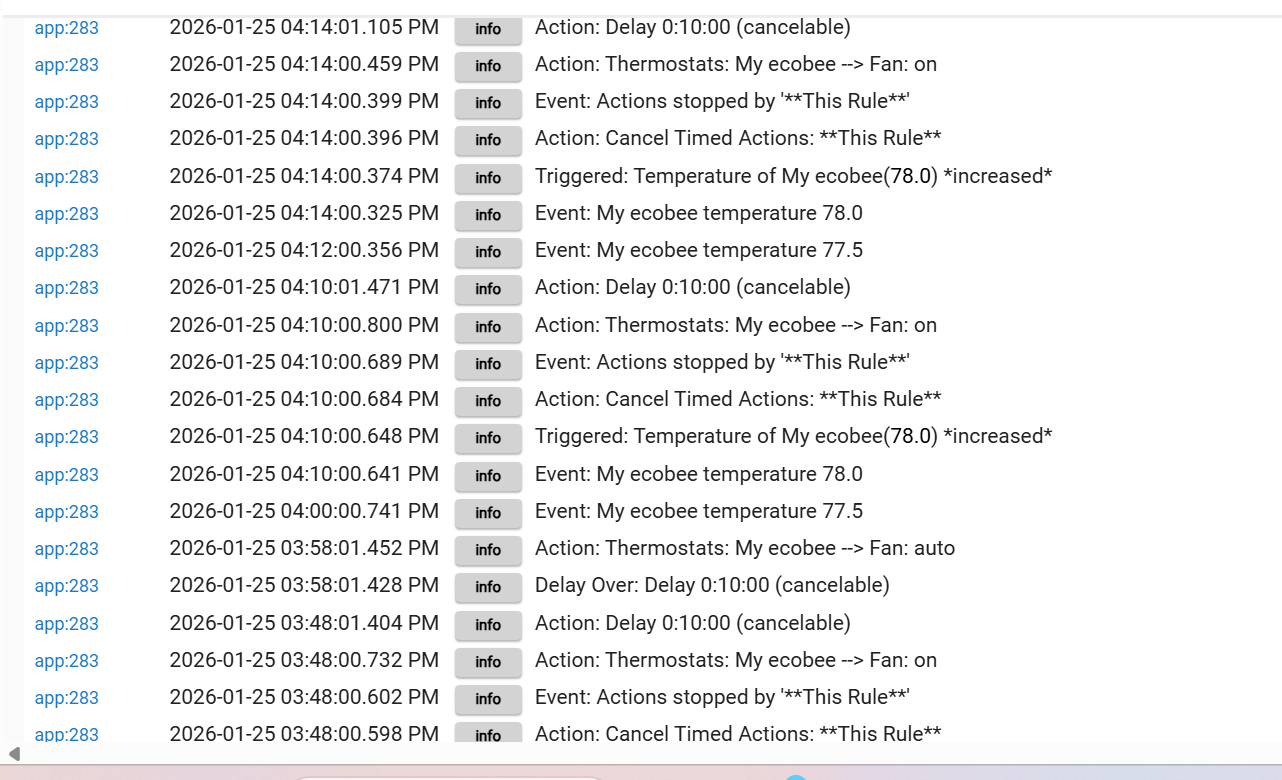
Thanks to all for the help. Using @sidjohn1 's thought process, I've done the following:
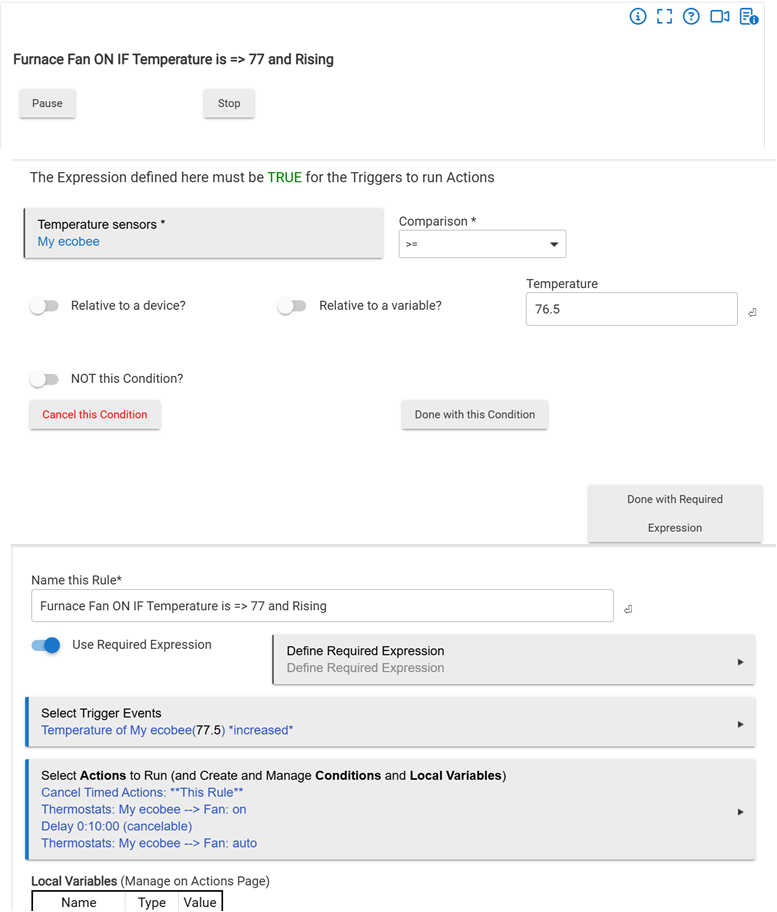
So the required expression is 76.5. Anything below that will be ignored 
The trigger is if it Ecobee INCREASES. If it increases below the required expression, it won't be seen.
I've added a cancel because I'm okay if it runs longer than the original 10 minutes, as long as the temperature is INCREASING.
So after the last 10 minutes of no change, it will return to AUTO.
Anyone see any issues with this?
@terminal3 I'm okay with the retrigger as long as it is increasing...
@bertabcd1234 thoughts??
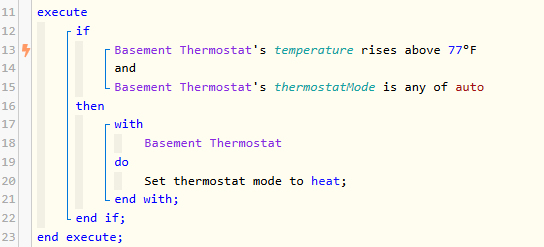
If interested, it is simpler in Webcore
You might want to add hysteresis to the on/off decision to avoid over cycling.
Set delta = 1.0
Turn On fan temp >= set temp + delta
Turn off fan temp < set temp - delta
If you make delta a variable you can experiment with different values.
Rule Machine is the most powerful built-in option for creating custom automations in Hubitat.
Other than WebCore? I gotta say your your solution elegantly fits into one rule.
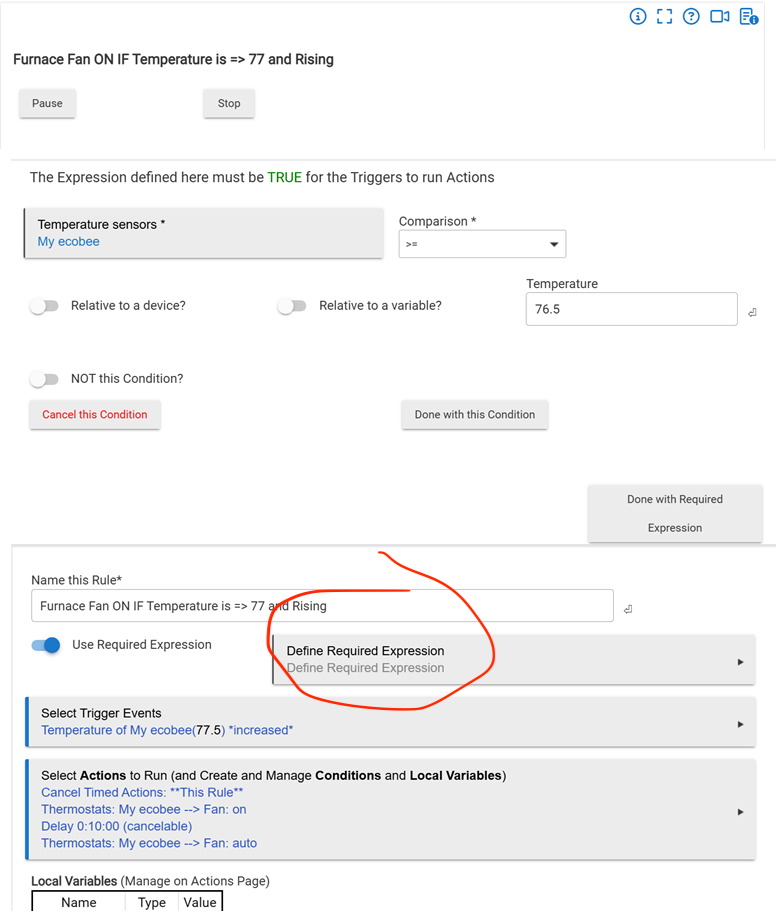
In the screenshot you showed, the required expression is empty. You should see it in the area I circled in red, below. Is it possible you only set up the condition but did not add it to the expression? I make this mistake all the time.
1 Like
You are correct. Originally it did not work. After watching the logs I realized that pretty quick. After I re-did the expression, BINGO!
1 Like
Thought about it but Ecobee reports in .5, so I'm covered there. Thanks for the suggestion!!!
FYI quantization doesn't get you hysteresis.
For a temp measurement in say 0.5 increments that means 75 degrees will be any temperature >74.75, =<75.25.
Now say you are at actual temp of 75.25000001 degree (I am exaggerating decimal places just to make the point). So now display flips to 75.5 degrees. If your rule was to turn on fan at 75.5 degrees then fan goes on at 75.25000001 degrees. The cooling effect of the fan running drops the temp back to 75.25000000 within about 3 seconds. The display drops back to 75.0 degrees. As a result the fan is turned off. Withing a few seconds the air motion stops and then rises back to 75.25000001 degrees and fan comes on. And so on and so forth.
Your ten minute run time will limit this extreme cycling but hysteresis is a very common way to deal with this.
Anyway there are many ways to do this. Best of luck.
For my purposes, the .5 works. Ecobee reports 76.5 / 77 / 77.5 etc. Since I'm not heating with the furnace, just using it to move air, (I heat with wood or Anthracite) No chance either will drop in 3 seconds!! You provide good information in the event others want to do something similar...
Could also just make one of the required conditions be that the fan is OFF.
1 Like

