I have a bog-standard tplink router. I disabled the wifi radio and purchased a few tplink omada access points and the controller.
Very happy with the performance but I have a huge number of basic wifi devices and it would be helpful to be able to use the router to set fixed up addresses instead of relying on setting this (where allowed) via individual devices. Now, I used to be able to do this through the standard router admin page (albeit for a handful of devices, 10 maybe?) but since offloading wifi to the omada access points I don't seem to be able to set any fixed ips. The setting has no effect.
Any ideas?
My actual router is pretty old and basic, but despite my extensive wifi network with tonnes of cheap WiFi clients (nodemcu's, konnected, tasmota, wled etc) I don't have any issues.
Probably need a bit more info regarding DHCP setup. The only true way to set a static IP address is on the end device itself. When you use the router to manage the device's IP address while giving it the same one each time, you do that by setting a DHCP reservation on the router (which sounds like your preferred method).
What I'm not sure of, in your setup, is whether the Omada controller or your existing router is handling DHCP (it must be just one or the other to avoid IP clashes). If your existing router DHCP is in use you would set the reservation there. If the Omada controller is handling DHCP you do it there.
I'm guessing that your pic is from the Omada. If you can't change the highlighted setting to 'on' there are a couple of possible reasons. 1 - DHCP is handled by the router not the Omada controller, so the setting can't be done there. 2 - If it lets you change to fixed but it doesn't stick, sometimes you need to power cycle the device (that forces it to send a DHCP request and the server should respond offering the address that was previously reserved)
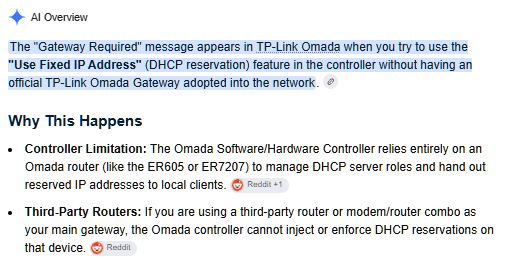
Google search has answered my question. Looks like I need to invest in a er605. Bah.
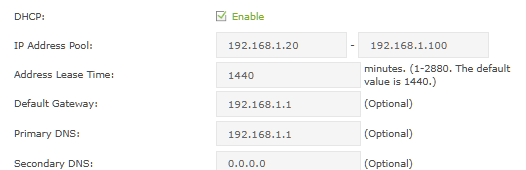
I sort of fell into this setup afrer getting sick of bad wifi performance from my standard router. My tplink archer c3200 (!) is a dhcp server, but I restricted the address pool mistakenly thinking that I could set fixed ip addys though the omada software, and I'd choose those addresses from outside of the standard addresses available to the router. My thinking was to allow the router 100 or so addresses to play with for anything I can't give fixed IPs to in their own settings. This means for example, the konnected boards are all given random ip addresses between 192.168.1.20 and 192.168.1.100. I don't particularly care about these as I don't need to refer to them by IP anywhere, the konnected software happily locates them.
However, I have multiple WLED flashed esp32's etc which really need fixed IP's. So I set these somewhere in the 192.168.1.101-192.168.1.250 range in their software. Ditto for network ip cams, home PCs etc. I always know their address as I set this per device.
I wanted to just use DHCP address reservation based on MAC, but I quickly discovered the lowly 3200 only has space for 10 (?) of these.
So, my 'issue' remains that some devices don't have the option to set a fixed IP and I can't set it through the router. Looks like a new router is on the cards. Thanks for the feedback, and sorry about the poor explanations, my networking skills are pretty wank.
I use both methods of addressing - when it's easy to set a static IP, usually on hard wired devices I'll set it on the device directly (I make sure to alter my routers DHCP pool to leave a block of addresses available). However on anything WiFi I'll usually use the reserved DHCP method. Bit of a bummer that your old router only allows 10 reservations. However on the plus side, adding a newer TP Link router into your Omada setup will be a decent upgrade.
To be fair, it's only about 50 quid on amazon, so not the end of the world.
But spending 50 quid to scratch a small OCD-like itch is annoying
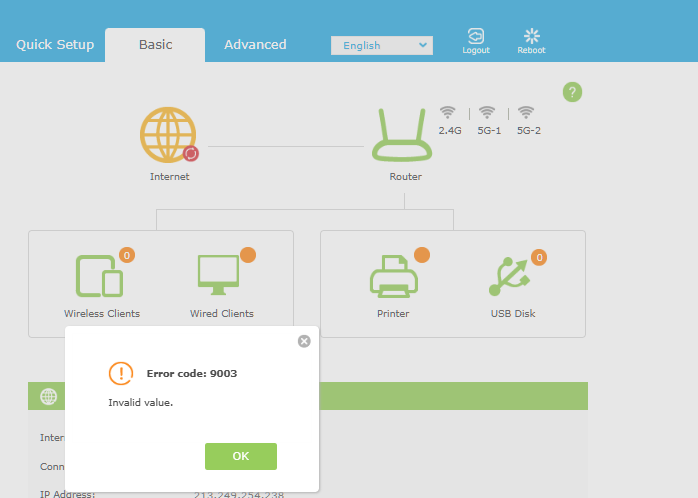
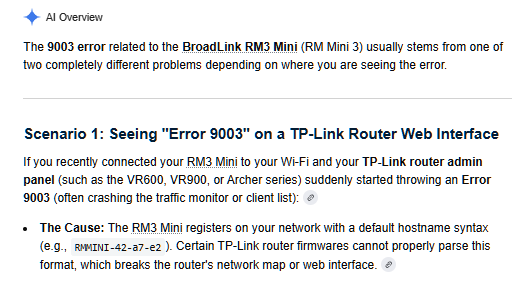
One of the reasons I started to think about upgrading the router was due to the addition of an rm3 mini. Annoyingly, it screws with the router admin page when connected.
To be honest - even with Unifi I get a few quirks like that. Devices can be renamed in the setup but it can misidentify the vendor and list something as a completely separate device.
Another way of keeping track of your connections is just to use an IP scanner. I use Mac so have the ‘advanced IP scanner’ app. That allows you to not only list all connected devices, but add your own friendly name and icon to the devices. Names and icons can be backed up to your preferred cloud service. It’s a very handy tool to see what’s active in an instant.
I have an ER605 to support multiple WANs and be the gateway. The ER605 is a pain. Terribly slow interface. Left it to only operate multiple ISPs and gateways, and I offloaded the whole DHCP thing to a spare computer hosting Pi-Hole in a docker container. The added benefit is blocking all sorts of shady and dangerous sites and more. Plus easy to backup, configure, update, manage. Moving DHCP off of a router also means no-hassle router replacements/upgrades.
Yeah you don't need an actual Omada router for that. The controller talks to the APs over the network regardless of what's doing DHCP upstream - reservations are just whatever box is handing out leases, really has nothing to do with Omada.
Having an Omada gateway (er605 etc) is nice because then everything's in one UI, but it's not required. Like I mentioned above, mine's just doing multi-WAN duty now, Pi-hole handles all the DHCP/reservations stuff and it's way less painful than the er605 UI.
If your archer's pool is cramped, honestly I'd just do the same thing instead of buying into full Omada hardware just to get reservations working.