I live in a zone that has chosen to stay on mountain daylight time but my hub has switched to mountain standard time this morning. This upset many of my automated events. I have set my time zone to central standard time but it does not seem to want to stay, it switches back to my geographic time zone (mountain standard).
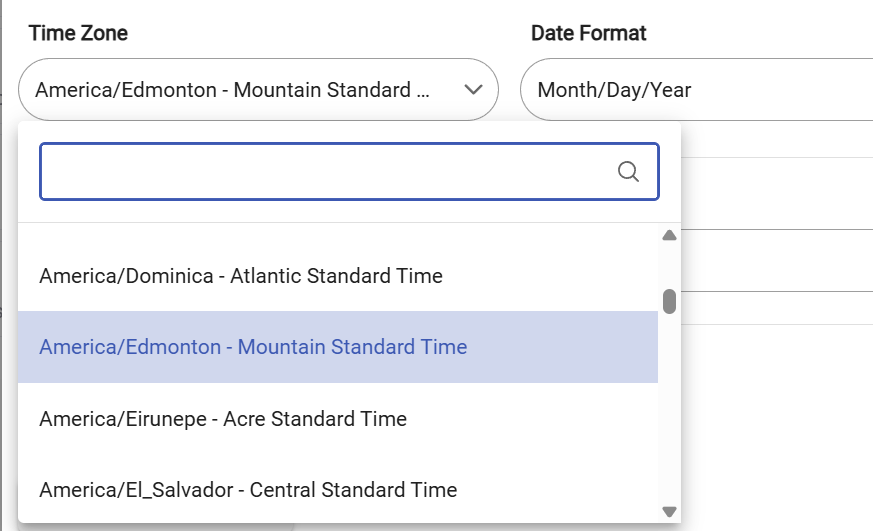
"Edmonton - Mountain" fixed it for me.
One hub had picked it already, had to change the other manually.
Edited for accuracy:
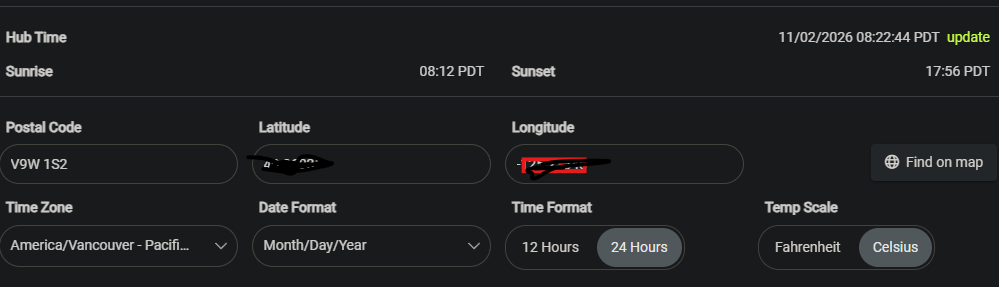
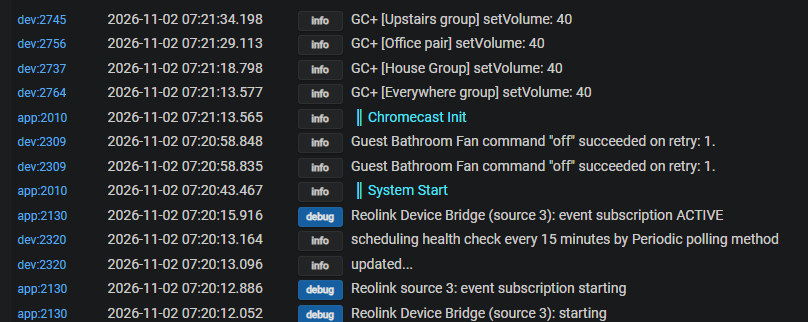
While my Hub time is correct on the Settings Page while using the Edmonton - MountainTimeZone, the System Logs are one hour behind.
Using Regina - CentralTimeZone shows the correct time on the Settings Page and also the System Logs times are in sync.
Can it do that? I have never seen or heard of auto time zone selection. You are hitting the green "Save" button at the bottom after changing things, correct?
There should be some time zone that works, there are close to 25 choices, so I hesitate to suggest one. I just typed "mount" into the search box to see all that have this option.
BC went to permanent daylight. I have had to correct a few things manually as I had no selections in some drop-downs (older tablets) for our new PST. Hub time seems to be correct on PST.
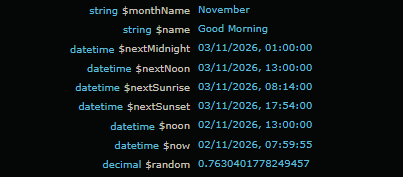
Even though my hub is correct now I'm finding WebCore does not trigger properly on time comparisions.
WC seems to have some of the numbers correct but things like midnight and noon are an hour off.
I'm guessing the timezone file in HE has not been updated (and possibly java library versions)
@gopher.ny can confirm, but I expect these need to be updated to reflect the current timezone rules. Those pistons may need to be paused / resumed once the core system has the latest timezone rules.
The above method failed yesterday, but with the x.114 update earlier today - maybe it's now fixed? At least the time in 'settings' is no longer jumping around. Yesterday I had things firing an hour early, and an hour late seemingly randomly! At least they weren't super important.
I'll find out starting around 4pm if things are back to normal.
Issues here as well.
Modes changing one hour late.
Hub time is updated and correct, rules haven't changed, logs show nothing.
Edit: Logs show no errors, but they are one hour off the Hub Time on settings page.
FYI
For old devices without DST updates in the past I've used Regina (Saskatchewan Time Zone UTC-6) for half the year and Phoenix (Arizona Time Zone UTC-7) for the other half.
Keeps them from attempting a change to DST on their own schedule.
Arizona time zone works fine for BC/Yukon. Logs are correct, hub time is correct and devices like my Sinope thermostats are now correct too (need to manually refresh time in the driver if you have those, but only on one of the thermostats that uses the driver. All the others will update too).
@bravenel was right. Arizona time is the correct time.
But for old devices that won't be getting any updates, choosing a TimeZone that hasn't had DST for quite a while (Sask. and AZ.) should eliminate the need to keep changing the time back and forth every spring and fall.
This is just an idea and probably won't fix anything but I would try changing the time zone to something 4 or 5 hours away and then change it back to the correct time zone. I might even reboot between the time zone changes.
FYI, the new BC time zone is tagged as PCT. Not sure what is stands for. I'm having the same problems. At least in Windows 11, they have the new time zone.
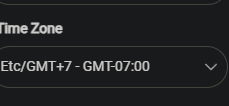
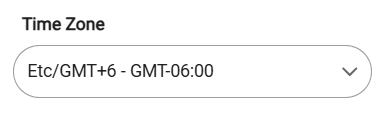
I live in Alberta as well. I think the solution is to change to a UTC offset, not a named time zone. I'm using "Etc/GMT+6 - GMT-6:00". I think this basically will fix the offset and ignore the switch to standard time. Time looks correct on the hub, so I'll know tonight when the lights shut off (or don't shut off). If you're in BC the offset would be 7. If you're in Sask., well I guess you've already figured this out, just sit back and smile.