Text notifications to iPhone

I've tried CustomGPT and it said to setup an account with Twilio and that would let me send SMS notifications from HE to my iPhone.

Chat said to add it as a new device. I've tried, but it doesn't allow Twilio integration. Also tried it via App, but nothing.

  • In your Hubitat hub, go to the device section.
  • Add a new device and select the Twilio integration.
  • Enter your Twilio Account SID, Auth Token, and Twilio phone number in the device settings.

Any thoughts on how to get text notifications on your phone? thanks

Does it have to be text messages? The pushover app is awesome on Hubitat and extremely reasonably priced. I think it's still a one time $5 fee.

If you don't absolutely need text messages you should take a look.

Have you checked out "How to Create New Presence and Push Notification Devices" in the documentation? You can send text notifications all within the hub - nothing extra is needed except installing the Hubitat app on your phone

My phone is listed as a device and is running HE .. My rules said to send text to it, but nothing happens. The only notification I get is if I open HE and look at notifications within the app.

I'd rather have it text me. Something isn't working.


Depends what you mean by text messages.

SMS (what most people think of as “text messages” in the traditional sense) can’t be done without an external service like Twilio.

The Hubitat mobile app can send push notifications, as can external apps like Pushover as @oldcomputerwiz mentioned (with a lot more customization/flexibility than the built-in Hubitat app’s push notifications.

The driver in your screenshot (“mobile app device”) is meant to be used with the Hubitat mobile app (not Twilio).

Can you take a step back and clarify whether you are only interested in receiving SMS text messages as notifications from the hub?

Or would you also consider using the Hubitat mobile app to receive a push notification instead?

I just need push notifications, based on your comments.

Just need notification from the hub

In that case, I second the suggestion to review this article in the hub documentation:

https://docs2.hubitat.com/en/how-to/create-new-presence-and-push-devices

It should get you going with the Hubitat mobile app on your phone as a push notification device.

But feel free to ask follow up questions here if you need to.

I followed this doc originally when I setup HE the first time and it shows my iPhone in devices. My automation rules show my iPhone and I use the mobile HE on my iPhone. For some reason, I get no notifications. That's when I decided to research and they suggested going down the Twilio route. I also check my message settings on iPhone and everything looks normal.


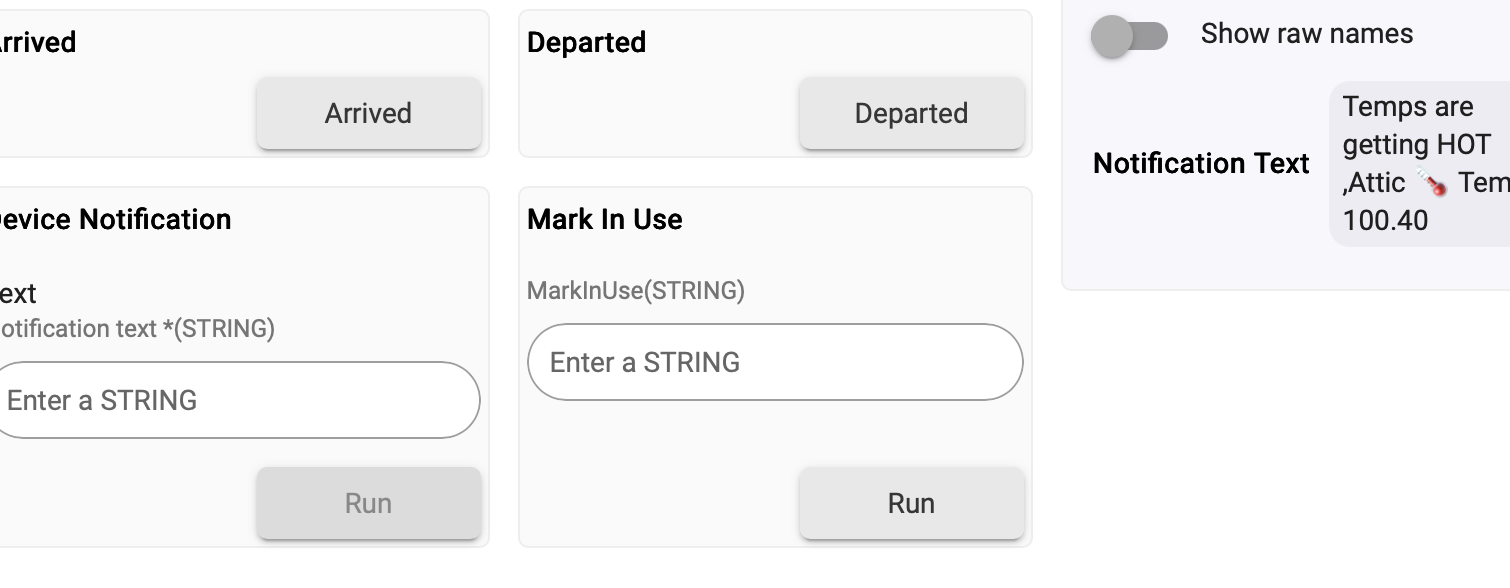
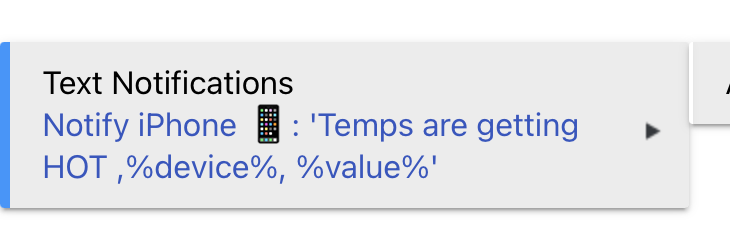
Sample from my device

In your iPhone's Settings area, check the permission-related settings for the Hubitat app (and its notifications in particular) to make sure the app can do everything you want it to.

Sometimes, an app's default settings can be overly restrictive (especially with Apple stuff).

I’ve checked iPhone settings and everything looks normal.

Also noticed the HE mobile app doesn’t always work with refresh. It hangs and forces me to close it.

I’m going to delete mobile HE and reinstall.

Maybe a fresh install fixes it.

Apple been pushing a bunch of updates lately so maybe something broke.

Please note that there are 2 apps in the Apps Store. I'm pretty sure the one you want is Hubitat Elevation, not Hubitat; at least that's the one that works for me.

Good point... the right one has a green app icon.

I downloaded new version.

Hugh difference in performance. App doesn’t hang anymore when I use it.

Tomorrow I’ll see if push notifications works.

Thanks for all the suggestions and support.

Texting works but only after I re-downloaded mobile app. I’d suggest it as 1st step when troubleshooting non-responsive push notifications.