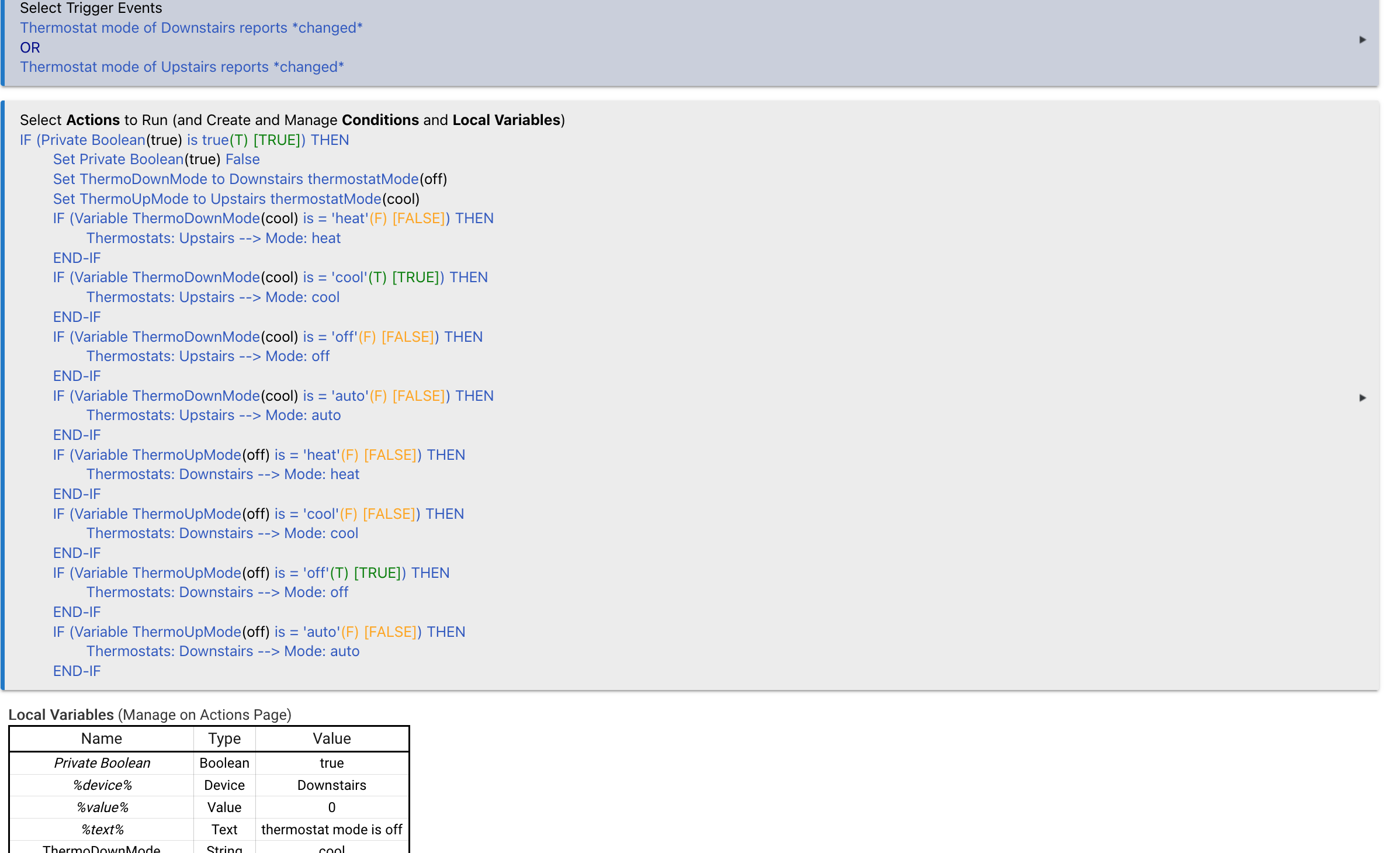
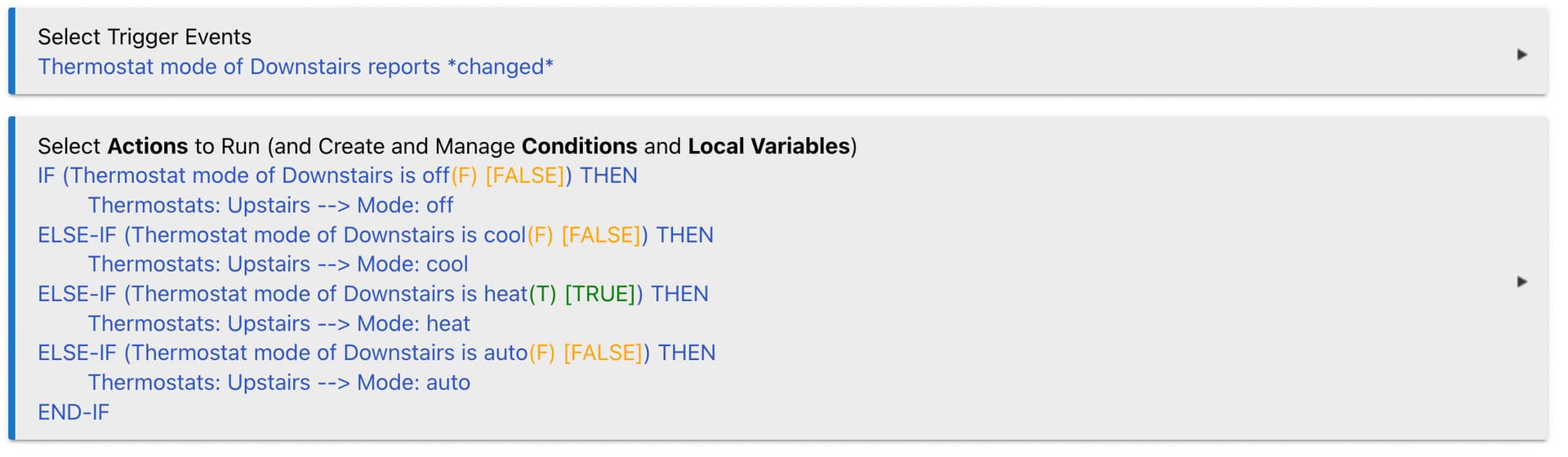
I am very new to Hubitat and thought that trying to create a rule machine rule to sync the modes between two Ecobee thermostats would be a good learning experience. However, this seems to be out of my reach. What I am trying to do is if one Ecobee mode is set to a specific mode (off, cool, heat) I would like the second one to mimic it. My first iteration I was setting local variables to store the current mode on each thermostat when a mode was changed. This would only work when controlling the downstairs thermostat.
I have attached the rule as it sits currently, I was forcing myself to use one rule to make this work so I could learn but maybe it would be easier if I created two separate rules? Is this even possible in one rule? Any help or advice would be appreciated.
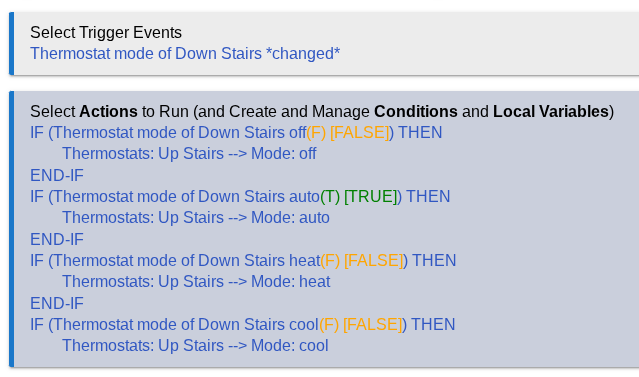
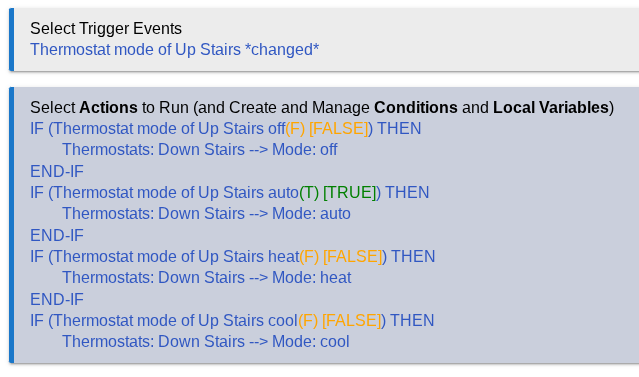
My approach would be two rules, one for each thermo...
If downstairs mode changes...
then if downstairs mode != upstairs mode: set upstairs mode to the value of downstairs mode.
If upstairs mode changes...
then if upstairs mode != downstairs mode: set downstairs mode to the value of upstairs mode.
Note, if you don't check the value of the other thermostat does not already match, you will end up in a loop of each rule updating the other repeatedly.
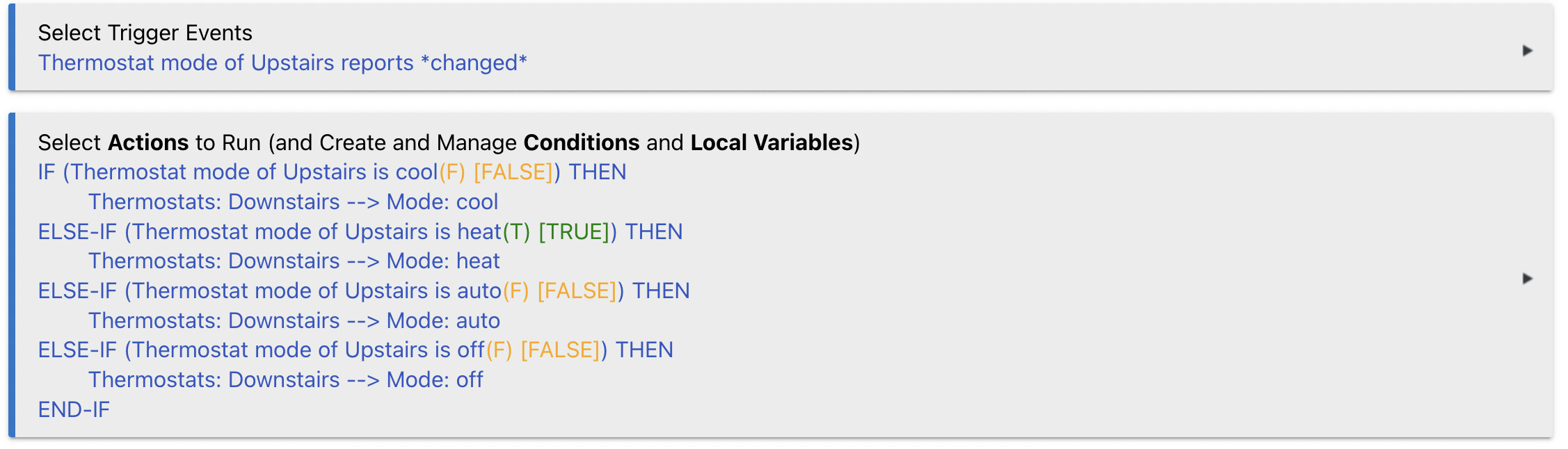
This was by far the easiest way for me to get this working. Thank you for the advice! Took me a while to get back to it but it works great . For anyone trying to do the same, making two rules is the way to go.
The reason we avoid ending up in an endless loop is that once the second thermostat is synchronized with the first thermostat's mode change, it generates an event for the same mode that the first thermostat is already set to. Consequently, the first thermostat will not generate a new event since there is no change in its mode.
So, yes - these RM5 rules are safe to use, as long as the thermostats are using drivers that do not enforce sending events when there is no change. This should be true for all built-in thermostat drivers in HE.