What are your suggestions on naming devices?
Initially, I had something long like this:
[floor][person][roomtype][device type]
eg: 1F Bob BR TempDisplay
This long name didn't fit well in the old Dashboard. At least with the new EZ Dashboard, the device can just for the dashboard itself, but seems like a pain to rename each.
And then when I got some EcoWitt gateways, I couldn't rename the child sensor devices so I had a bunch of 'Air Quality Sensor' tiles on the dashboard that I don't know which is which. I could assign these devices to rooms so I thought I can just create rooms like '1F Bob BR' so the device name doesn't need to have that same information.
But it looks like Rooms are not synced over the Mesh. I have a mesh with a c8 for zigbee devices and a c7 wifi/lan devices and I just realized that over the mesh, the ecowitt sensors don't retain their room info.
Maybe I should use labels instead? Maybe it's time to implement tags?
This naming scheme predates the existence of rooms, but I like how this disambigufies devices as displayed by label, which everything uses when the label is set. Thus, I kept the room name in there even after rooms were added.
(and I got this scheme from older posts here dating back 4 years asking the same question).
I find having the Dev type or model in the Device Label helps me when I'm troubleshooting or writing rules, even though the same info is often in Device Name.
I use 2-4 letters to describe the room, an emoji to describe the device, and a short description of the function/location. I like the short descriptions as they tend to fit better on a phone screen.
KTN hallway
Kitchen motion sensor in the hallway.
EXT alley
Exterior contact sensor on the alley gate.
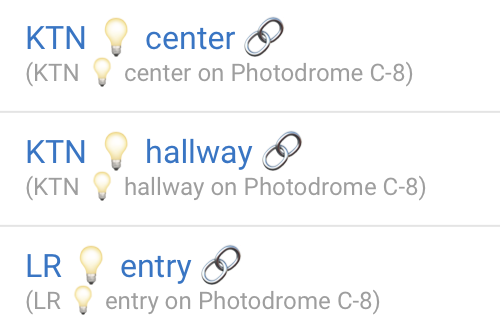
For hub mesh linked devices I just added a simple link emoji.
GAR entry
KTN pantry
The last one is a switch. I didn't find a better icon.
I don't typically mark child devices.
Edit: I like the emojis because it keeps the names short and it is easy to tell the device at a glance.
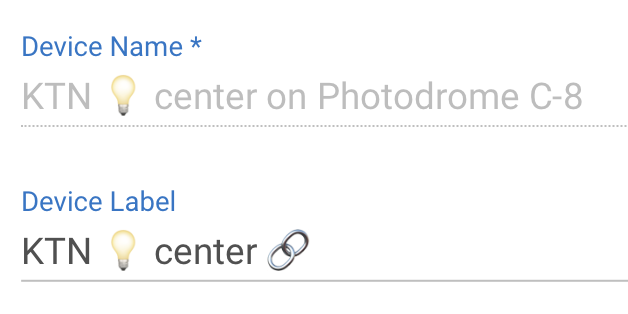
When using the mesh the device names still come in with a suffix stating where it is linked from.
I just change the label to read how I want it to show up. You can't change the device name but you can change the label.
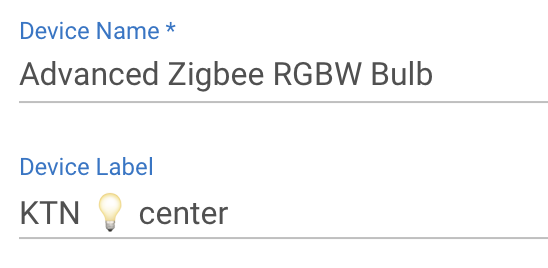
In this case the device on the original hub looks like this:
I didn't bother to change the name that was provided when I added the bulb. I just updated the label and that's what is used for the mesh with the "on Photodrome C-8" added.
For those using emoji's, do they come through on all of the dashboards and the app??
Also, sorry for the boomer question, but how do I bring up an emoji screen on the Device Label?
ETA: Just played with the HomeKit integration for the first time. It would not take device names that contain = or @ sign; I imagine it would also not take an emoji!



 hallway
 alley
alley entry
entry 
 pantry