First of all I want to say that I appreciate the changes to the UI in this update. My concerns are about the implementation.
My concerns are:
The lack of documentation or online help about the capability to move user developed apps from the apps section to the integrations or automations section
The method used to move user developed apps from the apps section to the integrations or automations section
When I saw the automations section for the first time, it was weird to be missing all of the user developed apps that I depend on. Since I didn't know that user apps could be moved to this section, it felt as a slight to user apps. The same for integratiins.
When I read the response from @bobbyD I was relieved to know that there was a way to fix this issue. Then I realuzed that this was hidden in middle of a long user post. This could easily be overlooked.
Please add this information to the popup menu for the integrations and automations sections. Or create a second popup menu item sinxe many people will have already acknowkeged the first one.
My concerns about the method of implementation for moving user apps between the sections are two-fold:
Putting my menu selection in the code means that I will have to repeat the process everytime the developer releases an update
Knowing how to save an update to the code is a mystery when doing it for the first time
Please develop a method to change the menu selection that is independant of app code. Hopefully this way users will only need to do it one time.
EDIT: After I created this post, I read in the otger post that the menu selection update was intended for the developers to do. My misunderstanding of a brief comment.
Just wish that staff had communicated with the developers about the menu selection before rolling out this update.
Under the Apps tab both built in and user apps are listed. In the text column if it is a community/user app, it is marked as user... Built in apps do not show anything..
Anything that creates automations resides under automations. Typically these are all built in not user (exception is node red)
Not sure what you mean by this. If you update apps code in the apps code section, hubitat doesn't care where it ultimately resides. It simply reads the code from that section. Doesn't matter if it's an app, integration, or driver.
This is correct, AFAIK. If the developer's setting in the code (App, Automation, or Integration) doesn't match up w/what you want, you'll have to edit that each time the code is updated. You can of course ask the dev to update their code to match your preference.
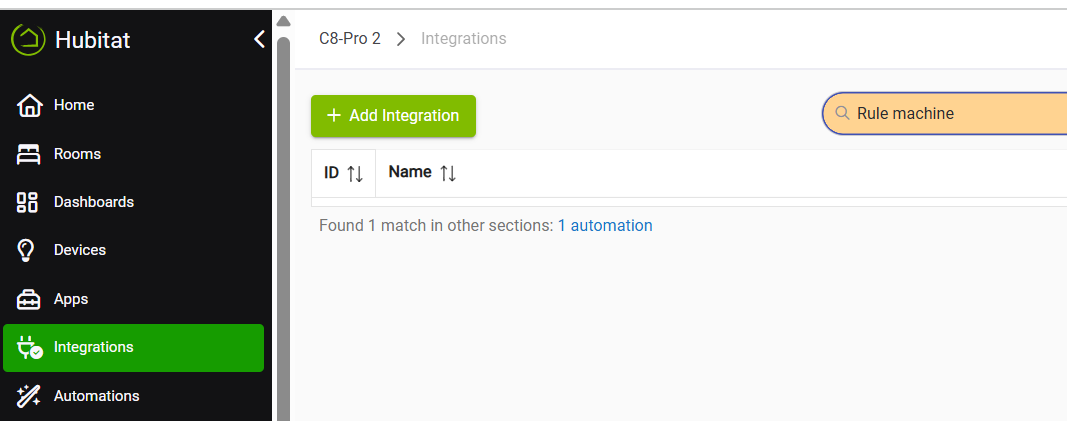
I have 3 hubs and all have apps, I can never remember what hub the majority of apps are on and have to search through all 3 hubs to alter things if I desire to, with this new wonderful idea I now have to search through each hub 3 times, just a mere 9 searches
One search on each hub, just like now. Doesn't matter what section you're in, Apps, Integrations, or Automations, any of them can be found from one search.
I use the search function for just about everything. It's extremely helpful. That way I'm only looking a very small subset of my 460+ apps, integrations & automations.
Gave it the old 30m college try! That would explain why you misunderstood how it works. Best to hold on comments about specific functionality we aren't familiar with (a good idea for us all in general, of course, not specific to this topic).
As mentioned in the other thread, nothing has changed for custom apps that would require developer action.
If a change of that nature was introduced, community developers would receive advance notice so they could update their code accordingly.
This is simply a new feature and was documented in the release notes. Developers can choose to adopt it or ignore it—either way, existing apps will continue to be displayed where they were before, with no action required.
What is REALLY missing - is a NATIVE organizer for the RM Rules. I know there is a custom app for this but my strong preference is a built-in feature (because the custom app may become broken at any next platform update).
Yes, I found that out all those things in the other thread.
Here I am just trying to voice my opinion that the way the staff rolled out this release in not communcating with developers ahead of time and how they communicated the method for updating the menu location makes this release appear half baked to me.
It's a disapointment that they are telling me that I am wrong for thinking this way. A missed learning opportunity.
There would be no easy way to migrate databases. You have several. The main one and all the radios. The z-wave database alone doesn't allow merging. I would assume zigbee doesn't either because of coordinator id's (You can't mix them)



 That would explain why you misunderstood how it works. Best to hold on comments about specific functionality we aren't familiar with (a good idea for us all in general, of course, not specific to this topic).