I have 35 Philips Hue Motion Sensors that I use to automatically turn lights on and off in my house. Sometimes the sensors get stuck in a state, usually "active." I've given some thought on how to write a Rule Machine Rule that will detect these stuck devices so I can fix the issue, but my ideas seem ungainly. Before I "reinvent the wheel," has anyone done this, and, if so, can I get some tips on how to do this elegantly?
Considering that there is some amount of time that would indicate to you that a sensor is 'stuck', you could use a Notifier, Basic Rule or Rule Machine to send a notification. Just use a Stays time on the trigger event of motion active, with that amount of time.
Yes, I think a brute force method would be to write 35 rules and alert when active stays on for, say, an hour and inactive stays off for 1 day or more depending on the location. I just wasn't looking forward to writing so many highly duplicative rules.
One thought I had was to have one rule where I map each sensor to a bit and have historical bitmaps using system variables. For instance, when a sensor turns on I set the corresponding bit. At the end of the day I could report all the sensors that didn't turn on that day. I'd have another bitmap where I'd keep track of all inactive transitions for those that went active and report sensors that went on but not off. But this might get messy too because, without arrays, as I'd have 35 IF %device% = <> conditionals.
FYI, right now I just have a dashboard with all the sensors and I can look and see the ones stuck active. I have to walk the house to look for those that don't turn on. See below.
Anyway, I was just wondering if anyone dealt with this issue and if they had a slick solution.
I tried an EZ Dashboard for this, but the auto arrange feature really killed the usefulness:
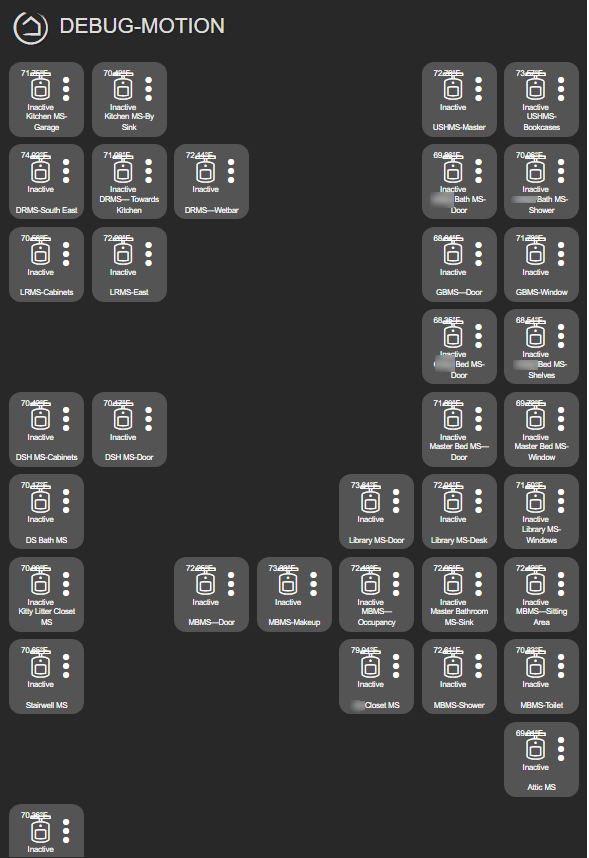
Edit: add image of motion sensor debug dashboard.
@TheUsualSuspect Anything being yielded from investigating why they're getting stuck?
Only need a single app, one that notifies which sensor is ‘stuck’. You can put all 35 in one app.
I really don't know. I suspected that they might be going through some ZigBee repeaters (wired sockets) that had issues (also tended to get stuck), so I replaced the sockets. I also thought it might be a battery issue, and replaced a lot of the batteries with USB cords plugged into constant power. These two changes helped some I think, but some sensors still get stuck. It does tend to be the same sensors over and over again, so maybe I'll try switching a problem sensor with one that never had an issue and see if the problem follows the sensor.
1 Like
What make/model of sensor?
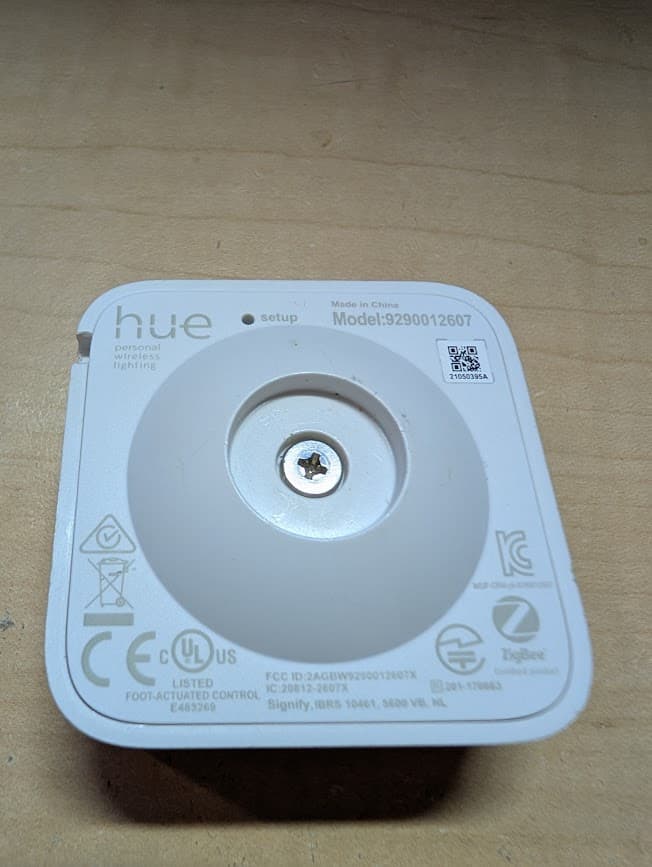
EDIT: The string subst routine was too much for my HUB. It got cooked and shut down the Zigbee radio. So this method is not a good long term solution, and will only work for a short period where there is not a lot of motion activity.
It's been 9 months, and motion sensors are still falling off the Zigbee network. So, today I finally ripped all the old Zigbee sockets out of my walls and replaced with regular sockets (shout out to the new Leviton Lever Edge connections; Love them!).
I also started brute forcing a tracking app. It was a pain in the ■■■, but I stumbled upon the string token functionality that made it pretty easy (what I was looking for in my original post). What I did, for others who come upon this problem, was to number my sensors names with (01), (02) etc. at the end. Then I have one app that pulls out the number from a string with all the numbers and replaces the number with "_" when the sensor triggers. At the end of the day, I report what sensors did not trigger. If I see a number that I expected to be triggered, I know it's fallen off the network. The tracking app looks as so:
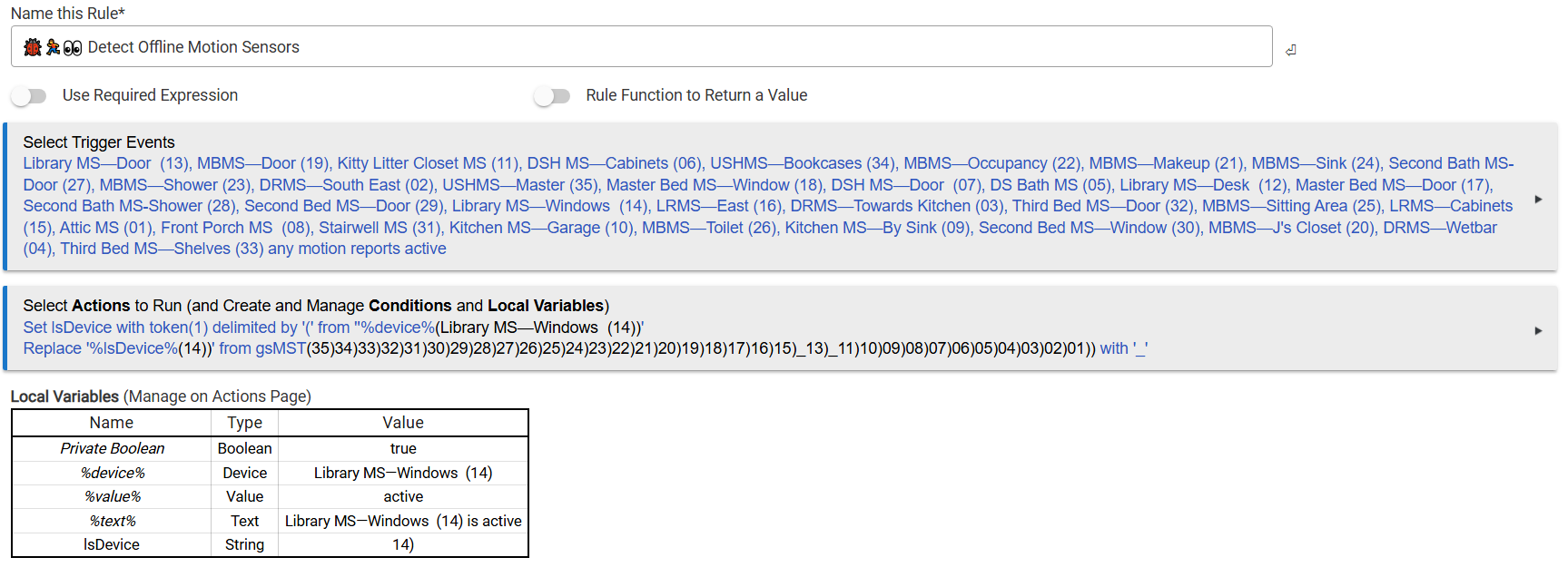
The report app looks as so:

If I can think of a clever way to loop through the sensors to compare the remaining numbers in the string, I could then put the numbers back to a name. But the numbers are fine for my purposes right now.
So, I finally got what I wanted (took a while, because I'm not the brightest). Posting, just in case someone is following my breadcrumbs.
The key was seeing other people use the local boolean to make the apps "one shot." Specifically, I set up 36 tasks:
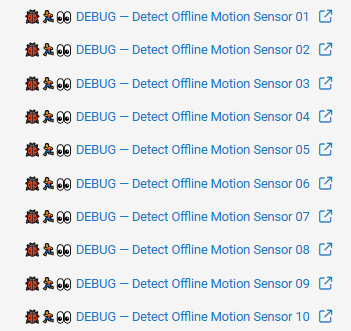
Each one only fires once a day:
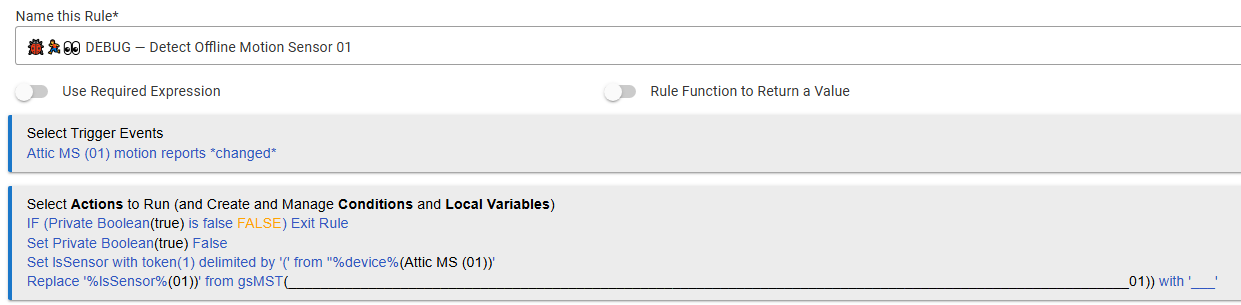
The token delimiter and string replace allowed me to clone one task 36 times without going in and changing the code.
Then at 8 o'clock every day I get a report and reset the local booleans:
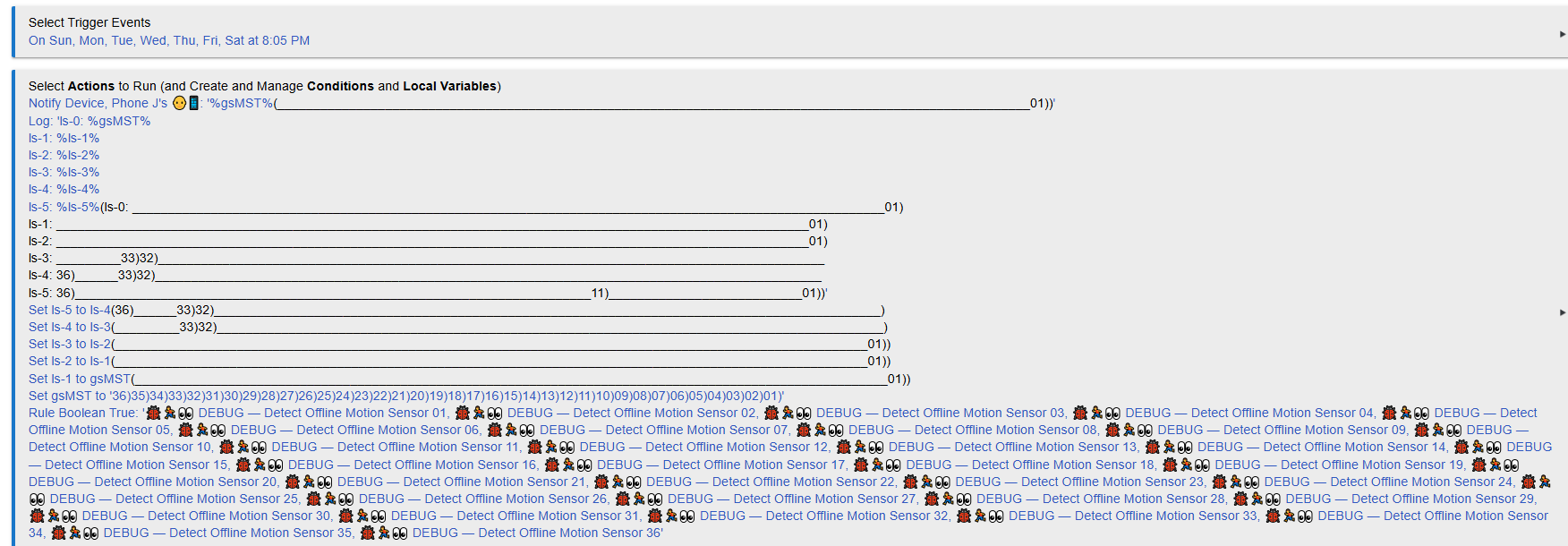
I also keep the last 5 days information, so I can see if there's a trend in one sensor that is stuck:

Anyway, this has been perfect to minimally intrude while detecting if a sensor has gone offline.