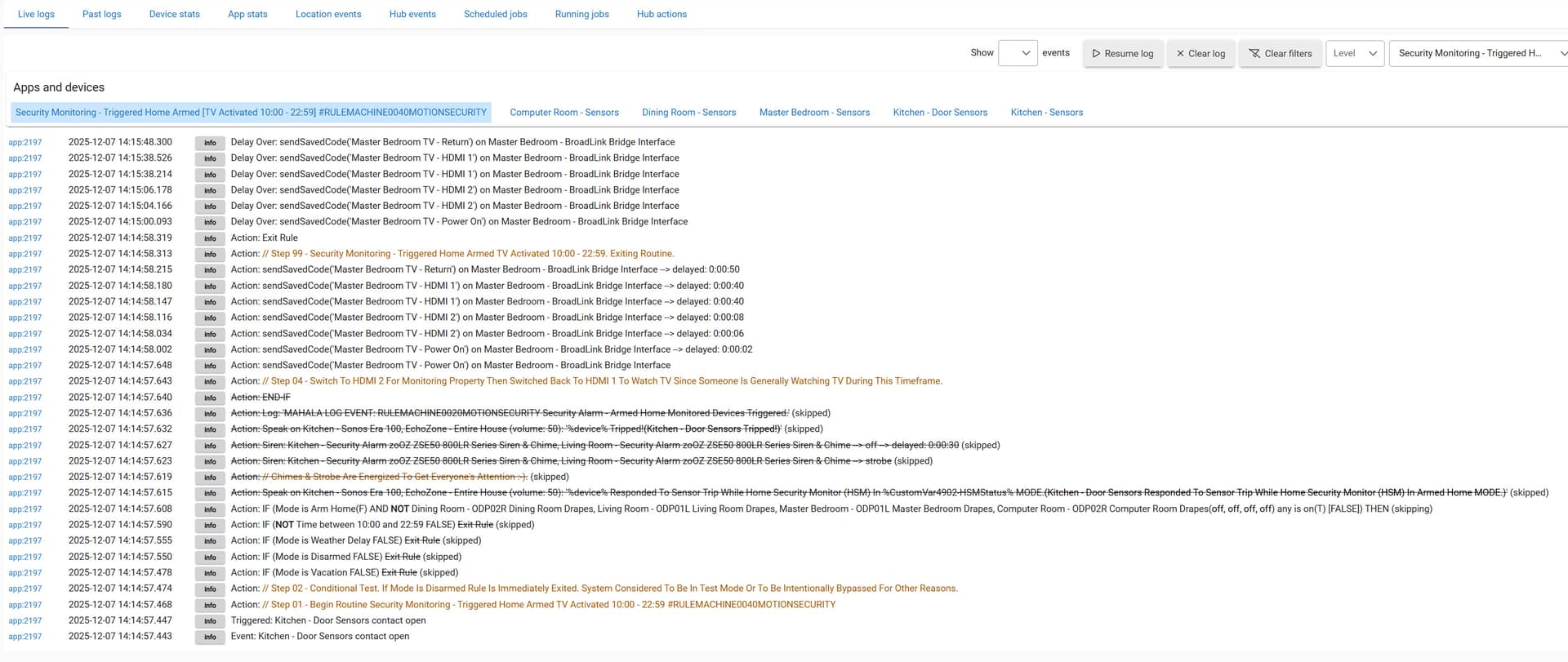
General Information:
Platform - 2.4.3.164
Hub Model - C8
Issue / Symptoms:
Some Existing & All New Rule Manager Rules Will Not Trigger:
BACKGROUND:
I have just finished up a project that; for the most part, had a primary purpose to replaced all of 700 series devices with 800LR series devices and upgrade Amazon Echo 15" to 21". This resulted upgrade to
-
15 HomeSeer LS100 Leak Sensors
-
09 ZEN14 Double Plugs
-
02 ZSE50 Alarms
-
05 ZEN20 Power Strips
-
I am listing this to show the amount of change this introduced this introduced including the the three EZ desktops that are maintained. As a result, this has led to several issues. The primary of which is with rule triggering.
I am including the screenshots below of the ZWave results after the upgrade as I suspect this may be part of the questions for those willing to help with the issue after that work. I also want to paste this link into another thread discussing the value of upgrading to ZWave 800 series devices. For me it was very positive. The routing resulted in an approximate 90% of my devices connecting directly to the hub. See ZWave table screenshots below:
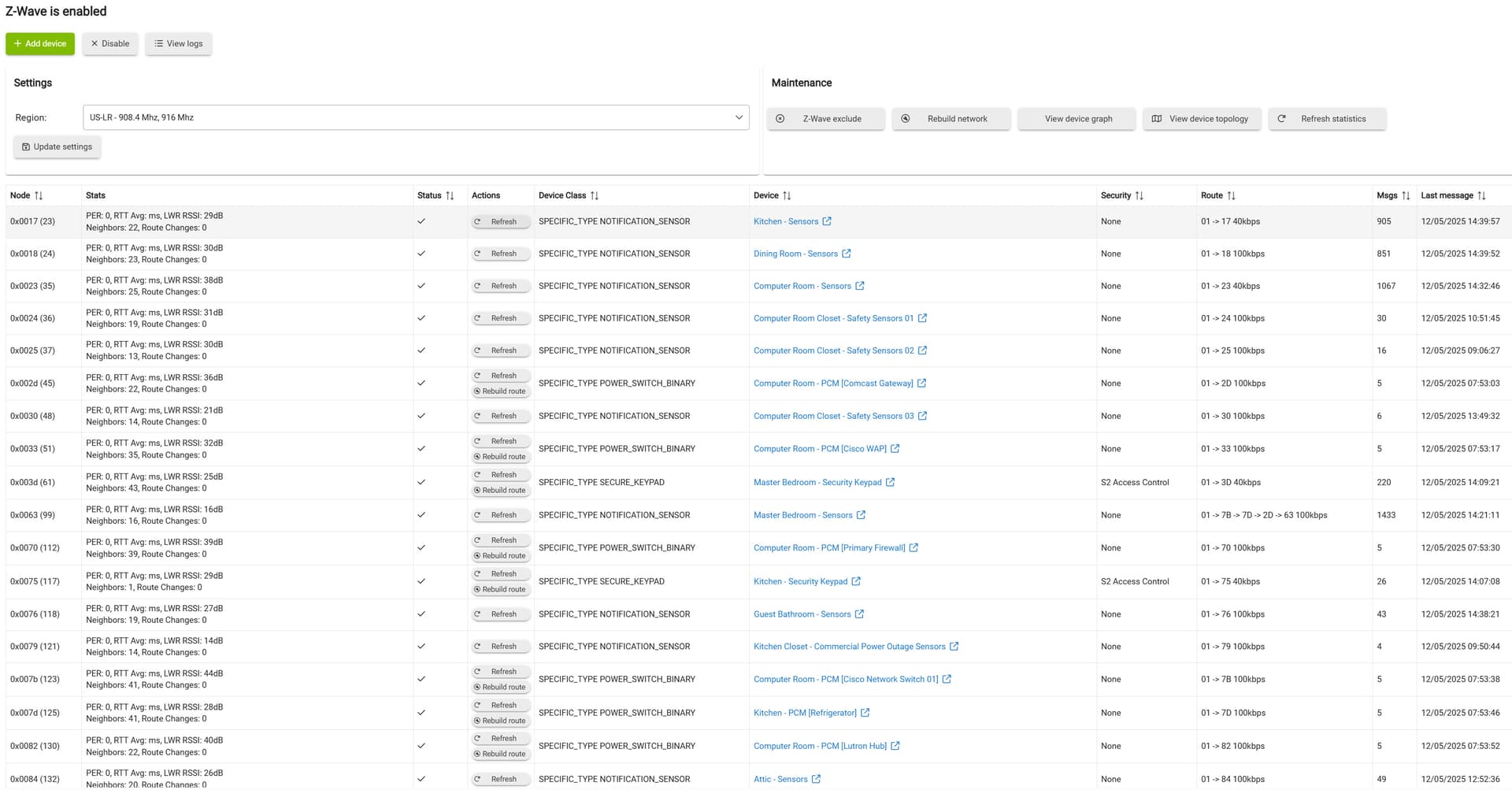
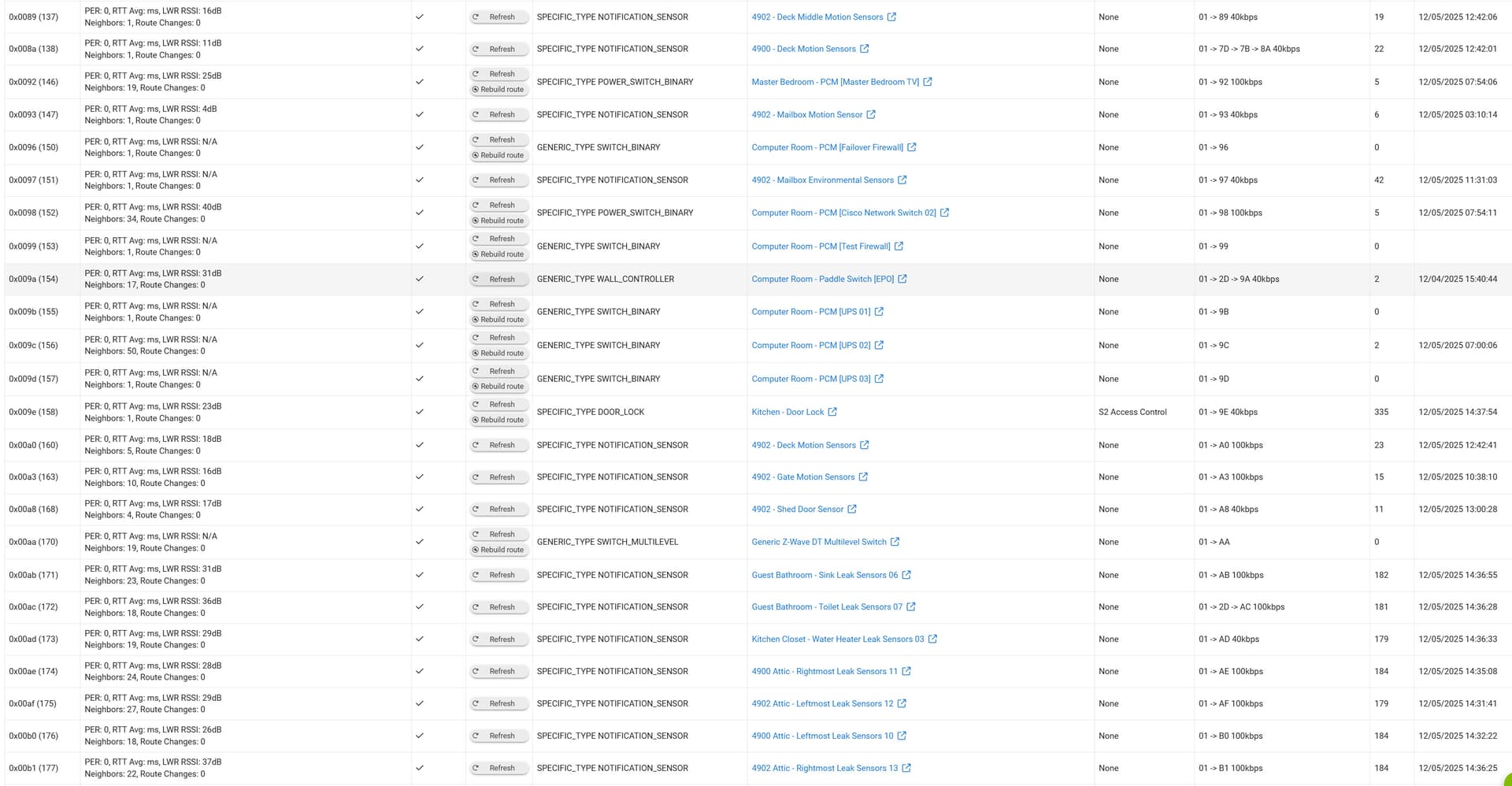
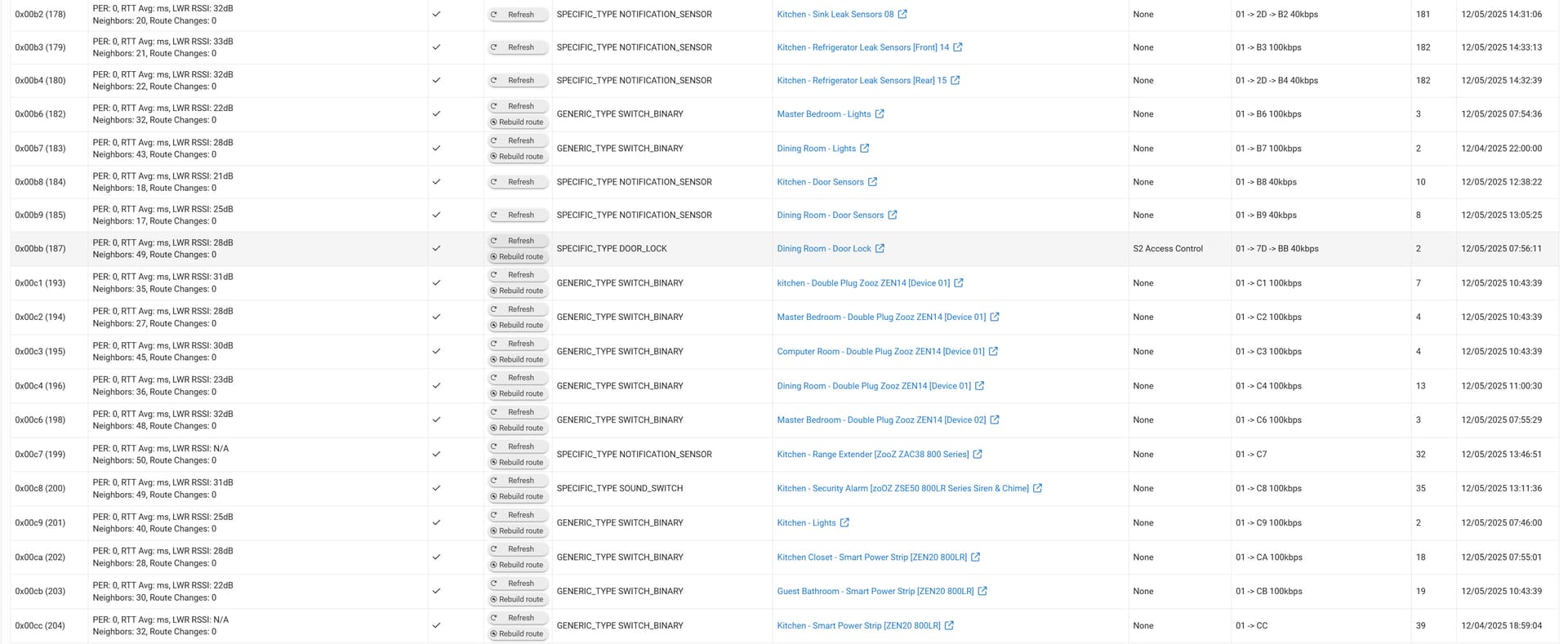
Going into the upgrade I was worried about excluding so many device that have been connected for over 4 years. Although I did have trouble with three, two of them came out with the ZWave refresh remove, refresh remove, refresh, remove.....you get the idea :-). The remaining device I had to purchase an Aeotec 700 Plus Z-Stick and use my existing copy Simplicity Studio to remove it. The device as a version 1 Zooz 20 power strip (had a lot of problems with these). So very grateful to Danabw, jtp10181, alexcapone, and to 672southmain for this PDF on how to use Simplicity Studio to remove a ghost device. Without the help from these individuals (and the others) I had the opportunity to read their input on this topic I would hot have been successful getting this done. That you guys so very much. I do try to contribute when I can but many of you are so fast and so much more smarter than I am. Now with the background of of the way on to the triggering issues.
Example Trigger Issue 01 [Living Rule TV Volume Based On Nest]:
It started with this rule not triggering. This was an existing rule that has been in place for several years. The devices involved in this rule were not involved in the change. What is interesting here is that; although the rule will not trigger, if I press the run action one the thermostat is in the heating mode (to satisfy the while/repeat condition) it will continue to run / loop until the thermostat is no longer heating and then ends just like is should. It just does not initially trigger like the other trigger issues I am seeing.
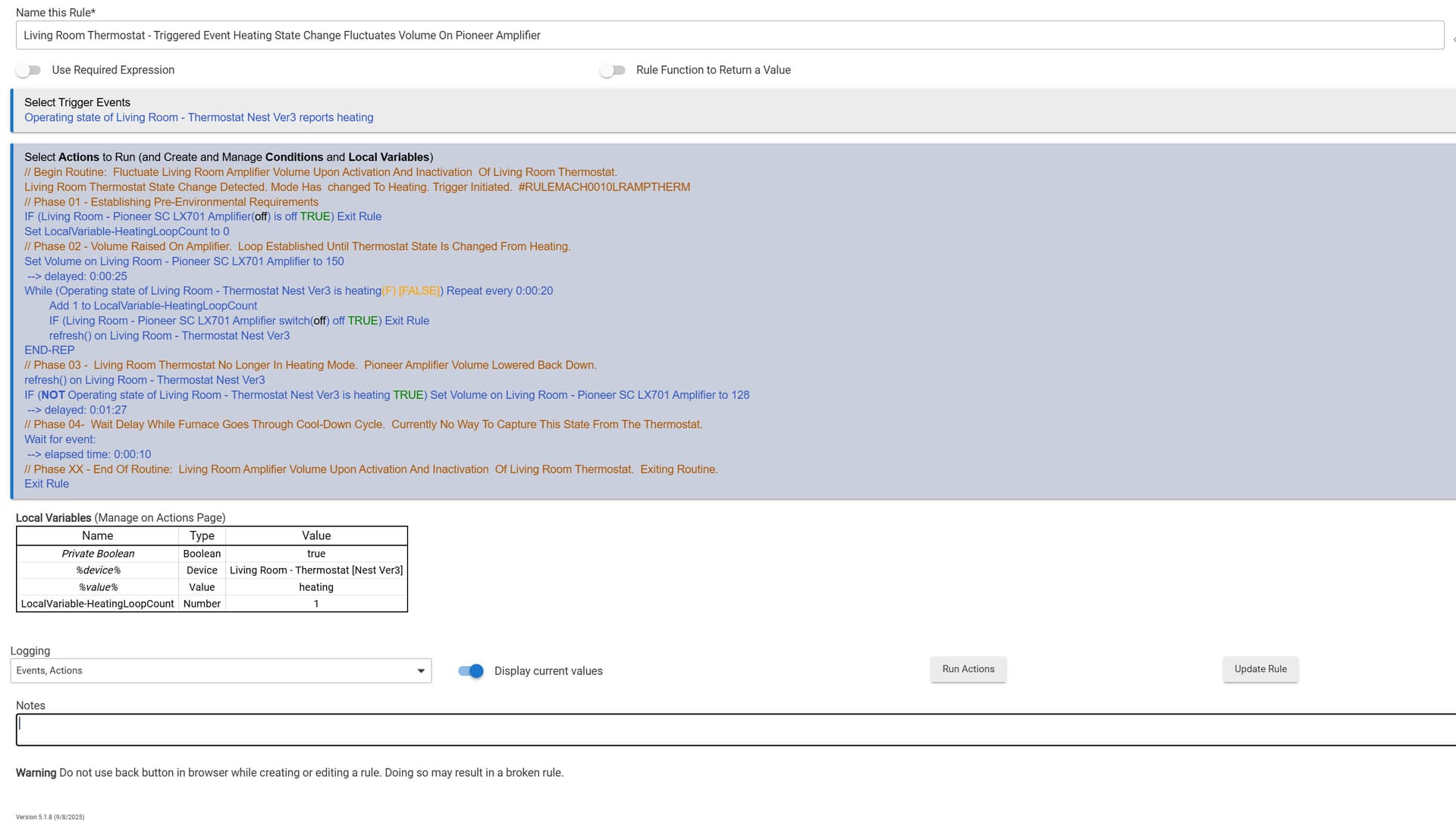
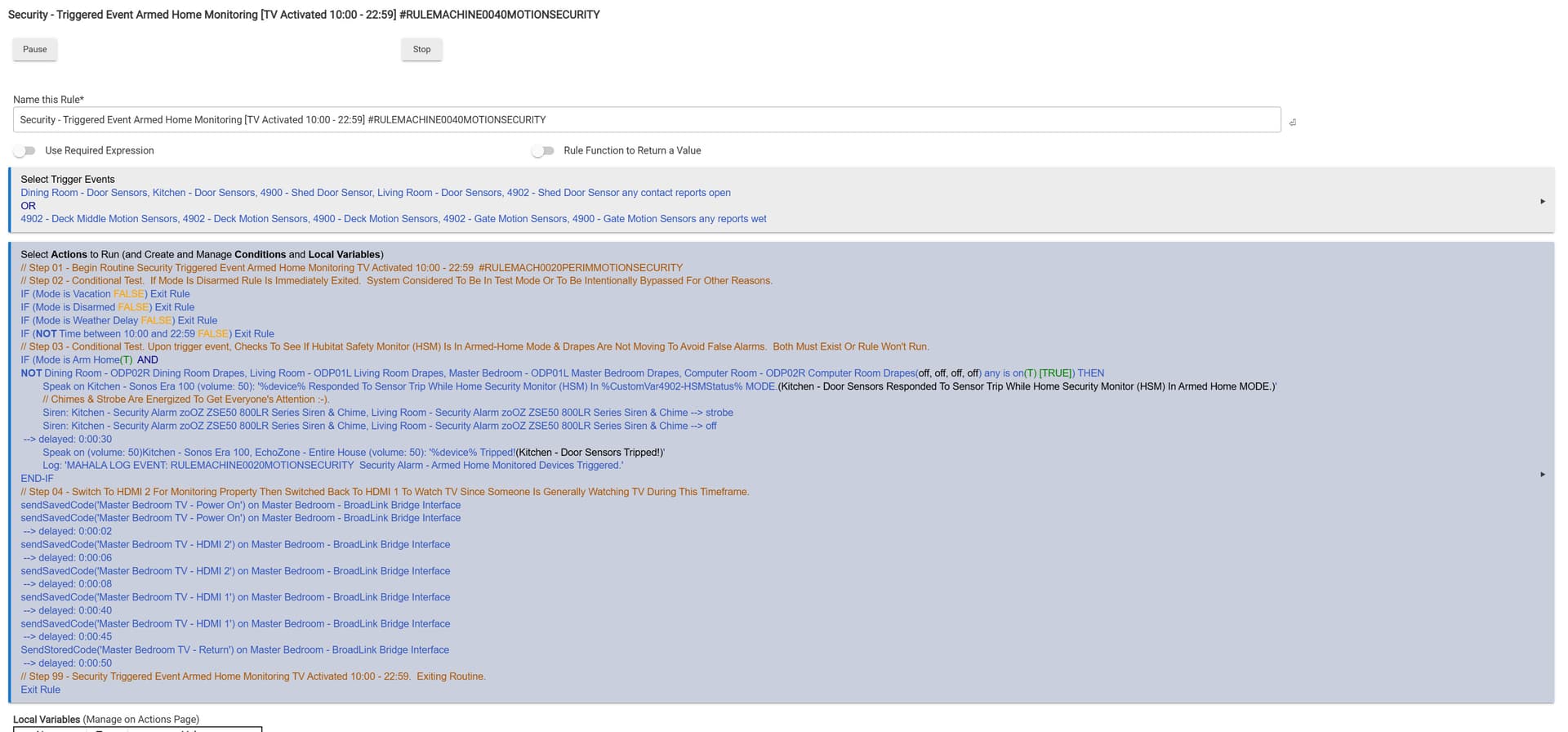
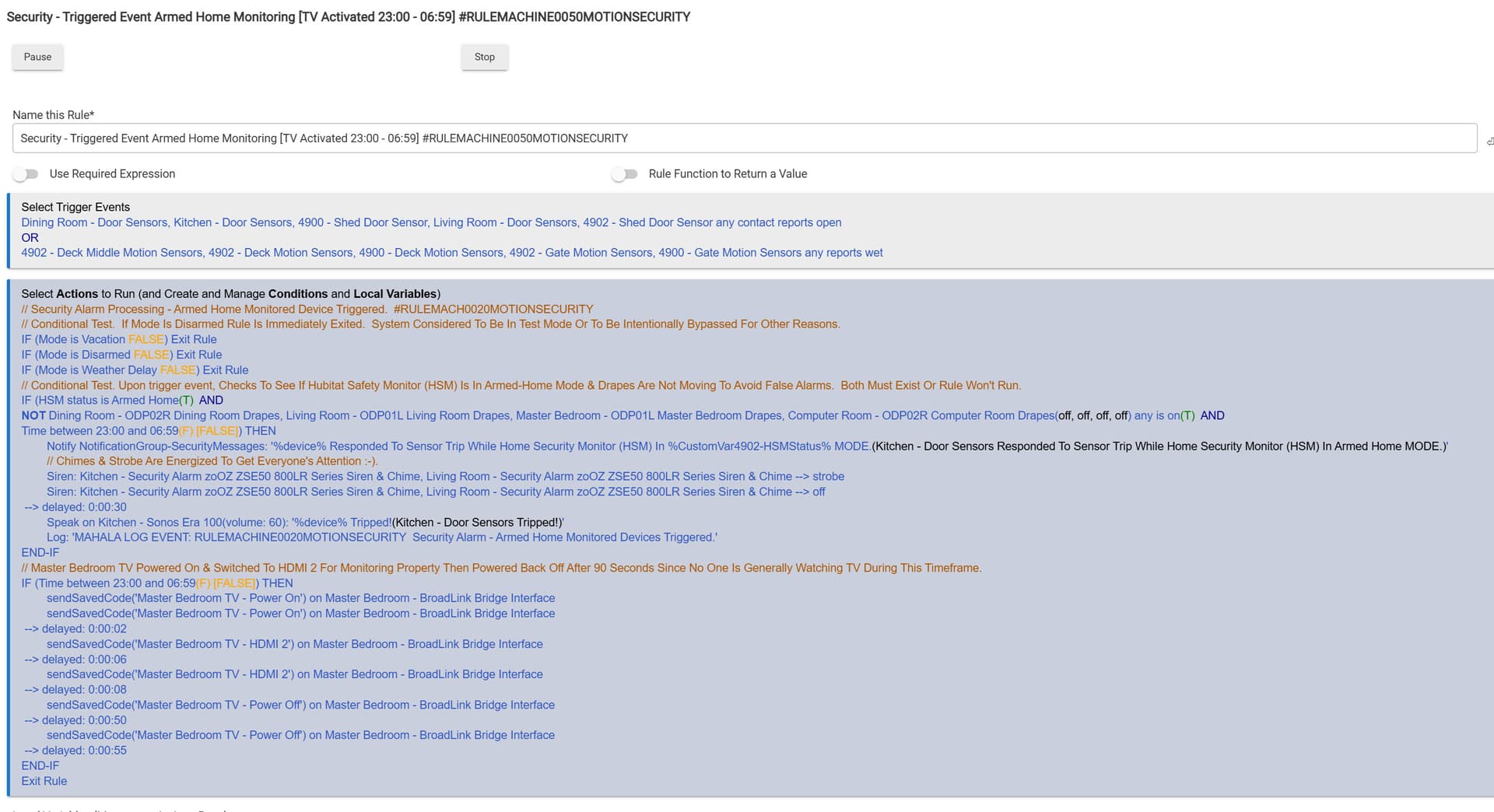
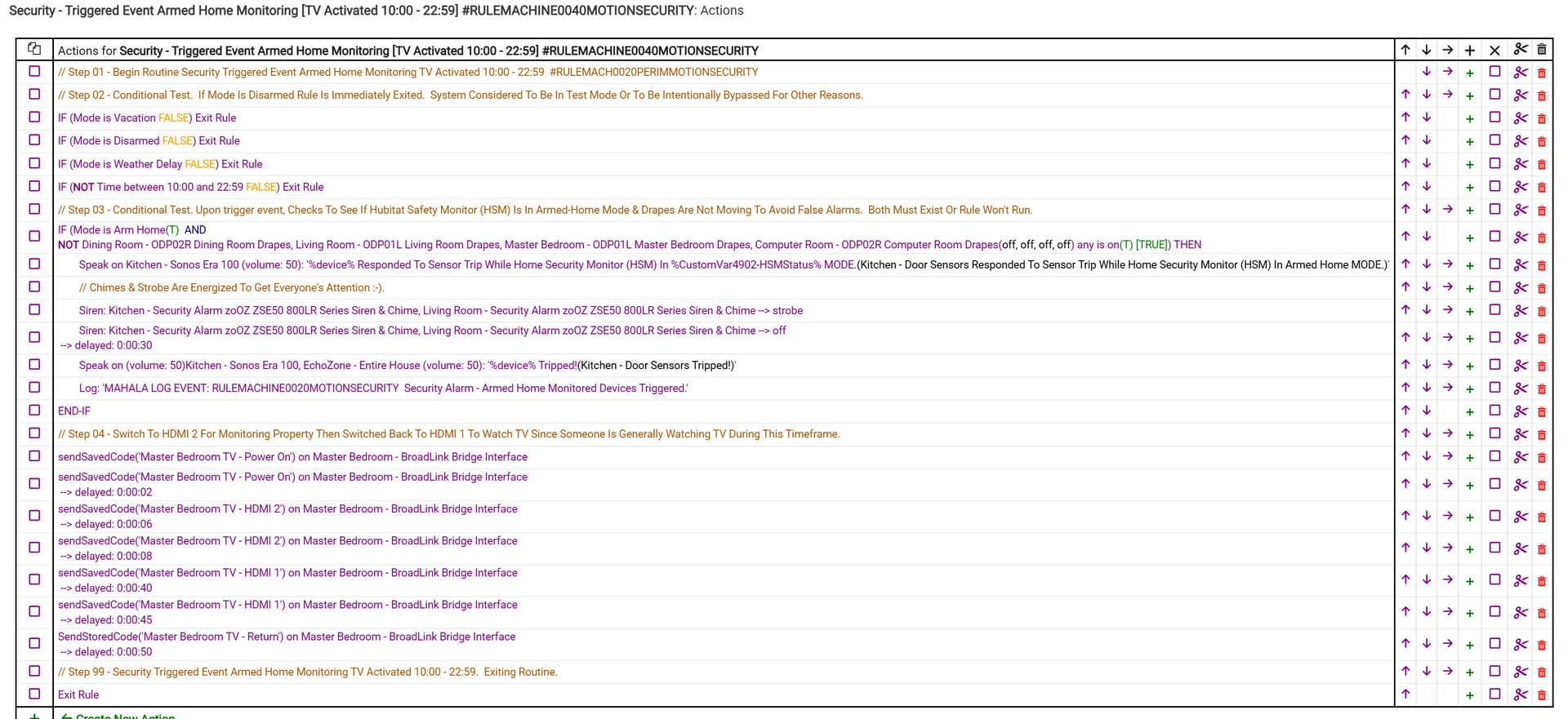
2025.12.05 - Example Trigger Issue 02 [Home Security Monitoring MB TV On When Perimeter Motion Detected:
Found another rule not triggering. I spent a fair amount of time breaking this apart and no section would run. I then created a new rule. One section at-a-time to eliminate the possibility this rule (and others) may have become corrupted some how. Created each section and stopped after the 1st section with an action item. The rule would not work. At that point I abandoned the approach and created the next rule below. This is when I found that even a simple rule is not triggering (See Trigger Issue 03).
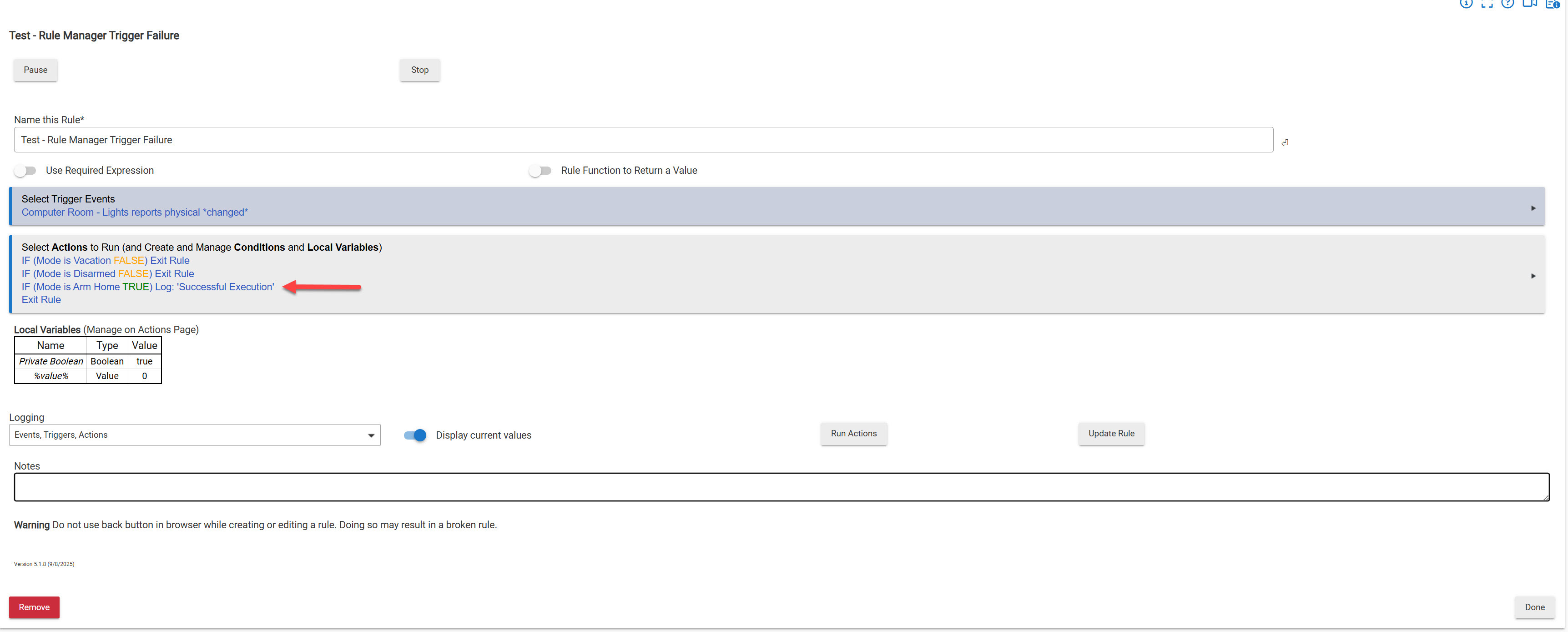
Example Trigger Issue 03 [Simple One Action Rule With Write To Log Action]
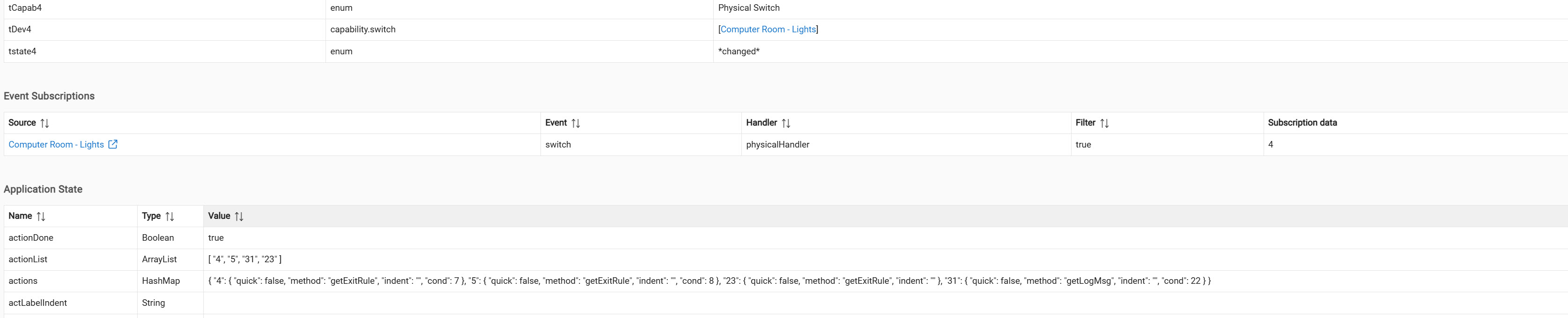
This rule was created after the updates. The device used WAS one of the updated devices. The objective / action of the rule is to write to a message to the log upon successful trigger (when the computer room light state is changes).
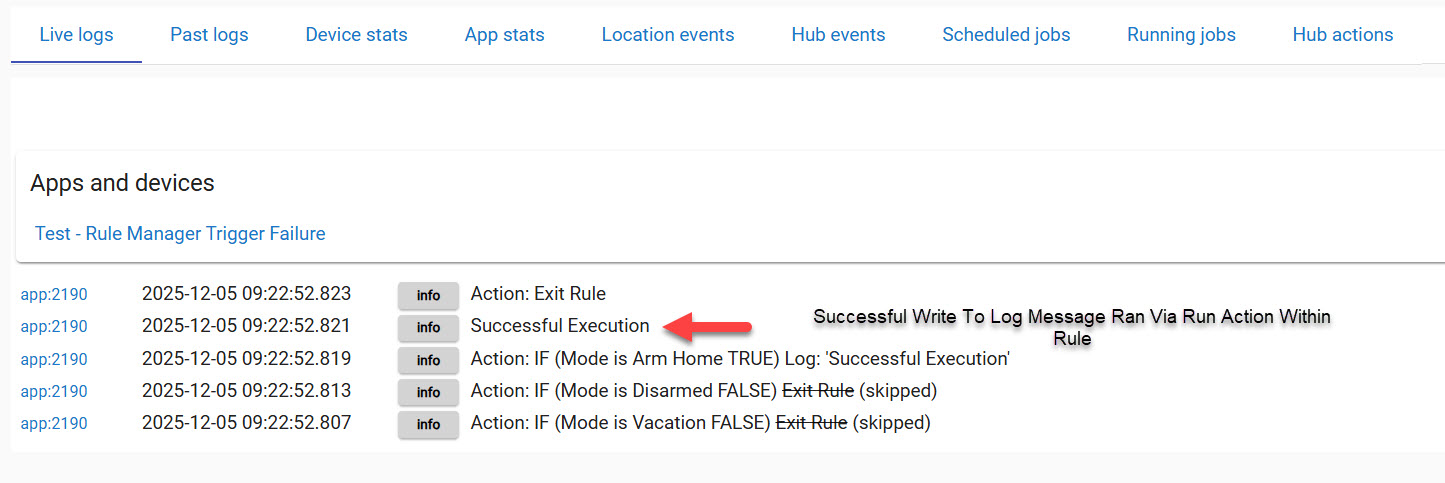
This is the log when the light was manually run via the Run Action button within the rule and did not rely on the rule to be triggered. Notice it ran successfully.
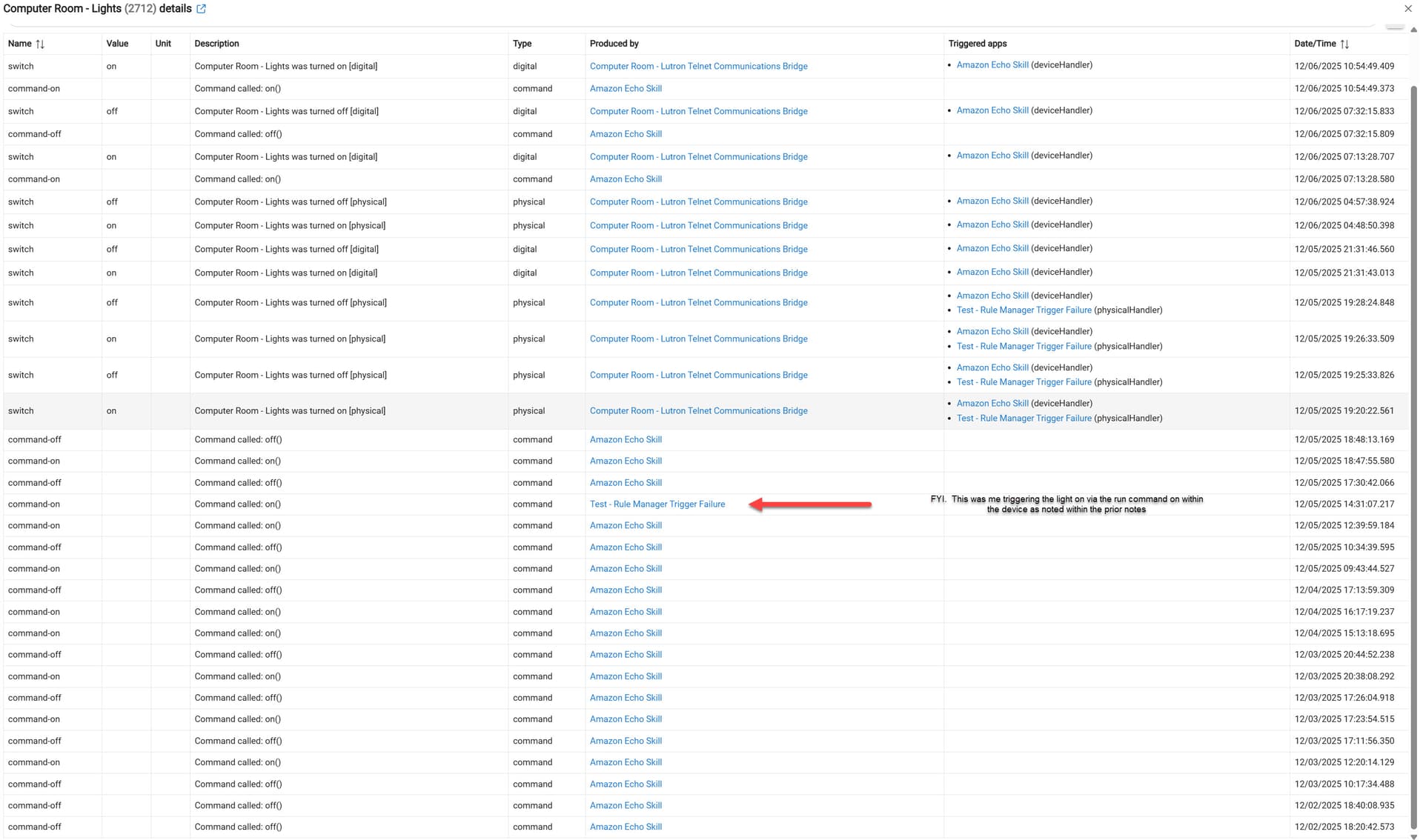
This log entry was from the light being turned off by EZ Dashboard. Notice there is no successful write to log. Notice there is no successful write to log. This log entry is not from the rule being triggered. The entry is being generated instead from the logging entries selected from within the rule itself (Events, Triggers, and Actions) are selected.
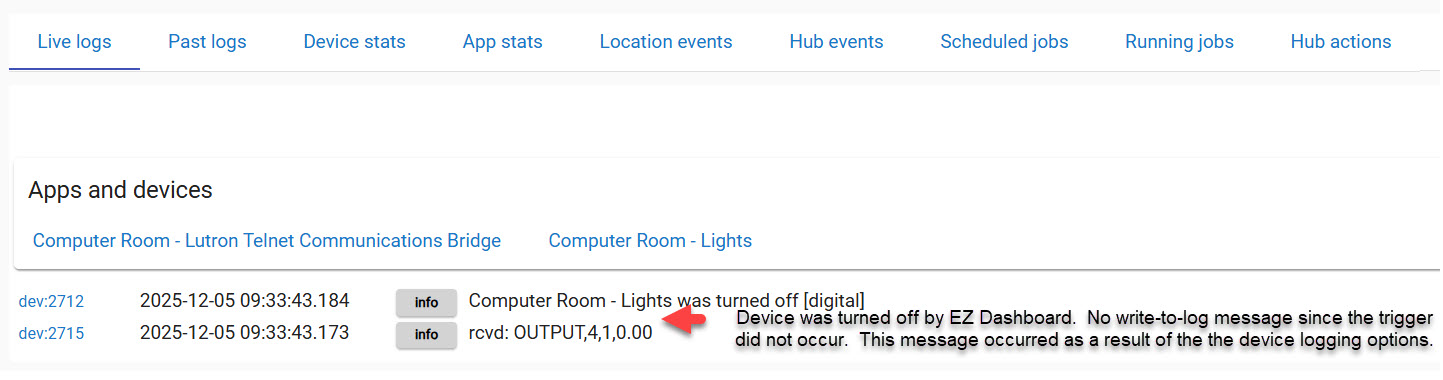
This log entry was from the light being turned on using the on button within the device itself. Notice there is no successful write to log. This log entry is not from the rule being triggered. The entry is being generated instead from the logging entries selected from within the rule itself (Events, Triggers, and Actions) are selected.
This concludes 4 days now that I have been trying to figure this out. I have:
- Tried to isolate old vs. new rules
- Tried to isolate old vs devices
- Isolate mesh-network
- Do a backup and restore and eliminate old logs & unused device names
- Go through each device and where possible activate it so make sure it is working.
- Added a device and re-added it. No change. Rule will still not trigger.
I hope it is something dumb I am missing; however when I see such a simple rule not triggering I am not so sure.
I would very much appreciate the community's help and don't know how to "tag" in support on this issue. I am positive it is related to all the changes I have put the little hub through.
Because of the duration of the changes I don't have a backup I can roll back to and it would be impossible to do so since over 30 + devices have already been excluded and some are no longer here (file 13).
Thanks so much for any help you can provide.
- Don