C7 2.3.9.201
Sonoff temperature sensor snzb-02p
I installed two of these temperature sensors. They were difficult to get paired, but once I got them paired, they both used the generic driver. Neither one of them will update the temperatures. I changed one of them to use the Sonoff driver and it still will not update the temperatures. Any ideas?
Try re-pairing without removing the device from Hubitat after having the correct driver selected (probably the Sonoff Zigbee Temperature/Humidity Sensor driver, but that was developed for the SNZB-02; I don't know what differences, if any, between the two models that might need drive changes).
1 Like
OK, I tried that. It spent some time installing the driver but it still doesn’t update the temperature. It put the temperature out there in the event file one time when I installed it but no more.
As mentioned, keep re-pairing-in-place. It may take once, twice, or 37 times. I'm not sure what causes it, and whether I'm unskilled, unlucky, or it is just the way it is. I will say that as bad as that seems, mine have been stable once I got them paired correctly.
The normal stock driver is fine, but I use @kkossev 's most excellent community driver for finer configuration control.
1 Like
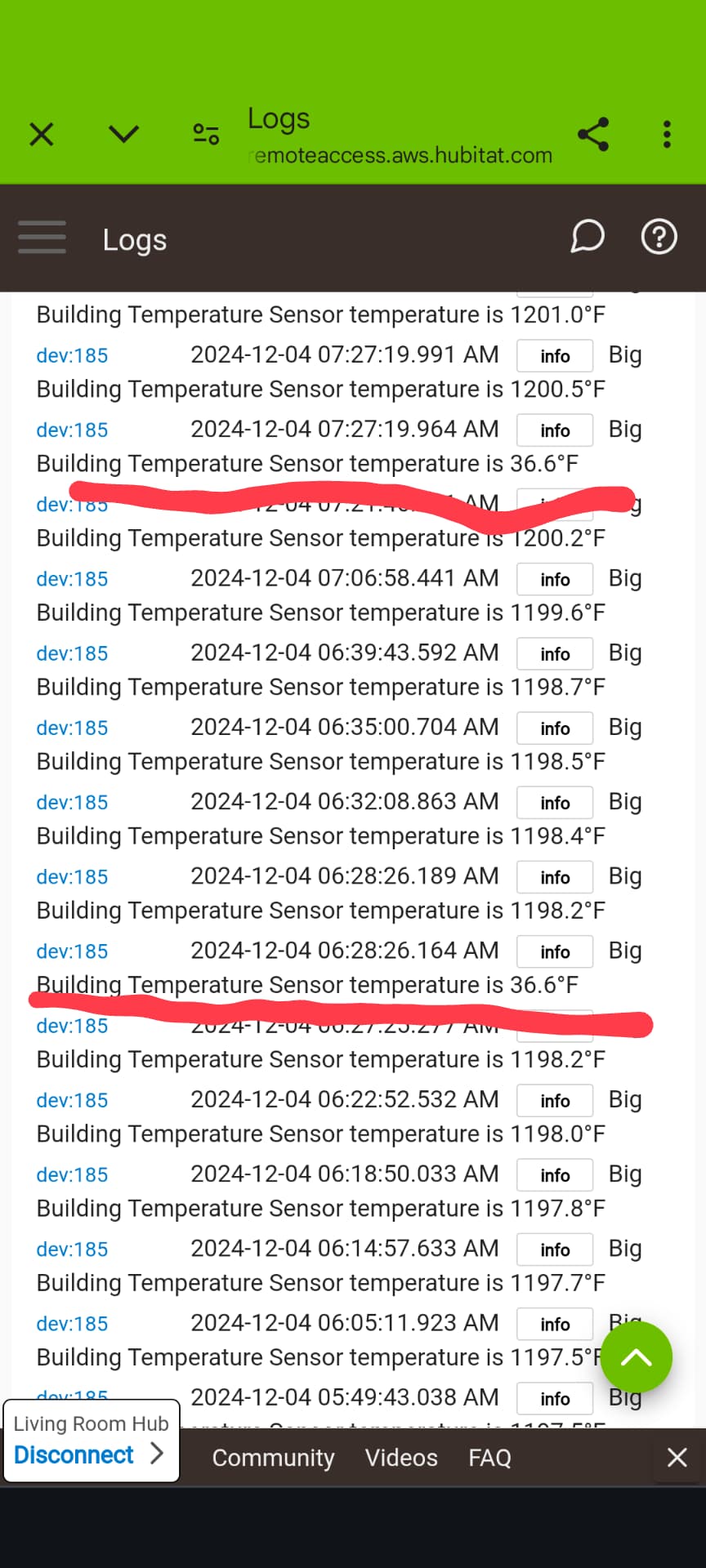
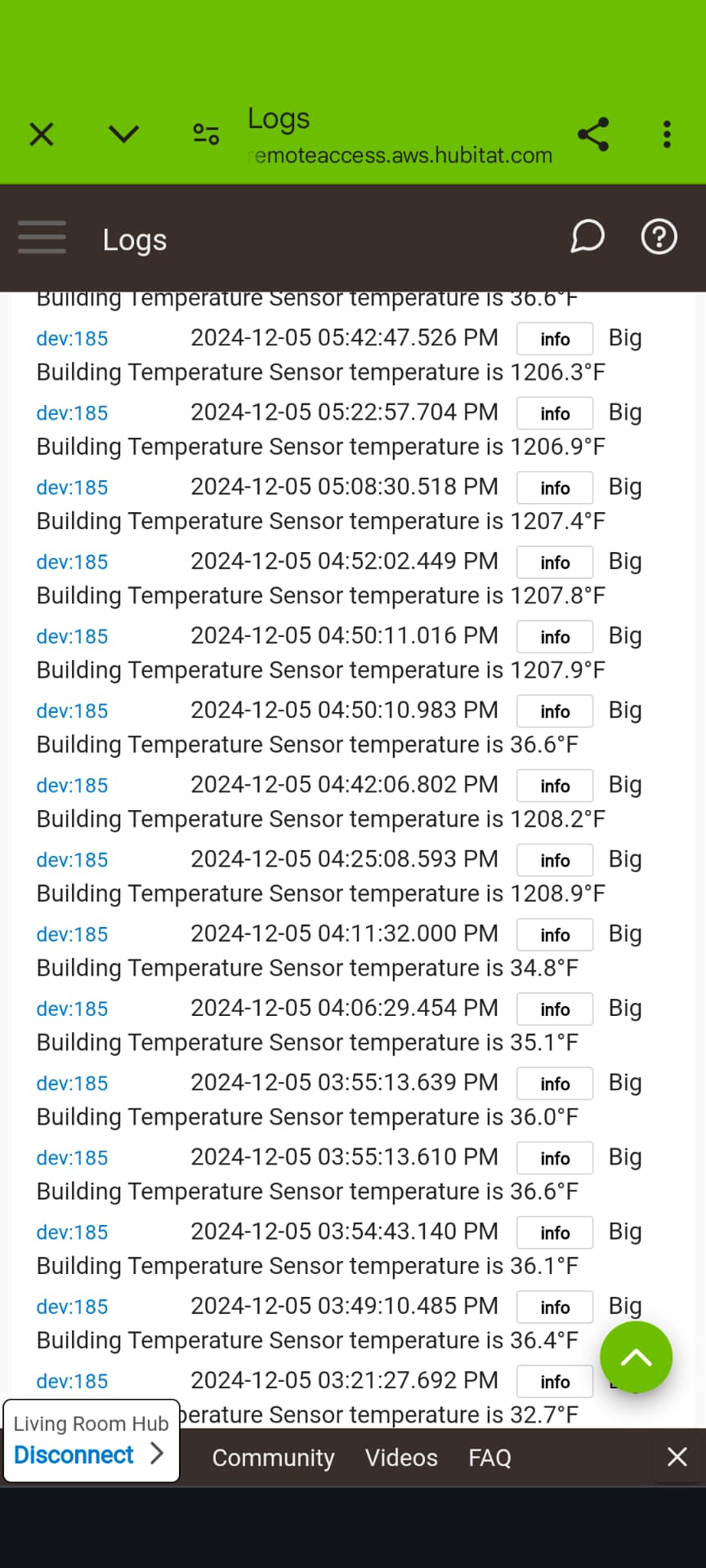
Don't mean to confuse things but do these report accurately? I am asking because there is another thread I am involved in where Aqara sensors and another brand (sorry I don't remember which) is reporting 1200 degrees for a while then the correct reading a while then back to 1200. Some devices are brought in via matter and some devices connected directly to the hub. We are troubleshooting trying to see if all devices are doing this. I have put i ja screenshot of my logs so you can see what I am saying.

Thanks for the advice. I tried this driver as well, but it seems to be the same. I just can’t get the temperature to update.
Today I’m sending these Sonoff devices back to Amazon and replacing them with some that I know work. It was fun trying to make them work, but it’s just not getting anywhere.
As far as I know, the driver doesn’t have anything to do with whether or not it pairs correctly. (I had to choose my words carefully. Your problem isn’t that the temperature isn’t updating. That is a symptom of an incomplete pairing.)
I have 4 -02P T&H sensors and 2 -01P buttons in service and all behaved the same as you are seeing. And all eventually paired correctly. Eventually. A couple of them were very frustrating, but they finally paired up.
I don’t blame you one bit for wanting to give up. But you don’t have to. They really are great devices once they are fully hooked up. It’s unfortunate, for sure.
1 Like
You are correct it is an incomplete pairing issue. Just this weekend I added two Third Reality Temp/Humidity sensors. One paired up and updated correctly from the start. The second one paired up and showed connected but wouldn't update. Without deleting the device I repaired it a total of 8 times I believe before it paired correctly and started updating. Worked good sense.
The Sonoff motion sensors (older square design) also experiences this same thing. I had one of those I had to join twice this weekend when I was installing it.
Unfortunately it just happens but once you get the Sonoff stuff going (or any of the brands) they typically are good items. Sometimes it just takes a little more patience than other times.
This topic was automatically closed 365 days after the last reply. New replies are no longer allowed.

