I have two zigbee driven Smartwings blinds I got a couple weeks ago. They installed with the built in driver.
They work "most" of the time. Then they just become unresponsive (I have a pretty good zigbee mesh of wall outlets...at least one in each room...these are both in the same room).
Is there something I could have messed up in the setup? Typically, things either work or they don't.
Is there a better custom driver? I'm not even sure yet what brings them back online...though operating them with the remote seemed to work at least once.
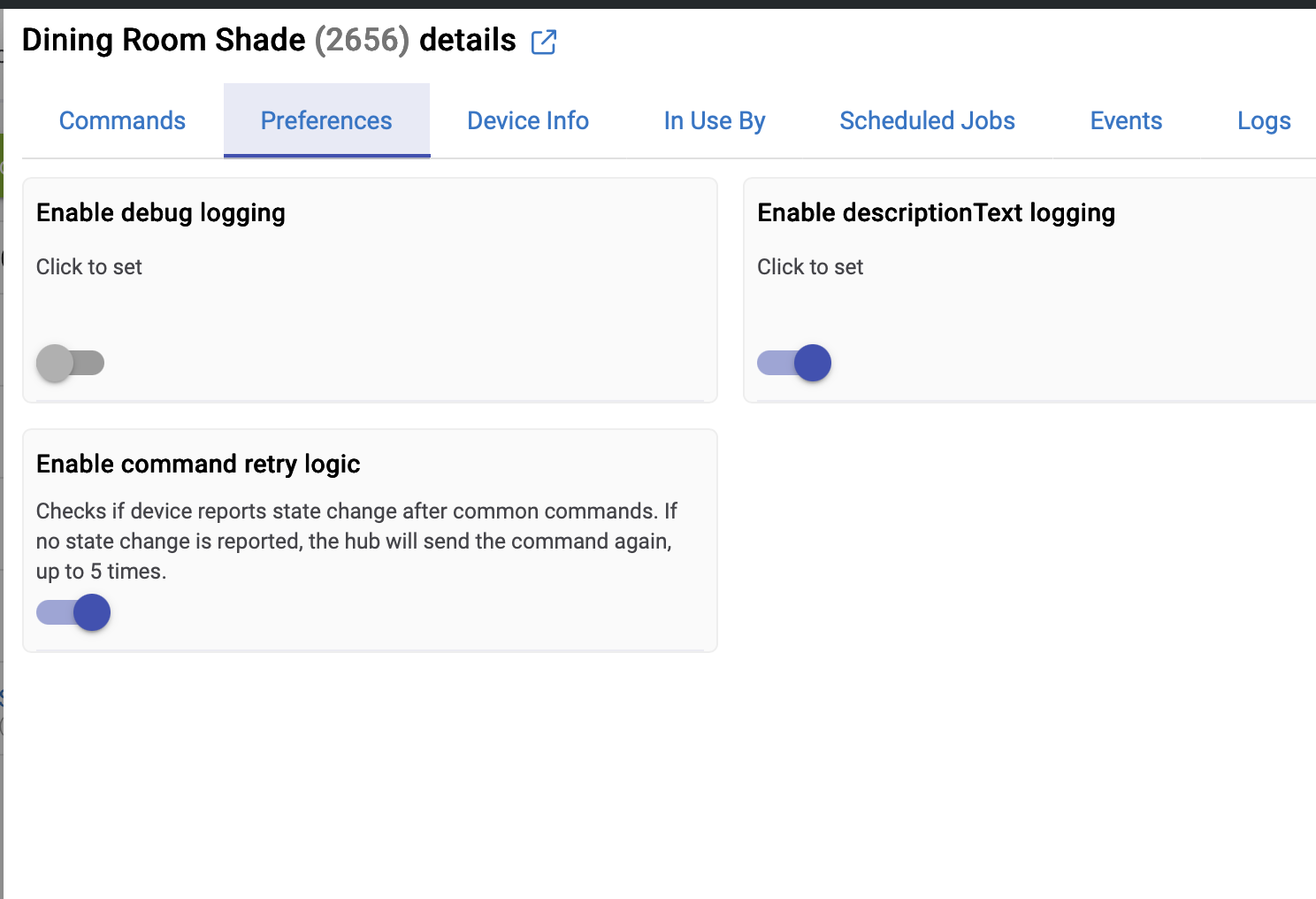
I have 3 SmartWings shades with Zigbee. Had the same problem. Back and forth with SmartWings support and they insisted that the problem is my Zigbee mesh. I hadn't had any problems with other Zigbee devices. But you know what, they were right. I added a couple of other Zigbee smart plugs near each one AND turned on "Enable command retry logic":
And they've been working 100% for at least 9 months.
My shades are operated several times a day and have been quite reliable after these changes.
I'm on a HE 8 Pro on version 2.4.3.158 and I'm using the default driver.
I did...but when using the built in driver it was absolutely erratic.
Loaded the one from GITHUB and it is working perfectly. Responding now to every command...and not behaving differently when you click the exact same command sequences like before. Open is open and closed is closed....50% is 50%. Thanks...will be ordering more today.
Simply how to control blinds in a group. Rule machine for some reason was only triggering 2 of the 5 blinds....whether all 5 were listed in the same command or had delays between them. Using the groups and scenes built in app solved the problem one I configured them as dimmers and turn on only metering with a 100 ms delay. I have not tried shorter delays.
Well, for what it's worth, I control all three Zigbee SmartWings shades with one command in Rule Machine. Before I added the additional Zigbee repeater it would sometimes miss one. You can see my 9 second wait and try again here. But they all 3 close together and have for the last 11 months or so. In case it helps:
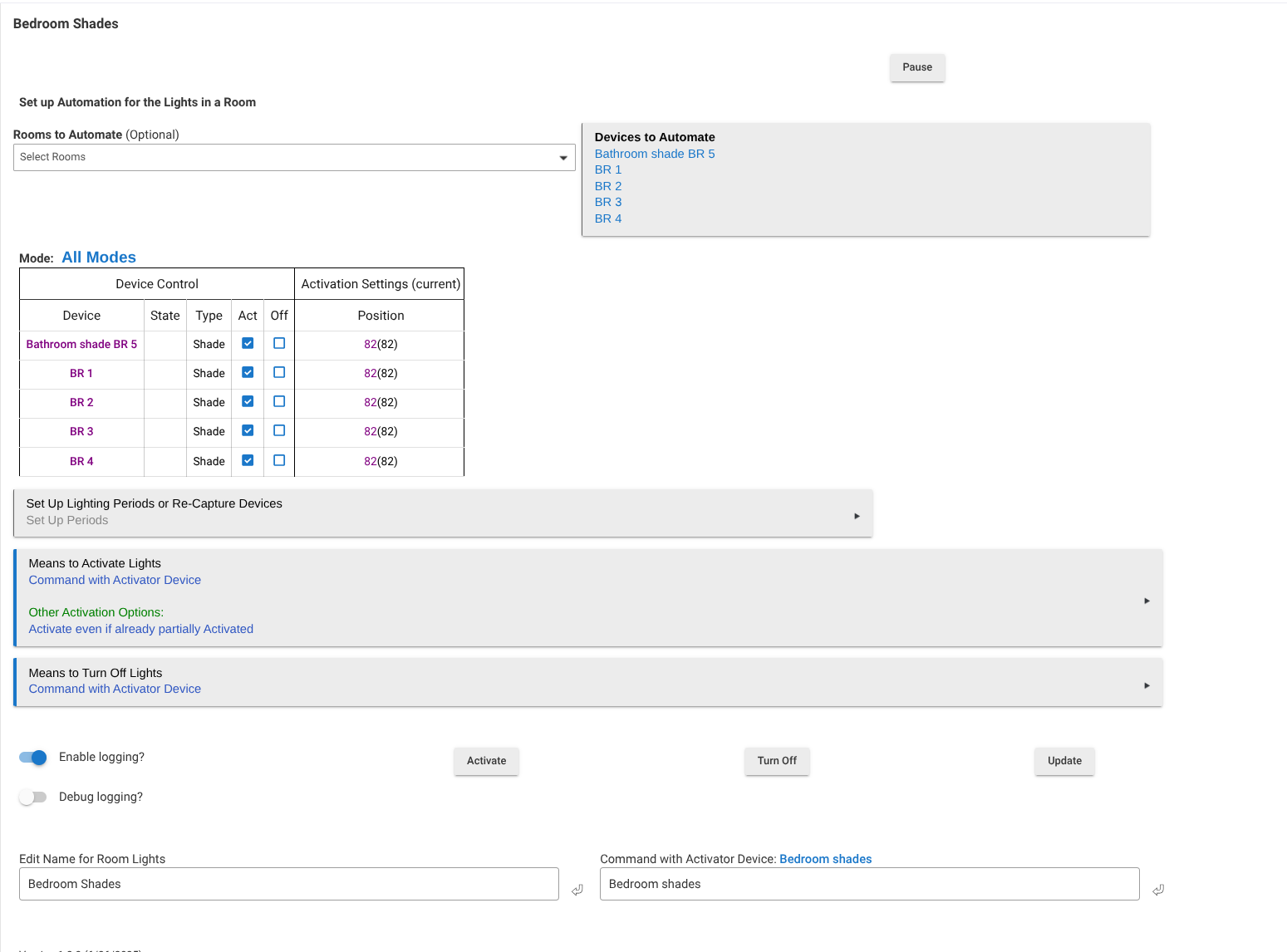
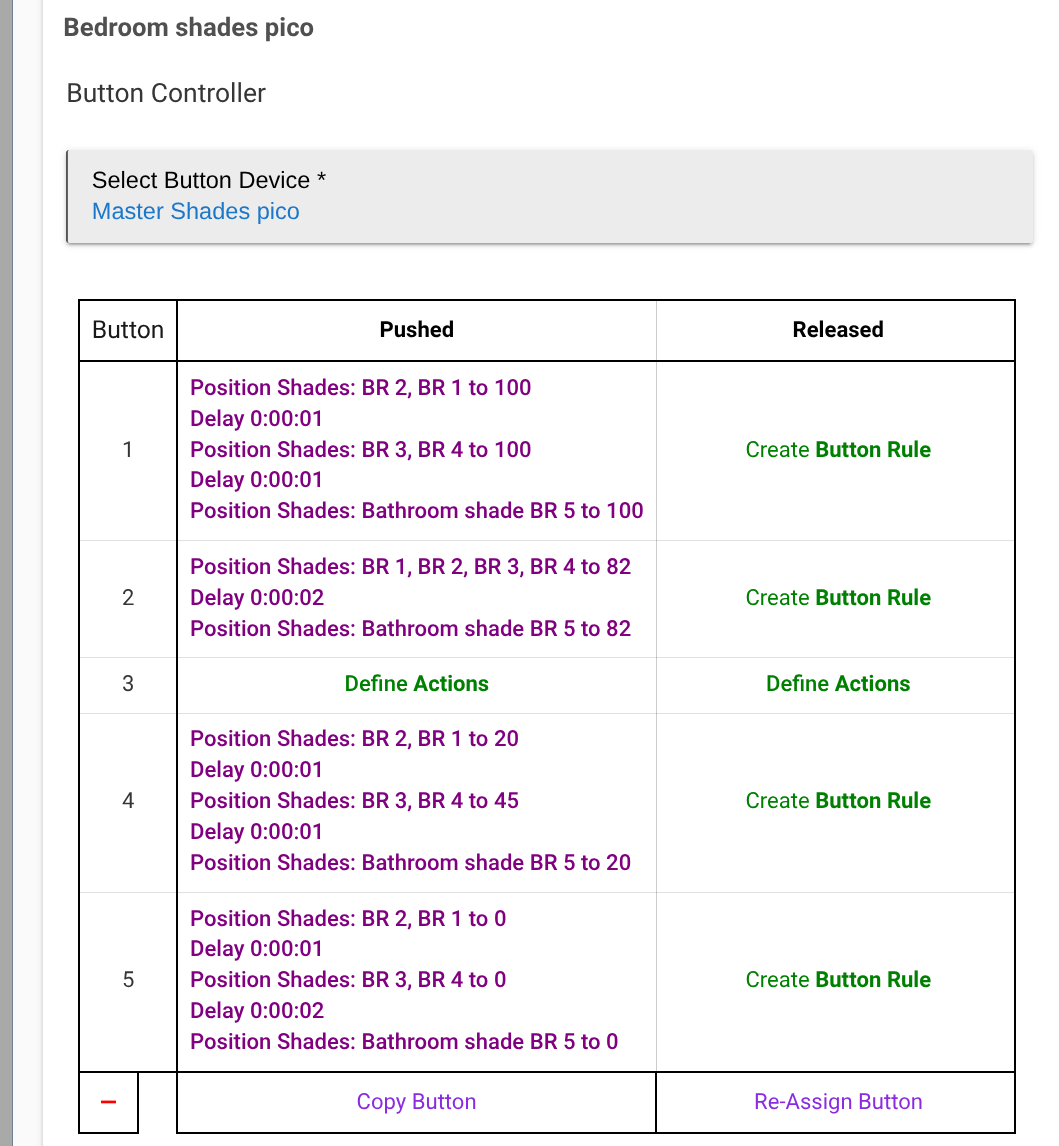
FYI, So many ways to do this Room Lighting works well, as well. Can also control the group from Alexa with the Room Lighting Activator device. If you have Lutron Picos or other button controllers the button controller app too. Command retry for sure. I can get four to always respond at once. Five or more there is frequently one that will miss the first command but it follows along with the first retry. I attribute that to too many ZigBee commands at once.
C8Pro. I’ve worked really hard to build robust zwave and zigbee network and have rebuilt it from scratch a couple times starting at the hub core building out. I’d be hard-pressed to believe I have a routing issue.
This is my first set of smart wings. I’m sure there are things I’ll learn..
Saw you C8 Pro in an above post. Wish you luck in resolving this. I've got 18 SmartWings Zigbee shades and they have always responded almost instantly unless I try to activate too many at one time. Breaking them up into groups of 4 or less with a couple seconds between has completely eliminated that. I wonder if another ZigBee channel might help along with a lower power setting. I'm at ch 15, power 8. But, all of our environments are different.
There is some counterintuitive thought that too much power bypasses repeaters reaching out directly to devices that may not have enough power to reliably reply. A click to change. Probably have to safely power down the hub. Remove power for a minute to allow the radios to shut down. It may take the devices a short time to properly reconnect.
Higher power means more noise in general. In my experience, ZB is always a genuine mesh (whereas all of my non-LR ZW devices consistently connect direct to hub), so a solid backbone of well-placed repeaters is key for ZB.
For many of us, one big overly-noisy spot tends to impair the mesh's overall effectiveness. My ZB mesh works best on power 4... With that setting, my repeaters are all doing the heaving lifting transmitting messages both directions.
That all being said, some users here are happy on power 16. 8 is almost certainly the most common setting across all users.


 Room Lighting works well, as well. Can also control the group from Alexa with the Room Lighting Activator device. If you have Lutron Picos or other button controllers the button controller app too. Command retry for sure. I can get four to always respond at once. Five or more there is frequently one that will miss the first command but it follows along with the first retry. I attribute that to too many ZigBee commands at once.