What OS / browser are you using?
Im using Mac OS/safari.
Do you have a Windows / Chrome setup you could try it on?
Works on Chrome (still Mac OS). Thanks @sburke781
1 Like
That's good to know. Thanks for checking.
Hi @diegodelprat,
Just wanted to check.... Are you able to use the drag-and-drop feature? Or are you still having problems?
I still have the same problem, I can drag it but once I hit save it moves where it was.
Smartly appears to be working normally again in 2.3.4. I created a new dashboard, used the Smartly site to do the initial conversion of the json to Smartly, and since then don't have to copy/paste the updated code after each change made when in Smartly (mouse drag-n-drop/resize) mode.
Looks like a woot to me! Tagging @sburke781, @kahn-hubitat, @gslender, & @awagsii to confirm if their seeing the same.
3 Likes
No not working for me
I never updated to the new code changes. Same issue drag etc works but changes are not saved.
I will try a redo of a page when i get a chance.
I'm not seeing it on an old dashboard running my code and 2.3.4.119 platform version.
Same for a new dashboard.
I can't get it to work by putting the Layout JSON through the Smartly web site either.
I might try reverting to the original code at some stage and testing that.
Working perfectly for me in 2.3.4.119. Drag & drop, save works and changes are preserved on dashboard quit / reload. Original Smartly code from when it was introduced.
2 Likes
I confirmed I'm using the newer inject code by @sburke781, the Copy dialog appears after I make changes in Smartly mode.

I checked another existing dashboard and it also works normally.
1 Like
How is it saving for you if you are getting the copy dialog?
I don't believe I removed the old code that tried to update the Layout JSON automatically, I just added the code to copy the same text to the clipboard, so if the old method of updating the layout starts to work, I would expect my code would start to work as originally intended.
1 Like
Ok more info...
Never changed my code still running original version.
So the stuff works when i vpn in and use the local dashboard . Still does not work in the cloud version of the dashboard.
May be working as designed if it’s loading code from the hub at runtime.
2 Likes
I can confirm that Smartly is still working with 2.3.5.141, but are dimmers still working for everyone?
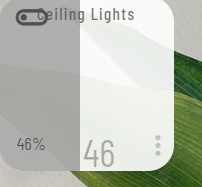
As soon as I try to set a dimmer or bulb percentage, it drops to 0% and I'm unable to change it after that.
I've tried setting the tiles with the traditional slider as well as the whole tile slider and I get the same thing.
2 Likes
I just adjusted a Z-Wave dimmer switch connected to dumb ceiling bulbs and it worked fine for me. Turn on/off and set dimmer level all functioning normally. I'm on .141 as well.
2 Likes
Thx for checking @danabw!
I've tried putting my json through the pro and non-pro CSS generator and I still get the same thing.
I have discovered however that it does work but not as intended: I have to drag waaaay beyond the tile to get the dimmer to move. That also explains why, when so much as touching the tile, it jumps straight to 0%... 
Not sure what is going on here and how to correct it.
This is a completely new dash, not copied from an old one.
NP...
That is weird. I'll add a dimmer device to a new dashboard and see if it works.
1 Like