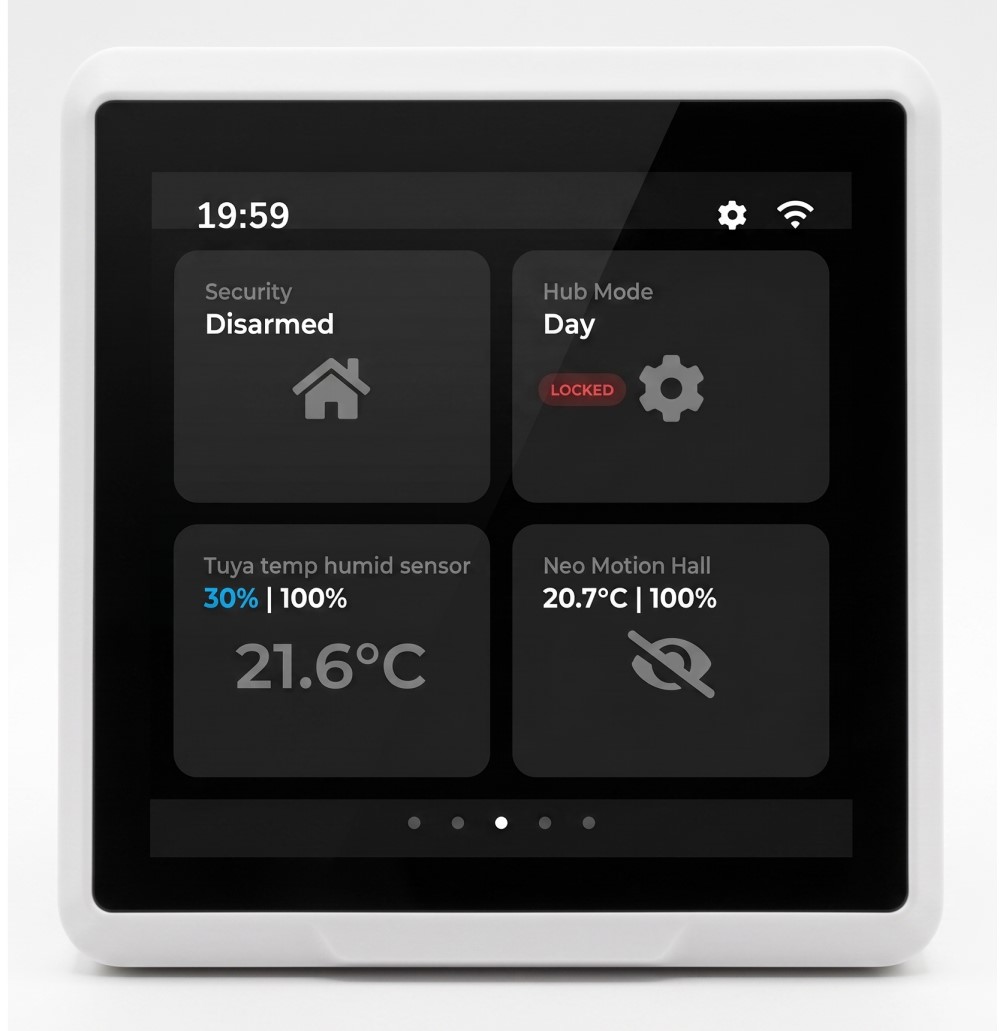
[SHOWCASE / EU] Hub Monitor - A dedicated, fully local smart display based on SenseCap D1 Indicator

Hi everyone,

I wanted to share a hardware/software project I’ve been working on for the past few months. Like many of you, I love the power of Hubitat’s local processing, but I was constantly frustrated with physical dashboards.

Repurposing old Android tablets meant dealing with Wi-Fi dropping to sleep, horrible wake-up lag, batteries swelling on the wall, and the likes.

I wanted a true "appliance"—something that just sits there, stays connected, and works instantly. So, I built the Hub Monitor.

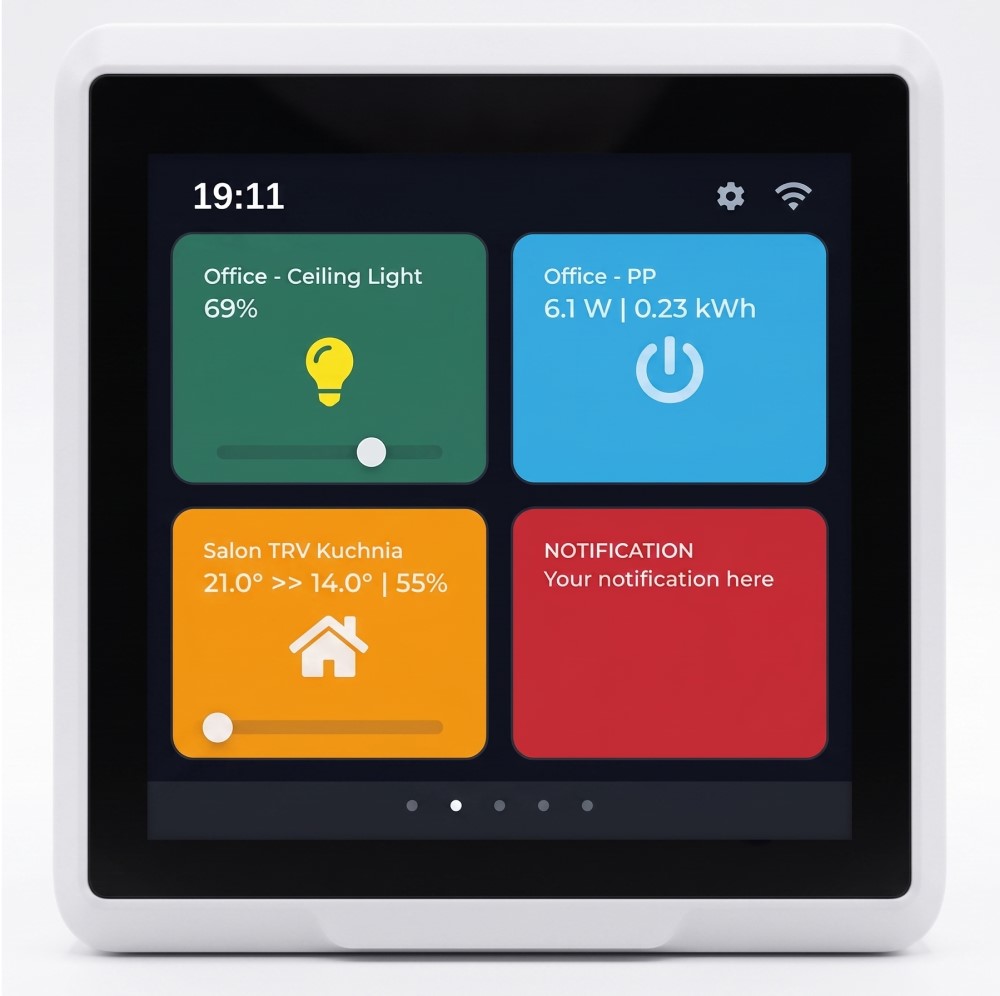
It’s built on top of the robust Seeed Studio SenseCAP D1 hardware (ESP32-S3 with a beautiful 4-inch touch screen). I wrote custom firmware for it and paired it with a dedicated Hubitat Groovy Companion App to handle the communication layer.

Here is what it does under the hood:

  • Zero Wake-Up Lag (Event-Driven): There is no HTTP polling. It uses an event-driven architecture. When a physical switch is flipped or a rule runs on the hub, the screen updates in milliseconds.
  • Zero On-Device Config: I hated dragging and dropping tiles on a tiny screen. All configuration is done inside the Hubitat Companion App. You just assign your devices to specific "Slots" (up to 16), and the monitor automatically generates a clean, optimized Dark Mode UI (4x4 architecture across 4 swipeable screens).
  • 100% Local Logic: Device control and event processing operate entirely on your local Wi-Fi. (Note: Currently, it briefly pings an NTP server for initial time sync on boot, but I plan to move that completely to Hubitat in a future OTA update).
  • Always-On & Safe: It’s strictly USB-C powered. No lithium batteries inside, meaning zero fire hazard for wall mounting and true 24/7 operation. CE and FCC markings.

US/UK Availability vs EU

Currently, I have a small initial batch of pre-flashed, ready-to-use hardware units available for EU users (I'm based in the EU).

For our US/UK friends: I know that shipping hardware across the Atlantic (or the English Channel) makes absolutely no financial sense for you (shipping costs + taxes would kill the value).

However, I am currently evaluating a "Software-Only / Web Flasher" licensing model. The idea is that you could buy the SenseCAP D1 hardware locally in the US/UK (from Mouser, DigiKey, Amazon for cheap), plug it into your Chrome browser via USB, and flash my Hub Monitor firmware directly onto it using Web Serial API.

I'm looking for feedback:

  1. EU folks: If anyone is interested in being an early adopter for the pre-flashed hardware, let me know (I have a small batch for early adopters).
  2. US/UK folks: Would you be interested in the "Web Flasher" software-only route if I build it?
  3. Everyone: What do you think of this approach to physical dashboards? What core features would make this a "must-have" for your specific setup?

Looking forward to your thoughts and happy to answer any technical questions about the implementation!
12 Likes

Dang, that is pretty!!

6 Likes

@danabw Thanks so much! That means a lot. I really wanted to get away from the cluttered 'tablet' look and just build something clean. Glad you like the UI.

3 Likes

I think above would be a very attractive route to get this up and running at home. Some like to tinker a lot and might to build/flash themselves, but others w/less time and patience (me? :wink: ) might tend more towards plug-flash-play. :slight_smile:

3 Likes

@danabw That hits the nail right on the head. The entire goal of the Web Flasher route is exactly that: zero compiling etc. Just plug the board into USB, click 'Flash' in Chrome, and it instantly becomes a Hub Monitor.

Demand for this 'plug-flash-play' experience is incredibly helpful and definitely bumps the Web Flasher up on my priority list. Thanks for the validation!

2 Likes

Well, I've ordered one. It will go to my bedroom to have a go to panel close to the bed, instead of the very unreliable and slow iOS app. It will complement my main control panel, a wall mounted Philips Pronto TSU9800 which I use with buttons using javascript http calls to interface with the Hubitats via MakerAPI.

1 Like

I ordered one also. Darn you, @Ultrasmart.pl! Now you are on the hook for the plug-flash-play setup.

1 Like

Haha, fair enough! You got the hardware, now the pressure is on me. I will update this thread the moment the software-only license is ready to go.

1 Like

Thank you for the trust and the order! A bedside panel is exactly where this setup shines—the Dark UI is specifically designed not to blind you at night. You can adjust the brightness of the screen in the settings as well as turn it off/on by pressing a button on top of the enclosure. Massive respect for keeping a Philips Pronto TSU9800 running via MakerAPI and JS! That is a legendary piece of hardware.

2 Likes

When you get it done, make sure you have a "Buy Me a Beer" link. I'll buy ya one!

1 Like

I am from the UK, and interested in the "Web Flasher" software-only :grinning:

2 Likes

I have a lot of Pronto hardware working around the various rooms in the house, I absolutely love them and find them to be the absolutely best control panels ever, bar none.

Inventory: 1 x TSU9600 (with PolarBear collapsible mount), 1 x TSU9800 (wall mounted with PolarBear kit), 1 x TSU9400 , 1 x TSU9300 + 2 x RFX9600 + 1 reserve RFX9600 and looking actively to buy more reserve hardware as I intend to use this system forever.

1 Like

I am in Australia and would be interested in software only model

1 Like

Once it's ready I will post an update here.

2 Likes

Better hurry! Mine is scheduled to arrive tomorrow!!! :wink:

1 Like

And it arrived! I'm assuming I don't need to apply for a developer key? Or create an account (I already did)?

Pics, or you didn't happen. :wink:

Where's the freakin' out of box experience post!?! :smiley:

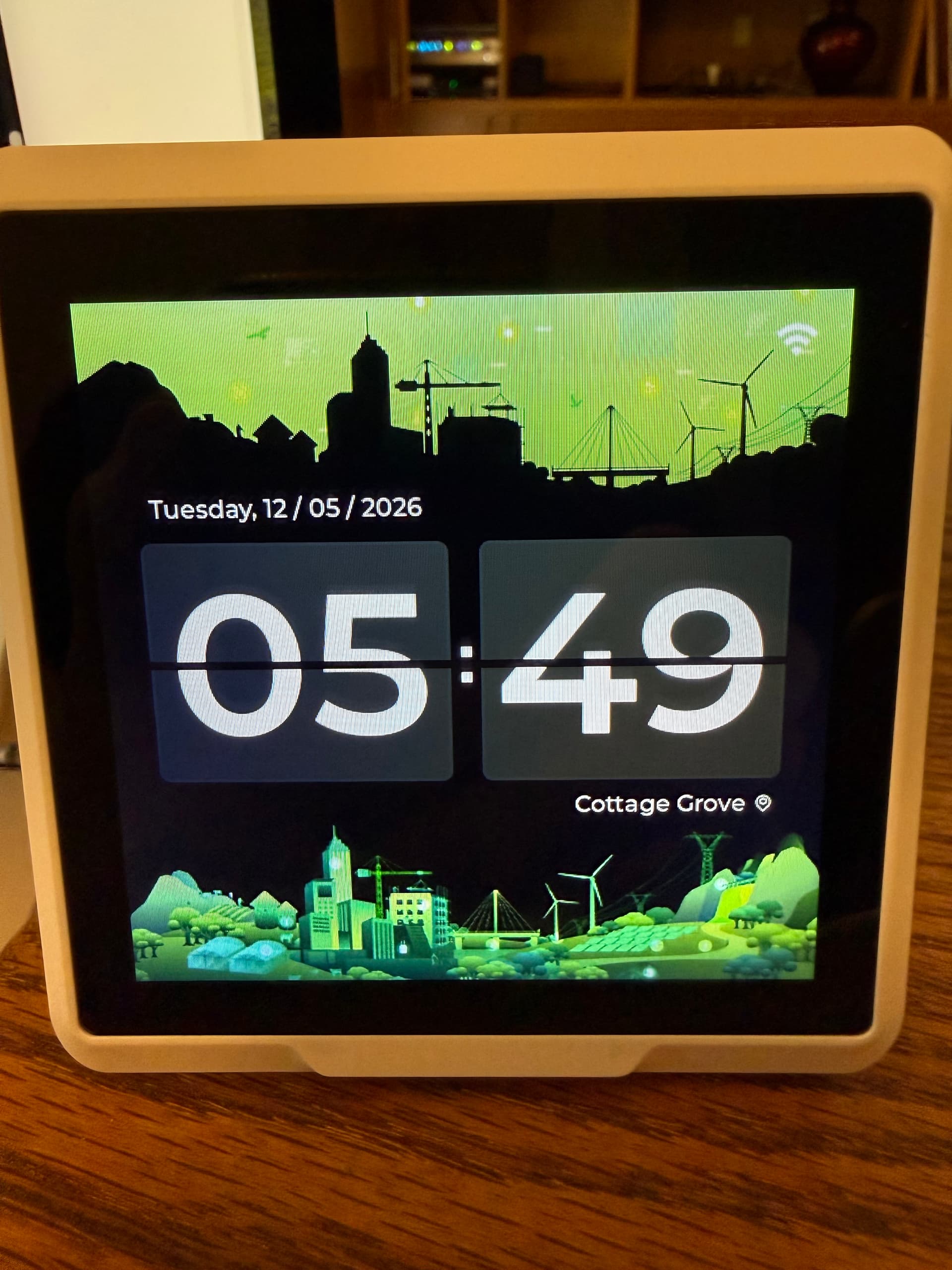
Sorry, box is already in recycling. Here is a picture of the default screen.

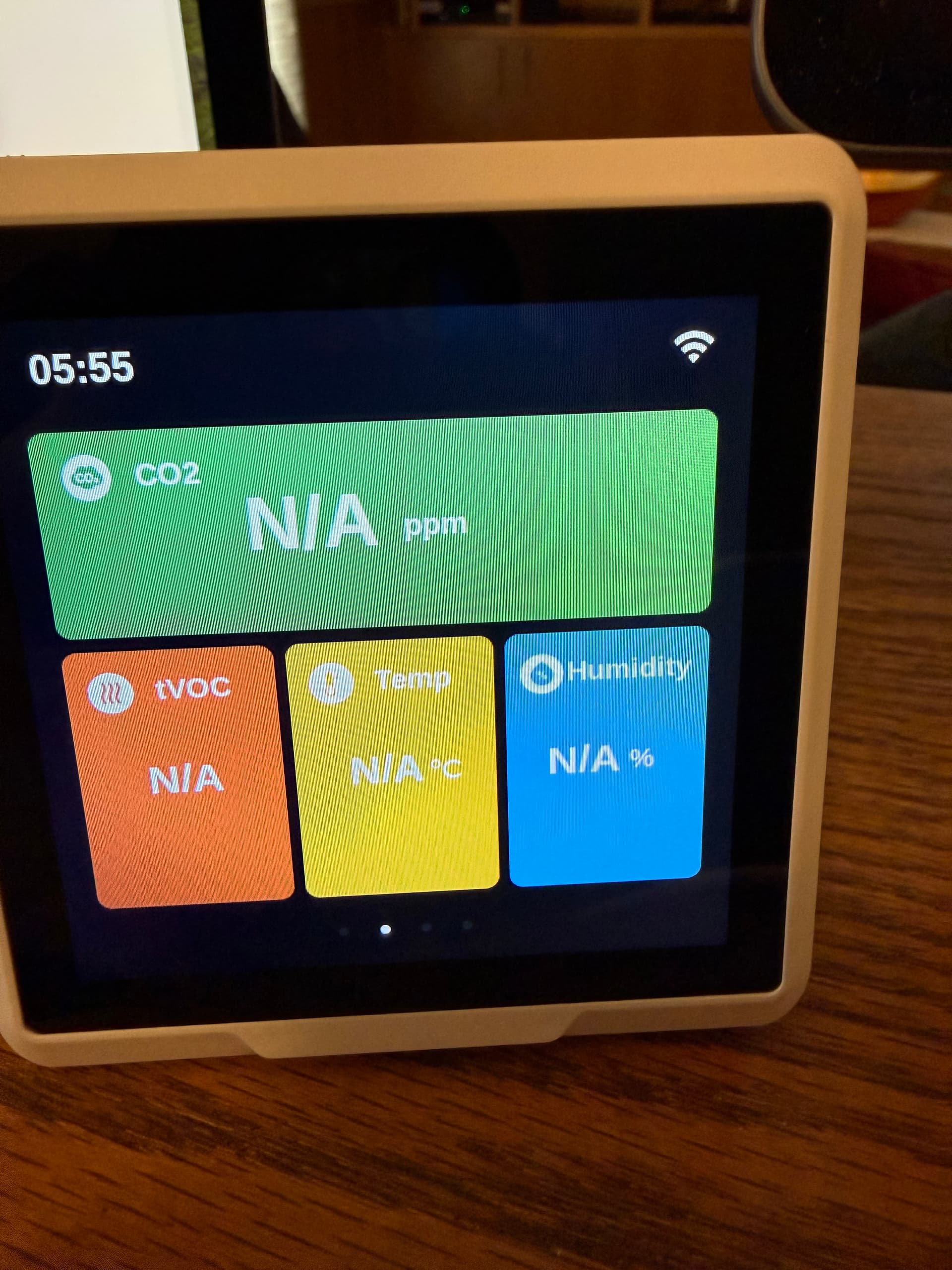
Said it came with AHT TH Sensor, but this is the environmental screen.

And here is the OpenAI screen that I'm afraid to touch.

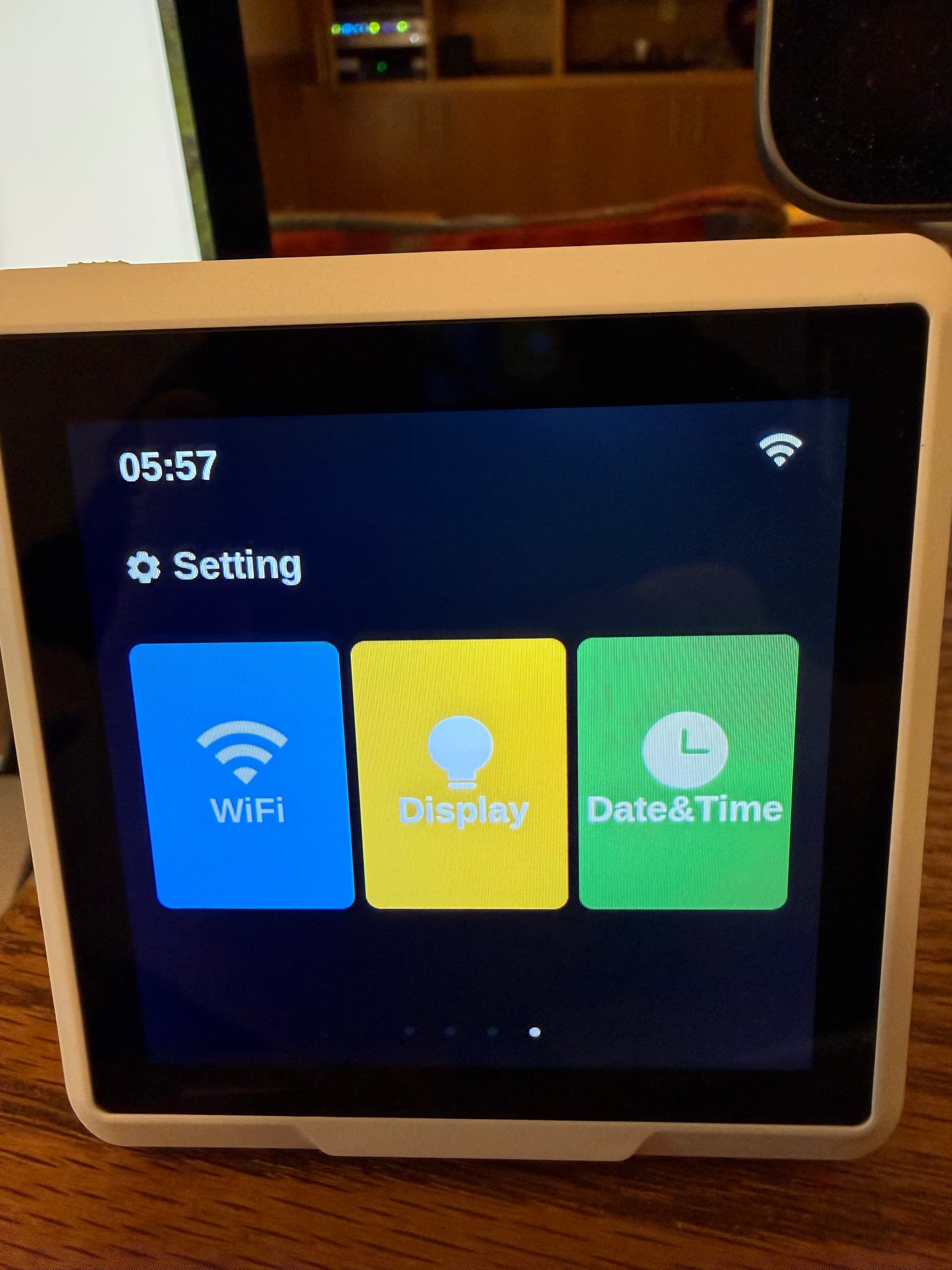
And finally the setup screen.

Looks very cool, thanks for the pics! Who did you end up ordering it from?

I'm still debating this, partly as I'm trying to fly low as far as "non-essential" purchases for a bit. I recently bought a bunch of stuff for my other main hobby/fun, tennis, and wife is a little (well, more than a little bit) peeved at the moment. As in "You do NOT need that many racquets!. You only have two arms!" :slight_smile: Racquets have become crazy expensive, you can go over $1000 for three w/out even trying.

1 Like

Got it direct from Seeed Studio. I just looked at the box again, it clearly says that the Temp/Humidity sensor does not come with the one I ordered (the plain D1)

2 Likes