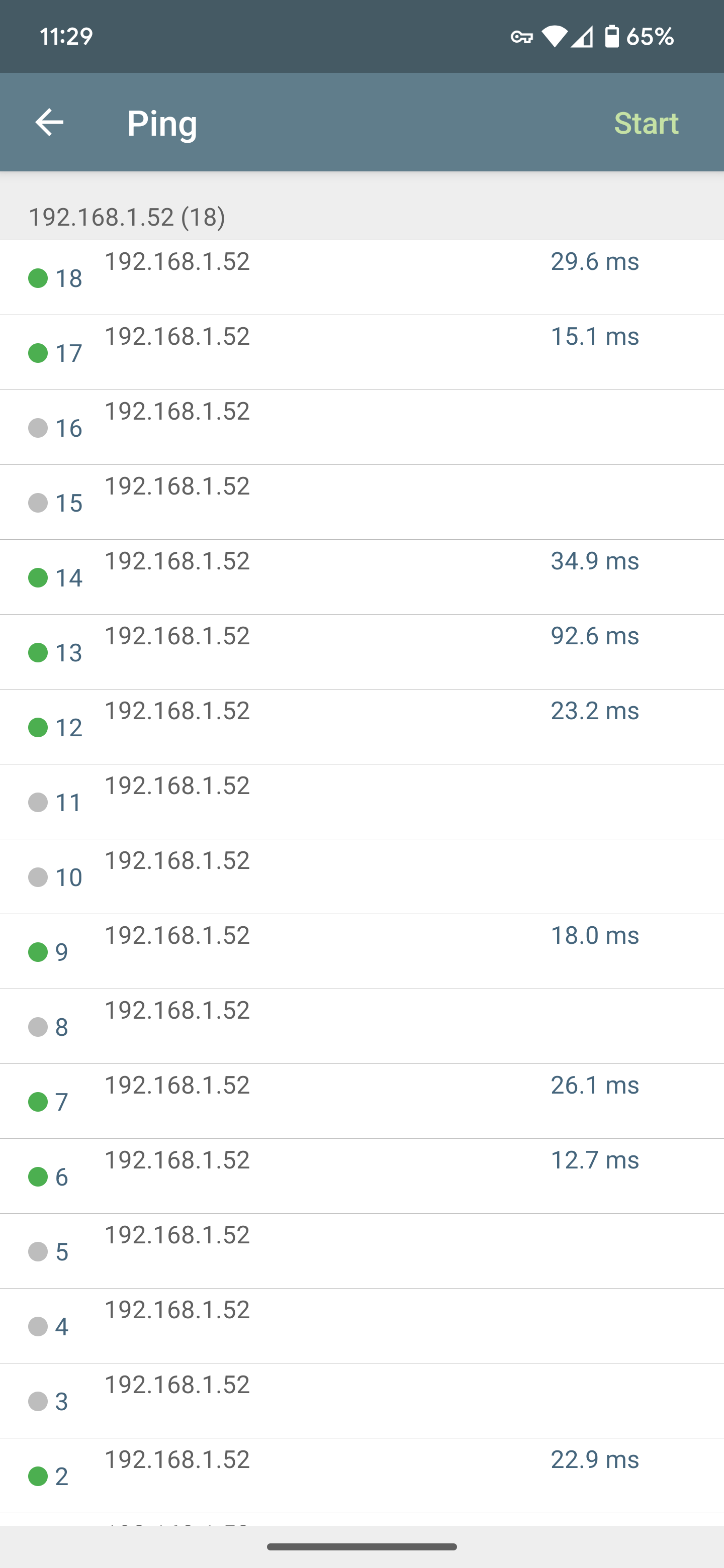
I am watching the thread and see that you have cloud tuned off. My Uni has the cloud turned on and I used the app when I initially started playing with the device.
Not sure if this one of the reasons that my Uni is rock solid. I am also using an Asus RT-AX1800S and that is what the Uni is connecting to at home.
If connection loss is rare and not in chains, then driver should be ok.
Your logs shows driver failing to connect constantly retrying.
The message abount ping-pong is related to device not responding while connection were live (basically connection loss).
But the other message 'Connection failure: timeout' is an error from failing to establish connection.
It could be that such chain is related to small reconnection timeout (as device need few seconds to recover from previous connection attempt)
On the network side: what is 'rssi' value? (it's in percents).
If it is lower than 50, it might be the reason.
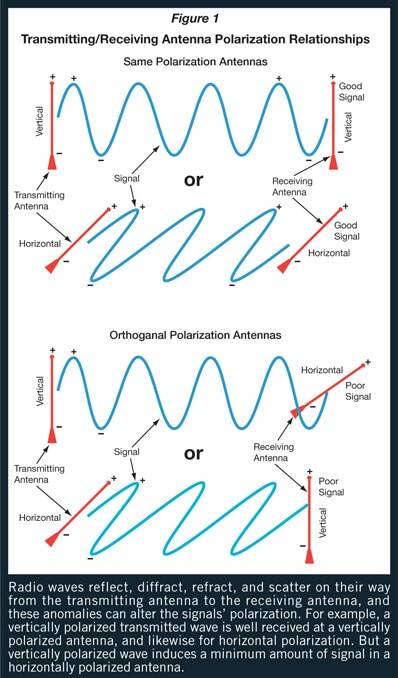
In this case you might try to change router or device tilt. Antennas have radio signal polarization direction (or tilt angle). If it's way to different, signal level might end up being to low.
Some random image to visualize. Rod antennas have 'vertical' polarization (along the rod) all around like a donut (with the hole from pole to pole). For example for the best signal sensetivity of two rod antennas they should be as much parallel as possible
Both networks are using separate cellular routers, but same models (Advantech ICR-3241 First-Net w/ First-Net SIM)
So that rules out the router somewhat....
Probably a issue with the WAP, Ughh Network issue....
EDIT: it was the WAP, changes to configuration fixed issue somewhat, still some missed pings but definitely a lot better.
That network is very busy with 24 connected WiFi cams, VOIP (3 lines), and Hubitat C8 pro.
Well it's not the driver, the Shelly UNI just doesn't communicate well on the Netgear WAP.
No other devices (34) have this issue and they can all be pinged with ping -t with very little or no missed pings.
At best the UNI loses 30% of pings, guess today I will borrow the WAP (different brand) from other network that had solid connection and pings to try on other network.
Not a solution but just a test, I don't plan on having a WAP just for the UNI and I don't see a reason to replace all the Netgear WAC104 WAP's that everything else works well with.
Definitely was worth it for the learning experience, as I am only a few months into this. Learned a lot
Well another "test" WAP on network and UNI is solid.
Can't have a separate WAP just for UNI
So the Shelly UNI has compatibility issues with my WAP (Netgear WAC104) and other WiFi routers and access points after doing a search on web. Many posts about connection issues!
Nothing on the Shelly site of course.....
EDIT:
Updated the Netgear WAC104 Wireless Access Point firmware which improved the connection stabilty, but still having loss of connection at a lesser rate.
Submitted a Support Ticket to Shelly as a last ditch effort before ditching this device and trying a Fibaro Implant in it's place
Shelly WiFi based products are the issue, so their off my list of compatible devices...
All 30+ other devices/brands of IOT devices have zero issues on my network wireless access points, just Shelly. They have no solution but to blame the WAP.
Below is Shelly's reply:
The connectivity issues between your Shelly UNI Plus and the Netgear WAC104 Wireless Access Point are likely related to how the WAC104 handles Wi-Fi signals and compatibility. Some users have reported that this access point struggles with maintaining stable connections for certain IoT devices, like the Shelly UNI Plus. Even after firmware updates, issues like high packet loss can persist.
Unfortunately, the WAC104 has limitations in terms of Wi-Fi mode settings and does not support some advanced configurations, like Client mode, which could affect compatibility with devices that have more specific network requirements.
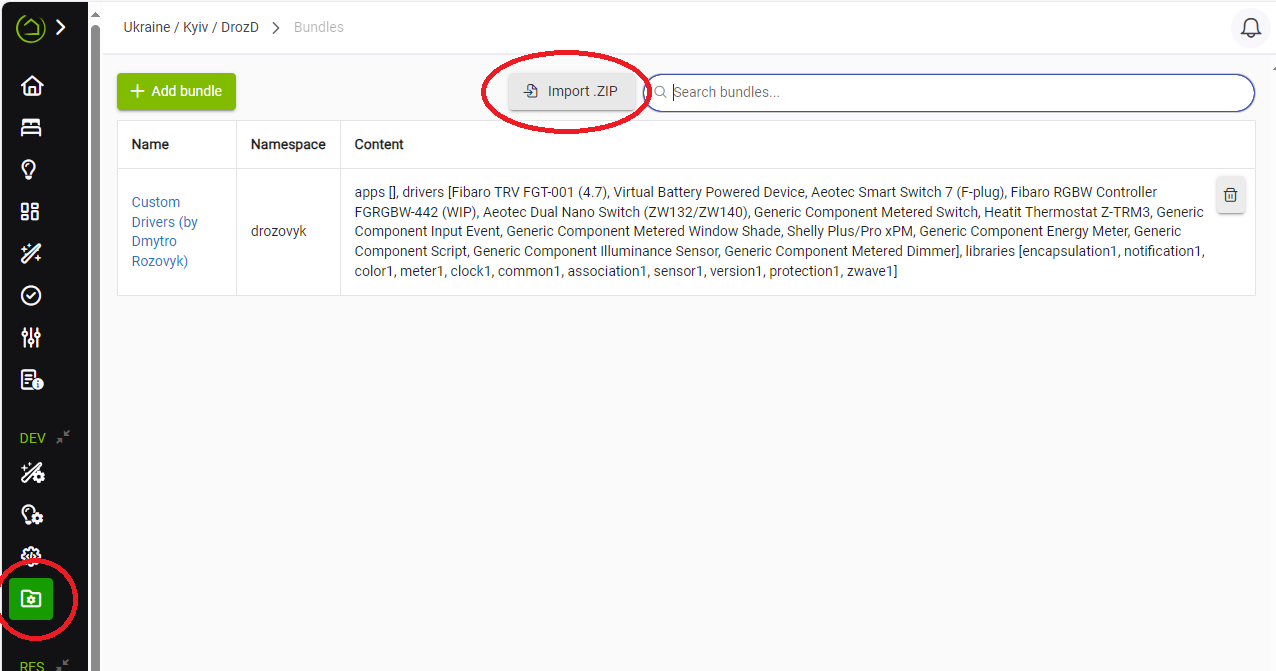
Could you put a reference or instructions someplace how to load the zip file into hubitat?
Yes, I am aware hubitat does not load zip, but I am not familiar with the lingo and mind jumps to get the unzipped files smoothly into hubitat space.
Am I supposed to use HPM? But what libk am I supposed to put in?
Am I supposed to load them file by file? As driver? As App?
So many questions and no documentation.
Thanks.
It might also be helpful to briefly describe the steps in the bitbucket readme.md
Hubitat does load zip files if they are bundles. No mind jumps needed. In the bundles tab just press "Import ZIP" and choose a bundle zip file. All the content will be imported accordingly (drivers will be imported as drivers, apps as app and shared libraries as libraries)
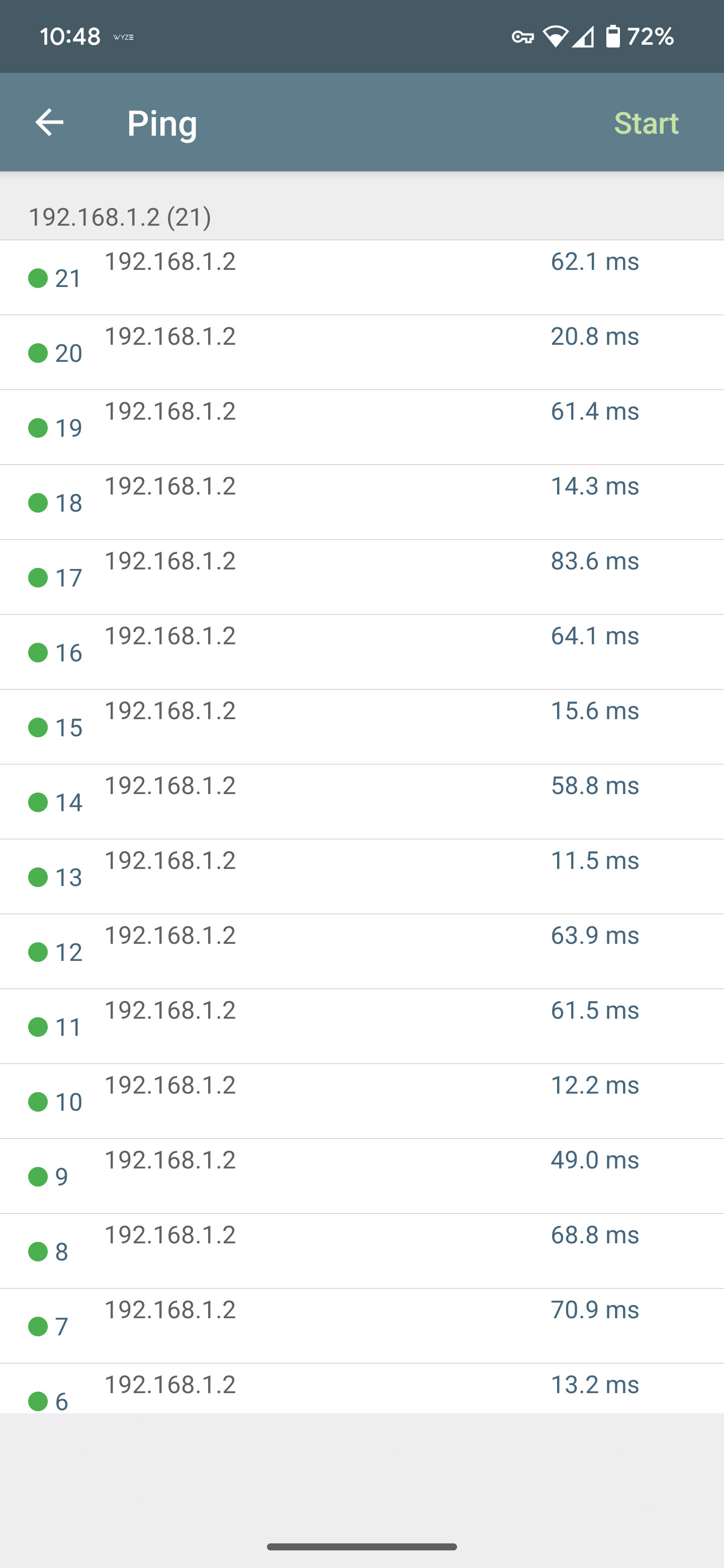
 Network issue....