Hi, I've added the shelly qubino zwave plug with smart start and it shows energy usage of the plugged in device in current states, however, the device is not being recognized in rule machine as a power/energy meter. Any suggestions how to proceed?
Its also creating constant events for every state.
Changing to the generic one seems to work and report power in states but still won't show up in rules as a power meter.
Edit: I've changed the driver to the Fibaro zwave plug and I can now use the power reading in rules. However, no matter what I set reporting interval to, or even disable reports, the power reading is creating an event every 4 seconds. I believe the built in shelly zwave plug driver needs to address this.
@bobbyD wondering if this is something that can be looked into.
The "Shelly Z-Wave Plug" driver does not have the power meter capability @bertabcd1234
The Generic one does, so it would work in rule just fine.
Same as the Fibaro wall plug that you got to work. Unless you were trying to use EnergyMeter and not PowerMeter? EnergyMeter is missing from the generic one @bertabcd1234, but maybe the generic driver does not support the energy metering (not all devices report energy use).
You cannot use the wrong driver (such as Fibaro) and adjust the settings. All z-wave devices may use different settings numbers so you could actually be changing unknown settings on the device by using the incorrect mfg/model specific driver.
You can try and scan for the setting using my universal z-wave scanner tool. Here is more info on another thread also regarding a plug that would not work right with the HE drivers
I'm assuming it's supposed to? The driver looks like it will parse the events, but the capabilities aren't there, so this would be an easy fix if so. I'm but I'm not exactly sure which device the OP is using (is the "Shelly Qubino Z-Wave Plug" the only one Shelly sells? this is confusing now since one bought the other...).
Generic Z-Wave Plus Outlet (and the non-Plus variant) does not have power, energy, current, or other metering capabilities, likely as you suggest because not all devices support them.
Seconding this.
But for a split second, you could probably use it (do not Save Preferences or Configure) to get the device selections and subscriptions you need for the rule, then switch back, and the rule might work (never clear when it's not actually expecting a certain attribute/event but it's happening anyway...so don't be surprised if it doesn't, either).
In any case, if this is correct for the Shelley Z-Wave Plug driver, it should be fixed in 2.4.0.
Ah, whops, in my screen shot up above I accidentally used the Generic Zigbee driver...
So yeah, in that case my recommendation would be to use my Zooz / Universal plugs driver for now (in the post I linked above) until I can get time to publish a true universal plugs driver that scans for settings like my scanner tool does. My Zooz drivers will check the device info and hide all the settings if you are not using a compatible device, but all other features will work normally if the device follows the z-wave standards. There is a command button you can manually set settings if you look up the info for the device in the manual or an online database.
Thanks all. It would be great if the shelly qubino zwave devices could be added to the built in shelly options. I know they are still somewhat new but their price point is better than other power monitoring zwave devices. Having a specific shelly zwave driver to show/use the power metering would be great.
Are we still talking about the same device? If so, power metering has been fixed for release 2.4.0. (At this point it could probably be done for 2.3.9 if there's another hotfix, but safe to say, back when that change as made, I assumed we'd be done with 2.3.9 by now...
Why does it need to be specific for Shelly? What if it was a generic driver that scanned the device for all its settings and presented them? That is what I am working on with my Universal Z-Wave drivers. I just have not made a power metering one yet. This is the way of the future for Z-wave.
Yeah agree, having is done automatically could be easy for a user. I'm using the zooz advanced one now and its working. I'm just thinking a long the lines, I buy a Shelly device, go to add device and select Shelly as brand and pick my device.
Weirdly enough, the plug started turning itself off and on randomly with the zooz driver and debug logs aren't showing specifically why. I'm not sure if it's because of the driver or device or both. But purpose built and tested drivers and device pairs should experience weird behavior less.
Look in the event log. If a command was called it will show "command-on" or "command-off", if you only see on and off events (or nothing) then the device was doing it on its own.
The only time the driver would cause multiple on/off by itself would be if you use the Flash command.
Hubitat does have that if they add the device to the menu, BUT all it does is give you instructions for that device. AFAIK it does not force the correct driver on the device. The driver selection is a different mechanism. When a device is officially supported though, it should pick the correct driver by default, either a specific driver or a generic driver.
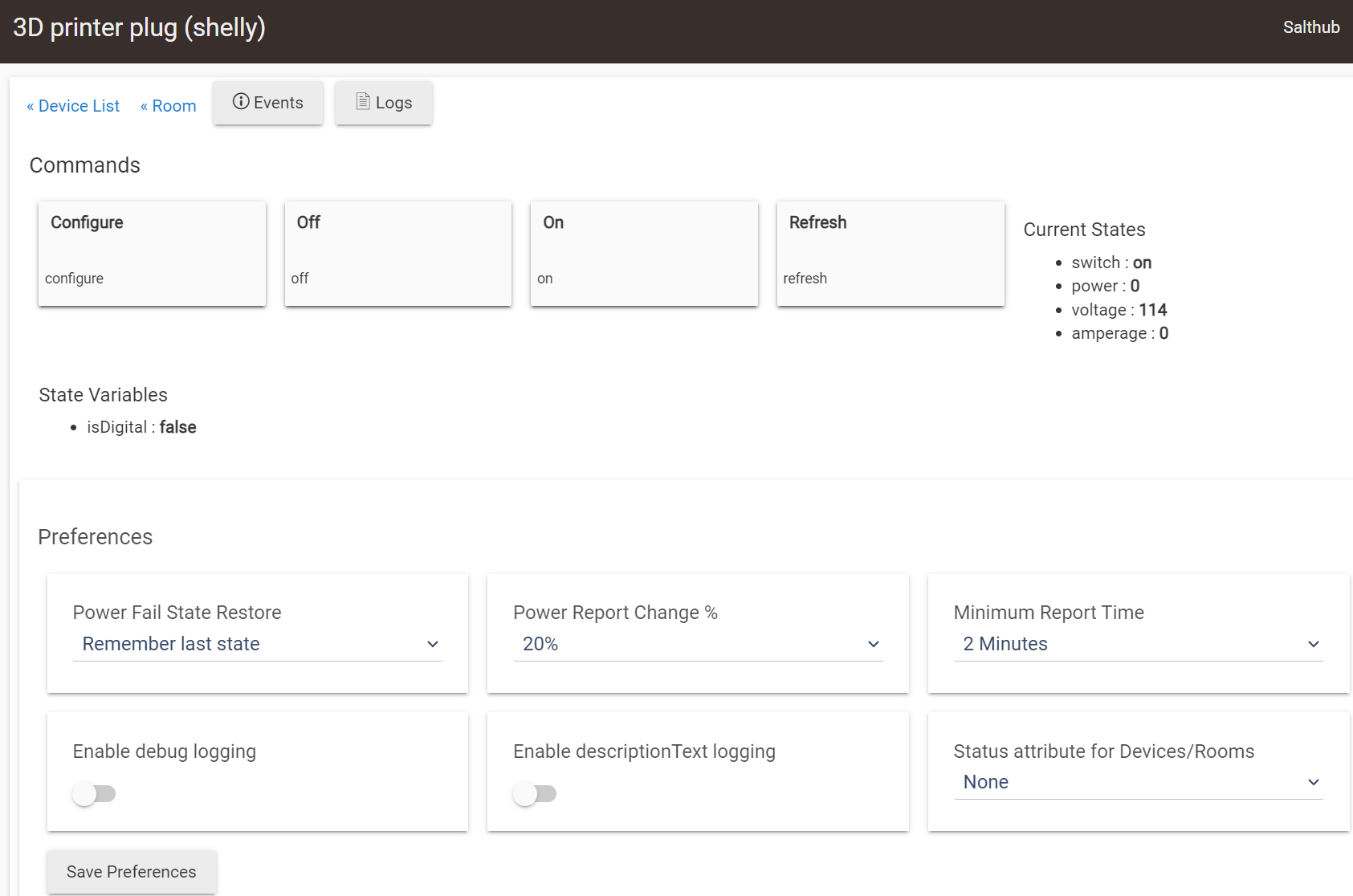
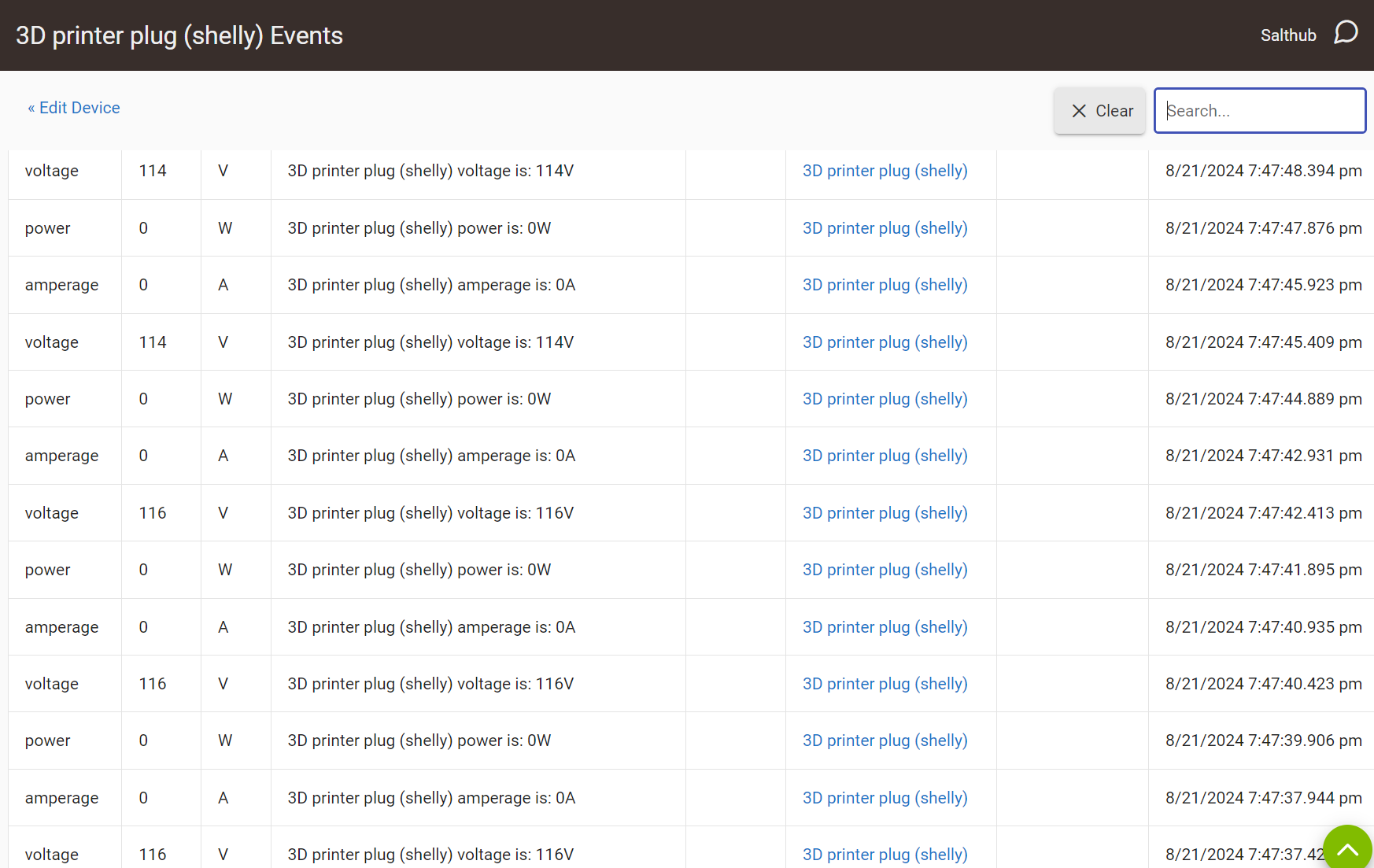


 The driver looks like it will parse the events, but the capabilities aren't there, so this would be an easy fix if so. I'm but I'm not exactly sure which device the OP is using (is the "Shelly Qubino Z-Wave Plug" the only one Shelly sells? this is confusing now since one bought the other...).