Are you setting up the shelly device to send the open/close status ? If so you need to create a virtual device then add the marker api url to the devices settings page.
I followed the steps exactly as per the github page:
- Navigate to your Hubitat's IP address in your web browser
- Click Devices
- Click the Add Virtual Device button
- Enter a Device Name and Device Label for the Shelly module
- Select the appropriate device handler from the "User" section in the "Type" menu
- Click the "Save Device" button
- Enter valid settings for any field marked with an asterisk. For example: Shelly As A Switch, for use with a Shelly 2.5 relay. Enter valid values for IP address and Relay Channel (choices will be o or 1 for the Shelly 2.5). Note: For the Shelly 2.5, you will set up a second instance of the device handler for the second relay channel.
- Click Save Preferences
But I'm not seeing any details in the current states section:

I guess I'm missing the step where I enter the maker api to the url in the devices settings page but I dont see where/how to do this:
This is my preferences view:
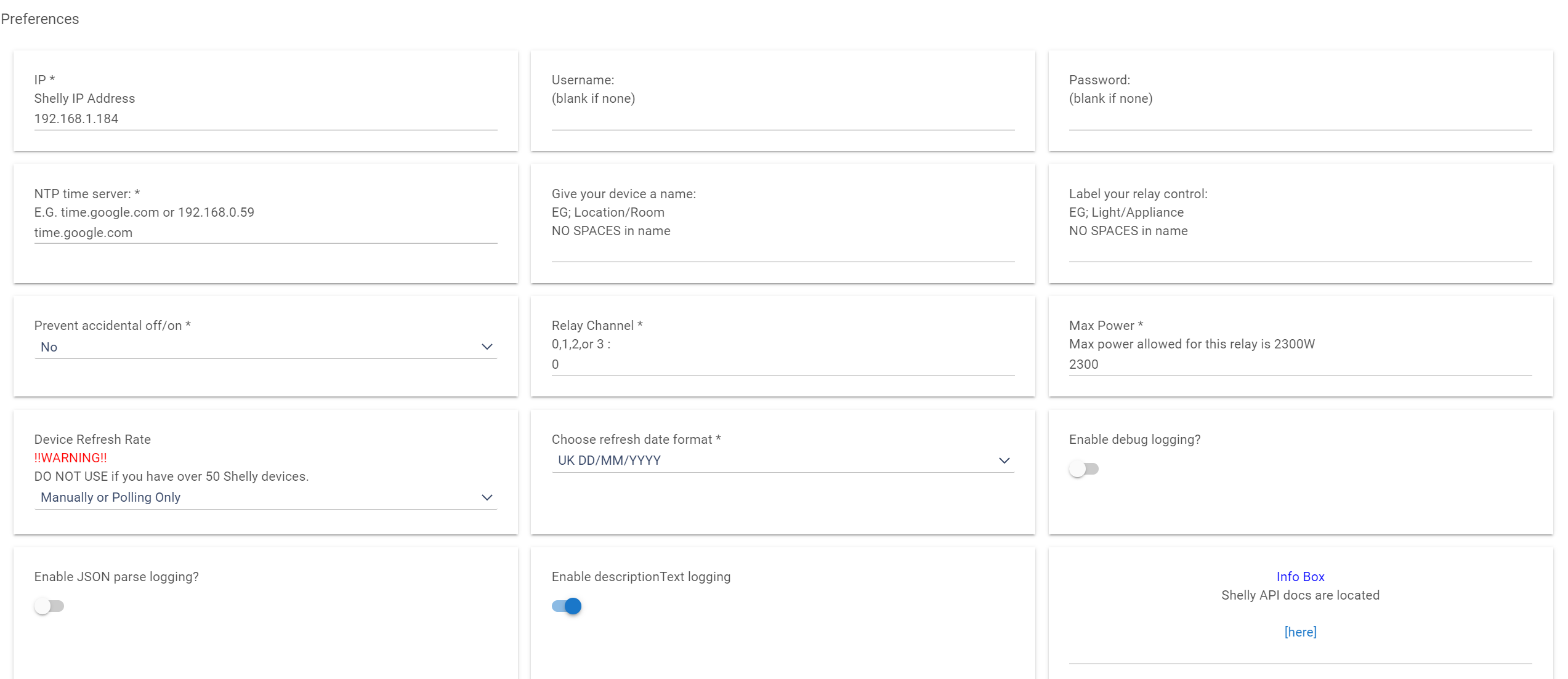
And this is the device info:
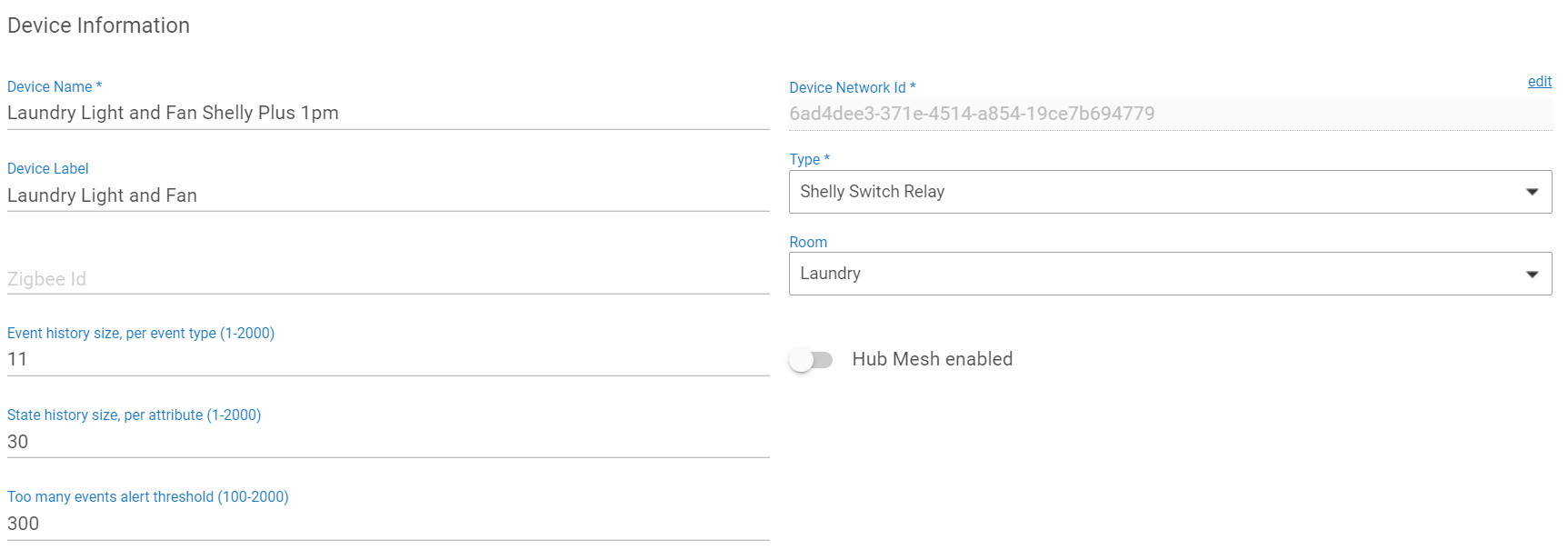
Any idea what I've missed or done incorrectly?

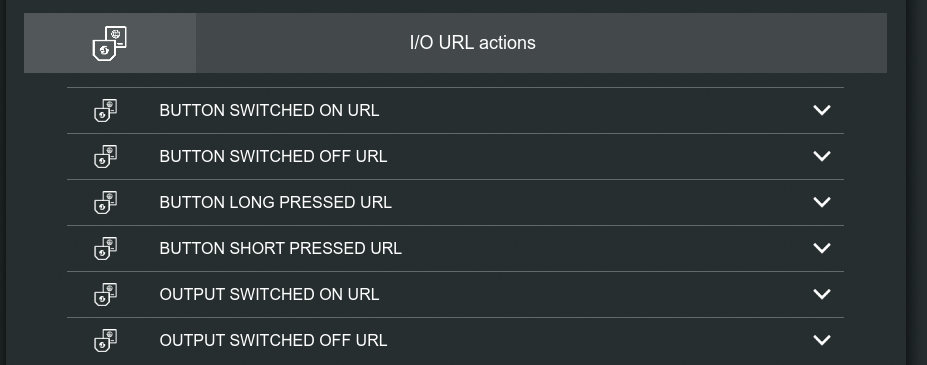
Oh I see, thanks. Is this the webhooks section? My UI looks a little different:
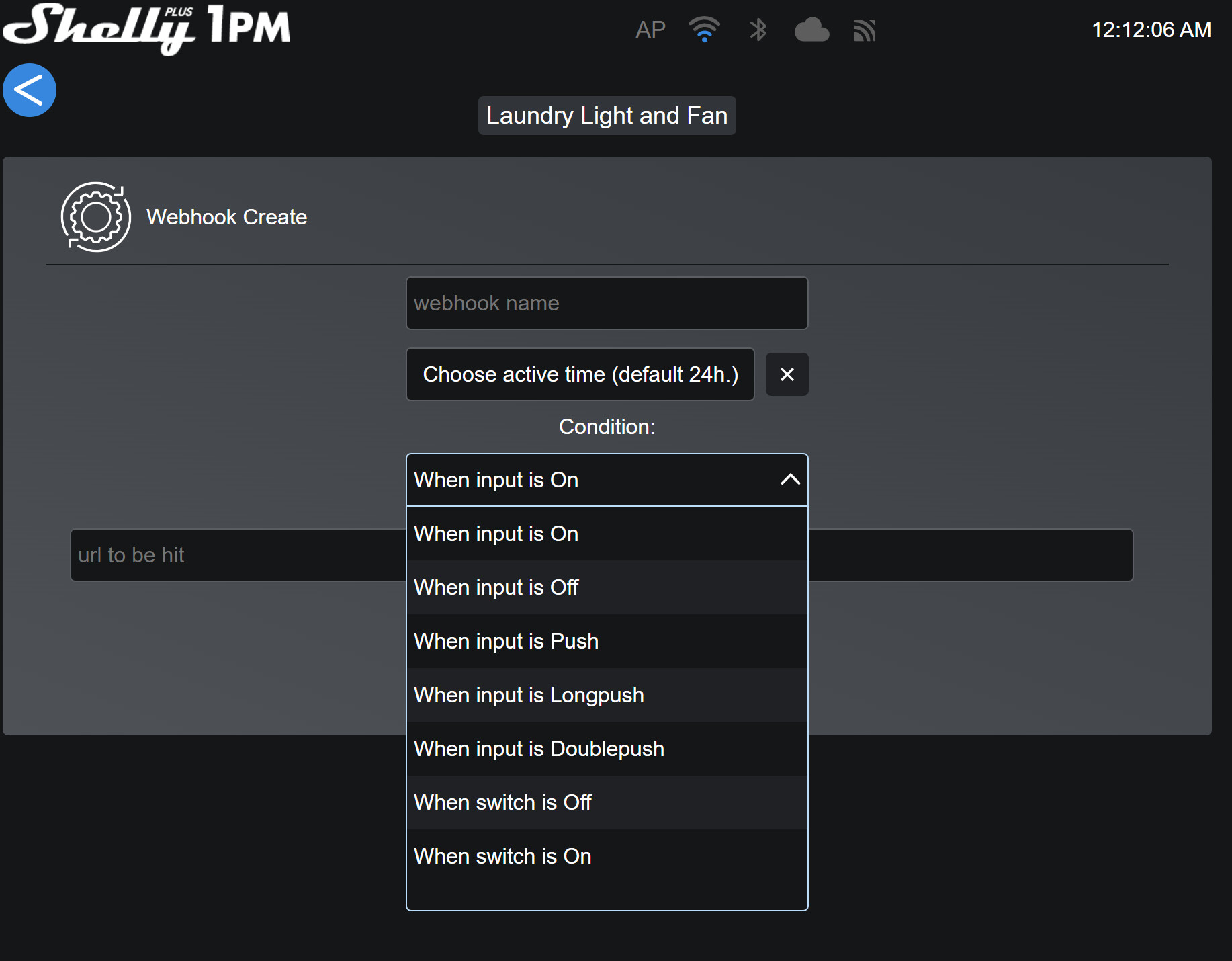
So I'm guessing I should create 2: one for 'when switch is on' and one for 'when switch is off' and then it will pass the state through to HE?
Also, what URL should I put into each one? And what is the 'active time' setting?
I thought you said it was shelly 2.5 -- anyways yes I think that's the same thing now just a different format.
The url generated from Marker API
Between the hours of ___ and ___ -- the default is 24 hours or all day
Sorry this is probably painful for you 
Where do I get the Maker API Url? Is it one of the ones listed in my post earlier?
yes
I tried this and it's not working. What am I doing wrong? (access token has been changed to x just for the screenshot)
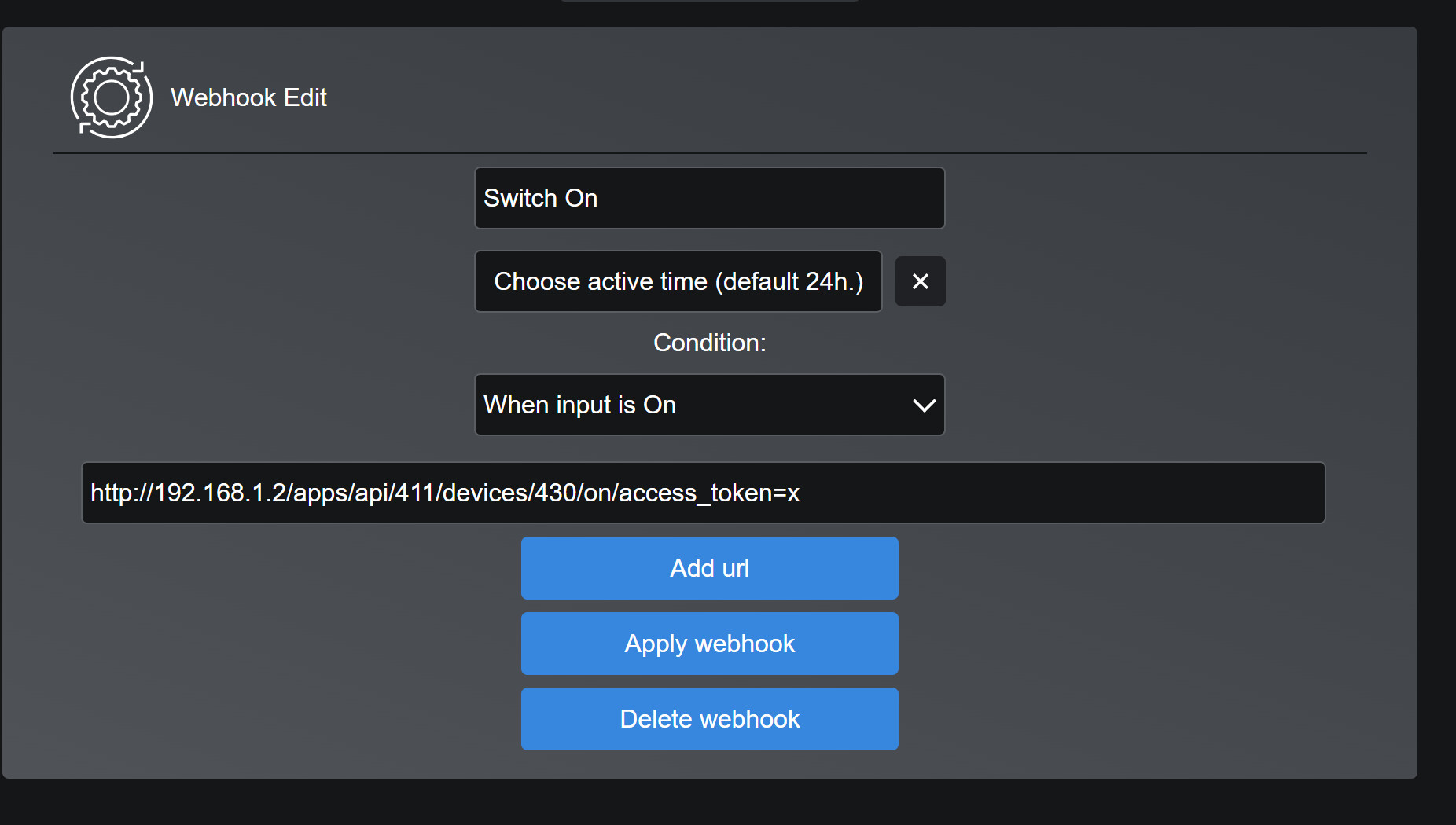
have no idea... never used it this way as the driver automatically refreshes its current device states already.
If you visit the off and on URLs in your web browser does it work? I'd start there to make sure things are working correctly on the Hubitat side.
1 Like
Your device states in Hubitat show/refresh without having to add the Maker API URLs directly to the shelly device settings?
of course -- have you not even tried the driver yet?
I thought I was using the same driver? Here’s what it says in the device details page:

That’s the right driver isn’t it?
I think you are confused.... are you using the external temp monitor add-on as a switch? If not then all that maker API stuff does not apply to you...
I’m definitely very confused 
The module is a shelly plus 1. In another switch I’ve got a shelly plus 1pm. Both are using the driver shown in the screenshot in previous post and both don’t show their state. They can be turned on and off from within the device page in Hubitat so control of them from Hubitat in that way is working - but not if I try to add them into dashboard tiles.
Hopefully whatever i’m doing wrong is an easy fix. Any ideas?
I figured so...
If you have the PLUS devices AKA Gen2 then you need to use this driver Hubitat-Drivers/PLUS at master · ShellyUSA/Hubitat-Drivers · GitHub
I'm pretty sure you are using the old GEN1 driver.
You need to start reading better as everything is clearly stated on the github repo.
I have changed the driver and filename to ShellyPlus.groovy
Seeing that the PLUS devices use the same coding only 1 file is needed for all the new GEN2 Shelly devices. Please update as soon as possible.
Oh dear, I usually read the instructions very carefully and multiple times as I work through them so not sure how I missed the section specific to the plus modules. 
I'm so sorry for wasting your time, and thank you again for all your effort helping to resolve this, it's much appreciated.
I've added the right driver code and removed then re-added the devices with the new code. The 'current states' section on the device page in HE is looking much healthier now with lots of info.
I've noticed that when I turn the switches on or off the state of the switch doesn't update. I can see in the preferences section that the 'device refresh rate' is set to 'manual or polling only' so assuming this is why. I have fewer than 50 shelly devices so I was going to pick the 'poll every minute' option so that the state is regularly updated for use in motion lighting rules and so it reflects correctly on the dashboard.
Just curious why the state doesn't get updated automatically every time there's a change like other devices? And is there a way to make these plus modules do this? My shelly dimmers show state changes immediately for example.
Because you need to setup the marker api urls and set them in the webhooks for the device or you are stuck at every minute.
Are you using the hubitat driver for those? If so they are setup completely different then how I code my drivers.